
1. Introduktion
Den sorteview Fort 5 is a rugged smartphone designed for durability and high performance in challenging environments. This manual provides essential information to help you get started, operate, maintain, and troubleshoot your device effectively.
2. Indledende opsætning
2.1 Pakkens indhold
- Sortview Fort 5 Smartphone x1
2.2 Installation af SIM-kort og MicroSD-kort
Den sorteview Fort 5 supports Dual SIM cards and expandable storage via a MicroSD card. Follow these steps to install your cards:
- Find SIM-kortbakken på siden af enheden.
- Sæt SIM-kortudkastningsværktøjet i det lille hul ved siden af bakken, og skub forsigtigt, indtil bakken springer ud.
- Place your Nano SIM cards and/or MicroSD card into the designated slots on the tray. Ensure they are correctly oriented.
- Skub forsigtigt bakken tilbage i enheden, indtil den flugter med siden.

Figur 2.2.1: Installation af SIM- og MicroSD-kort
2.3 Første opstart og grundlæggende konfiguration
Tryk på tænd/sluk-knappen og hold den nede, indtil den sorteview logo appears. Follow the on-screen prompts to complete the initial setup, including language selection, Wi-Fi connection, and Google account setup. The device runs on Android 16 with the DokeOS 5.0 interface.
3. Betjening af din sorteview Fort 5
3.1 Skærmfunktioner
The Fort 5 features a 6.78-inch 2.4K IPS display with a 120Hz refresh rate and up to 700 nits brightness. It also includes an enhanced Glove Mode 2.0, allowing seamless operation while wearing gloves.

Figure 3.1.1: High-Resolution Display in Use
3.2 Kamerafunktioner
Capture high-quality photos and videos with the 108MP main camera, 50MP front camera, and a dedicated 13MP night vision camera. The night vision camera allows for clear imaging in complete darkness.
Figur 3.2.1: Kamerasystem overview
3.3 Infrarød fjernbetjening
Den sorteview Fort 5 includes a powerful infrared remote control feature, allowing you to control various electronic devices such as TVs, air conditioners, and projectors directly from your phone.

Figure 3.3.1: Infrared Remote Control Functionality
3.4 Værktøjskasseapplikationer
The device comes pre-installed with a multi-functional toolbox, including useful utilities such as a compass, rangefinder, sound meter, flashlight, protractor, and level. These tools are beneficial for outdoor activities and professional use.

Figure 3.4.1: Integrated Toolbox Applications
3.5 Navigation (GPS)
The Fort 5 supports high-precision five-mode satellite navigation (GPS, GLONASS, Galileo, BeiDou, QZSS), ensuring accurate positioning even in remote areas.

Figur 3.5.1: GPS-navigation
3.6 Batteristyring
The device is equipped with a 5000mAh battery, supporting 15W wireless charging and 5W reverse charging. Intelligent power-saving modes optimize energy consumption for extended battery life.

Figure 3.6.1: Battery Status Display
4. Enhedsvedligeholdelse
4.1 Rengøring af din enhed
To maintain optimal performance and appearance, regularly clean your Blackview Fort 5. Use a soft, damp cloth to wipe the screen and body. Avoid harsh chemicals or abrasive materials that could damage the device's rugged coatings.
4.2 Vand- og støvafvisende
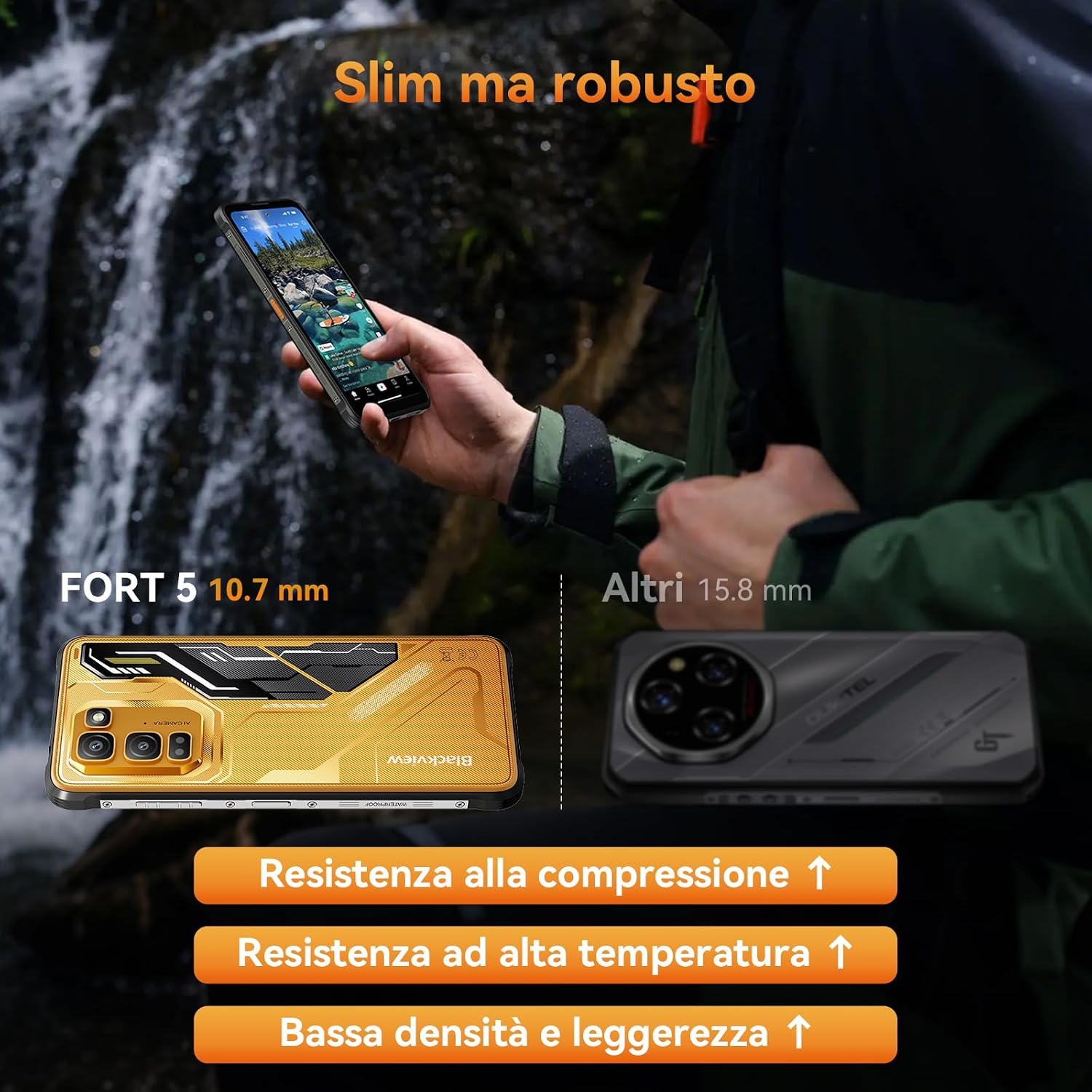
The Fort 5 is certified with MIL-STD-810H, IP68, and IP69K ratings, providing protection against drops, dust, and water. It can withstand immersion in 2 meters of water for 30 minutes and high-pressure hot water jets. Ensure all ports are securely closed before exposing the device to water or dust.

Figure 4.2.1: Rugged Durability in Action
5. Fejlfinding af almindelige problemer
Hvis du støder på problemer med din Blackview Fort 5, try the following steps:
- Enheden reagerer ikke: Tryk og hold tænd/sluk-knappen nede i cirka 10-15 sekunder for at fremtvinge en genstart.
- App-nedbrud: Luk den problematiske app, og genåbn den. Hvis problemet fortsætter, skal du rydde appens cache eller geninstallere den.
- Dårlig netværksforbindelse: Check your SIM card installation. Try toggling airplane mode on and off. Ensure you are within network coverage.
- Batteriet aflades hurtigt: Review app usage in battery settings. Reduce screen brightness, disable unnecessary features like GPS or Wi-Fi when not in use, and activate power-saving mode.
- Software glitches: Ensure your device's software is up to date. Go to Settings > System > System update to check for and install any available updates.
- Gendan fabriksindstillinger: Som en sidste udvej, hvis softwareproblemerne fortsætter, kan du udføre en fabriksnulstilling. Advarsel: Dette vil slette alle data på din enhed. Sikkerhedskopier vigtige data, før du fortsætter. Gå til Indstillinger > System > Nulstillingsindstillinger > Slet alle data (fabriksnulstilling).
6. Tekniske specifikationer
| Feature | Specifikation |
|---|---|
| Mærke | Sortview |
| Modelnavn | FORT 5 |
| Operativsystem | Android 16, DokeOS 5.0 |
| Processor | MediaTek Helio G100 (Okta-kerne) |
| VÆDDER | 12 GB (kan udvides til 36 GB) |
| Intern opbevaring | 256 GB |
| Udvidelig opbevaring | Op til 2 TB via MicroSD |
| Skærmstørrelse | 6.78 tommer |
| Skærmopløsning | 2400 x 1080 (2.4K) |
| Opdateringshastighed | 120 Hz |
| Pixeltæthed | 396 PPI |
| Bagkamera | 108 MP Main + 13 MP Night Vision |
| Forreste kamera | 50 MP |
| Batterikapacitet | 5000 mAh |
| Opladning | 15W Wireless Charging, 5W Reverse Charging |
| SIM-korttype | Nano SIM (understøttelse af dobbelt SIM) |
| Forbindelse | 4G LTE, Wi-Fi 5G, OTG, NFC, Bluetooth 5.2 |
| Navigation | GPS, GLONASS, Galileo, BeiDou, QZSS |
| Holdbarhedsvurderinger | MIL-STD-810H, IP68, IP69K (Waterproof, Dustproof, Shockproof) |
| USB interface | USB-C |
| Produktegenskaber | 10.7mm ultra-thin, 248g ultra-light, Glove Mode, Infrared Remote Control, Toolbox Apps |
7. Garanti og kundesupport
7.1 Garantioplysninger
Den sorteview Fort 5 comes with an official 3 års garanti, providing long-term protection and reliable after-sales service.
7.2 Kundesupport
For any inquiries, technical assistance, or warranty claims, please contact Blackview kunde support:
- E-mail: support@sortview.hk
- Telefon: +44 7700 156388
- Driftstider: Monday to Friday, 9 AM - 5 PM (PST)

Figur 7.2.1: Sortview Oplysninger om kundesupport


