
1. Introduktion
Thank you for choosing the BenQ EW270Q 27-inch 2K QHD 200Hz IPS Gaming Monitor. This manual provides essential information for setting up, operating, and maintaining your monitor. Please read it thoroughly before use to ensure optimal performance and safety.
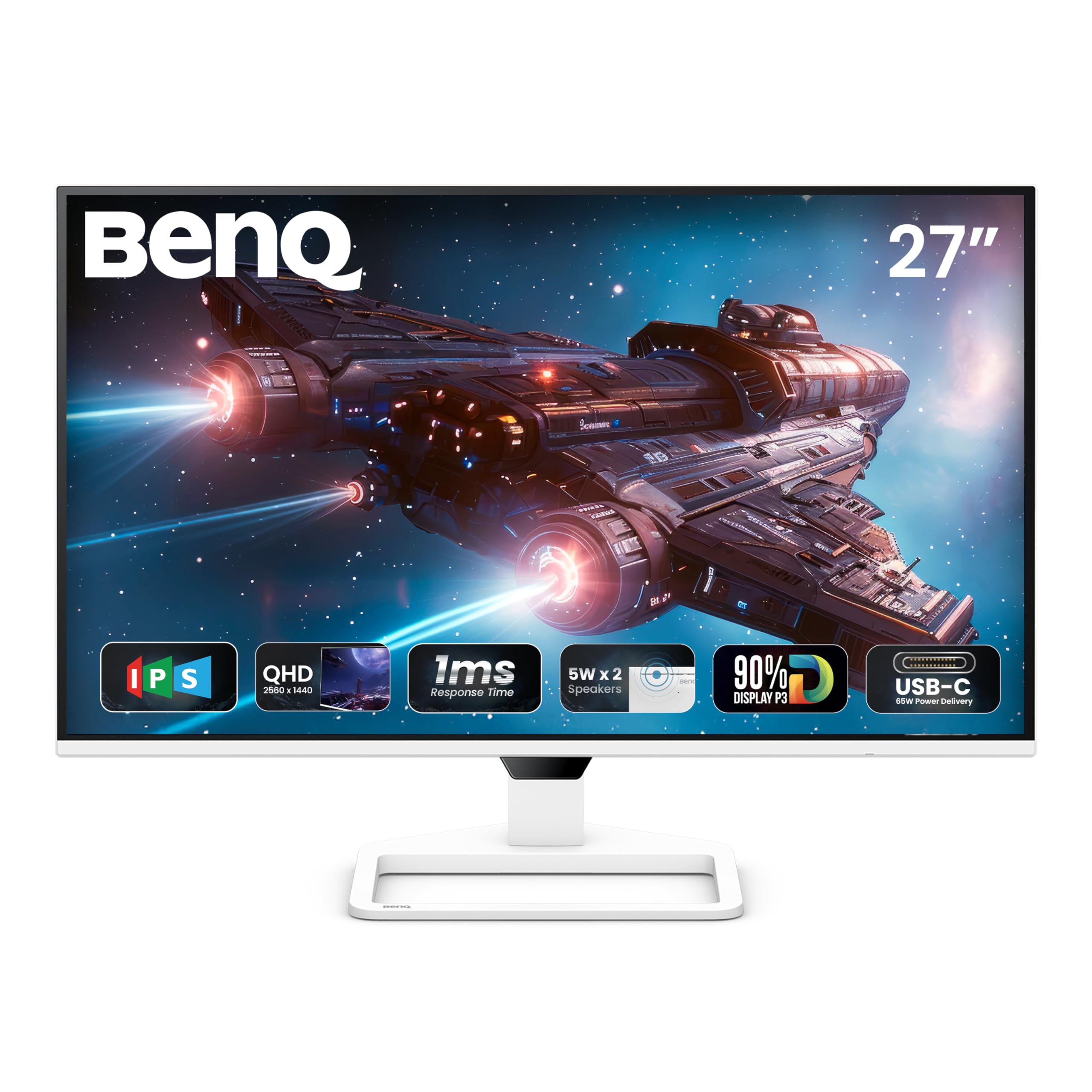
Figur 1: Forside view of the BenQ EW270Q monitor.
2. Opsætning og montering
2.1 Pakkens indhold
Sørg for at alle varer er til stede i pakken:
- BenQ EW270Q Monitor
- Monitorstativ (base og hals)
- 16A strømkabel
- HDMI (v2.0) kabel
- USB-C kabel
- Hurtig startguide (QSG)
- Garantikort
- Sikkerhedsinstruktion
2.2 Samling af skærm
Følg disse trin for at samle skærmstativet:
- Tag forsigtigt skærmens og stativets komponenter ud af emballagen.
- Fastgør stativets hals til skærmpanelet.
- Fastgør stativets base til stativets hals.
- Placer den samlede skærm på en stabil, plan overflade.
2.3 Tilslutningskabler
Tilslut de nødvendige kabler til skærmens bagporte:

Figure 2: Available connectivity ports on the BenQ EW270Q monitor.
- Strømkabel: Connect the 16A power cable to the monitor's power input and a wall outlet.
- Videoindgang: Connect your computer or gaming console using one of the following:
- HDMI (v2.0): For standard video and audio connection.
- DisplayPort (v1.4): For high-resolution and high-refresh-rate video.
- USB-C (65W Power Delivery): For video, data, and charging compatible devices (e.g., laptops) with up to 65W power.
- Lydudgang: Tilslut hovedtelefoner eller eksterne højttalere til 3.5 mm hovedtelefonstikket.
Video 1: This video demonstrates the physical connections and initial power-on sequence for the BenQ EW270Q monitor, including plugging in the power cable and connecting input sources.
2.4 Tænd
After connecting all cables, press the power button located on the rear of the monitor to turn it on. The BenQ logo will appear, indicating the monitor is starting up.

Figure 3: Location of the power button and other control buttons on the rear of the monitor.
3. Betjeningsvejledning
3.1 Navigation på skærmen (OSD)
The monitor features a 5-way controller and dedicated hotkeys on the rear for navigating the OSD menu and quick access to settings.
- 5-way Controller: Press to open the OSD menu. Use up/down/left/right to navigate and press to confirm selections.
- Scenario Hotkey: Quickly switch between customized or preset optimal monitor settings for various uses (work, gaming, movies).
- Input Key: Directly select the input source (HDMI, DisplayPort, USB-C).

Figure 4: The Display Pilot 2 software provides an alternative way to manage monitor settings from your computer.
3.2 Nøglefunktioner
The BenQ EW270Q monitor offers several features to enhance your viewspil- og spilleoplevelse:
- 200Hz Refresh Rate & AMD FreeSync Premium: Experience smoother motion and reduced screen tearing, especially in fast-paced gaming. The 200Hz refresh rate ensures quick adaptation to on-screen changes for a fluid visual experience.

Figure 5: Visual comparison demonstrating the improved smoothness with a 200Hz refresh rate.
- HDRi Technology: BenQ's exclusive HDRi technology intelligently optimizes HDR content for improved detail, contrast, and color performance. It adapts to ambient lighting conditions for comfortable viewing.

Figure 6: Illustration of HDRi enhancing image quality with more uniform color and contrast.
- High Pixel Contrast: This feature intelligently adjusts contrast based on the displayed content, enhancing dark and bright areas without affecting other parts of the image.

Figure 7: Demonstrates the effect of High Pixel Contrast on image detail and depth.
- Indbyggede højttalere (5W x 2): The monitor includes two 5W treVolo speakers for an integrated audio experience.

Figure 8: Location of the integrated 5W speakers.
- BenQ Eye-Care Technology: Features like Brightness Intelligence, Low Blue Light, and Flicker-Free technology are designed to reduce eye strain during prolonged use. Brightness Intelligence automatically adjusts screen brightness based on ambient light.

Figure 9: BenQ Eye-Care technology helps maintain visual comfort.
3.3 Fysiske tilpasninger
The monitor offers the following physical adjustments:
- Vip: Juster skærmvinklen fra -5° til 20°.
- Drejelig: Rotate the screen horizontally 20° to the left and 20° to the right.
- VESA montering: Compatible with 100 x 100 mm VESA wall mounts for alternative mounting options.
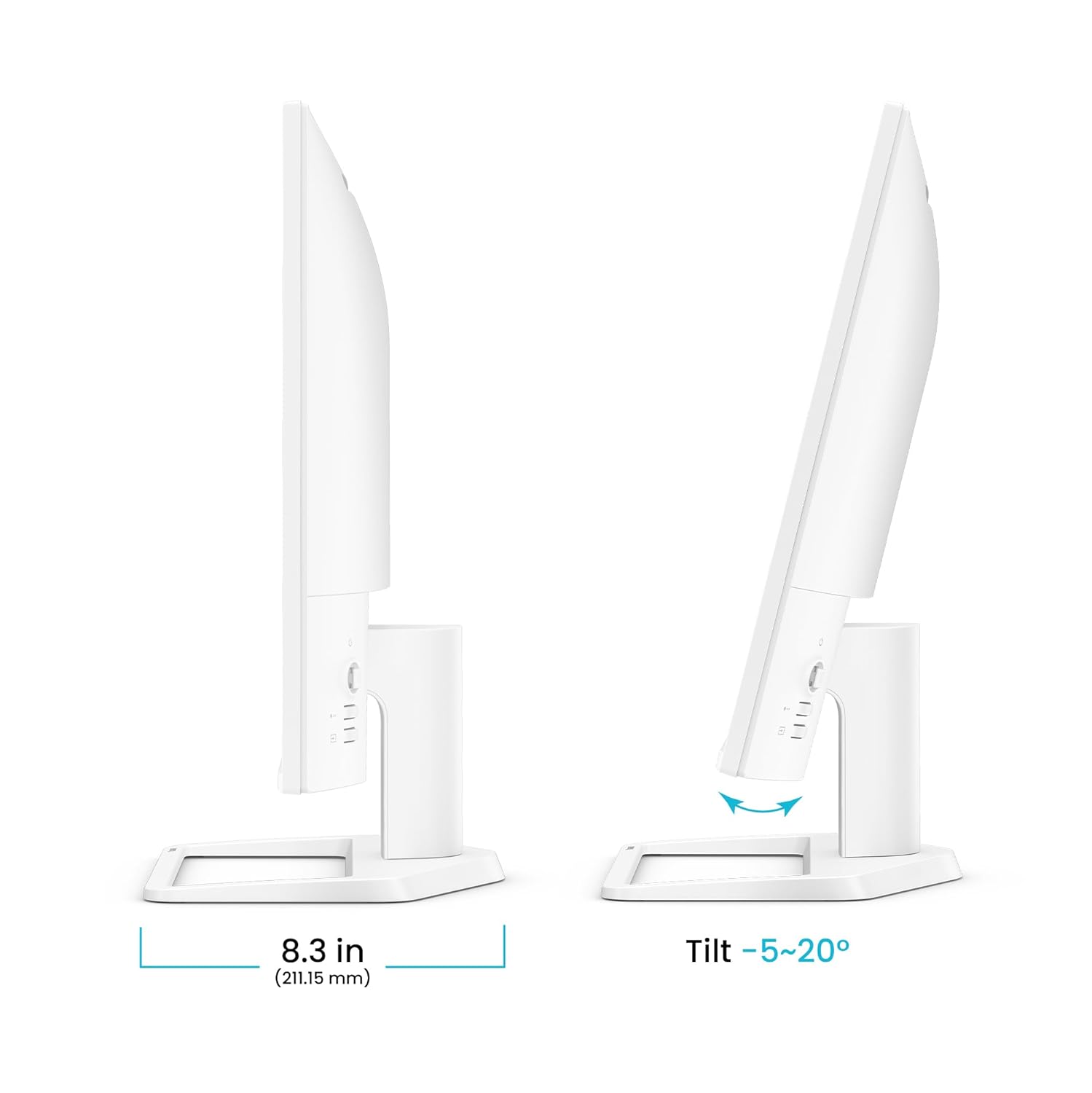
Figur 10: Justeringsområde for skærmens hældning.

Figure 11: Monitor swivel adjustment range.

Figure 12: VESA wall mount compatibility.
4. Vedligeholdelse
To ensure the longevity and optimal performance of your BenQ EW270Q monitor, follow these maintenance guidelines:
- Rengøring af skærmen: Tør forsigtigt skærmen af med en blød, fnugfri klud. Tør forsigtigt genstridige mærker afampRengør kluden med vand eller en skærmrens uden ammoniak og uden alkohol. Sprøjt ikke væske direkte på skærmen.
- Rengøring af Casing: Brug en blød, tør klud til at tørre skærmen afasing. Undgå slibende rengøringsmidler eller opløsningsmidler.
- Ventilation: Sørg for, at ventilationsåbningerne på skærmen ikke er blokerede. Placer ikke skærmen i et lukket rum uden tilstrækkelig luftgennemstrømning.
- Sluk: Always turn off the monitor and unplug the power cable before cleaning or if it will be unused for an extended period.
5. Fejlfinding
Hvis du støder på problemer med din skærm, kan du se følgende almindelige fejlfindingstrin:
| Problem | Mulig løsning |
|---|---|
| Intet billede på skærmen | Ensure the power cable is securely connected and the monitor is turned on. Check that the video input cable (HDMI, DisplayPort, USB-C) is properly connected to both the monitor and your device. Select the correct input source using the Input Key. |
| Billedet er sløret eller forvrænget | Check the display resolution settings on your computer to ensure they match the monitor's native resolution (2560 x 1440). Ensure the video cable is not damaged. |
| Ingen lyd fra højttalerne | Verify the audio cable (if using a separate one) is connected, or that audio is being transmitted via HDMI/USB-C/DisplayPort. Check the monitor's volume settings in the OSD and your computer's audio output settings. |
| Skærmen flimrer | Ensure the refresh rate is set correctly in your computer's display settings. Enable AMD FreeSync Premium if your graphics card supports it. Check for external interference. |
| Knapperne reagerer ikke | Power cycle the monitor by unplugging and replugging the power cable. |
6. Specifikationer
| Feature | Detalje |
|---|---|
| Modelnummer | 9H.LP7LA.TBA |
| Skærmstørrelse | 27 tommer |
| Paneltype | IPS |
| Opløsning | 2560 x 1440 (2K QHD) |
| Opdateringshastighed | 200 Hz |
| Svartid | 1 ms |
| Kontrastforhold | 1200:1 |
| Lysstyrke | 350 nits |
| Farveskala | 90 % P3 |
| HDR-understøttelse | HDR10, Display HDR10, HDRi |
| Viewi vinkel | 178°/178° |
| Aspektforhold | 16:9 |
| Højttalere | 5W x 2 treVolo Speakers |
| Forbindelse | 1x HDMI (v2.0), 1x DisplayPort (v1.4), 1x USB-C (65W Power Delivery), 1x Headphone Jack |
| Justeringer | Tilt (-5° to 20°), Swivel (20°/20°) |
| VESA vægbeslag | 100 x 100 mm |
| Dimensioner (BxHxD) | 61.4 x 43.6 x 21.2 cm |
| Vægt | 4.64 kg |
7. Garanti og support
7.1 Garantioplysninger
The BenQ EW270Q monitor comes with a 3 års producentgarantiSe venligst det medfølgende garantikort for detaljerede vilkår og betingelser.
7.2 Kundesupport
For technical assistance, product inquiries, or warranty claims, please contact BenQ customer support through their official webwebstedet eller kontaktoplysningerne på dit garantikort.