
1. Produktet er slutview
The Geeni Lookout 2K Outdoor Auto-Follow Security Camera is designed to provide comprehensive outdoor surveillance with advanced features. This section introduces the camera's key capabilities and what you will find in the box.
Nøglefunktioner
- 2K QHD-video: Captures sharp details day and night.
- Pan-Tilt Functionality: Tilbyder 355° vandret og 95° lodret dækning.
- Dual-band Wi-Fi: Understøtter både 2.4 GHz og 5 GHz netværk for stabil forbindelse.
- Smart bevægelsessporing: Automatically follows detected movement and sends alerts.
- Farve Night Vision: Provides clear, colored footage in low-light conditions with integrated spotlights.
- Tovejs lyd: Allows communication through the camera.
- Vejrbestandig: Designet til udendørs brug under forskellige vejrforhold.

Billede: Overview of Geeni Lookout 2K camera highlighting key features like 2K QHD Video, Motion Sensor, Color Night Vision, 2-Way Audio, Smart Alerts, Voice Control, Built-in Spotlight, Weather Resistant, Pan & Tilt, and microSD Slot.
Hvad er der i æsken
- Geeni Lookout 2K Outdoor Auto-Follow Security Camera
- Ladekabel
- Monteringsskruer
- Nulstil pin
- Instruktionsmanual (dette dokument)
2. Opsætningsvejledning
Follow these steps to properly install and connect your Geeni Lookout 2K camera.
Installation
- Vælg en placering: Vælg et udendørs sted med en klar view of the area you wish to monitor. Ensure it is within range of your Wi-Fi network and has access to a power outlet.
- Monter kameraet: Use the provided mounting screws to securely attach the camera to a wall or suitable surface. The camera is designed for wall mounting.
- Tilslut strøm: Plug the charging cable into the camera and then into a power outlet. The camera is corded electric.

Image: A person installing the Geeni Lookout 2K camera on an outdoor wall, demonstrating its easy installation process.
App-forbindelse
- Download Geeni-appen: Søg efter 'Geeni' in your smartphone's app store (compatible with Android and iOS).
- Opret en konto: Åbn appen, og følg instruktionerne på skærmen for at oprette en ny konto eller logge ind.
- Tilføj enhed: Tap the '+' icon or 'Add Device' in the app. Select your Geeni Lookout 2K camera from the list of available devices.
- Opret forbindelse til Wi-Fi: Follow the app's prompts to connect the camera to your home Wi-Fi network. The camera supports both 2.4GHz and 5GHz bands for flexible and stable connectivity.
- Komplet opsætning: Once connected, you can name your camera and customize settings within the app.

Image: Illustration showing the Geeni Lookout 2K camera's dual-band Wi-Fi capability, supporting both 2.4GHz for wider coverage and 5GHz for faster speed, ensuring a strong and stable connection.
3. Betjeningsvejledning
Learn how to utilize the various functions of your Geeni Lookout 2K camera for optimal security.
Motion Tracking and Alerts
The camera features smart motion tracking, allowing it to automatically follow detected movement within its 355° coverage area. When motion is detected, the camera sends instant push notifications to your smartphone, keeping you informed of any activity.

Image: The Geeni Lookout 2K camera mounted outdoors, showing its 355° pan and 95° tilt capabilities, with a smartphone displaying the live feed and controls.

Image: An illustration depicting the Geeni Lookout 2K camera detecting motion at night, activating a spotlight alarm and sending a push notification to a smartphone, indicating motion detection.
Farve Nattesyn
Equipped with integrated spotlights, the camera provides clear color night vision, enhancing visibility in dark conditions. This allows for clearer footage around entrances and driveways, even at night.

Billede: En splittelse view demonstrating the Geeni Lookout 2K camera's 2K color night vision, showing a brightly lit outdoor scene on the left and a clear, detailed color night vision view on the right, with specifications like 4MP (2560 x 1440), 4X Digital Zoom, and 50FT Night Vision Distance.
To-vejs lyd
Utilize the built-in microphone and speaker for two-way audio communication. This feature allows you to greet visitors, manage deliveries, or communicate with family members remotely through the camera.
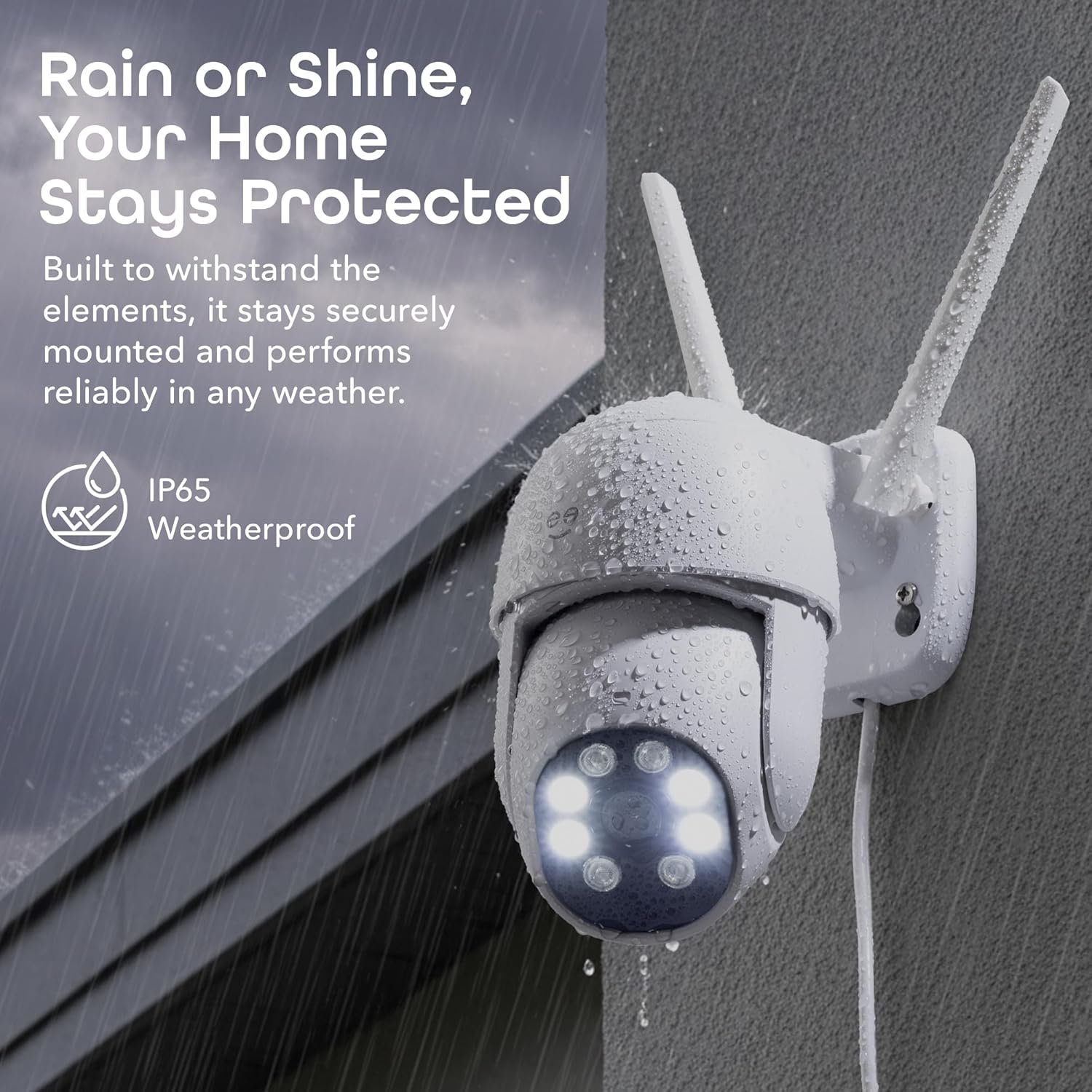
Image: A woman speaking into her phone, with a speech bubble saying "I am back, please open the door." next to a Geeni Lookout 2K camera mounted on a wall, which has a speech bubble saying "Okay." illustrating the two-way audio feature.
4. Vedligeholdelse
Korrekt vedligeholdelse sikrer dit sikkerhedskameras levetid og optimale ydeevne.
Vejrbestandighed
The Geeni Lookout 2K camera is designed to be weather-resistant with an IP65 rating, protecting it from dust and water splashes. Regularly check the camera's housing for any signs of damage or wear, especially after severe weather conditions. Keep the lens clean from dirt or debris to maintain clear image quality.

Image: The Geeni Lookout 2K camera mounted outdoors, with water droplets on its surface, emphasizing its IP65 weatherproof rating and ability to withstand elements.
5. Fejlfinding
If you encounter issues with your camera, refer to the following common troubleshooting steps.
- Kameraet forbinder ikke: Ensure your Wi-Fi network is active and the camera is within range. Verify that you are connecting to a 2.4GHz or 5GHz network as supported. Try restarting your router and the camera.
- Dårlig billedkvalitet: Check if the camera lens is clean and free from obstructions. Ensure adequate lighting in the area, especially for optimal color night vision.
- Bevægelsesalarmer ikke modtaget: Confirm that motion detection is enabled in the Geeni app settings and that app notifications are allowed on your smartphone.
- To-vejs lydproblemer: Check your smartphone's volume settings and ensure the microphone and speaker permissions are granted to the Geeni app.
- Nulstilling af kameraet: If issues persist, use the provided reset pin to press and hold the reset button on the camera for several seconds until you hear a prompt or see an indicator light change. This will restore factory settings, and you will need to re-add the device to the app.
For further assistance, please visit the Geeni support webwebsted eller kontakt kundeservice.
6. Tekniske specifikationer
| Feature | Specifikation |
|---|---|
| Modelnummer | GN-CW131-199 |
| Indendørs/Udendørs brug | Udendørs |
| Videooptagelsesopløsning | 1440p (2K QHD) |
| Forbindelsesprotokol | Wi-Fi (2.4G/5G) |
| Controller type | Amazon Alexa, Android, Google Assistant |
| Monteringstype | Vægmontering |
| Varedimensioner (L x B x H) | 3.58 x 5.2 x 5.1 tommer |
| Varens vægt | 1.42 pund |
| Strømkilde | Elektrisk med ledning |
| Speciel funktion | Smart Auto-Follow |
| UPC | 194383088011 |
7. Garanti og support
Geeni products are designed for reliability and performance. For specific warranty details, please refer to the warranty card included with your product or visit the official Geeni website. For technical support, troubleshooting assistance, or any inquiries, please contact Geeni customer service through their official channels.