
1. Introduktion
Thank you for choosing the Thomson Go Plus Pro 4K UHD Smart Display. This 27-inch intelligent touchscreen device combines innovative mobile design with high-performance technology, offering an exceptional experience for streaming, working, and video calls. This manual provides essential information for the safe and efficient use of your new smart display.
Key features include a responsive 4K UHD (3840 x 2160) touchscreen, Dolby Audio with an integrated subwoofer, Android operating system, Google Assistant voice control, Google Cast, Wi-Fi 6, Bluetooth 5.2, a 5MP camera, and a 9000 mAh battery for up to 4 hours of autonomy. Its adjustable stand with five wheels allows for effortless movement and 360-degree rotation.
2. Sikkerhedsoplysninger
Please read all safety instructions before using the device. Keep this manual for future reference.
- Strømkilde: Brug kun den medfølgende strømadapter. Sørg for, at lydstyrkentage matcher kravene specificeret på enheden.
- Placering: Place the device on a stable, level surface. Avoid direct sunlight, heat sources, and areas with high humidity or dust.
- Ventilation: Bloker ikke ventilationsåbningerne. Sørg for tilstrækkelig luftgennemstrømning omkring enheden for at forhindre overophedning.
- Vand og fugt: Do not expose the device to rain, moisture, or liquids. Do not place objects filled with liquids, such as vases, on or near the device.
- Rensning: Afbryd strømmen før rengøring. Brug en blød, tør klud. Brug ikke flydende rengøringsmidler eller aerosolrengøringsmidler.
- Batteri: The device contains a Lithium-ion battery. Do not attempt to replace the battery yourself. Refer to qualified service personnel for battery replacement.
- Børn: Opbevar enheden og dens tilbehør utilgængeligt for børn.
- Service: Forsøg ikke selv at servicere enheden. Henvis al service til kvalificeret servicepersonale.
3. Pakkens indhold
Bekræft at alle varer er til stede i pakken:
- Thomson Go Plus Pro 4K UHD Smart Display
- Portable Stand with Wheels
- Fjernbetjening
- Strømkabel
- Brugervejledning (dette dokument)
4. Produktet er slutview
4.1 Komponenter og funktioner
- 27-inch 4K UHD Touchscreen: High-resolution (3840 x 2160) display with touch functionality.
- Android operativsystem: Access to Google Play Store, streaming apps, and personalized recommendations.
- Integrated Subwoofer & Dolby Audio: Rich, immersive sound experience (20W Basses + 20W Mediums).
- 5MP Built-in Camera: For video calls and conferences.
- 9000 mAh batteri: Provides up to 4 hours of wireless operation.
- Portable Stand with 5 Wheels: Allows for easy movement and 360-degree rotation.
- Google Assistant: Voice control for content search and device operation.
- Google Cast & Hotspot: Share content from your smartphone or tablet.
- Forbindelse: Wi-Fi 6 and Bluetooth 5.2 for fast and stable wireless connections.
- Lagerplads og RAM: 64 GB internal storage and 8 GB RAM for smooth performance.
4.2 Enhedslayout og porte
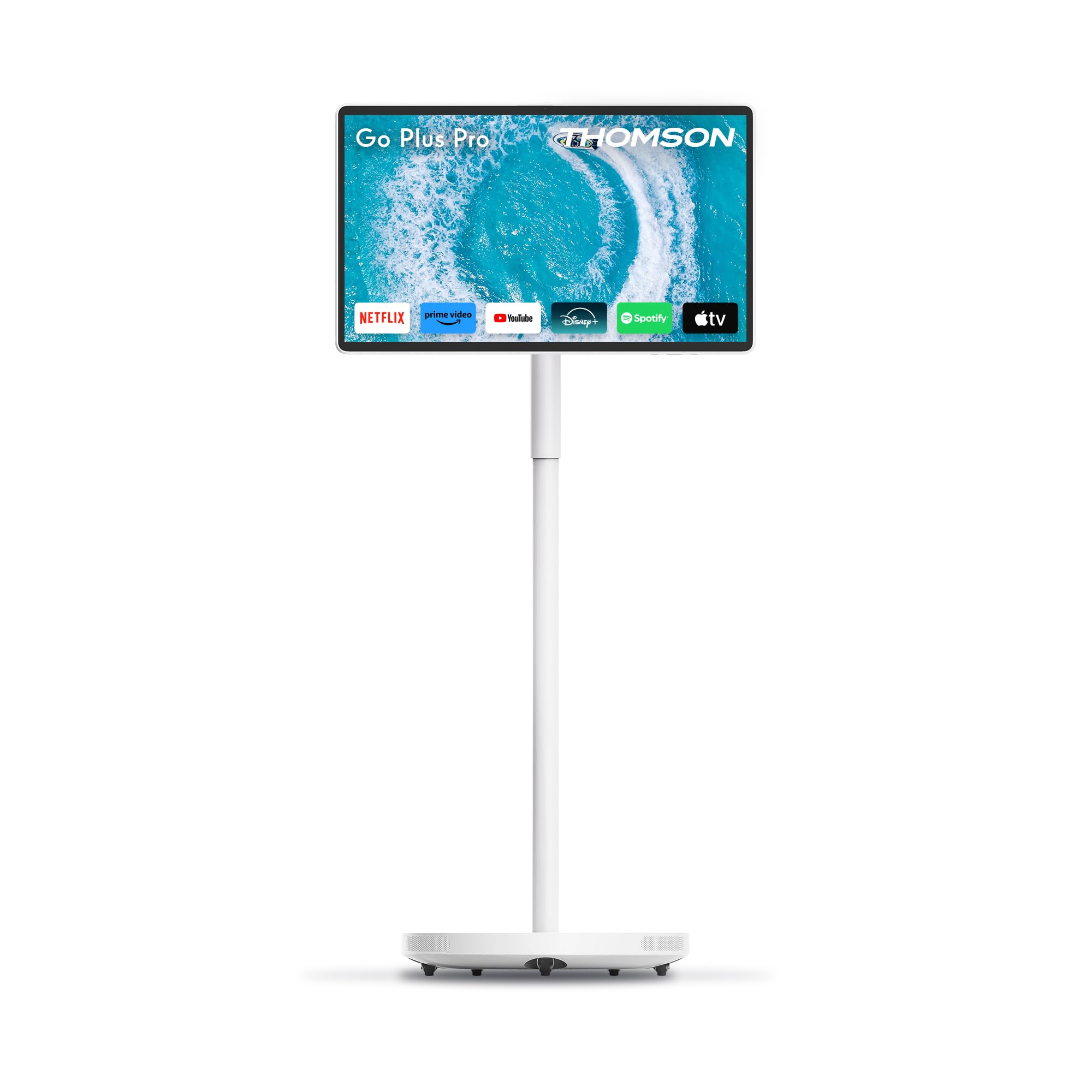
Figur 4.2.1: Forside view of the Thomson Go Plus Pro 4K UHD Smart Display.

Figur 4.2.2: Bagside view viser tilslutningsporte.
The rear of the display features the following ports:
- 1x HDMI 2.0: Til tilslutning af eksterne videokilder.
- 1x USB 3.0: For connecting USB devices like external storage or peripherals.
- 1x Type-C: For additional connectivity options.
- DC IN: Power input for the provided power adapter.

Figure 4.2.3: Base with five integrated wheels for mobility.

Figure 4.2.4: Built-in 5MP camera for video communication.
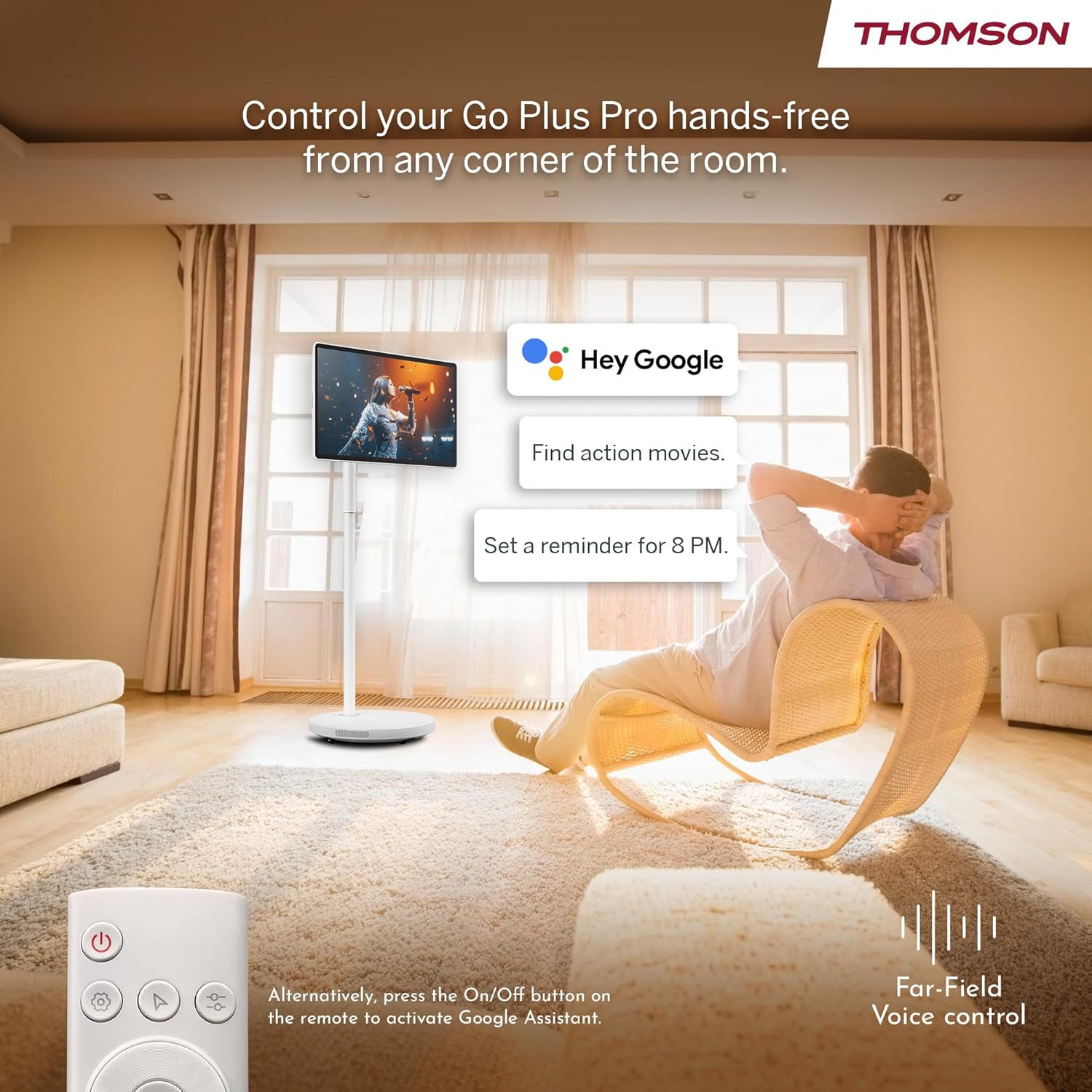
Figure 4.2.5: Location of the integrated subwoofer.
5. Opsætning
5.1 Montering
The Thomson Go Plus Pro comes with a pre-assembled stand. No complex assembly is required. Simply ensure the display is securely attached to the stand and the base is stable on a flat surface.
5.2 Strømtilslutning
- Connect the power cable to the DC IN port on the back of the display.
- Sæt den anden ende af strømkablet i en passende stikkontakt.
5.3 Initial Power On and Android Setup
- Press the Power button on the display or the remote control to turn on the device.
- Follow the on-screen instructions to complete the initial Android setup. This typically includes:
- Valg af sprog.
- Connecting to a Wi-Fi network (Wi-Fi 6 supported).
- Logger ind med din Google-konto.
- Accepterer vilkår og betingelser.
- Once setup is complete, you will be presented with the Android home screen.
6. Betjeningsvejledning
6.1 Tænd/sluk
- For at tænde: Press the Power button on the display or the remote control.
- For at slukke: Press and hold the Power button on the remote control, then select 'Power Off' from the on-screen menu. A short press will put the device into standby mode.
6.2 Betjening af berøringsskærmen
The 27-inch display is fully touch-enabled. Interact with the interface by tapping, swiping, and pinching as you would on a tablet or smartphone.

Figure 6.2.1: Touchscreen interaction.
6.3 Stemmestyring (Google Assistent)
Your device integrates Google Assistant for hands-free control.
- Aktiver: Say "Hey Google" or "Ok Google" to activate the voice assistant. Alternatively, press the dedicated Google Assistant button on your remote control.
- Kommandoer: Use voice commands to search for content, launch applications, control playback, set reminders, and more.

Figure 6.3.1: Hands-free voice control with Google Assistant.
6.4 Streaming and Applications
Access a wide range of entertainment through the Android operating system.
- Google Play Butik: Download and install your favorite streaming services (Netflix, Prime Video, Disney+, YouTube, Spotify, etc.) and other applications.
- Navigation: Use the touchscreen or remote control to navigate the Android interface and launch apps.

Figure 6.4.1: Android interface with popular streaming applications.
6.5 Casting and Hotspot
- Google Cast: Wirelessly cast content (photos, videos, music) from your compatible smartphone or tablet directly to the Go Plus Pro display.
- Hotspot: Utilize the device's hotspot functionality to share its internet connection with other devices.
6.6 Videoopkald
The integrated 5MP camera allows for convenient video calls.
- Launch your preferred video calling application (e.g., Google Meet, Zoom) from the Google Play Store.
- Sørg for, at du har en stabil internetforbindelse.
Figure 6.6.1: Using the built-in camera for video calls.
6.7 Screen Adjustment and Portability
The display offers flexibility in positioning and movement.
- Rotation og tilt: The screen can be rotated 360 degrees and tilted to achieve the optimal viewvinkel.
- Mobilitet: The five integrated wheels on the base allow you to easily move the Go Plus Pro between rooms.

Figure 6.7.1: Screen rotation and tilt functionality.

Figure 6.7.2: Portability of the smart display.
6.8 Batteristyring
The built-in 9000 mAh battery provides up to 4 hours of autonomy.
- Opladning: Connect the power cable to charge the battery. The battery indicator on the screen will show the charging status.
- Batterilevetid: Actual battery life may vary depending on usage, screen brightness, and connected devices.

Figure 6.8.1: Enjoying content with battery power.
6.9 Fjernbetjening
Den medfølgende fjernbetjening giver mulighed for bekvem betjening på afstand.
- Navigation: Use the directional pad and selection buttons to navigate the interface.
- Stemmeassistent: Press the dedicated button to activate Google Assistant.
- Magt: Tænd eller sluk enheden.

Figure 6.9.1: Convenient remote control storage.
7. Vedligeholdelse
7.1 Rengøring af skærmen
- Tag altid stikket ud af stikkontakten før rengøring.
- Brug en blød, fnugfri klud til forsigtigt at tørre skærmen og de udvendige overflader af.
- For genstridige mærker, let dampRengør kluden med vand eller en skærmsikker rengøringsopløsning (spray ikke direkte på skærmen).
- Avoid using abrasive cleaners, solvents, or alcohol-based products.
7.2 Pleje af batterier
- For at forlænge batteriets levetid bør du undgå at aflade batteriet helt ofte.
- Opbevar enheden et køligt og tørt sted, hvis den ikke bruges i længere perioder.
8. Fejlfinding
If you encounter issues with your Thomson Go Plus Pro, refer to the following common solutions:
| Problem | Mulig årsag | Løsning |
|---|---|---|
| Enheden tænder ikke. | No power, low battery. | Ensure the power cable is securely connected and plugged into a working outlet. Charge the battery if operating wirelessly. |
| Ingen Wi-Fi-forbindelse. | Router issue, incorrect password, out of range. | Check your Wi-Fi router. Re-enter the Wi-Fi password. Move the device closer to the router. |
| Fjernbetjening virker ikke. | Low battery, obstruction, pairing issue. | Replace remote control batteries. Ensure no obstructions between remote and device. Re-pair the remote if necessary (refer to Android settings). |
| Dårlig billedkvalitet. | Low resolution content, network speed. | Ensure you are streaming 4K content. Check your internet connection speed. Some apps may only support FHD quality. |
| Ingen lyd. | Volume too low, muted, external audio device connected. | Increase volume. Check if muted. Disconnect any external Bluetooth audio devices if sound is desired from the internal speakers. |
Hvis problemet fortsætter, bedes du kontakte kundesupport.
9. Specifikationer
The following table details the technical specifications of the Thomson Go Plus Pro 4K UHD Smart Display:
| Feature | Specifikation |
|---|---|
| Mærke | Thomson |
| Modelnummer | 27UE7M45 |
| Skærmstørrelse | 27 tommer (69 cm) |
| Displayteknologi | LED |
| Opløsning | 4K UHD (3840 x 2160p) |
| Opdateringshastighed | 120 Hz |
| Operativsystem | Android |
| Forbindelse | Bluetooth 5.2, Wi-Fi 6, USB, HDMI |
| Havne | 1x HDMI 2.0, 1x USB 3.0, 1x Type-C, DC IN |
| Særlige funktioner | Browser, Disney+, Netflix, Prime Video, Google Assistant, Google Cast, Hotspot, Built-in Camera, Built-in Subwoofer |
| Kamera | 5 MP |
| Batteritype | Lithium-ion (9000 mAh) |
| Batterilevetid | Op til 4 timer |
| Intern opbevaring | 64 GB |
| VÆDDER | 8 GB |
| Processor | Quad-Core |
| Aspektforhold | 16:9 |
| Produktdimensioner (DxBxH) | 5.8 x 62.8 x 37.6 cm (Display only) |
| Farve | Hvid |
| Fabrikant | STRØMVIEW GMBH |
| Oprindelsesland | Kina |

Figure 9.1: 4K UHD Resolution Detail.

Figure 9.2: Energy Label for Model 27UE7M45. For more details, visit EPREL-database.
10. Garanti og support
Your Thomson Go Plus Pro 4K UHD Smart Display comes with a manufacturer's warranty.
- Producentgaranti: 3 år.
- Fabrikant: STRØMVIEW GMBH
- Webwebsted: www.streamview.com
- E-mail adresse: kontakt@streamview.com
- Telefon: +4318900066
For detailed warranty terms and conditions, please refer to the documentation provided with your purchase or contact the manufacturer directly.