
1. Introduktion
Thank you for choosing the Cooler Master ELITE Gold 1000W Power Supply Unit. This manual provides essential information for the safe and efficient installation, operation, and maintenance of your new power supply. The ELITE Gold 1000W is designed for daily gaming and PC building enthusiasts, fully supporting the latest ATX 3.1 standard and offering flexible compatibility with RTX 50 series GPUs and future upgrades.
2. Sikkerhedsoplysninger
Please read and understand all safety instructions before installing or operating this product. Failure to do so may result in personal injury or damage to the product or connected devices.
- Fare for elektrisk stød: Åbn ikke strømforsyningsenheden casing. Høj volumentages are present inside, even when the unit is turned off. There are no user-serviceable parts inside.
- Korrekt jording: Ensure the power supply is properly grounded using the provided power cord.
- Ventilation: Do not block any ventilation openings of the power supply. Ensure adequate airflow around the unit to prevent overheating.
- Fugtighed: Udsæt ikke strømforsyningen for vand eller for høj luftfugtighed.
- Strømkilde: Connect the power supply only to a power source with the correct voltage and frequency as indicated on the unit's label.
- Kabelstyring: Route cables carefully to avoid pinching or damage.
- Temperatur: Operate the power supply within the specified temperature range (up to 40°C high-load environments).
3. Pakkens indhold
Bekræft at alle varer er til stede i din pakke:
- Cooler Master ELITE Gold 1000W Power Supply Unit
- Modular Cable Set (including 12+4 Pin, ATX24 Pin, EPS 4+4 Pin, EPS 8 Pin, SATA + Peripheral 4 Pin connectors)
- AC Power Cord (A/JP cord)
- Monteringsskruer
- Brugermanual
4. Opsætning og installation
Follow these steps to install your Cooler Master ELITE Gold 1000W Power Supply Unit:
- Forbered dit system:
Before installation, ensure your computer is completely powered off and unplugged from the wall outlet. Discharge any residual power by pressing the power button a few times.
- Install the PSU into the PC Case:
Position the ELITE Gold 1000W PSU into the designated power supply bay in your PC case. The compact design (under 150mm) facilitates easy installation in various PC cases. Secure the PSU with the provided mounting screws.

Image: The Cooler Master ELITE Gold 1000W Power Supply Unit installed within a computer chassis, viewed from above, highlighting its compact form factor and top-mounted fan grill.
- Tilslut modulære kabler:
The ELITE Gold 1000W features a full modular design. Connect only the necessary cables to the power supply unit first. Refer to the labels on the PSU for correct connector types (e.g., 10P MB, 18P MB, 8P PCI-E/CPU, 12V-2x6, 6P SATA/HDD).

Billede: En detaljeret view of the Cooler Master ELITE Gold 1000W Power Supply Unit's modular cable interface, clearly showing labeled ports for various component connections such as motherboard, CPU, PCIe, and SATA/HDD.

Image: The Cooler Master ELITE Gold 1000W Power Supply Unit with its full suite of modular cables securely connected and neatly routed, demonstrating the full modular design.
- Forbind til komponenter:
- Bundkort: Tilslut 24-bens ATX-kablet til dit bundkort.
- CPU: Connect the 4+4 pin or 8-pin EPS cable(s) to your motherboard's CPU power connector(s).
- Grafikkort (GPU): Connect the appropriate PCIe power cables (e.g., 8-pin, 12+4 pin for ATX 3.1/PCIe Gen 5.1) to your graphics card(s). This unit is optimized for RTX 50 series GPUs.
- Lagerenheder: Tilslut SATA-strømkabler til dine SSD'er, harddiske og optiske drev.
- Periferiudstyr: Connect peripheral 4-pin cables to any other devices requiring power.
- Tilslut vekselstrøm:
Connect the provided AC power cord to the power supply unit and then to a grounded wall outlet. Ensure the power switch on the PSU is in the OFF position before connecting to the wall outlet.
5. Betjeningsvejledning
After successful installation, follow these steps to operate your system:
- Tænd:
Flip the power switch on the back of the power supply unit to the ON (I) position.
- Systemstart:
Press the power button on your computer case to start your system. The ELITE Gold 1000W will provide stable and efficient power, thanks to its 80 Plus Gold certification and quiet, long-life rifle bearing fan.
- Sluk:
To power off your system, shut down your operating system normally. For complete power disconnection, flip the power switch on the back of the power supply unit to the OFF (O) position and unplug the AC power cord.
6. Vedligeholdelse
Korrekt vedligeholdelse sikrer strømforsyningens levetid og optimale ydeevne.
- Støvrensning: Rengør regelmæssigt strømforsyningens ventilator og ventilationsgitre for støv med trykluft. Sørg for, at systemet er slukket og taget ud af stikkontakten, før rengøring.
- Ventilation: Ensure that the PC case has adequate airflow and that the power supply's fan intake and exhaust are not obstructed.
- Kabelinspektion: Regularly check all modular cables for any signs of wear, fraying, or damage. Replace damaged cables immediately.
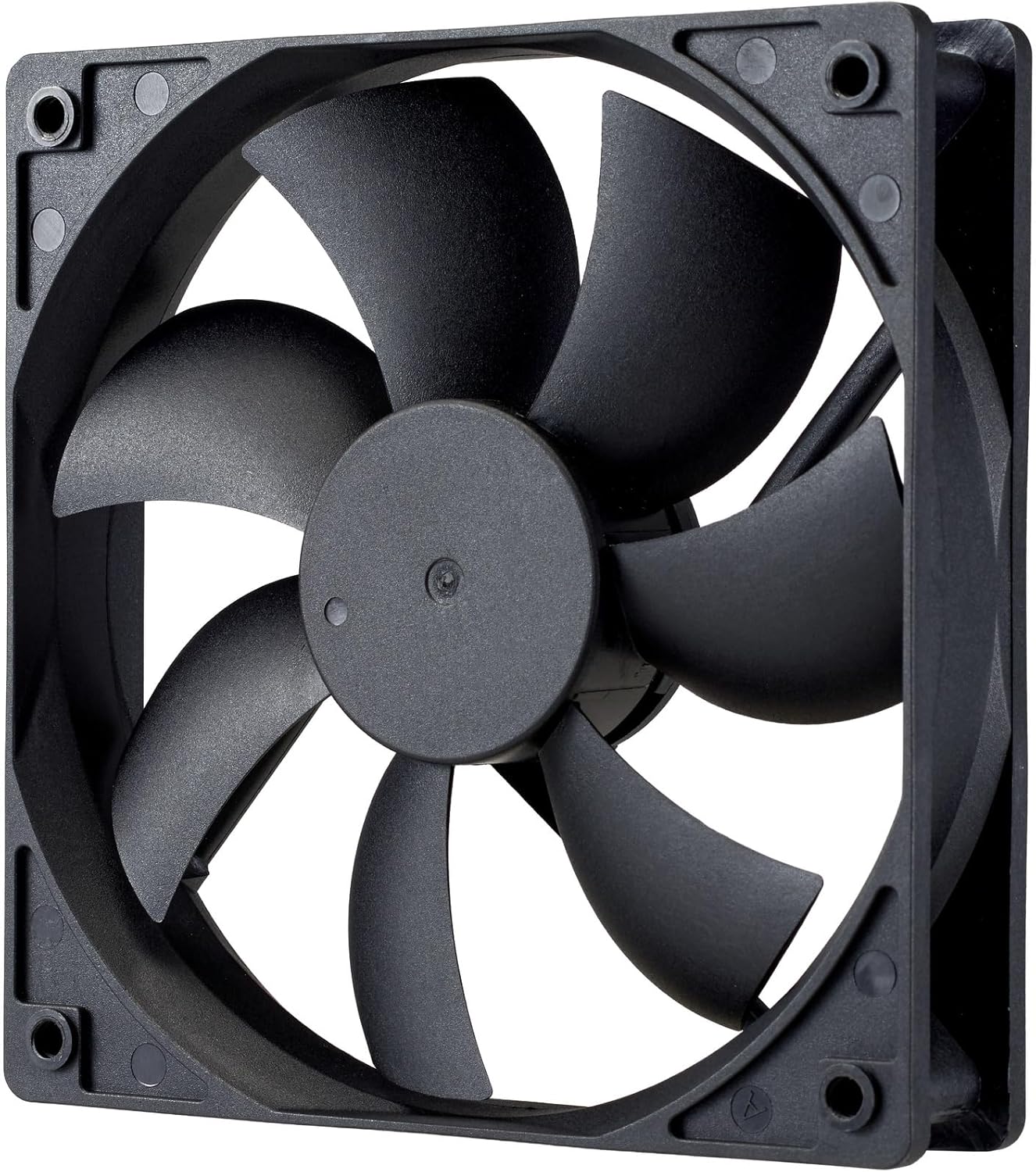
Billede: Et nærbillede view of the power supply's cooling fan, featuring five blades designed for efficient airflow and quiet operation.
7. Fejlfinding
If you encounter issues with your power supply, refer to the following troubleshooting steps:
- Ingen strøm:
- Sørg for, at netledningen er korrekt tilsluttet både strømforsyningen og stikkontakten.
- Verify that the power switch on the back of the PSU is in the ON (I) position.
- Check all modular cables (24-pin ATX, EPS, PCIe) are firmly seated in both the PSU and the respective components.
- Test stikkontakten med en anden enhed for at sikre, at den fungerer.
- Systemustabilitet/Tilfældige nedlukninger:
- Sørg for tilstrækkelig ventilation i dit pc-kabinet for at forhindre overophedning.
- Verify that your system's power requirements do not exceed the 1000W capacity of the PSU.
- Kontroller for løse kabelforbindelser.
- Usædvanlige lyde:
- A quiet rifle bearing fan is designed for minimal noise. If you hear unusual grinding or rattling, ensure no cables are obstructing the fan.
- If the noise persists, contact Cooler Master support.
If these steps do not resolve the issue, please contact Cooler Master customer support for further assistance.
8. Specifikationer
Detailed technical specifications for the Cooler Master ELITE Gold 1000W Power Supply Unit:
| Modelnavn | ELITE Gold |
| Producentens modelnummer | MPX-A005-AFAG-BJP |
| Mærke | Cooler Master |
| Output Wattage | 1000 watt |
| 80 PLUS certificering | Guld |
| ATX version | ATX 3.1 |
| PCIe-version | PCIe Gen 5.1 |
| Formfaktor | ATX |
| Power Design | Fuldt modulært |
| Konnektortyper | 12+4 Pin, ATX24 Pin, EPS 4+4 Pin, EPS 8 Pin, SATA + Peripheral 4 Pin |
| Antal fans | 1 (Rifle Bearing Fan) |
| Maksimal indgang Voltage | 240 volt (AC) |
| Minimum input voltage | 100 volt (AC) |
| Produktmål (L x B x H) | 14 x 15 x 8.6 cm |
| Produktets vægt | 2230 gram |
| Driftstemperatur | Op til 40°C |

Billede: Top view of the Cooler Master ELITE Gold 1000W Power Supply Unit, showcasing its branding and honeycomb-patterned ventilation.

Image: The official 80 PLUS GOLD certification logo, indicating high power efficiency.
9. Garanti og support
The Cooler Master ELITE Gold 1000W Power Supply Unit comes with a 5 års garanti fra købsdatoen. Denne garanti dækker fejl i materialer og udførelse ved normal brug.
For technical support, warranty claims, or further assistance, please visit the official Cooler Master website or contact your local Cooler Master distributor. Please have your product model number (MPX-A005-AFAG-BJP) and proof of purchase ready when contacting support.