
1. Introduktion
Thank you for choosing the Majority D100X Active Bookshelf Speakers. These speakers are designed to deliver high-quality audio for various applications, including home studios, offices, and living rooms. Featuring a powerful 2.2 stereo system, multiple connectivity options, and adjustable sound controls, the D100X provides a versatile and immersive listening experience.
2. Sikkerhedsinstruktioner
Please read these safety instructions carefully before using your speakers and retain them for future reference. Incorrect use may result in electric shock, fire, or other hazards.
- Udsæt ikke enheden for regn, fugt eller direkte sollys.
- Ensure proper ventilation around the speakers. Do not block any ventilation openings.
- Do not place the speakers near heat sources such as radiators, heat registers, stoves, or other apparatus (including ampløftere), der producerer varme.
- Brug kun tilbehør/tilbehør specificeret af producenten.
- Tag stikket ud af apparatet under tordenvejr, eller når det ikke skal bruges i længere perioder.
- Overlad al service til kvalificeret servicepersonale. Service er påkrævet, når apparatet er blevet beskadiget på nogen måde, såsom strømforsyningsledning eller stik er beskadiget, væske er blevet spildt, eller genstande er faldet ind i apparatet, apparatet har været udsat for regn eller fugt, ikke fungerer normalt , eller er blevet droppet.
- Do not open the speaker enclosures. There are no user-serviceable parts inside.
3. Pakkens indhold
Carefully unpack your D100X speakers and ensure all items are present and in good condition. If any items are missing or damaged, please contact customer support.

Strømadapter

Fjernbetjening
3.5m Speaker Connection Cable
Brugermanual
- Majority D100X Speakers (2 units)
- Strømadapter
- 3.5m Speaker Connection Cable
- Fjernbetjening
- Brugermanual
4. Opsætning
Follow these steps to set up your Majority D100X speakers:
- Placering: Position the speakers on a stable, flat surface, such as a bookshelf or desk. For optimal stereo imaging, place them equidistant from your listening position.
- Tilslut højttalere: Use the provided 3.5m speaker connection cable to link the two D100X speaker units. Ensure a secure connection.
- Strømtilslutning: Connect the power adaptor to the main speaker unit and then plug it into a wall outlet.
- Første gang tændt: Turn on the main speaker unit using the power switch located on the rear panel.
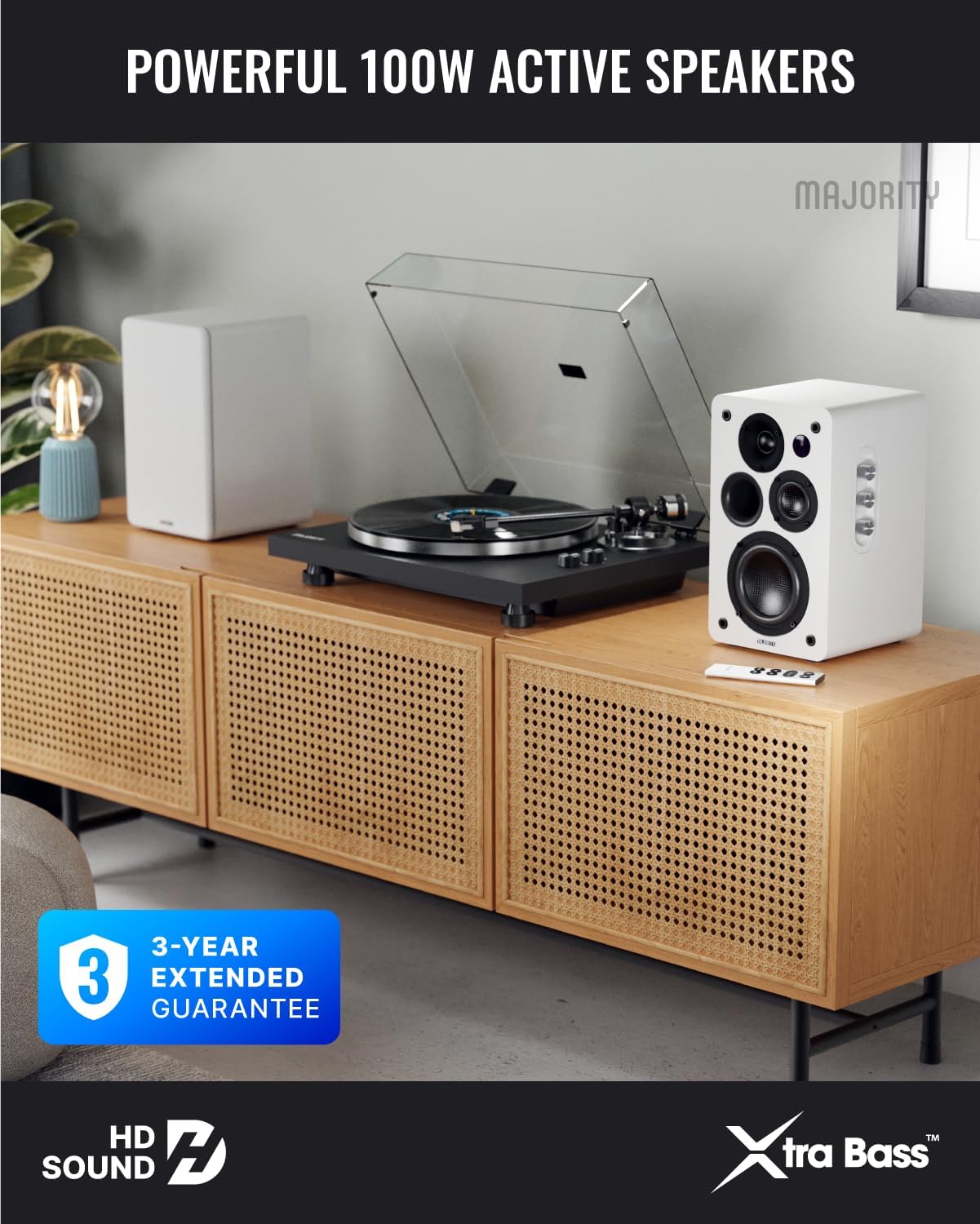
Image: Majority D100X speakers positioned on a wooden cabinet, ready for use.
5. Betjeningsvejledning
The D100X speakers can be controlled via the intuitive front panel controls or the included remote control.
Kontrol på frontpanelet:
- Lydstyrkeknap: Drej for at justere det overordnede lydstyrkeniveau.
- Diskant-knap: Justerer diskantresponsen.
- Basknap: Justerer lavfrekvensresponsen.
- Inputvælger: Press to cycle through available input sources (Bluetooth, USB, AUX, HDMI ARC, Optical, Phono).
Fjernbetjening:
The remote control provides full functionality, including power, volume, input selection, and EQ modes.
- Power knap: Tænder eller slukker for højttalerne.
- Lydstyrke op/ned: Justerer lydstyrken.
- Indtastningsknapper: Dedicated buttons for selecting specific input sources.
- EQ Modes (1-3): Available when connected via HDMI ARC or Optical. These modes are designed to enhance clarity, depth, and balance for movies, music, and games.
Billede: Forside view of a D100X speaker with its remote control, highlighting the adjustable bass and treble controls.
6. Forbindelse
The D100X offers a wide range of connectivity options to suit various audio sources.

Image: Rear panel of the D100X speaker, displaying various input ports including USB, Optical, HDMI ARC, Phono, and AUX.
6.1. Bluetooth 5.3
For wireless audio streaming from smartphones, tablets, or laptops.
- Vælg Bluetooth-indgang på højttalerne. Indikatorlampen blinker.
- Enable Bluetooth on your device and search for "Majority D100X".
- Select the speaker to pair. Once connected, the indicator light will be solid.
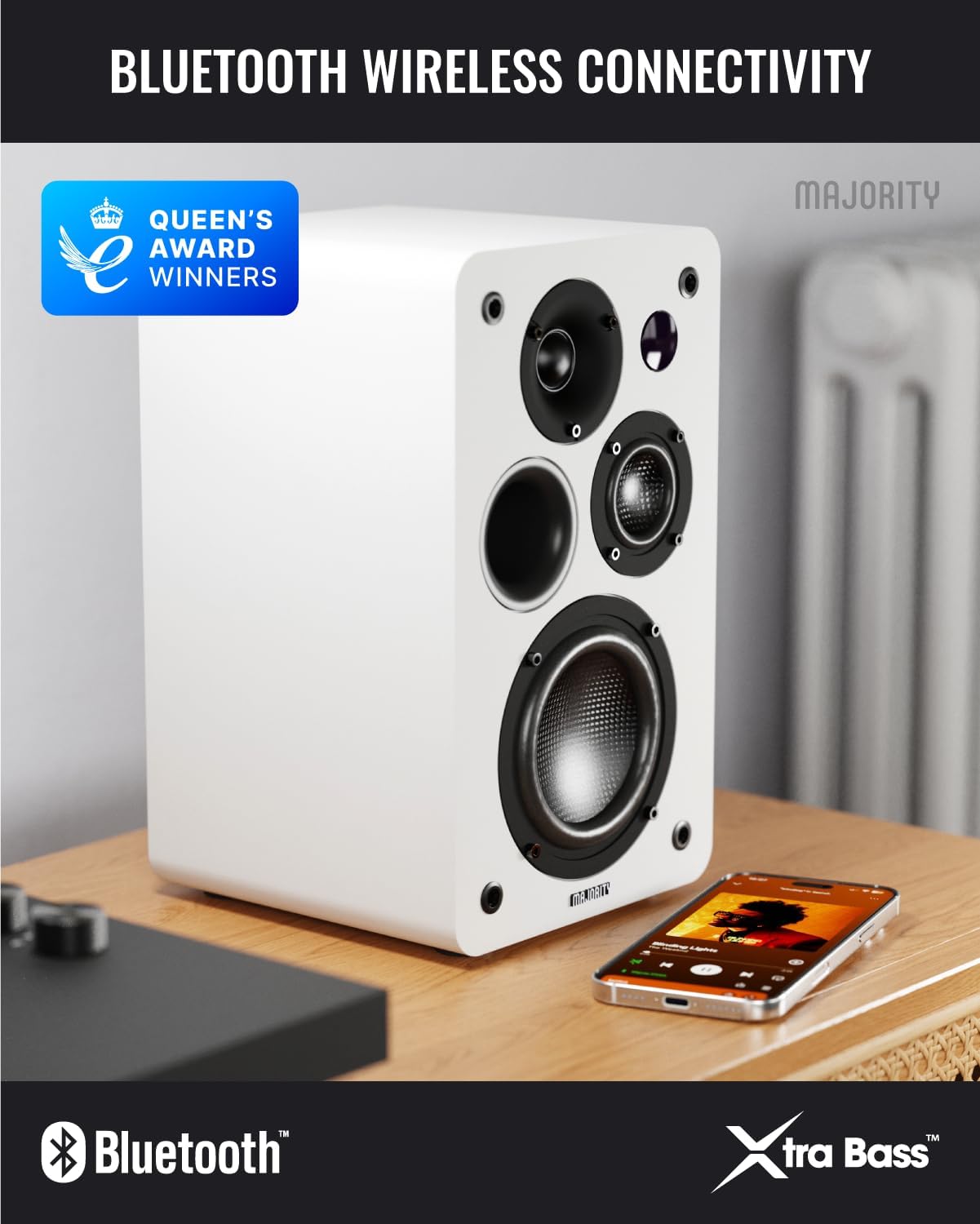
Image: D100X speaker wirelessly connected to a smartphone via Bluetooth.
6.2. HDMI ARC
Connect your TV for enhanced audio. This connection supports the EQ modes (1-3).
- Connect an HDMI cable from your TV's HDMI ARC port to the speaker's HDMI ARC port.
- Select HDMI ARC input on the speakers.
- Ensure your TV's audio output is set to HDMI ARC.
6.3. Optisk
For high-quality digital audio connection from TVs or other devices. This connection also supports the EQ modes (1-3).
- Connect an optical cable from your device's optical output to the speaker's optical input.
- Select Optical input on the speakers.
6.4. Phono (RCA)
Direct connection for turntables with a built-in pre-amplivligere.
- Connect RCA cables from your turntable's output to the speaker's Phono (R-PHONO-L) input.
- Select Phono input on the speakers.
- Note: If your turntable's output is higher than 100 RMS, use the AUX input instead of Phono.
6.5. AUX (3.5mm)
For connecting devices with a 3.5mm audio output, such as PCs or older audio players.
- Connect a 3.5mm audio cable from your device's headphone jack or audio out to the speaker's AUX (AUDIO IN) input.
- Select AUX input on the speakers.
6.6. USB-afspilning og -opladning
The USB port allows for direct music playback from storage devices and charging of external devices.
- Insert a USB storage device (e.g., USB flash drive) into the USB port for music playback.
- The USB port can also be used to charge compatible devices.
7. Vedligeholdelse
Proper care will ensure the longevity and performance of your D100X speakers.
- Rensning: Brug en blød, tør klud til at rengøre højttaleroverfladerne. Brug ikke slibende rengøringsmidler, voks eller opløsningsmidler.
- Støv: Regularly dust the speakers to prevent accumulation, which can affect sound quality and internal components.
- Miljø: Avoid placing speakers in areas with extreme temperatures, high humidity, or direct sunlight.
8. Fejlfinding
If you encounter issues with your D100X speakers, refer to the following common problems and solutions:
| Problem | Mulig årsag/løsning |
|---|---|
| Ingen strøm |
|
| Ingen lyd |
|
| Dårlig lydkvalitet / Forvrængning |
|
| Fjernbetjening virker ikke |
|
9. Specifikationer
Detailed technical specifications for the Majority D100X Active Bookshelf Speakers.
| Mærke | Flertal |
| Modelnummer | D100X |
| Dimensioner (L x B x H) | 18 x 16.8 x 27.5 cm (pr. højttaler) |
| Vægt | 7.16 kg (i alt) |
| Maksimal højttalerudgangseffekt | 100 watt |
| Frekvensrespons | 20000 Hz |
| Forbindelsesteknologi | Bluetooth, Optical, HDMI, Phono, Auxiliary, RCA |
| Bluetooth rækkevidde | 10 meter |
| Lydudgangstilstand | Stereo (2.2 channels) |
| Input bindtage | 240 volt |
| Monteringstype | Hyldemontering |
| Materiale | Træ |
| Bashøjttaler diameter | 4 tommer |
| Diskant-diameter | 1 tommer |
| Signal-støjforhold | 80 dB |
| Impedans | 4 Ohm |
| Kontrolmetode | Fjernbetjening |
| Anbefalede anvendelser | Gaming Console, Computer, Television, Home Cinema, Studio |

Billede: Detaljeret view of the D100X speaker's carbon fiber drivers, designed for high-quality audio.
10. Garanti og support
The Majority D100X speakers come with a 3 års udvidet garanti, ensuring peace of mind and reliable performance. For any technical support, warranty claims, or further assistance, please contact Majority customer service.
- Online support: Visit the official Majority webwebsted for ofte stillede spørgsmål, fejlfindingsvejledninger og kontaktoplysninger.
- E-mail support: Reach out to our support team via email for detailed assistance.
- Telefonsupport: Contact our dedicated support line during business hours.
Gem venligst din købsbevis af garantihensyn.

Image: Majority D100X speakers highlighting the 3-year extended guarantee.