
1. Introduktion
Thank you for choosing the SOVMIKU Vicohome 2K Indoor Camera CA43. This camera is designed to provide reliable indoor security monitoring with advanced features such as 2K resolution, dual-band Wi-Fi connectivity (2.4GHz and 5GHz), AI tracking, two-way audio, and night vision. This manual will guide you through the setup, operation, and maintenance of your device to ensure optimal performance.

Image: The SOVMIKU Vicohome 2K Indoor Camera CA43, a compact white security camera with a black lens, designed for indoor use.
2. Pakkens indhold
Tjek venligst pakken for følgende varer:
- Vicohome 2K Indoor Camera CA43
- Strømadapter
- USB-C strømkabel
- Mounting Kit (screws and anchors)
- Betjeningsvejledning

Image: A close-up of the SOVMIKU Vicohome 2K Indoor Camera CA43, its power adapter, and mounting accessories, laid out on a white surface.
3. Produktet er slutview
The Vicohome CA43 camera features a compact design with a pan/tilt head for wide coverage. Key components include:
- Linse: 2K (3MP) resolution for clear video.
- Infrarøde lys: For nattesynsfunktioner.
- Mikrofon og højttaler: Til tovejs audiokommunikation.
- Nulstil knap: Used for device reset during setup or troubleshooting.
- Micro SD -kortplads: Understøtter op til 128 GB til lokal lagring.
- USB-C-port: Til strømtilslutning.
- Statusindikatorlys: Provides device status feedback.

Image: A diagram highlighting the microphone, infrared light, lens, speaker, and charge port on the Vicohome CA43 camera.
4. Opsætningsvejledning
Follow these steps to set up your SOVMIKU Vicohome 2K Indoor Camera CA43:
- Tænd: Connect the camera to a power source using the provided USB-C cable and power adapter. The camera will power on automatically.
- Nulstil kameraet: Locate the reset button (usually near the Micro SD card slot). Press and hold the reset button for approximately 6 seconds until you hear an audible prompt indicating the camera is resetting.
- Download the Vicohome App:
- For Android devices, search for "Vicohome" in the Google Play Store.
- For iOS devices, search for "Vicohome" in the Apple App Store.
- Download og installer applikationen.
- Create/Sign In to Account: Open the Vicohome app. If you are a new user, sign up for a new account. If you already have an account, sign in using your credentials.
- Tilføj enhed:
- In the app, tap the "+" icon in the top right corner to add a new device.
- Select "Add a new device" and choose the "Plug-in device" option.
- Confirm that you hear a sound from the camera and proceed to the next step.
- Opret forbindelse til Wi-Fi:
- The app will prompt you to select your home Wi-Fi network (supports 2.4GHz and 5GHz).
- Enter your Wi-Fi password and confirm.
- The camera will attempt to connect to the network. Once connected, you will hear a confirmation sound and the app will indicate "Connection succeeded".
- Navngiv din enhed: Assign a name to your camera (e.g., "Living Room Camera", "Baby Monitor").
- Set Home & Location: Choose or add a home location for your camera within the app.
- Start overvågning: Once the device is successfully added, you can start viewing the live feed and access all camera features.
Video: Official installation guide for the CA43 camera, demonstrating power-on, reset, app download, Wi-Fi connection, and device naming steps.
5. Betjeningsvejledning
5.1 Live View og afspilning
- Open the Vicohome app and select your camera to view det levende feed.
- Use the on-screen controls to pan (horizontal) and tilt (vertical) the camera for a 360° view.
- Få adgang til optaget footage from the "Library" or "Playback" section in the app.

Image: A smartphone screen displaying the Vicohome app with live feeds from multiple cameras, illustrating multi-device monitoring.
5.2 Tovejslyd
- Fra live view, tryk på mikrofonikonet for at tale gennem kameraets højttaler.
- Tap the speaker icon to hear audio from the camera's environment.

Image: A split image showing two children playing in a kitchen on one side, and a person interacting with the camera via the Vicohome app's two-way audio feature on a smartphone on the other side.
5.3 Motion Detection & AI Tracking
- Enable motion detection in the app settings to receive alerts when movement is detected.
- The AI tracking feature allows the camera to automatically follow detected motion within its field of view.
- Customize detection sensitivity and activity zones for precise monitoring.

Image: A white cat walking on a piano, with red tracking boxes overlaid, demonstrating the camera's motion tracking capabilities.
5.4 Nød-SOS
- The camera features a one-touch SOS call button. Pressing this button will immediately contact pre-set emergency contacts through the app.
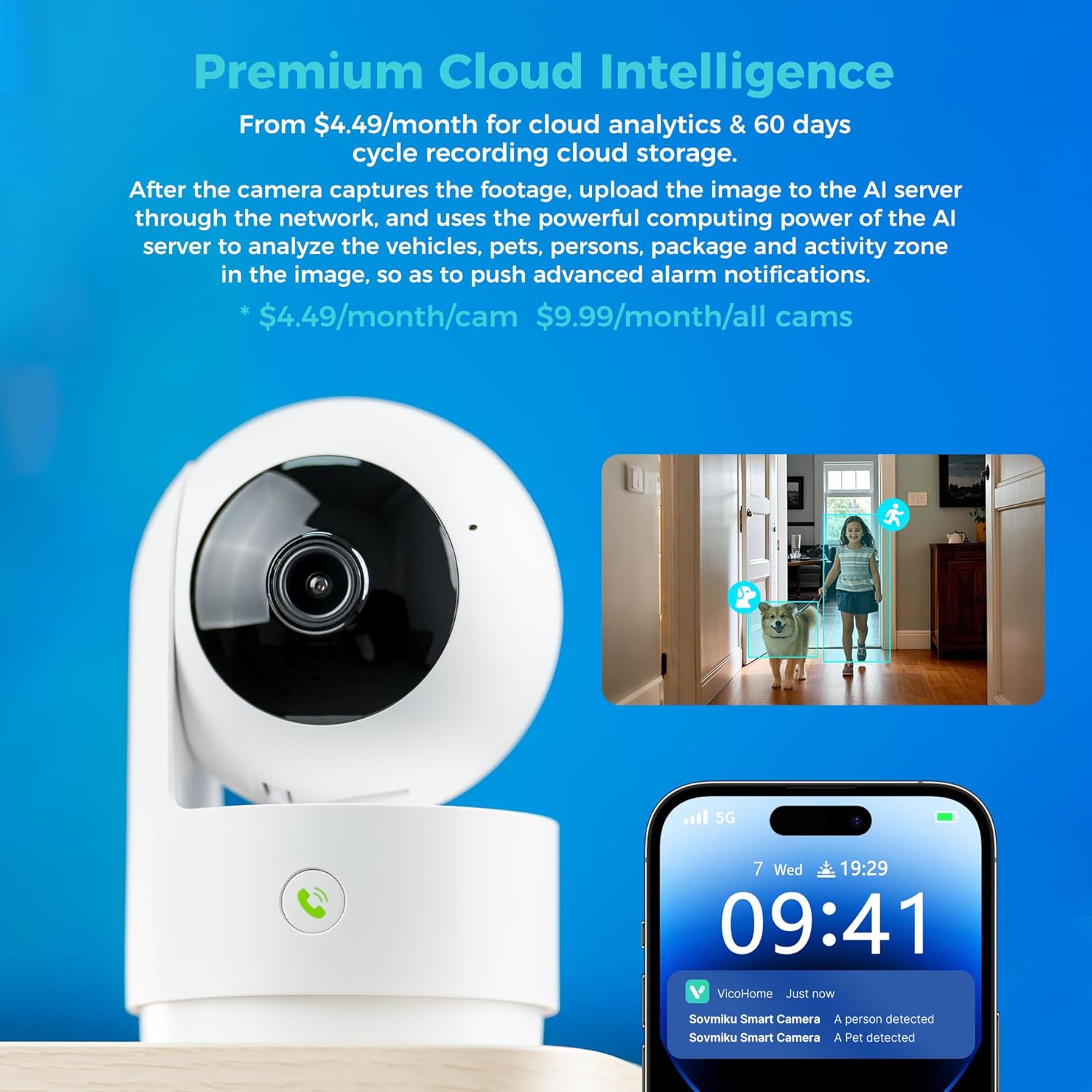
Image: A hand pressing the emergency SOS button on the camera, with a smartwatch showing an incoming call from the Vicohome app, indicating the emergency alert feature.
5.5 Privatlivstilstand
- Activate Privacy Mode in the app to physically hide the camera lens, ensuring privacy when monitoring is not desired.

Image: Two Vicohome cameras side-by-side, one in normal operating mode and the other in privacy mode with its lens retracted, demonstrating the privacy feature.
6. Funktioner
- 2K-opløsning: Optager klar og detaljeret videofootage (3MP effective still resolution).
- Dual-band Wi-Fi: Supports both 2.4GHz and 5GHz Wi-Fi networks for flexible connectivity.
- 360° panorering/hældning: Tilbyder en bred viewing angle with horizontal (83.5°), vertical (44°), and diagonal (59.2°) movement.
- AI-sporing: Automatically detects and follows human or pet movement.
- Tovejs lyd: Kommuniker med personer i nærheden af kameraet ved hjælp af den indbyggede mikrofon og højttaler.
- Nattesyn: Equipped with infrared LEDs for clear black and white video in low-light conditions.
- Lokal og cloud-lagring: Supports Micro SD card up to 128GB for local storage and offers optional cloud storage services.
- Nød SOS: One-touch call feature for immediate contact in emergencies.
- Privatlivstilstand: Physically hides the camera lens for enhanced privacy.
- Seamless Vicohome App Compatibility: Integrates with existing Vicohome devices for unified management.

Image: The Vicohome camera with example images demonstrating its 3MP resolution, showing clear details of a dog and a child in a home setting.

Image: A graphic illustrating the Vicohome camera's compatibility with both 2.4GHz and 5GHz dual-band Wi-Fi networks.

Image: A hand inserting a Micro SD card into the camera, with icons for 128GB storage and cloud storage, indicating local and cloud storage options.
7. Vedligeholdelse
- Rensning: Brug en blød, tør klud til at rengøre kameralinsen og huset. Undgå slibende rengøringsmidler eller opløsningsmidler.
- Firmwareopdateringer: Regularly check the Vicohome app for available firmware updates to ensure your camera has the latest features and security enhancements.
- Strømforsyning: Ensure the camera is connected to a stable power source. Use only the provided power adapter or a compatible replacement.
- Placering: Place the camera in a location where it has a clear view and is protected from extreme temperatures or direct moisture.
8. Fejlfinding
- Kameraet opretter ikke forbindelse til Wi-Fi:
- Ensure your Wi-Fi password is correct and the camera is within range of your router.
- Prøv at nulstille kameraet og gentage opsætningsprocessen.
- Verify your router supports 2.4GHz or 5GHz Wi-Fi and is not using a hidden SSID.
- Nej Live View:
- Check your internet connection and ensure the camera is powered on.
- Restart the Vicohome app.
- Bevægelsesalarmer ikke modtaget:
- Bekræft, at bevægelsesdetektion er aktiveret i appens indstillinger.
- Tjek indstillingerne for app-notifikationer på din smartphone.
- To-vejs lydproblemer:
- Ensure microphone and speaker permissions are granted to the Vicohome app on your phone.
- Check the volume settings on both the app and your phone.
9. Specifikationer
| Feature | Detalje |
|---|---|
| Anbefalede anvendelser | Indendørs sikkerhed |
| Mærke | SOVMIKU |
| Modelnavn | CA43 |
| Forbindelsesteknologi | Wi-Fi (2.4 GHz og 5 GHz) |
| Speciel funktion | Adjustable, AI Tracking, Two-Way Audio, Night Vision, SOS Call, Privacy Mode |
| Indendørs/Udendørs brug | Indendørs |
| Kompatible enheder | iOS, Android, iPad OS |
| Kontrolmetode | App |
| Strømkilde | Elektrisk med ledning |
| Effektiv stillopløsning | 3 MP (2K) |
| Videokodning | H.265 |
| Flash-hukommelsestype | Micro SD |
| Maks. understøttet flashhukommelse | 128 GB |
| Varens vægt | 1.5 pund |
| Materiale | PVC |
10. Garanti og support
- Garanti: The product comes with a 1-Year Manufacturer Warranty.
- Udvekslingspolitik: Enjoy a 180-Day No-Risk Guarantee, backed by a 6-month replacement promise for defects.
- Kundesupport: Free expert support is available 24/7 to assist with any questions or issues.
For further assistance, please refer to the contact information provided in your product packaging or through the Vicohome app.