
1. Introduktion
Tak for købetasing the Aiwa BST-130RD Bluetooth Speaker. This portable speaker features Bluetooth 5.3 connectivity, vibrant RGB lighting, FM radio, and multiple playback options including USB and TF card. This manual provides essential information for the safe and efficient use of your device. Please read it thoroughly before operation and retain it for future reference.
2. Pakkens indhold
Sørg for at alle varer er til stede i pakken:
- Aiwa BST-130RD Bluetooth Speaker
- USB Type-C opladerkabel
- Instruktionsmanual
3. Produktet er slutview
Gør dig bekendt med højttalerens betjeningselementer og porte.
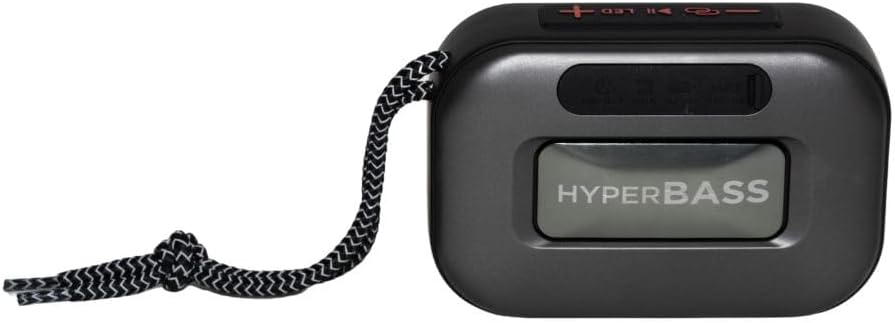
Figur 3.1: Front view of the Aiwa BST-130RD Bluetooth Speaker, showcasing the speaker grille and RGB light ring.

Figur 3.2: Close-up of the tactile control buttons located on the top panel of the speaker. These include power, play/pause, volume, mode, and LED light controls.

Figur 3.3: Bag view of the speaker, illustrating the USB-A port, Micro SD (TF) card slot, AUX-IN port, and USB Type-C charging port.
Kontrolelementer:
- Power knap: Tryk og hold for at tænde/slukke højttaleren.
- Afspil/pause knap: Play or pause audio. Answer/end calls in Bluetooth mode.
- Lydstyrke op (+): Increase volume. Long press for next track/FM station.
- Skrue ned for lyden (-): Decrease volume. Long press for previous track/FM station.
- Mode-knap (M): Switch between Bluetooth, FM Radio, USB, TF Card, and AUX-IN modes.
- LED knap: Skift RGB-belysningstilstande.
Porte:
- USB-A-port: Til afspilning fra USB-flashdrev.
- TF-kortslot: Til afspilning af Micro SD-kort.
- AUX-IN Port (3.5mm): Til kablet lydforbindelse.
- USB Type-C opladningsport: Til opladning af højttaleren.
4. Opsætning
4.1 Opladning af højttaleren
- Tilslut det medfølgende USB Type-C-opladerkabel til højttalerens opladningsport.
- Connect the other end of the cable to a 5V DC USB power adapter (not included).
- Opladningsindikatorlampen lyser under opladning og slukker, når den er fuldt opladet.
- En fuld opladning tager typisk cirka 2-3 timer.
4.2 Tænd/sluk
- For at tænde: Tryk på tænd/sluk-knappen og hold den nede i 2-3 sekunder, indtil du hører en lydmeddelelse, og RGB-lysene aktiveres.
- For at slukke: Press and hold the Power button for 2-3 seconds until you hear an audible prompt and the RGB lights deactivate.
5. Betjeningsvejledning
5.1 Bluetooth -parring
- Ensure the speaker is powered on and in Bluetooth mode (indicated by an audible prompt or LED status). If not, press the Mode button to switch to Bluetooth mode.
- Aktiver Bluetooth på din smartphone, tablet eller anden Bluetooth-aktiveret enhed.
- Søg efter available devices and select "AIWA BST-130RD" from the list.
- Once paired, the speaker will emit an audible confirmation.
- Du kan nu afspille lyd fra din enhed via højttaleren.
5.2 Ægte trådløs stereo (TWS) parring
The TWS function allows you to connect two Aiwa BST-130RD speakers for a stereo sound experience.
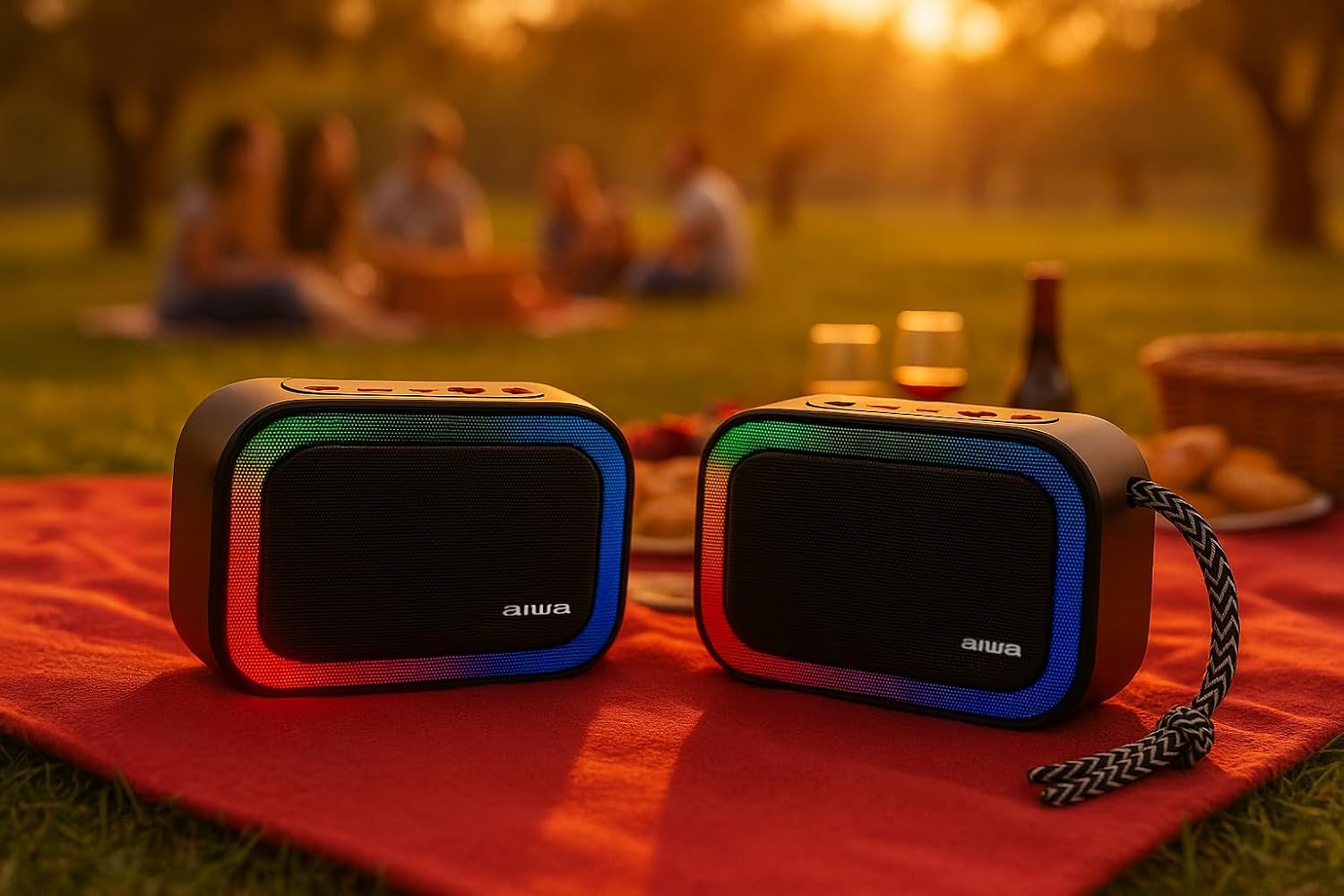
Figur 5.1: Two Aiwa BST-130RD speakers operating in True Wireless Stereo (TWS) mode, providing a wider soundstage.
- Ensure both BST-130RD speakers are powered on and in Bluetooth mode, but not yet paired to any device.
- On one of the speakers (this will be the primary speaker), double-press the Play/Pause button. The speaker will search for another BST-130RD.
- Once connected, you will hear an audible confirmation. The primary speaker will act as the left channel, and the secondary speaker as the right channel.
- Now, pair your Bluetooth device to the primary speaker as described in Section 5.1.
5.3 FM-radiofunktion
- Tryk gentagne gange på tilstandsknappen, indtil du aktiverer FM-radiotilstand.
- Press the Play/Pause button once to initiate an automatic station scan. The speaker will scan and save available FM stations.
- Brug knapperne Lydstyrke op (+) og Lydstyrke ned (-) (langt tryk) til at navigere mellem gemte stationer.
5.4 USB / TF-kortafspilning
- Insert a USB flash drive into the USB-A port or a TF (Micro SD) card into the TF card slot.
- The speaker will automatically switch to the corresponding mode and begin playing MP3 files. Hvis ikke, skal du trykke på Tilstands-knappen for at vælge USB- eller TF-tilstand.
- Use the Play/Pause button to control playback. Use the Volume Up (+) and Volume Down (-) buttons (long press) to skip tracks.
5.5 AUX-IN-tilstand
- Connect one end of a 3.5mm audio cable (not included) to the speaker's AUX-IN port.
- Tilslut den anden ende til lydudgangen på din eksterne enhed (f.eks. MP3-afspiller, computer).
- Press the Mode button to switch to AUX-IN mode.
- Lyden afspilles nu gennem højttaleren. Styr afspilningen fra din eksterne enhed.
5.6 Hands-free Function
Når højttaleren er tilsluttet en smartphone via Bluetooth, kan den bruges til håndfri opkald.
- Besvar opkald: Tryk én gang på knappen Afspil/Pause.
- Afslut opkald: Tryk én gang på Afspil/Pause-knappen under et opkald.
- Afvis opkald: Tryk og hold knappen Afspil/Pause nede i 2 sekunder.
5.7 RGB-lysstyring
The speaker features a dynamic RGB lighting system.

Figur 5.2: The Aiwa BST-130RD speaker displaying its vibrant RGB lighting effects.
- Tryk på LED-knappen for at skifte mellem forskellige RGB-belysningstilstande.
- Press and hold the LED button to turn the RGB lighting On/Off.
6. Vedligeholdelse
- Rengør højttaleren med en blød, tør klud. Brug ikke slibende rengøringsmidler eller opløsningsmidler.
- Undgå at udsætte højttaleren for ekstreme temperaturer, direkte sollys eller høj luftfugtighed.
- Højttaleren må ikke nedsænkes i vand. Den er ikke vandtæt.
- Når batteriet ikke er i brug i længere perioder, skal det oplades mindst én gang hver tredje måned for at forlænge dets levetid.
7. Fejlfinding
| Problem | Mulig årsag | Løsning |
|---|---|---|
| Højttaleren tænder ikke. | Lavt batteri. | Oplad højttaleren med det medfølgende USB Type-C-kabel. |
| Ingen lyd. | Lydstyrken er for lav; forkert tilstand; enhed ikke parret. | Increase volume on speaker and connected device. Ensure correct mode is selected. Re-pair Bluetooth device. |
| Bluetooth-parring mislykkes. | Højttaler ikke i parringstilstand; enhed for langt væk; interferens | Ensure speaker is in Bluetooth pairing mode. Move device closer to speaker. Turn off other Bluetooth devices. |
| FM-radiomodtagelsen er dårlig. | Svagt signal; miljøforstyrrelser. | Flyt højttaleren til en anden placering. Udfør en automatisk scanning igen. |
8. Specifikationer
- Model: BST-130RD
- Bluetooth version: V5.3
- Udgangseffekt: 5W RMS (10 % THD)
- Højttalerdriver: 5 cm (Full Range), 3 Ohm Impedance
- Frekvensrespons: 80 Hz - 18 kHz
- Signal-til-støjforhold: ≥ 85 dB
- Følsomhed: 490 mV (1 kHz)
- Indgange: Bluetooth, USB MP3, TF MP3, FM Scanner, AUX-IN (3.5mm Stereo)
- Strømindgang: 5V DC USB Type-C
- Batteri: 1200mAh, 3.7V Lithium (with protection circuit)
- Opladning Voltage: 5V 1A
- Funktioner: TWS (True Wireless Stereo), RGB Lighting, Hands-free Function
- Dimensioner: 133 x 89 x 47.5 mm
- Vægt: 0.314 kg
9. Sikkerhedsoplysninger
- Enheden må ikke skilles ad, repareres eller modificeres.
- Hold enheden væk fra vand, fugt og brandfarlige stoffer.
- Undgå langvarig lytning ved høj lydstyrke for at forhindre høreskader.
- Dispose of the battery and device responsibly according to local regulations.
10. Garanti og support
Aiwa products are designed and manufactured to the highest quality standards. For warranty information and technical support, please refer to the warranty card included in your package or visit the official Aiwa webwebsted for din region.