
Indledning
This manual provides detailed instructions for the installation, operation, and maintenance of your AKAMATE Wireless Single DIN Car Stereo. This unit integrates modern infotainment features such as Wireless Apple CarPlay and Android Auto, a responsive 6.5-inch Incell touchscreen, Bluetooth 5.5 connectivity, and advanced audio processing. Please read this manual thoroughly before using the product to ensure proper functionality and safety.
Hvad er der i æsken
- Single Din CarPlay Stereo Head Unit
- Mounting Brackets & Wiring Harness
- Brugermanual
Nøglefunktioner
- Trådløs Apple CarPlay og Android Auto: Seamless integration with your smartphone for navigation, calls, music, and voice control.
- 6.5-Inch HD Incell Touchscreen: IPS display with 1280 resolution for clear visuals and smooth, lag-free touch response, even in bright sunlight.
- High Power Audio Outputs: Delivers 300W max power across 4.2 channels with two subwoofer outputs. Features built-in DSP and 16-band EQ for personalized sound customization.
- USB Multimedia Play & Type-C Fast Charge: Front-facing USB input for media playback from flash drives and a PD3.0 Type-C port providing 25W fast charging for mobile devices.
- Bluetooth 5.5 & Phone Link: Upgraded Bluetooth for clear hands-free calls via the built-in microphone and high-quality music streaming. Phone Link function allows smartphone screen mirroring.
- Kompatibilitet med ratbetjening (SWC): Supports integration with OEM steering wheel controls for safe and convenient operation of track skipping, volume adjustment, and call answering.
- Universal Single DIN Size: Designed to fit standard single DIN dash openings, making it a suitable upgrade for older vehicles.
Opsætning og installation
The AKAMATE Single DIN Car Stereo is designed for universal fit in vehicles with a standard single DIN opening. Professional installation is recommended. An aftermarket wiring harness and dash kit specific to your vehicle may be required for proper integration.

Image: Comparison of a factory radio before and after installation of the AKAMATE Single DIN Car Stereo, demonstrating the modern upgrade.

Image: Detailed wiring diagram showing connections for power, speakers, and other functions for easy installation.
Betjeningsvejledning
Trådløs CarPlay & Android Auto-forbindelse
To connect your smartphone wirelessly, ensure Bluetooth is enabled on your phone and the car stereo. Select the appropriate CarPlay or Android Auto option on the head unit and follow the on-screen prompts to pair your device. This allows access to navigation, music, calls, and messages directly from the stereo's display.
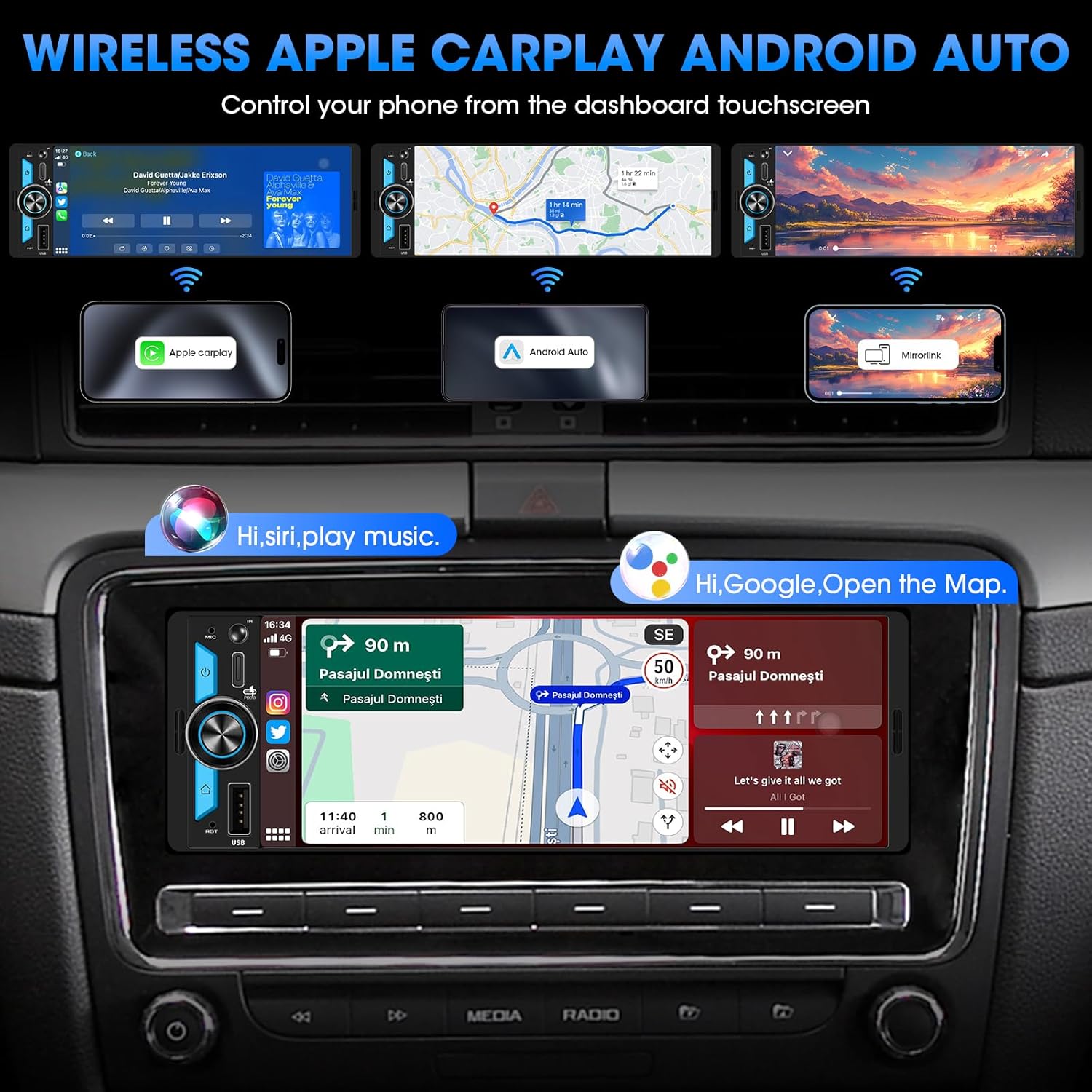
Image: The car stereo display showing the Wireless Apple CarPlay and Android Auto interfaces, with phone mirroring capabilities.
Touchscreen -grænseflade
The 6.5-inch Incell touchscreen provides a responsive and intuitive user experience. Navigate through menus, select applications, and control media playback with simple taps and swipes. The IPS display ensures wide viewvinkler og levende farver.
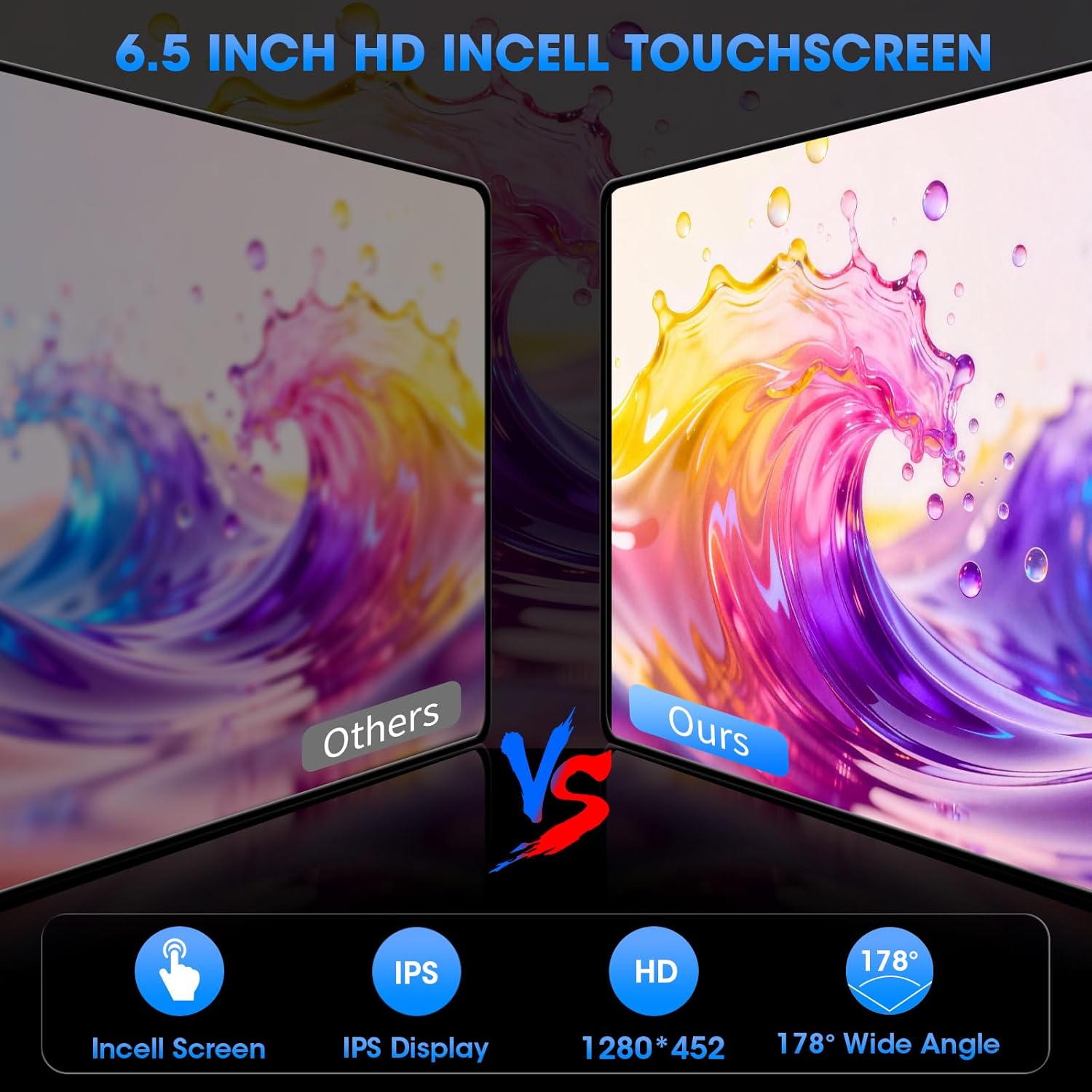
Image: A visual comparison highlighting the superior clarity and wide viewing angles of the 6.5-inch HD Incell touchscreen.
Kontrol af lydsystem
Utilize the built-in Digital Sound Processor (DSP) and 16-band Equalizer (EQ) to fine-tune your audio experience. Adjust frequency bands, set crossover points, and control subwoofer output for optimal sound quality. The system supports 4.2 channels, allowing for a comprehensive audio setup.

Image: The audio system interface showing the 16-band EQ settings, DSP controls, and subwoofer output options.
USB Multimedia Playback & Charging
Insert a USB flash drive into the front USB port to play various media files. The Type-C port supports PD3.0 fast charging, providing up to 25W to quickly charge compatible smartphones and devices.

Image: The front panel of the stereo highlighting the USB input for media playback and the Type-C port for fast charging.
Bluetooth 5.5 & Phone Link
Pair your smartphone via Bluetooth 5.5 for hands-free calling and audio streaming. The built-in microphone ensures clear call quality. The Phone Link feature allows you to mirror your smartphone's display onto the stereo screen.

Image: The stereo display showing Bluetooth call interface, music streaming, and smartphone mirroring via Phone Link.
Ratbetjening (SWC)
Connect your vehicle's existing steering wheel controls to the stereo for convenient and safe operation. This allows you to adjust volume, change tracks, and answer calls without taking your hands off the steering wheel.

Image: A car interior showing the steering wheel with controls and the stereo display, indicating SWC functionality.
Stemmekommando
Utilize voice assistants like Siri or Google Assistant through the stereo for hands-free control of navigation, music, and calls. Simply activate the voice command feature and speak your commands.

Image: The stereo display showing voice command prompts for Siri and Google Assistant, demonstrating hands-free operation.
AM/FM radio
Access local radio stations with the built-in AM/FM tuner. Scan for stations and save your favorites for quick access.

Image: The stereo display showing the AM/FM radio interface with frequency display and station presets.
Backup kamera input
The unit supports a backup camera input, allowing you to connect an external camera for enhanced safety and parking assistance. The display automatically switches to the camera view når køretøjet er i bakgear.

Image: The stereo display showing a backup camera view med parkeringsregler.
Specifikationer
| Feature | Specifikation |
|---|---|
| Produktdimensioner | 5.3 x 7.3 x 2.3 tommer |
| Varens vægt | 2 pund |
| Varemodelnummer | B0G2BYN36V |
| Mærke | AKAMATE |
| Forbindelsesteknologi | Bluetooth, USB, Wi-Fi |
| Controller type | Push Button, Touch Control Voice Assistant |
| Særlige funktioner | 300W Max Power 4.2 CHN 2 Subwoofer Outputs Built-in DSP EQ SWC, 6.5 Inch Incell IPS Display 1280 Resolution 1080P Video Play, Built-In Bluetooth Calling Music Streaming AM FM Tuner, PD3.0 Type-C Fast Charge USB Input HD Backup Camera Input Video Output, Wireless Apple CarPlay Android Auto Voice Assistant GPS Navigation Phonelink |
| Kompatible enheder | AmpHøjttaler, subwoofer |
| Connector Type | RCA |
| Lydudgangstilstand | Stereoanlæg |
| Surround Sound Kanalkonfiguration | 4.2 |
| Videokodning | H.264, H.265/HEVC |
Fejlfinding
If you encounter any issues with your AKAMATE car stereo, please refer to the following common troubleshooting steps:
- Ingen strøm: Check all power connections, including the main power wire, accessory wire, and ground wire. Ensure the vehicle's fuse for the stereo is not blown.
- Ingen lyd: Verify speaker connections are secure and correctly wired. Check the volume level and ensure the mute function is not activated. Confirm that the audio source is properly selected.
- Problemer med Bluetooth-forbindelse: Ensure Bluetooth is enabled on both the stereo and your smartphone. Delete previous pairings and attempt to re-pair the devices. Move closer to the stereo if experiencing signal interference.
- CarPlay/Android Auto opretter ikke forbindelse: Ensure your phone's operating system is up to date. Try restarting both your phone and the car stereo. Check the USB cable if using a wired connection.
- Touchskærm reagerer ikke: Perform a soft reset of the unit (refer to the device's reset button location, usually a small pinhole). Ensure the screen is clean and free from debris.
Ved vedvarende problemer bedes du kontakte kundesupport.
Garanti og support
Your AKAMATE Wireless Single DIN Car Stereo is covered by a manufacturer's warranty. For specific warranty details, including coverage period and terms, please refer to the warranty card included with your product or visit the official AKAMATE website. For technical assistance, troubleshooting, or service inquiries, please contact AKAMATE customer support through their official channels.


