
1. Introduktion
Thank you for choosing the MOZC AI Live Translation Earbuds, Model YYK-Q17-AI-08. These advanced earbuds are designed to break down language barriers, offering real-time translation, high-quality audio, and smart features for various communication needs. This manual provides essential information for setup, operation, maintenance, and troubleshooting to ensure optimal performance and user experience.
2. Sikkerhedsoplysninger
Please read and follow these safety guidelines carefully before using your earbuds:
- Udsæt ikke ørepropperne eller opladningsetuiet for ekstreme temperaturer, fugtighed eller væsker.
- Undgå at tabe, udsætte stød for eller skille enheden ad.
- Brug kun det medfølgende opladningskabel og en certificeret strømadapter.
- Langvarig udsættelse for høje lyde kan forårsage høreskader. Juster lydstyrken til et sikkert niveau.
- Opbevares utilgængeligt for børn og kæledyr.
- Bortskaf enheden og dens komponenter på en ansvarlig måde i henhold til lokale bestemmelser.
3. Pakkens indhold
Bekræft at alle varer er til stede i din pakke:
- 2 x MOZC AI Live Translation Earbuds
- 1 x opladningsetui
- 1 x USB ladekabel
- 1 x brugermanual
- 1 x Detailkasse

4. Produktet er slutview
The MOZC AI Live Translation Earbuds are designed for comfort and functionality, featuring an ergonomic ear hook design and intuitive touch controls.

5. Opladning af øretelefoner og etuiet
The earbuds and charging case are equipped with long-lasting batteries to support extended use.
5.1. Opladning af øretelefonerne
Placer ørepropperne i opladningsetuiet. De vil automatisk begynde at oplade. LED-indikatorerne på ørepropperne viser deres opladningsstatus.
5.2. Opladning af etuiet
Connect the provided USB-C charging cable to the charging port on the case and to a power source. The digital display on the case will show the battery percentage. A full charge provides up to 50 hours of total usage with the case, and 8 hours of single playtime per earbud.

6. Appinstallation og parring
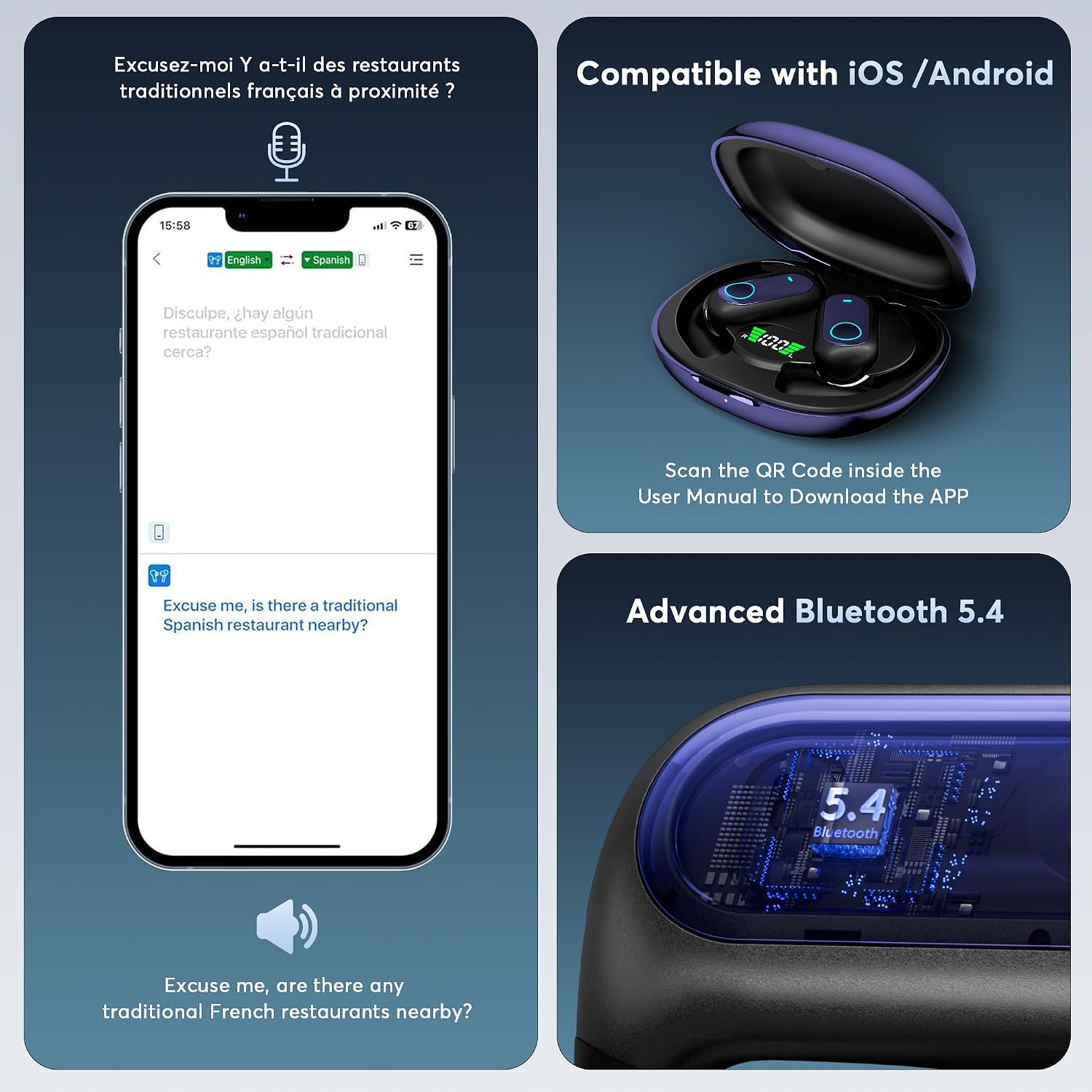
To unlock the full translation capabilities, you need to install the dedicated AI app and pair your earbuds.
6.1. App Installation
- Scan the QR code provided in the physical user manual or on the product packaging to download the AI app.
- Installer appen på din iOS- eller Android-smartphone.
6.2. Bluetooth-parring
- Sørg for, at Bluetooth er aktiveret på din smartphone.
- Åbn opladningsetuiet; ørepropperne vil automatisk gå i parringstilstand.
- In your phone's Bluetooth settings, select "YYK-Q17" (or similar) to connect.
- Open the AI app. The app will guide you through the final connection steps.


7. Operating Instructions: Translation Features
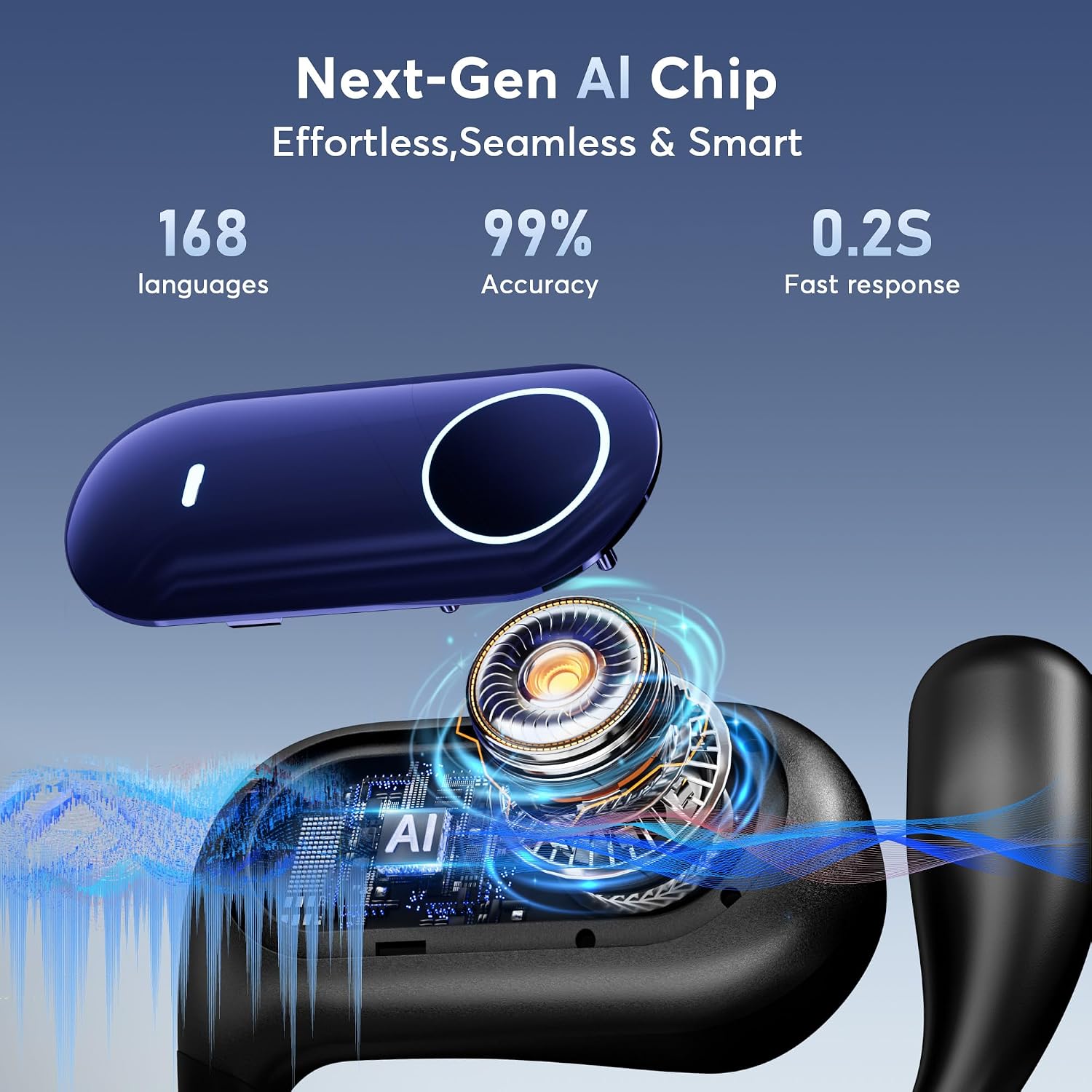
The MOZC AI Live Translation Earbuds offer multiple modes and features to facilitate communication across 168 languages with high accuracy and fast response times.
7.1. Oversættelsesmetoder
The earbuds support four primary translation modes:
- Berøringstilstand: Tryk på øretelefonen for at tale, og oversættelsen vil blive afspillet via den anden øretelefon eller din telefons højttaler.
- Ytringsfrihedstilstand: Continuous translation without needing to tap, ideal for dynamic conversations.
- Højttalertilstand: Your speech is translated and played through your phone's speaker, while the other person's speech is translated and played through your earbuds.
- Offline-tilstand: Supports translation without an internet connection in select languages (requires prior download).

7.2. Real-Time Translation
Engage in natural conversations with instant translation. The earbuds capture your voice, process it through advanced AI, and deliver smooth, real-time translations with minimal delay.

7.3. Simultantolkning
For conferences or multi-party discussions, the simultaneous interpretation feature provides continuous translation, allowing participants to listen in their preferred language.


7.4. Oversættelse ansigt til ansigt
This mode allows two-way translation for direct conversations. You can use one earbud and your phone, or share earbuds for a dual-ear experience.
- Earphones + Mobile Phone: One person wears an earbud, and the other speaks into the phone's microphone.
- Dobbeltøretilstand: Each person wears an earbud, enabling both to speak and hear translations simultaneously.


7.5. AI Meeting Assistant Recording
Record meetings and lectures, then use the AI app to transcribe, summarize, and generate mind maps for efficient review.

7.6. Fotooversættelse
Translate text from images instantly. Simply take a photo of signs, menus, or documents, and the app will provide a translation.

7.7. Voice and Video Calls
Initiate voice and video calls through the app with real-time translation, allowing seamless communication with individuals speaking different languages.

8. Lydfunktioner
The earbuds feature a 16.2mm bio-carbon fiber dynamic coil for rich audio and offer customizable equalization modes.
8.1. Udligningstilstande
Switch between five adjustable equalizer modes (Standard, Classical, Jazz, Rock, Pop) to optimize your listening experience for different music styles. You can also customize sound profiles i appen.

8.2. Spiltilstand og musiktilstand
Effortlessly switch between Game Mode for low-latency audio during gaming and Music Mode for an optimized listening experience.
9. Customizing Touch Controls
Personalize the touch controls of your earbuds through the AI app to suit your preferences. You can assign functions like volume adjustment, track skipping, play/pause, and voice assistant activation to single, double, or triple taps, and long presses.

10. Finding Your Earbuds
If your earbuds are misplaced, the AI app includes a 'Find Earphones' feature that can display their last known location, aiding in tracking and recovery.

11. Vedligeholdelse og pleje
- Rensning: Tør forsigtigt ørepropperne og opladningsetuiet af med en blød, tør og fnugfri klud. Undgå at bruge slibende materialer eller barske kemikalier.
- Opbevaring: Når ørepropperne ikke er i brug, skal de opbevares i deres opladningsetui for at beskytte dem og holde dem opladede. Opbevares køligt og tørt.
- Batteripleje: For at forlænge batterilevetiden bør du undgå at aflade ørepropperne og etuiet helt ofte. Oplad dem regelmæssigt, selvom de ikke er i konstant brug.
12. Fejlfinding
If you encounter issues with your MOZC AI Live Translation Earbuds, refer to the following common problems and solutions:
| Problem | Mulig løsning |
|---|---|
| Øretelefoner parrer ikke | Ensure Bluetooth is on, earbuds are charged, and in pairing mode. Forget device in phone's Bluetooth settings and try re-pairing. |
| Ingen lyd eller dårlig lydkvalitet | Check volume levels on both earbuds and phone. Ensure earbuds are properly seated. Clean any debris from earbud speakers. |
| Oversættelsen fungerer ikke eller er unøjagtig | Ensure the AI app is open and connected. Check internet connection (for online translation). Verify correct languages are selected. Speak clearly and at a moderate pace. |
| Opladningsproblemer | Ensure the USB-C cable is securely connected. Try a different charging cable or power adapter. Clean charging contacts on earbuds and case. |
| Appen svarer ikke | Close and restart the app. Ensure your phone's operating system is up to date. Reinstall the app if necessary. |
13. Specifikationer
| Feature | Detalje |
|---|---|
| Modelnummer | YYK-Q17-AI-08 |
| Mærke | MOZC |
| Oversættelsessprog | 168 (via AI app) |
| Bluetooth version | 5.4 |
| Batterilevetid (ørepropper) | Up to 8 hours (single playtime) |
| Batterilevetid (med etui) | Op til 50 timer |
| Opladningsport | USB-C |
| Varens vægt | 0.317 ounce |
| Pakkedimensioner | 7.56 x 2.99 x 0.67 tommer |
| Fabrikant | MOZC |
14. Garanti og support
For warranty information and technical support, please refer to the documentation included with your purchase or visit the official MOZC webwebsted. Gem din købsbevis til garantikrav.