
MAGIC-REFINER X68 HE
MAGIC-REFINER X68 HE Wired 60% Hall Effect Gaming Keyboard User Manual
Model: X68 HE
Indledning
This manual provides detailed instructions for the setup, operation, maintenance, and troubleshooting of your MAGIC-REFINER X68 HE Wired 60% Hall Effect Rapid Trigger Mechanical RGB Gaming Keyboard. Please read this manual thoroughly to ensure proper use and to maximize your keyboard's performance.
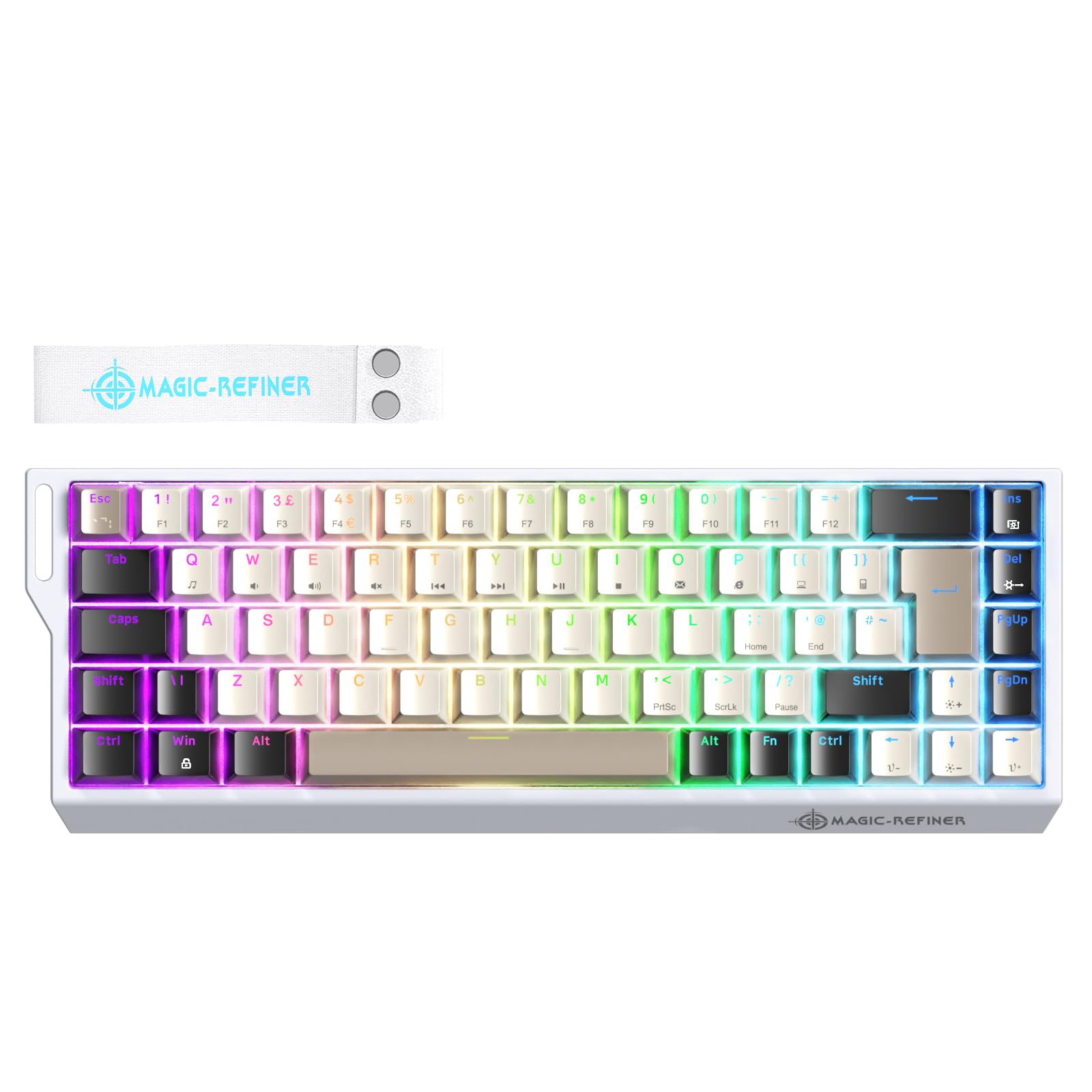
Image: The MAGIC-REFINER X68 HE keyboard, showcasing its compact 60% design and RGB lighting.
Hvad er der i æsken
- MAGIC-REFINER X68 HE Keyboard (x1)
- Keycap and Switch Puller (x1)
- Brugervejledning (dette dokument)
Opsætning
1. Tilslutning af tastaturet
Connect the provided USB-C cable to the port on the keyboard and the other end to an available USB port on your computer (PC or Mac). The keyboard is plug-and-play and should be recognized automatically by your operating system.
2. Web Driver Installation and Calibration
For full customization and optimal performance, it is recommended to use the dedicated web driver. The web driver allows you to adjust actuation points, remap keys, customize RGB lighting, and perform calibration.
- Adgang til Web Chauffør: Åbn din web browser and navigate to the official web driverlink: bit.ly/X68HEKeyboard.
- Kalibreringstrin:
- Åbn web driver and select 'X68HE'.
- On the driver page, click 'Actuation' then 'Calibration' and 'Start Calibration'.
- Once 'Key calibration success' appears, calibration is complete.

Billede: En overview of the X68 HE's features, highlighting the web driver for customization and magnetic switches.
Betjeningsvejledning
1. Hall Effect Magnetic Switches and Adjustable Actuation
The X68 HE features Hall Effect magnetic switches, allowing for precise and customizable actuation. The actuation point can be adjusted from 0.1mm to 3.4mm in 0.04mm increments using the web driver. This enables fine-tuning for different tasks, from light touches for gaming to deeper presses for typing.

Image: A close-up of a magnetic switch with a diagram illustrating the adjustable actuation range.
2. Rapid Trigger Functionality
The rapid trigger feature allows keys to reset instantly upon upward movement, enabling faster repeated inputs. With an RT sensitivity of up to 0.04mm and zero dead zones, this function is particularly beneficial for competitive gaming, ensuring every keystroke is registered with extreme precision.

Image: Visual representation of the rapid trigger mechanism, highlighting ultra-low latency and high polling rate.

Image: The keyboard emphasizing its 'Zero Dead Zone' and precise adjustability for key actuation.
3. 8000Hz pollinghastighed
The X68 HE keyboard features an 8000Hz polling rate, providing a response speed up to 8 times faster than standard mechanical keyboards. This, combined with a 128K scan sampling rate, results in an ultra-low latency of 0.125ms, ensuring immediate command execution.
4. RGB-lyseffekter
The keyboard offers 14 preset RGB lighting effects. You can cycle through these effects and adjust brightness and speed using the function (Fn) key combinations:
- Fn + Ins: Switch between lighting modes.
- Fn + Del: Switch between lighting colors.
- Fn + ↑ (Pil op): Øg baggrundsbelysningens lysstyrke.
- Fn + ↓ (Pil ned): Reducer baggrundsbelysningens lysstyrke.
- Fn + ← (Venstre pil): Reducer baggrundsbelysningens hastighed.
- Fn + → (Højre pil): Øg baggrundsbelysningens hastighed.
Further customization of RGB lighting is available through the web chauffør.

Image: The keyboard displaying its vibrant RGB lighting and key combinations for adjusting effects.
5. 68-Key UK Layout
The X68 HE features a compact 60% layout with 68 keys, adhering to the UK QWERTY standard. This design saves desk space while retaining essential functionality through function layer access.

Image: The keyboard highlighting its 60% UK QWERTY layout, designed for space efficiency.
Opretholdelse
1. Rensning
- Frakobl tastaturet fra computeren, før du rengør det.
- Brug en blød, fnugfri klud lidt damprengøres med vand eller en mild rengøringsopløsning til at tørre tastaturerne og kabinettet af.
- Brug trykluft til støv og snavs mellem tasterne.
- Undgå at bruge skrappe kemikalier, slibemidler eller opløsningsmidler.
2. Switch and Keycap Care
The X68 HE features hot-swappable switches, allowing for easy replacement without soldering. Use the included keycap and switch puller for safe removal and installation.
- To remove a keycap, gently pull it straight up using the keycap puller.
- To remove a switch, use the switch puller to grasp the top and bottom clips of the switch and pull it straight up.
- When installing, ensure the switch pins align correctly with the PCB sockets before pressing down firmly.
Fejlfinding
| Spørgsmål | Mulig årsag | Løsning |
|---|---|---|
| Tastaturet reagerer ikke | Løs USB-forbindelse, defekt kabel, driverproblem. | Ensure USB-C cable is securely connected. Try a different USB port or cable. Restart your computer. Check device manager for driver status. |
| Nøgler registreres ikke eller dobbelttastning | Switch malfunction, calibration needed. | Perform a calibration using the web driver. If a specific switch is faulty, replace it (hot-swappable feature). |
| RGB-belysningen virker ikke eller er forkert | Software setting, incorrect key combination. | Kontroller RGB-indstillingerne i web driver. Ensure correct Fn key combinations are used. |
| Web driver not detecting keyboard | Browser permissions, connection issue. | Ensure your browser has permission to connect to USB devices. Try a different browser. Verify keyboard is connected and recognized by the OS. |
Specifikationer
- Model: X68 HE
- Layout: 60% (68-key) UK QWERTY
- Switch Type: Hall-effekt magnetiske afbrydere
- Aktiveringspunkt: Justerbar fra 0.1 mm til 3.4 mm (i intervaller af 0.04 mm)
- Rapid Trigger (RT) Accuracy: 0.04 mm
- Afstemningsfrekvens: 8000 Hz
- Latency: 0.125 ms
- Scan rate: 128KHz
- Forbindelse: Wired (USB-C detachable cable)
- Baggrundsbelysning: RGB (14+ effekter)
- Kompatible enheder: PC, Mac
- Produktdimensioner: 15.74 x 6.02 x 1.89 tommer (39.98 x 15.29 x 4.80 cm)
- Varens vægt: 1.57 pund (0.71 kg)
Garantioplysninger
Se venligst din købsdokumentation eller forhandlerens website for specific warranty terms and conditions. Standard warranty typically covers manufacturing defects for a limited period from the date of purchase.
Støtte
For further assistance, technical support, or inquiries not covered in this manual, please visit the MAGIC-REFINER official website or contact your retailer's customer service. Ensure you have your product model (X68 HE) and purchase details available when seeking support.
Ask a question about this manual
Ask about setup, troubleshooting, compatibility, parts, safety, or missing instructions. Manuals+ will review the question and use this page’s manual context to help answer it.