
Indledning
The ROJECO Automatic Pet Feeder offers advanced remote control capabilities through its user-friendly mobile application, allowing pet owners to manage feeding schedules from any location. This feeder supports up to 12 scheduled meals per day, with customizable times and portion sizes. For instance, a cat can be scheduled for breakfast at 7 AM, lunch at 12 PM, and dinner at 7 PM, each with a 30g portion. The app also includes a manual feeding option for dispensing extra portions as needed, whether for rewards, snacks, or missed meals. Real-time notifications keep owners informed about meal dispensing, low food levels (around 10% capacity), low battery status, and any operational errors like a jammed auger or Wi-Fi disconnection. These alerts ensure continuous monitoring of the pet's feeding status and the feeder's performance, providing peace of mind.
Nøglefunktioner
- Optimal Food Freshness: Features a patented rotor on the auto pet food dispenser, secure twist-lock lid, built-in desiccant bag, and sealing strip to ensure triple-seal freshness and keep food fresh and crunchy.
- Programmerbar fodring: The feeder allows setting 1-6 meals daily and up to 50 portions per meal (20ml each portion). An easy-to-read tilt LED panel facilitates schedule adjustments and battery monitoring. It is also equipped with a manual feeding button for instant dispensing (up to 5 portions).
- Dobbelt strømindstillinger: Operates via USB-C adapter or 3 alkaline D batteries (not included) as a backup, ensuring continuous operation during power outages.
- Personlige måltidsopkald: The automatic pet feeder can record a 10-second message, and the number of recordings played can be individually set from 0-5 times, allowing for personalized meal calls.
- Easy Cleaning & Safety: Constructed from BPA-free materials. The tank lid, tank, tank base, and food bowl are removable for thorough cleaning. A built-in infrared sensor in the food outlet can stop dispensing food when the food outlet is blocked.
- Integreret kamera: 1080P HD camera with 2 million HD pixels and a 120° wide-angle lens for real-time video and voice monitoring, including infrared night vision for 24-hour surveillance.
1. Opsætningsvejledning
1.1 Udpakning og komponentkontrol
Fjern forsigtigt alle komponenter fra emballagen. Sørg for, at følgende dele er til stede:
- ROJECO Automatic Pet Feeder unit
- Madskål
- USB-C strømadapter og kabel
- Desiccant bag (pre-installed or separate)
- Brugervejledning (dette dokument)
1.2 Installation af strømforsyning
The feeder supports dual power options: AC adapter and backup batteries.
- AC strøm: Connect the USB-C cable to the feeder's power port and plug the adapter into a standard wall outlet.
- Batteribackup (valgfrit): For uafbrudt drift under strømafbrydelsetages, install 3 alkaline D batteries (not included) into the battery compartment located at the bottom of the feeder. Ensure correct polarity.

Image: Dual Power Supply. The feeder can be powered by a USB-C adapter or 3 D-cell batteries for backup.
1.3 Fyldning af foderbeholderen
- Remove the twist-lock lid from the top of the feeder.
- Pour dry pet food into the hopper. Ensure the food is suitable for automatic feeders (kibble size should be appropriate to prevent jamming).
- Replace the lid and twist to secure it, ensuring the desiccant bag is properly positioned to maintain food freshness.
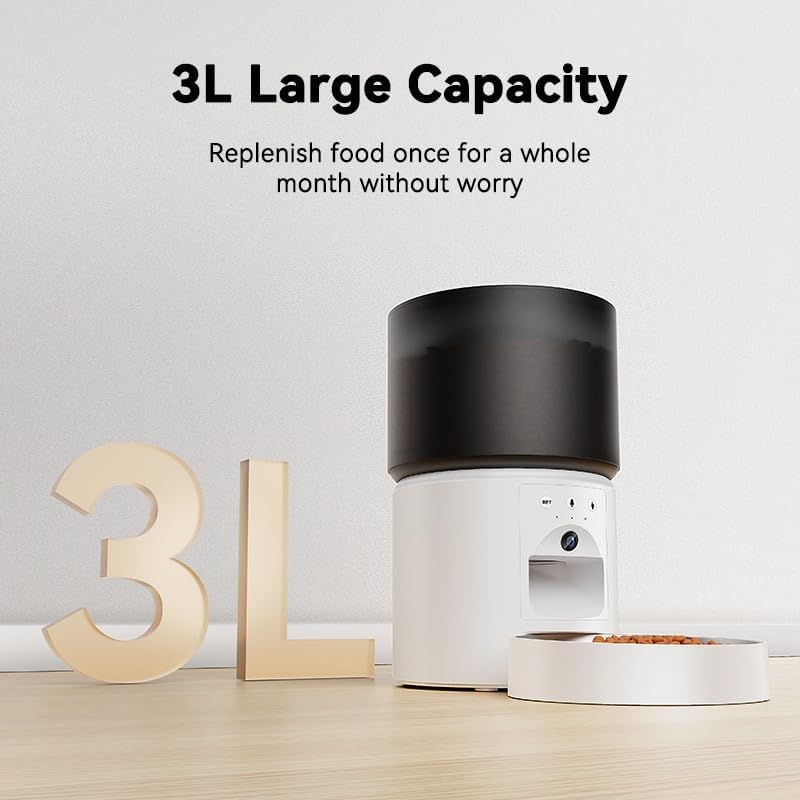
Image: 3L Large Capacity. The feeder's hopper can hold up to 3 liters of dry pet food.
1.4 App-download og -forbindelse
To utilize the feeder's smart features, download the companion mobile application.
- Scan the QR code provided in the quick start guide or search for "ROJECO Pet" (or similar, if specified in product packaging) in your device's app store (App Store for iOS, Google Play Store for Android).
- Installer appen, og opret en konto.
- Follow the in-app instructions to add your ROJECO Automatic Pet Feeder. This typically involves connecting the feeder to your home Wi-Fi network (2.4GHz only).
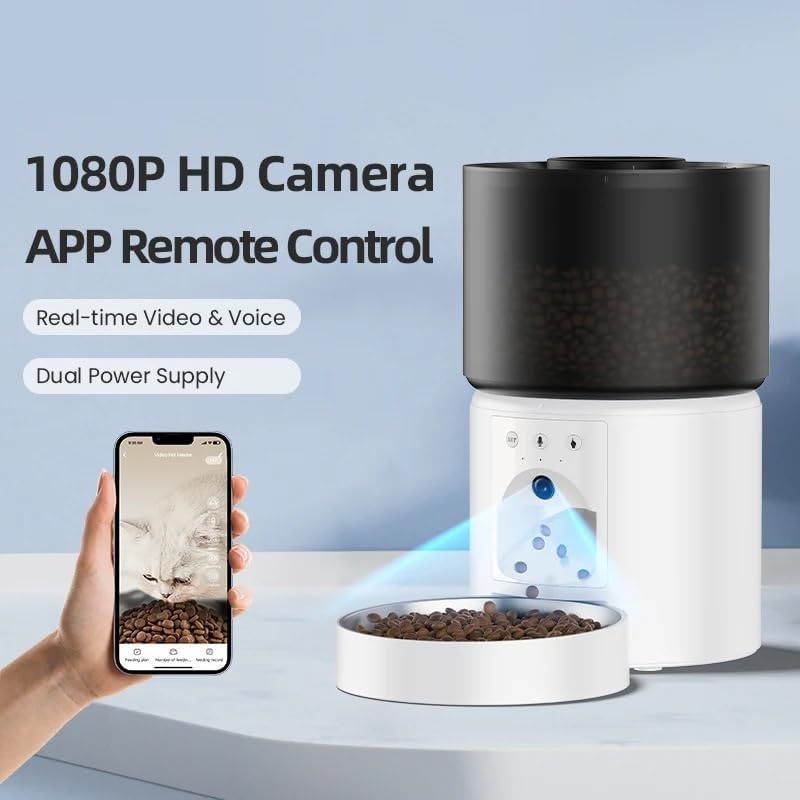
Image: 1080P HD Camera and App Remote Control. The feeder integrates with a mobile app for real-time video, voice, and remote feeding.
2. Betjeningsvejledning
2.1 Planlægning af måltider
Use the mobile app to set up a customized feeding schedule for your pet.
- Open the ROJECO app and select your feeder device.
- Naviger til afsnittet "Tidsplan" eller "Fodringsplan".
- Add a new meal time, specify the exact time, and select the desired portion size (1-50 portions, 20ml per portion).
- Repeat for up to 12 meals per day. Save your settings.
2.2 Manuel fodring
Dispense food instantly using the app or the manual feed button on the device.
- Via app: On the main screen of the feeder in the app, tap the "Manual Feed" button. You can typically select the number of portions to dispense (up to 5 portions).
- På enheden: Press the manual feed button (often labeled "SET" or a food icon) on the feeder itself to dispense a single portion.
2.3 Using the Camera and Voice Recorder
The integrated camera allows for real-time monitoring, and the voice recorder enables personalized meal calls.
- Video i realtid: Access the live camera feed through the app to view your pet and the feeder's surroundings. The 1080P HD camera provides a 120° wide-angle view, and infrared night vision ensures visibility in low-light conditions.
- Stemmeoptagelse: In the app, navigate to the voice recording settings. Record a message up to 10 seconds long. You can set how many times this message plays during scheduled meal times (0-5 times).

Image: Real-time Video & Voice. The feeder's camera provides a full-screen view, and the food bowl is visible for monitoring.

Image: 24-Hour Surveillance. The infrared night vision camera allows monitoring of your pet in the dark.

Image: 10S Personalized Meal Call. Record a voice message that plays at mealtime to call your pet.
2.4 Meddelelser
The app provides real-time alerts to keep you informed about the feeder's status:
- Meal Dispensed: Confirmation that a scheduled meal has been successfully delivered.
- Low Food: Alert when the food hopper is approximately 10% full, indicating it's time for a refill.
- Lavt batteri: Notification if the backup batteries are running low.
- Fejladvarsler: Warnings for issues such as a jammed auger or Wi-Fi disconnection.
3. Vedligeholdelse og rengøring
3.1 Rengøring af føderen
Regular cleaning ensures hygiene and optimal performance. All parts that come into contact with food are BPA-free and removable for easy cleaning.
- Afbryd strømmen: Before cleaning, unplug the USB-C power adapter and remove any backup batteries.
- Skille ad: Remove the food bowl, tank lid, food tank, and tank base.
- Vaskekomponenter: Wash the removable parts with mild soap and water. Rinse thoroughly and dry completely before reassembly. Do not wash the main feeder unit (the part containing electronics).
- Tør hovedenhed af: Brug en blød, damp cloth to wipe the exterior of the main feeder unit. Do not immerse it in water.
- Saml igen: Once all parts are dry, reassemble the feeder.
3.2 Udskiftning af tørremiddelpose
The desiccant bag helps keep food fresh. Replace it periodically (e.g., every 1-3 months) for best results.
- Locate the desiccant bag holder under the food hopper lid.
- Remove the old desiccant bag and dispose of it.
- Insert a new desiccant bag into the holder.
- Luk låget forsvarligt.
3.3 Udskiftning af batteri
If using backup batteries, replace them when the low battery notification appears or approximately every 6-12 months, depending on usage.
- Turn the feeder upside down.
- Åbn batterirummets dæksel.
- Remove the old D batteries and insert 3 new alkaline D batteries, ensuring correct polarity.
- Luk batterirummets dæksel forsvarligt.
4. Fejlfinding
| Problem | Mulig årsag | Løsning |
|---|---|---|
| Foderautomaten doserer ikke foder. |
|
|
| App cannot connect to the feeder. |
|
|
| Stemmeoptagelsen afspilles ikke. |
|
|
| Camera feed is black or blurry. |
|
|
5. Produktspecifikationer
| Modelnummer | WSQ-001 |
| Mærke | ROJECO (Manufacturer: ZGHQHCDRH) |
| Kapacitet | 3 liter (ca. 12.7 kopper) |
| Dimensioner (L x B x H) | 7.72 x 7.72 x 14.17 tommer |
| Varens vægt | 1.76 ounces (Product) / 0.11 Pounds (Shipping) |
| Strømforsyning | USB-C Adapter (included), 3 x D Alkaline Batteries (not included) |
| Kamera | 1080P HD, 2 Million Pixels, 120° Wide-Angle Lens, Infrared Night Vision |
| Stemmeoptager | Op til 10 sekunder |
| Fodringsskema | 1-6 meals/day, up to 50 portions/meal (20ml/portion) |
| Forbindelse | Wi-Fi (kun 2.4 GHz) |
| Materiale | BPA-fri |
| Målarter | Katte, hunde, små dyr |
6. Garanti og support
For warranty information and technical support, please refer to the documentation included with your purchase or visit the official ROJECO website. You may also contact the manufacturer, ZGHQHCDRH, directly through their customer service channels.
Gem venligst din købsbevis i tilfælde af garantikrav.
7. Sikkerhedsoplysninger
- Dette apparat er kun til indendørs brug.
- Do not immerse the main feeder unit in water or other liquids.
- Opbevares utilgængeligt for børn og kæledyr for at forhindreampering or injury.
- Use only dry pet food. Do not use wet food, canned food, or treats that may jam the dispenser.
- Ensure the power cord is not chewed by pets. Use protective cable covers if necessary.
- Tag altid stikket ud af stikket, inden du rengør eller udfører vedligeholdelse.
- Do not attempt to repair or modify the feeder yourself. Contact customer support for assistance.
- Bortskaf batterier i henhold til lokale regler.