
Indledning
The MINIX 100W USB C Charger (NEO P3 Pro) is a versatile 3-port GaN charger designed for rapid charging of various devices, including laptops, tablets, and smartphones. It features a smart display for real-time charging information and a compact, travel-friendly design. This manual provides essential information for the safe and efficient use of your charger.

Image: The MINIX 100W USB C Charger (NEO P3 Pro) connected to a laptop, illustrating its fast charging capability.
What's in the Box (Setup)
Your MINIX 100W USB C Charger package includes the following items:
- 1x MINIX P3 PRO 100W Charger
- 1x EU Plug Adapter
- 1x UK Plug Adapter
- 1x brugermanual
- 1x opbevaringspose

Image: The MINIX P3 Pro charger, EU plug, UK plug, and storage bag, as included in the package.
Attaching the Correct Plug Adapter
The MINIX P3 Pro charger comes with interchangeable plug adapters (US, EU, UK) to ensure compatibility in various regions. To attach an adapter:
- Align the desired plug adapter with the charger's prongs.
- Gently push the adapter onto the charger until it clicks securely into place.
- To remove, press the release button (if present) and slide the adapter off.

Image: The MINIX charger with its switchable US, EU, and UK plug adapters.
Betjeningsvejledning
Tilslutning af enheder
The MINIX P3 Pro features two USB-C ports and one USB-A port. Connect your devices using appropriate charging cables. For optimal 100W charging, use a 100W 5A cable connected to a single USB-C port.
- USB-C1: Op til 100W maks. udgangseffekt.
- USB-C2: Op til 100W maks. udgangseffekt.
- USB-A1: Op til 30W maks. udgangseffekt.

Image: The MINIX P3 Pro charging three devices concurrently: a laptop via USB-C1, a tablet via USB-C2, and a smartphone via USB-A1.
Smart Display and Touch Control
The integrated smart display provides real-time information about your charging status. You can interact with the display using the touch control button.
- Opladningsstatus: View the current wattage output.
- Port-Specific Details: Tap the touch button to cycle through individual port outputs.
- Temperature Reminder: The display may show temperature-related information for safety.
- Samlet tid: Displays the total charging duration.
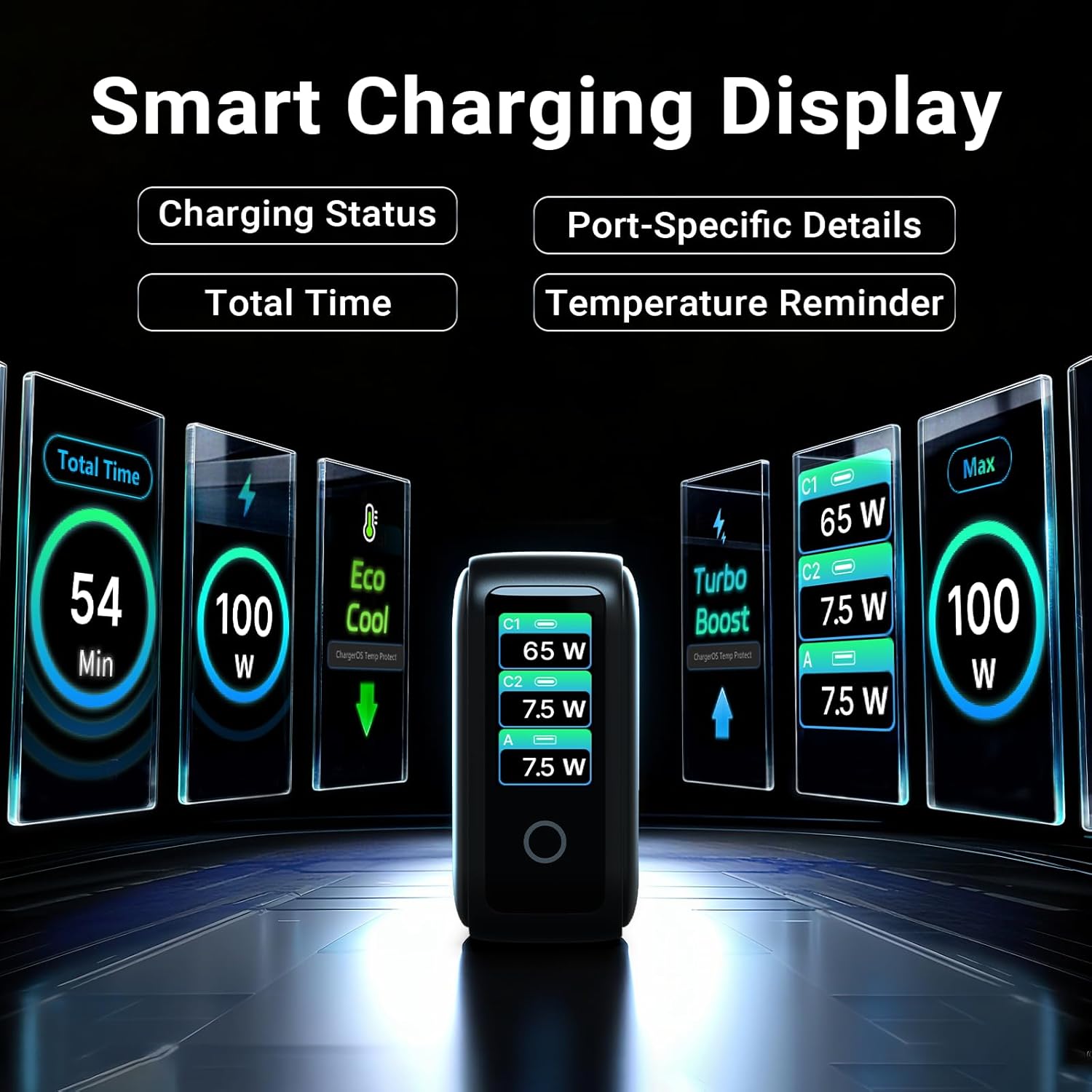
Image: The smart display of the MINIX P3 Pro, showcasing real-time charging status and port-specific details.
Skærmrotation
To adapt the display orientation to your wall outlet, press and hold the touch control button for 3 seconds. The screen will rotate 180°.
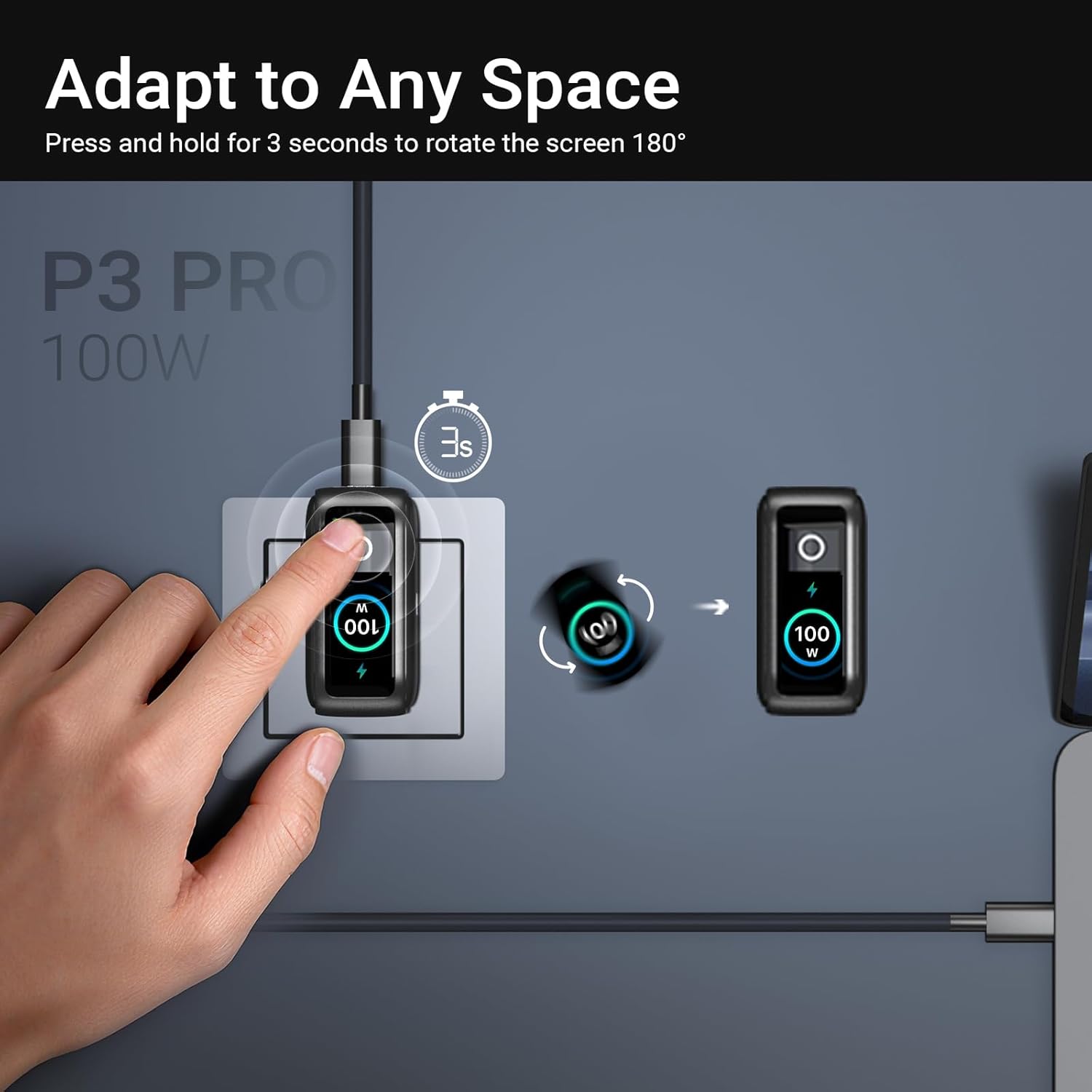
Image: The MINIX P3 Pro charger plugged into a wall socket, illustrating how to rotate the smart display by 180 degrees for better viewing.
Strømfordeling
The charger intelligently redistributes power based on the number of connected devices and their power requirements. Below is a general guide to power output configurations:
- 1 Portudgang:
- USB-C1: 100W
- USB-C2: 100W
- USB-A1: 30W
- 2 porte Udgang:
- USB-C1 + USB-C2: 65W + 30W
- USB-C1 + USB-A1: 65W + 7.5W
- USB-C2 + USB-A1: 7.5W + 7.5W
- 3 porte Udgang:
- USB-C1 + USB-C2 + USB-A1: 65W + 7.5W + 7.5W
Video: An official product introduction video for the MINIX P3 Pro, demonstrating its features and functionality, including power distribution across multiple ports.
Opretholdelse
To ensure the longevity and optimal performance of your MINIX P3 Pro charger, follow these maintenance guidelines:
- Hold opladeren ren og fri for støv og snavs. Brug en blød, tør klud til rengøring.
- Avoid exposing the charger to extreme temperatures, humidity, or direct sunlight.
- Tab ikke opladeren og udsæt den ikke for kraftige stød.
- Store the charger in the provided storage bag when not in use, especially during travel, to protect it from scratches and damage.
- Sørg for tilstrækkelig ventilation omkring opladeren under drift for at forhindre overophedning.
Specifikationer
| Feature | Detalje |
|---|---|
| Mærke | MINIX |
| Modelnummer | P5010 |
| Samlet USB-porte | 3 (2x USB type-C, 1x USB type-A) |
| Wattage | 100W (maks.) |
| Input bindtage | 240 volt |
| Udgangsstrøm | 5 Amps |
| Udgang Voltage | 120 volt |
| Connector Type | USB Type A, USB Type C |
| Kompatible enheder | Laptops, Tablets, Samsung Galaxy S21-S24 Series, iPhone 17/16/15/14/13/12 Series, iPhone SE (3rd Gen) |
| Særlige funktioner | Fast Charging, Lightweight Design, Multi-Device Charging, Travel-Friendly, Smart Display, Touch Control |
| Farve | Sort |
| Varens vægt | 200 gram |
| Materiale | Termoplastisk elastomer (TPE) |
| Certificeringer | CE, FCC, WEEE |
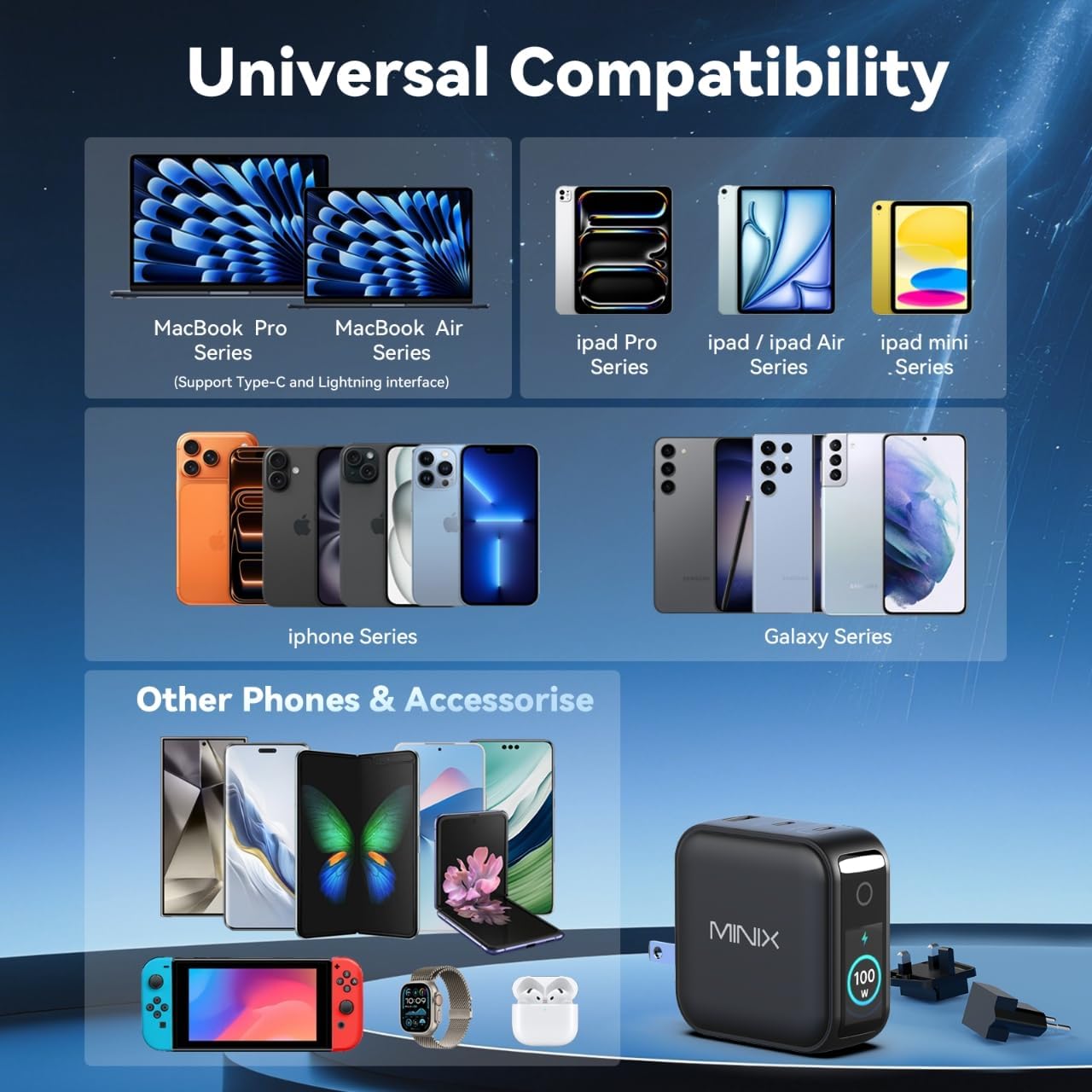
Image: A visual representation of the MINIX P3 Pro's universal compatibility with various devices.
Fejlfinding
If you encounter issues with your MINIX P3 Pro charger, please refer to the following common troubleshooting steps:
- Opladeren tænder ikke:
- Sørg for, at opladeren er tilsluttet korrekt til en fungerende stikkontakt.
- Verify that the correct regional plug adapter is firmly attached.
- Enheden oplader ikke eller oplader langsomt:
- Kontroller, at opladningskablet er korrekt tilsluttet til både opladeren og din enhed.
- Ensure the charging cable is not damaged and supports the required power delivery (e.g., 100W for high-power devices).
- Prøv en anden port på opladeren.
- If charging multiple devices, note that power is distributed, which may reduce individual port output. Refer to the "Power Distribution" section.
- Ensure your device supports the charging protocols (PPS, PD3.0, QC3.0) supported by the charger.
- Smart display not working or showing incorrect information:
- Ensure the charger is powered on and a device is connected.
- Tap the touch button to cycle through display modes.
- If the display is unresponsive, unplug the charger from the wall for a few seconds and then plug it back in.
- Opladeren føles varm under brug:
- Det er normalt, at opladeren bliver varm under drift, især under opladning med høj effekt.
- Ensure there is adequate ventilation around the charger. If it becomes excessively hot, disconnect it immediately and contact support.
Sikkerhedsoplysninger
Please read and follow these safety precautions to prevent damage to the product or injury to yourself:
- Udsæt ikke opladeren for vand, fugt eller høj luftfugtighed.
- Avoid using the charger in environments with extreme temperatures.
- Do not disassemble, modify, or attempt to repair the charger yourself. This will void the warranty.
- Opbevar opladeren utilgængeligt for børn og kæledyr.
- Use only compatible cables and devices with the charger.
- Tag opladeren ud af stikkontakten under tordenvejr eller når den ikke bruges i længere perioder.
- The charger includes built-in safety features such as over-current, over-voltage, overtemperatur- og kortslutningsbeskyttelse.
Garanti og support
The MINIX 100W USB C Charger (NEO P3 Pro) comes with a 1 års producentgaranti.
Kundesupport
For any questions, technical assistance, or warranty claims, please contact MINIX customer service:
- Online support: Besøg MINIX Store on Amazon and use the "Ask Product Question" feature.
- Offline vedligeholdelsestjeneste: Besøg vores officielle webside for mere information.
Please have your product model number (P5010) and purchase details ready when contacting support.