
Cillso H97
Cillso H97 Wireless Earbuds User Manual
Model: H97
Brand: Cillso
Indledning
Thank you for choosing the Cillso H97 Wireless Earbuds. These earbuds feature advanced Bluetooth 5.4 technology, HiFi stereo sound with deep bass, Environmental Noise Cancelling (ENC) for clear calls, and an IPX7 waterproof rating. Designed for comfort and extended use, they offer up to 40 hours of total playtime with the charging case. This manual provides essential information for setup, operation, maintenance, and troubleshooting to ensure optimal performance.
Hvad er der i æsken
- Cillso H97 Wireless Earbuds (Left and Right)
- Opladningsetui
- USB-C ladekabel
- Brugermanual
Produkt overview
Familiarize yourself with the components and features of your Cillso H97 Wireless Earbuds.
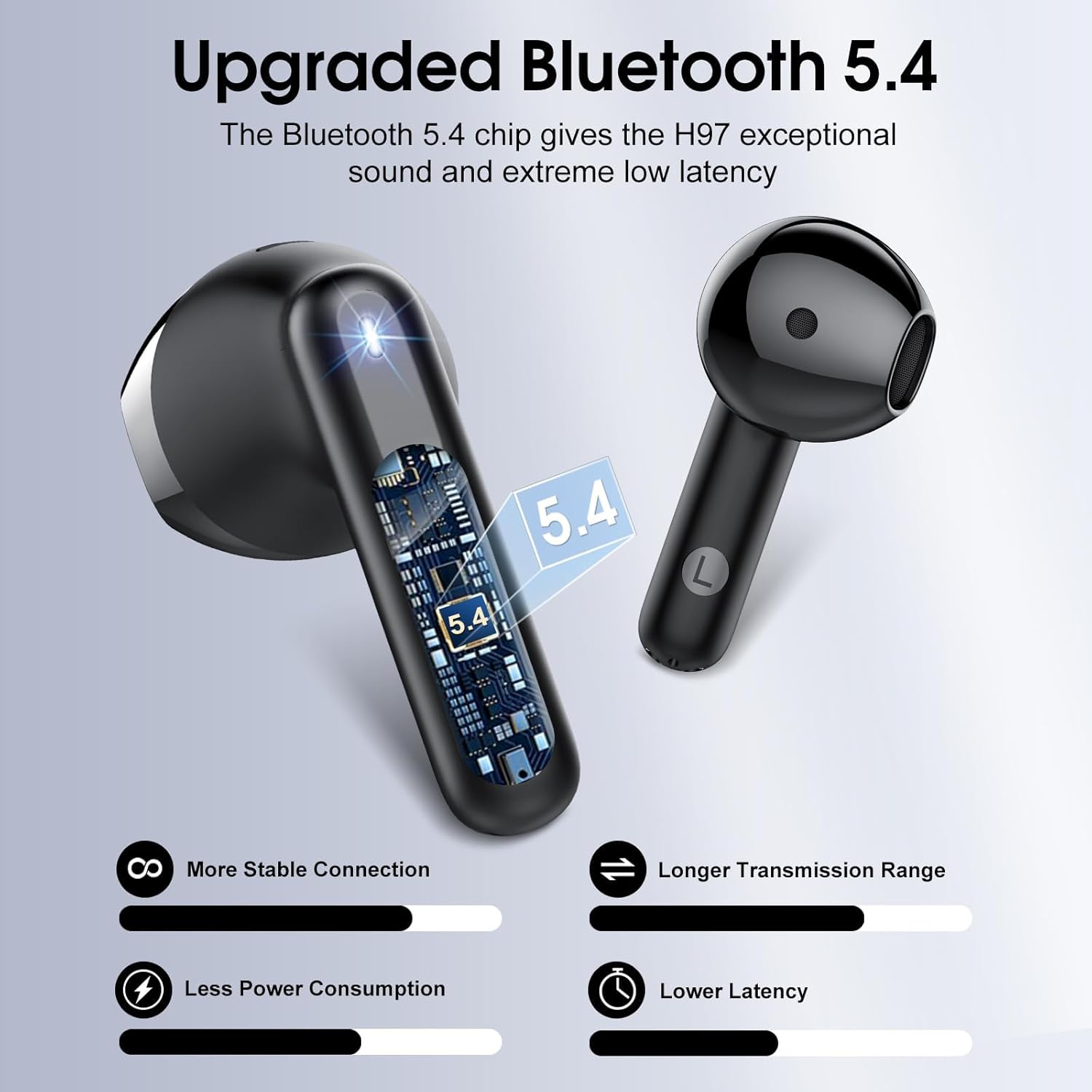
Figur 1: Indre view af en øreprop, visasing the advanced Bluetooth 5.4 chip for stable connection and low latency.
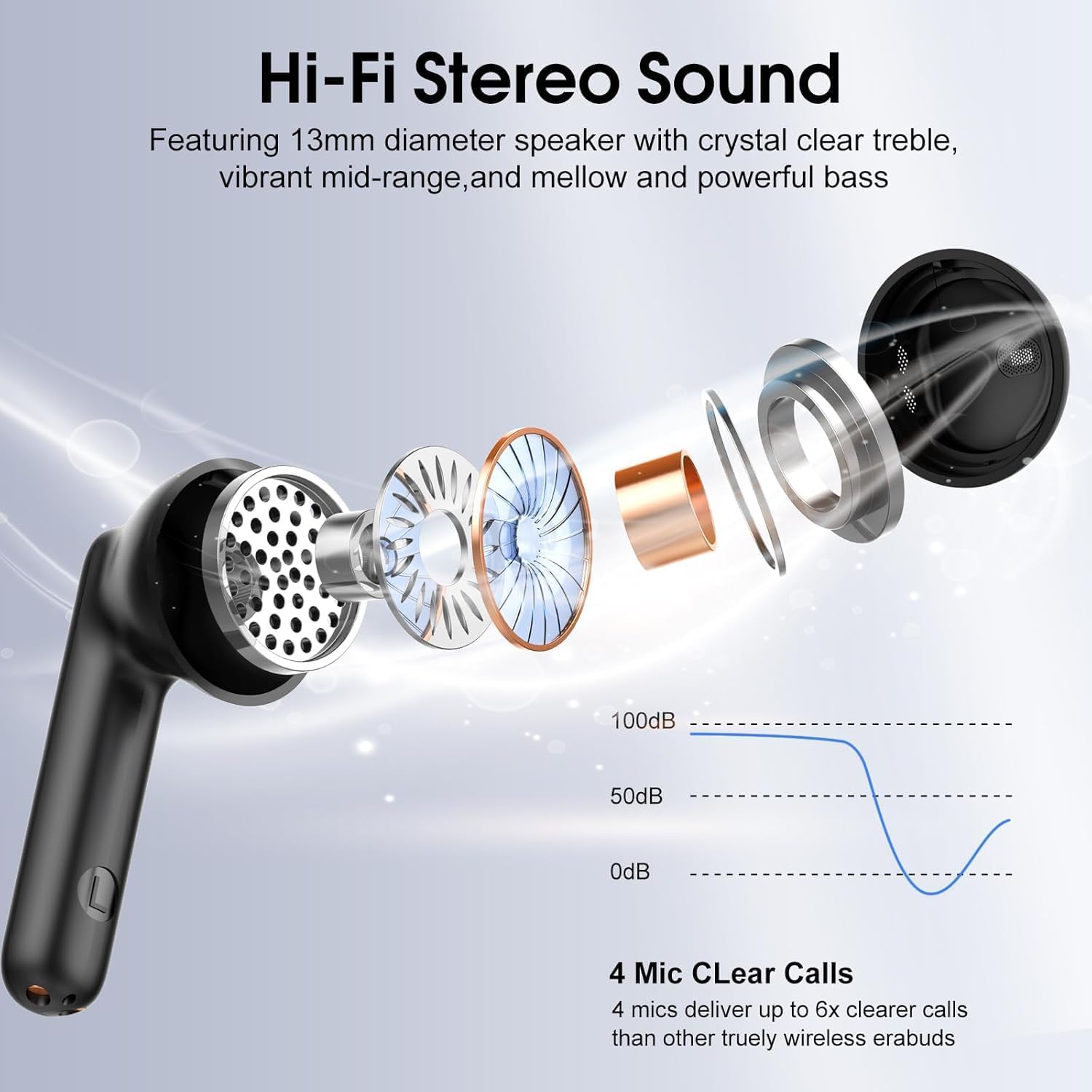
Figur 2: eksploderede view illustrating the 13mm diaphragm drivers responsible for Hi-Fi stereo sound with deep bass and clear highs.

Figur 3: The charging case features an independent LED display to show real-time battery levels for both earbuds and the case.

Figur 4: Dimensions of the earbuds and charging case, emphasizing their lightweight and portable design. Each earbud weighs 3.5 grams, and the case weighs 32 grams.

Figur 5: Overview of the sensitive touch controls on the earbuds for various functions.

Figur 6: The earbuds feature an IPX7 waterproof rating, providing protection against sweat, rain, and splashes.
Opsætning
1. Første opladning
- Før første brug skal begge ørepropper placeres i opladningsetuiet.
- Tilslut USB-C-opladerkablet til opladningsporten på etuiet og en strømkilde.
- The LED display on the case will indicate the charging status. A full charge for the case takes approximately 1.5 hours.
- Sørg for, at ørepropperne er fuldt opladet inden første brug for at opnå optimal batterilevetid.
2. Parring med en enhed
- Åbn opladningsetuiet. Ørepropperne tændes automatisk og går i parringstilstand.
- Aktiver Bluetooth på din enhed (smartphone, tablet, bærbar computer).
- Søg efter tilgængelige Bluetooth-enheder, og vælg "H97" fra listen.
- Once connected, your device will confirm successful pairing. The earbuds will automatically reconnect to the last paired device when removed from the case and within range (up to 15 meters).
Betjeningsvejledning
The Cillso H97 earbuds feature sensitive touch controls for easy management of audio playback and calls.
| Handling | Fungere |
|---|---|
| Double tap Left/Right earbud | Afspil/pause musik |
| One tap Left/Right earbud | Besvar/afslut opkald |
| Long press Right earbud (2s) | Næste nummer |
| Long press Left earbud (2s) | Forrige nummer |
| One tap Left/Right earbud (during call) | Volume control (specific tap pattern may vary, refer to device settings if needed) |
| Triple tap Left/Right earbud (typically) | Aktiver Voice Assistant |
Opretholdelse
Rensning
- Rengør regelmæssigt ørepropperne og opladningsetuiet med en blød, tør og fnugfri klud.
- Brug ikke slibende rengøringsmidler, alkohol eller kemiske opløsningsmidler.
- Ensure charging contacts on both earbuds and case are clean and dry for proper charging.
Opbevaring
- Når ørepropperne ikke er i brug, skal de opbevares i deres opladningsetui for at beskytte dem og holde dem opladede.
- Opbevares køligt og tørt, væk fra ekstreme temperaturer og direkte sollys.
Vandmodstand
- The earbuds are IPX7 waterproof, meaning they are protected against temporary immersion in water up to 1 meter for 30 minutes.
- This rating protects against sweat, rain, and splashes. However, it is not recommended to swim or shower with the earbuds.
- Sørg for, at ørepropperne er tørre, før du sætter dem tilbage i opladningsetuiet, for at forhindre skader.
Fejlfinding
Ørepropper parrer eller opretter ikke forbindelse
- Ensure both earbuds are charged and removed from the charging case.
- Sluk og tænd derefter Bluetooth på din enhed.
- Delete "H97" from your device's Bluetooth list and attempt to pair again.
- Try resetting the earbuds (refer to specific reset instructions if available in a separate quick start guide, or place them back in the case and close for 10 seconds, then reopen).
Kun én øretelefon virker
- Sørg for, at begge øretelefoner er opladet.
- Placer begge ørepropper tilbage i opladningsetuiet, luk låget, vent et par sekunder, åbn derefter låget og fjern dem samtidig.
- If the issue persists, try resetting the earbuds and re-pairing.
Opladningsproblemer
- Check that the USB-C cable is securely connected to both the charging case and the power source.
- Sørg for, at opladningskontakterne på ørepropperne og inde i etuiet er rene og fri for snavs.
- Prøv at bruge et andet USB-C-kabel eller en anden strømadapter.
Dårlig lydkvalitet
- Sørg for, at ørepropperne sidder korrekt i dine ører.
- Kontroller lydkilden og lydstyrkeniveauerne på din tilsluttede enhed.
- Move closer to your connected device to reduce potential interference.
- Clean any earwax or debris from the earbud speaker grilles.
Specifikationer
| Feature | Detalje |
|---|---|
| Modelnavn | H97 |
| Bluetooth version | 5.4 |
| Bluetooth rækkevidde | Op til 15 meter (49 fod) |
| Audio driver størrelse | 13 mm dynamisk driver |
| Frekvensrespons | 20Hz - 20kHz |
| Støjkontrol | Miljømæssig støjreduktion (ENC) |
| Batterilevetid (ørepropper) | Op til 8 timer på en enkelt opladning |
| Samlet spilletid (med opladningsetui) | Op til 40 timer |
| Opladningstid (etui) | Cirka 1.5 timer (USB-C) |
| Vandmodstandsniveau | IPX7 |
| Earbud vægt | 3.5 gram (hver) |
| Vægt af opladningsetui | 32 gram |
| Kontroltype | Tryk på kontrol |
| Kompatible enheder | iOS 9.0+/Android 5.0+ and Bluetooth 4.0+ devices |
Garanti og support
Cillso products are designed for reliability and performance. For warranty information, technical support, or any questions regarding your H97 Wireless Earbuds, please refer to the warranty card included in your packaging or contact Cillso customer service through the retailer where you purchased the product.
Gem venligst din købsbevis i tilfælde af garantikrav.
Ask a question about this manual
Ask about setup, troubleshooting, compatibility, parts, safety, or missing instructions. Manuals+ will review the question and use this page’s manual context to help answer it.