
Indledning
This manual provides comprehensive instructions for the safe and effective use of your Jadfezy 1080P Action Camera. Please read this manual thoroughly before operating the device and retain it for future reference.
Nøglefunktioner:
- Ultra HD 1080P Video Recording: Capture videos at 1080P / 30fps and 12MP photos.
- 2 tommer LCD-skærm: View recorded moments in real-time.
- Multifunktionalitet: Supports time-lapse video, loop recording, dash cam mode, timed photo, burst photo, self-timer, and long-exposed photo modes.
- Dobbelte genopladelige batterier: Equipped with 2x900mAh batteries, each providing over 2 hours of recording.
- 30M/98FT Waterproof: IP68 certified waterproof case for underwater activities.
- Extensive Accessories Kit: Includes mounts for helmets, bicycles, and other uses.
Hvad er der i æsken
Your Jadfezy Action Camera package includes the following items:
- 1080P actionkamera
- Vandtæt etui
- 2x 900mAh genopladelige batterier
- Batterioplader
- USB opladningskabel
- Helmet Mounting Kit
- Bicycle Mounting Kit
- Various Mounts and Adapters
- Rengøringsklud
- Brugermanual (Hurtigstartguide)

Image: Contents of the Jadfezy Action Camera package, including the camera, waterproof case, batteries, and various mounts.
Opsætning
1. Batteriinstallation og opladning
- Åbn batteridækslet i bunden af kameraet.
- Insert a fully charged 900mAh Lithium-Ion battery, ensuring correct polarity.
- Luk batterirummet forsvarligt.
- To charge, use the provided USB cable and battery charger. Each battery provides over 2 hours of recording time.

Image: Two rechargeable 900mAh batteries for the action camera.
2. Memory Card Installation (Micro SD)
A Micro SD card (not included with all models) is required for storing photos and videos. Insert the Micro SD card into the designated slot until it clicks into place. Ensure the card is formatted before first use via the camera settings.
3. Montering af det vandtætte etui
For underwater use or protection against dust and impact, place the camera inside the waterproof case. Ensure the case is properly sealed before use. The case is rated for depths up to 30 meters (98 feet).
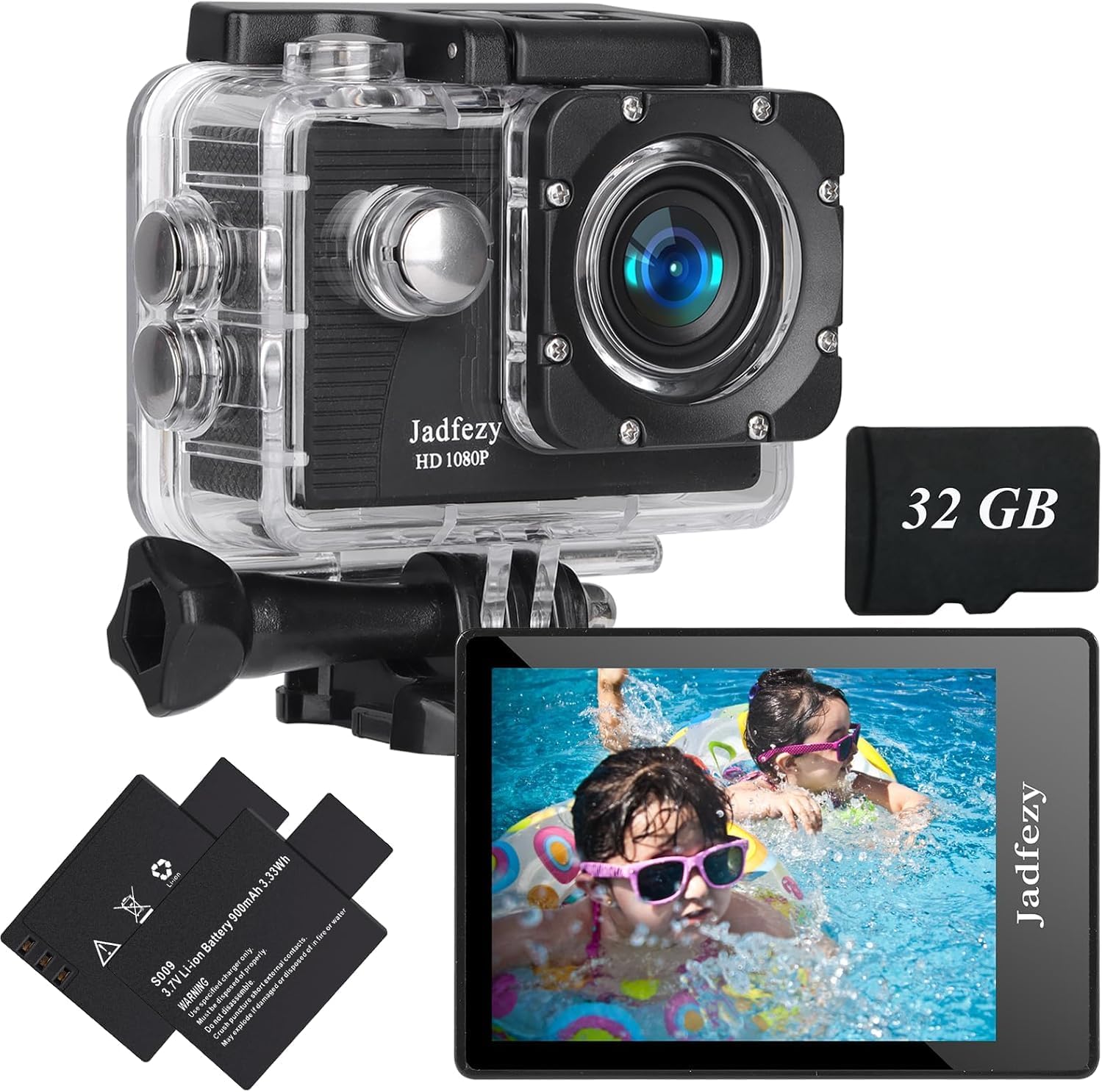
Image: The Jadfezy Action Camera enclosed within its transparent waterproof housing, ready for use.
Betjeningsvejledning
1. Tænd/sluk
Press and hold the Power/Mode button (usually on the front or top) for a few seconds to turn the camera on or off.
2. Skift tilstande
Tryk gentagne gange på tænd/sluk-/tilstandsknappen for at skifte mellem forskellige tilstande (video, foto, afspilning, indstillinger).
3. Recording Videos / Taking Photos
In Video mode, press the OK/Shutter button to start recording. Press again to stop. In Photo mode, press the OK/Shutter button to take a picture.
4. Wi-Fi-forbindelse og appbrug
To enable Wi-Fi, power on the camera and press the Up/Wi-Fi button. The Wi-Fi icon will appear on the screen. Download the "Fun DV" app from your device's app store (scan the QR code in the quick start guide for direct link). Connect your phone/tablet to the camera's Wi-Fi network (usually named "Fun DV_XXXX"). The temporary password will be displayed on the camera screen. Once connected, you can control the camera, view live footage, og overførsel files via appen.
Video: Demonstrates how to connect the Jadfezy Action Camera to a mobile device via Wi-Fi and use the companion app for remote control and file overførsel.
Video: En kort optaktview showing the camera's Wi-Fi connectivity and app interface for remote operation.
5. Avancerede tilstande
Explore various shooting modes like time-lapse video, loop recording (for dash cam use), burst photos, and self-timer photos through the camera's settings menu.

Image: Visual representation of various shooting modes including self-timer, dash cam, time-lapse, and burst photo.
Opretholdelse
- Rensning: Use the provided cleaning cloth to gently wipe the camera lens and screen. Do not use harsh chemicals.
- Opbevaring: Opbevar kameraet et køligt og tørt sted, væk fra direkte sollys og ekstreme temperaturer.
- Batteripleje: Fjern batterierne, hvis kameraet ikke skal bruges i en længere periode.
- Vandtæt etui: After each use in water, rinse the waterproof case with fresh water and allow it to air dry. Check the rubber seal for any damage regularly.
Fejlfinding
- Kamera tænder ikke: Sørg for, at batteriet er fuldt opladet og korrekt isat.
- Fejl på hukommelseskort: Reformat the Micro SD card via the camera settings. If the issue persists, try a different, compatible Micro SD card.
- Problemer med Wi-Fi-forbindelse: Ensure Wi-Fi is enabled on the camera and your mobile device. Verify the correct network name and password. Restart both devices if necessary.
- Dårlig video-/fotokvalitet: Check the selected resolution settings. Ensure the lens is clean and free from smudges.
- Kort batterilevetid: Sørg for, at batterierne er fuldt opladede. Overvej at medbringe ekstra, opladede batterier til længere tids brug.
Specifikationer
| Mærke | Jadfezy |
| Modelnummer | J-03series |
| Video opløsning | 1080p / 30fps (Max) |
| Foto opløsning | 12 MP |
| Skærmstørrelse | 2 tommer LCD |
| Vandtæt dybde | 30m / 98ft (with waterproof case) |
| Batterikapacitet | 2x 900mAh Lithium Ion |
| Flash-hukommelsestype | Micro SD |
| Forbindelsesteknologi | HDMI, USB, Wi-Fi |
| Varens vægt | 12.3 ounce |
Garanti og support
For warranty information and customer support, please refer to the detailed user manual provided in the package or contact Jadfezy customer service. Keep your purchase receipt as proof of purchase for warranty claims.