
1. Introduktion
This manual provides detailed instructions for the safe and efficient operation of your TOOLTOP TT-Yihua-8858-I Portable Hot Air Station. This device is designed for various electronic repair tasks, including PCB SMD repair and BGA rework, offering precise temperature and airflow control. Please read this manual thoroughly before using the product and retain it for future reference.
2. Sikkerhedsinstruktioner
Overhold altid følgende sikkerhedsforanstaltninger for at forhindre personskade eller beskadigelse af enheden:
- Høj temperaturfare: The hot air nozzle and emitted air reach very high temperatures. Avoid direct contact with skin or flammable materials.
- Ventilation: Use the hot air station in a well-ventilated area to disperse fumes generated during soldering or desoldering.
- Strømforsyning: Sørg for, at strømforsyningen voltage matches the specifications of the device. Do not use if the power cord is damaged.
- Children and Unauthorized Users: Keep the device out of reach of children and individuals not trained in its use.
- Køl ned: Lad enheden køle helt af, før den opbevares.
- Opretholdelse: Forsøg ikke at reparere enheden selv. Overlad al service til kvalificeret personale.
- Korrekt brug: Brug kun enheden til dets tilsigtede formål.
3. Pakkens indhold
Bekræft, at alle nedenstående varer er til stede i din pakke:
- TOOLTOP TT-Yihua-8858-I Portable Hot Air Station (Main Unit)
- Hot Air Nozzles (Various sizes)
- Strømledning
- Brugervejledning (dette dokument)

Image 3.1: The TOOLTOP TT-Yihua-8858-I Portable Hot Air Station shown with three included nozzles.
4. Produktet er slutview
Familiarize yourself with the components and controls of your hot air station.
4.1 Hovedkomponenter
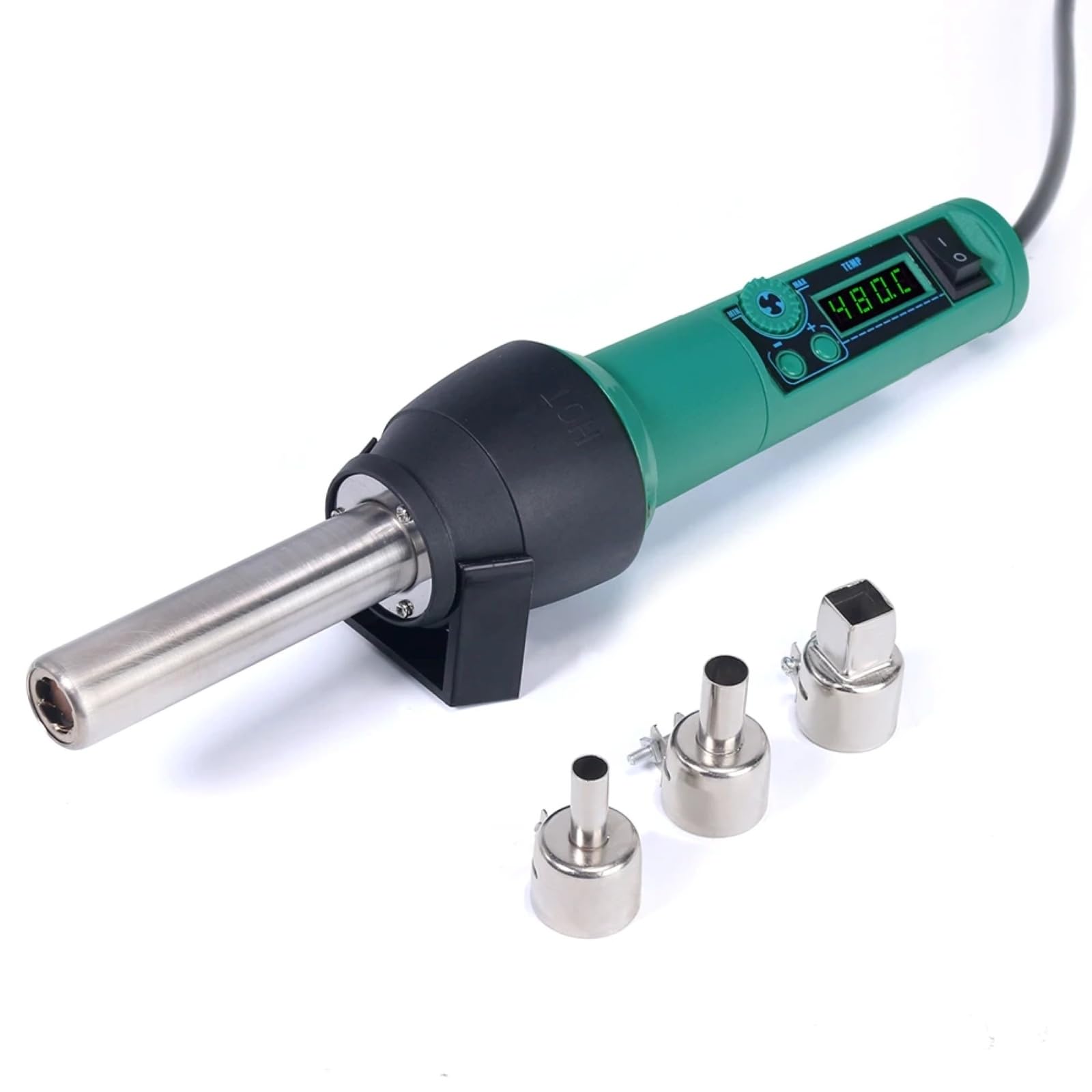
Image 4.1: The main unit of the hot air station, displaying the digital temperature display and control buttons.
4.2 Airflow System
The hot air station features a spiral wind airflow design for efficient and even heat distribution.

Image 4.2: Detail of the nozzle interior, illustrating the spiral wind air flow mechanism.
4.3 luftindtag
The air inlet is located at the rear of the unit, ensuring proper air circulation for heating.

Image 4.3: The air inlet grille, essential for the device's cooling and heating functions.
4.4 Styringer
The device features intuitive controls for adjusting air volume and temperature.

Image 4.4: The control panel showing buttons for adjusting air volume (MIN/MAX) and temperature (up/down arrows).
4.5 Hot Air Gun Holder
A dismountable holder is provided for safe placement of the hot air gun when not in use or during cool-down.
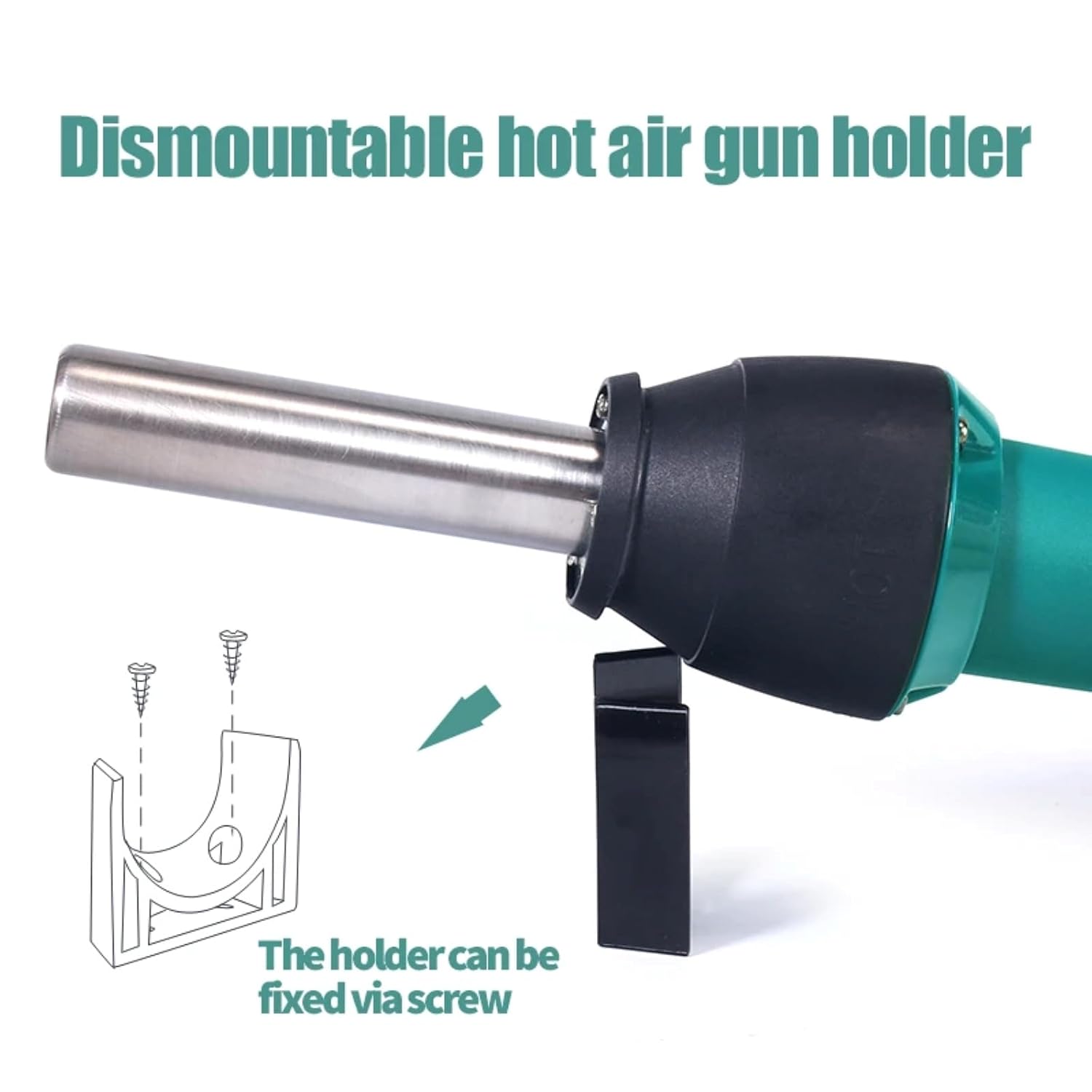
Image 4.5: The hot air gun holder, which can be fixed via screw for stability.
5. Opsætning
- Pakker ud: Fjern forsigtigt alle komponenter fra emballagen.
- Inspicere: Kontrollér enheden og tilbehøret for tegn på skader. Må ikke anvendes, hvis de er beskadiget.
- Placering: Place the hot air station on a stable, heat-resistant surface in a well-ventilated area. Ensure there is sufficient space around the air inlet and outlet for proper airflow.
- Fastgør dyse: Select the appropriate nozzle for your task and securely attach it to the hot air gun.
- Tilslut strøm: Plug the power cord into the hot air station and then into a suitable power outlet.
- Install Holder (Optional): If desired, attach the dismountable hot air gun holder to a workbench using screws for convenient and safe storage during operation.
6. Betjeningsvejledning
- Tænd: Flip the power switch to the "ON" position. The LED digital display will illuminate, showing the current temperature.
- Juster temperatur: Use the temperature adjustment buttons (up/down arrows) to set the desired temperature. The adjustable range is typically 100°C to 480°C. The display will show the set temperature and then the actual temperature as it heats up.
- Adjust Air Volume: Use the air volume adjustment buttons (MIN/MAX) to set the desired airflow. Start with a lower setting and increase as needed for your application.
- Forvarmning: Allow the unit to reach the set temperature before beginning work. This usually takes a few seconds.
- Operation: Direct the hot air nozzle towards the component or area you wish to work on. Maintain a safe distance to avoid overheating or damaging surrounding components.
- Køl ned: After use, place the hot air gun back into its holder. The unit will automatically enter a cool-down mode, blowing cool air until the temperature drops to a safe level. Do not switch off the power until the cool-down cycle is complete, as this protects the heating element.
- Sluk: Once the unit has cooled down and the display indicates a safe temperature, you can switch off the power.
7. Vedligeholdelse
Regular maintenance ensures the longevity and optimal performance of your hot air station.
- Rensning: Sørg for, at enheden er frakoblet og helt afkølet, før den rengøres. Tør ydersiden af med en blød klud.amp klæde. Brug ikke slibende rengøringsmidler eller opløsningsmidler.
- Luftindtag/udtag: Periodically check the air inlet and nozzle for any obstructions (dust, debris). Clean gently with a soft brush if necessary to maintain proper airflow.
- Dyser: Clean the nozzles regularly to prevent solder or flux buildup, which can affect airflow and heat distribution.
- Opbevaring: Store the hot air station in a dry, dust-free environment when not in use.
8. Fejlfinding
If you encounter issues with your hot air station, refer to the table below for common problems and solutions.
| Problem | Mulig årsag | Løsning |
|---|---|---|
| Enheden tænder ikke. | Ingen strømforsyning; netledning beskadiget; strømafbryder slukket. | Check power connection; inspect power cord; ensure power switch is ON. |
| Ingen varm luft eller utilstrækkelig varme. | Heating element failure; air inlet/outlet blocked; incorrect temperature setting. | Contact customer support; clean air inlets/outlets; verify temperature setting. |
| Luftstrømmen er svag eller ujævn. | Air volume set too low; fan malfunction; air path obstruction. | Increase air volume setting; clean air inlets/outlets; contact customer support. |
| Fejl i temperaturvisning. | Sensorfejl. | Power cycle the device; if error persists, contact customer support. |
Hvis problemet fortsætter efter at have forsøgt disse løsninger, bedes du kontakte kundesupport.
9. Specifikationer
| Modelnummer | TT-Yihua-8858-I |
| Mærke | VÆRKTØJ TOP |
| Strømforbrug | 700W |
| Temperaturområde | 100°C - 480°C (212°F - 896°F) |
| Display Type | LED digitalt display |
| Luftstrømstype | Spiral Wind |
| Inkluderede komponenter | Hot Air Station, Nozzles, Power Cord |
10. Garanti og support
The TOOLTOP TT-Yihua-8858-I Portable Hot Air Station comes with a 1 års producentgaranti fra købsdatoen. Denne garanti dækker fejl i materialer og udførelse ved normal brug.
For warranty claims, technical support, or any inquiries regarding your product, please contact TOOLTOP customer service through your retailer or the official TOOLTOP webwebsted. Hav venligst dit modelnummer og købsdato klar, når du kontakter support.