
Indledning
This manual provides detailed instructions for the setup, operation, and maintenance of your LONPOO 128b-EU Micro HiFi Compact Stereo System. Please read this manual thoroughly before using the product to ensure proper function and to maximize your listening experience.
Produktegenskaber
- Top-loading CD Player compatible with CD/CD-R/CD-RW discs.
- Bluetooth-forbindelse til trådløs lydstreaming.
- FM Radio (87.5 - 108 MHz) with auto scan and 30 preset stations.
- USB port for MP3/WMA playback.
- 3.5mm AUX-in for connecting external audio devices.
- 30W (2 x 15W RMS) / 50W max audio output with DSP technology.
- Memory function and 3 repeat modes (One/All/Random).
- 5 Equalizer modes (Flat, Classic, Rock, Pop, Jazz).
- Compact design with included remote control.
Hvad er der i æsken
- 1x LONPOO 128b-EU Micro HiFi Compact Stereo System
- 2x Stereo Speakers
- 1x Remote Control (2 AAA batteries not included)
- 1x brugermanual
Opsætningsinstruktioner
Follow these steps to set up your stereo system:
- Højttalerforbindelse: Connect the speaker wires from the two stereo speakers to the 'Speakers Output' terminals on the back of the main unit. Ensure correct polarity (red to red, black to black).
- Strømtilslutning: Insert the power cord into the 'AC IN' jack on the back of the unit, then plug the other end into a standard wall outlet.
- FM-antenne: Connect the FM antenna to the 'FM Antenna' port on the back. For optimal reception, extend the antenna fully and position it away from other electronic devices.
- Første gang tændt: Press the 'Power' button on the unit or the remote control to turn on the system.

Figure 1: Rear panel connections for easy setup. (1) Speakers Output, (2) AC IN, (3) Power on/off, (4) FM Antenna, (5) AUX in.

Figure 2: Detailed diagram of the front and back panels, highlighting controls and connection points.
Betjeningsvejledning
Generelle kontroller
The system can be operated using the buttons on the front panel or the included remote control. The main controls include:
- Power knap: Tænder eller slukker for enheden.
- MODE/EQ Button: Switches between input sources (CD, Bluetooth, FM, USB, AUX) and cycles through equalizer presets.
- Afspil/Pause/Scan-knap: Starts/pauses playback or initiates FM auto-scan.
- Stop/Repeat/Program Button: Stops playback, cycles through repeat modes (One/All/Random), or programs CD tracks.
- Previous/Fast Backward Button: Skips to the previous track or fast rewinds.
- Næste/Spol frem-knap: Springer til næste nummer eller spoler hurtigt frem.
- Lydstyrkeknap: Justerer masterlydstyrken.
- USB-port: Til tilslutning af USB-lagerenheder.
- Hovedtelefonstik: Til privat lytning med 3.5 mm hovedtelefoner.

Figure 3: The Micro HiFi System's display and controls, showing equalizer, repeat, and memory functions.
CD-afspilning
- Press the 'MODE' button to select CD mode.
- Open the top-loading CD door.
- Placer en CD (CD/CD-R/CD-RW) på spindlen med etiketsiden opad.
- Close the CD door. The system will read the disc, and the track number and playback time will appear on the display.
- Tryk på knappen 'Afspil/Pause' for at starte afspilningen.
- Brug knapperne 'Forrige' og 'Næste' til at springe numre over.
- Press the 'Repeat' button to cycle through repeat modes: Repeat One, Repeat All, or Random Play.

Figure 4: Top-loading CD player in operation, supporting CD/CD-R/CD-RW discs.
Bluetooth-tilstand
- Press the 'MODE' button to select Bluetooth mode. The display will show "BT" and flash, indicating it's ready for pairing.
- Aktiver Bluetooth på din smartphone, tablet eller anden Bluetooth-aktiveret enhed, og søg efter tilgængelige enheder.
- Select "LONPOO 128b-EU" from the list of devices.
- Once paired, the display will stop flashing, and you can stream audio from your device to the stereo system.

Figure 5: Bluetooth connectivity, allowing wireless audio streaming from compatible devices.
FM radio
- Press the 'MODE' button to select FM Radio mode.
- To auto-scan and save stations: Press and hold the 'Play/Pause/Scan' button. The system will automatically scan for and save up to 30 available FM stations.
- To manually tune: Use the 'Previous' and 'Next' buttons for fine-tuning or to navigate through saved presets.

Figure 6: FM Radio function, showing a frequency display and indicating good reception.
USB-afspilning
- Indsæt et USB-flashdrev, der indeholder MP3- eller WMA-lyd files i USB-porten på frontpanelet.
- Press the 'MODE' button to select USB mode. The system will automatically begin playing the audio files.
- Use the 'Previous', 'Next', 'Play/Pause', and 'Stop/Repeat' buttons to control playback.
AUX-indstilling
- Connect an external audio device (e.g., smartphone, MP3 player) to the 'AUX-in' port on the back of the unit using a 3.5mm audio cable (not included).
- Press the 'MODE' button to select AUX mode.
- Control playback directly from your connected external device. Adjust the volume using the system's volume knob.
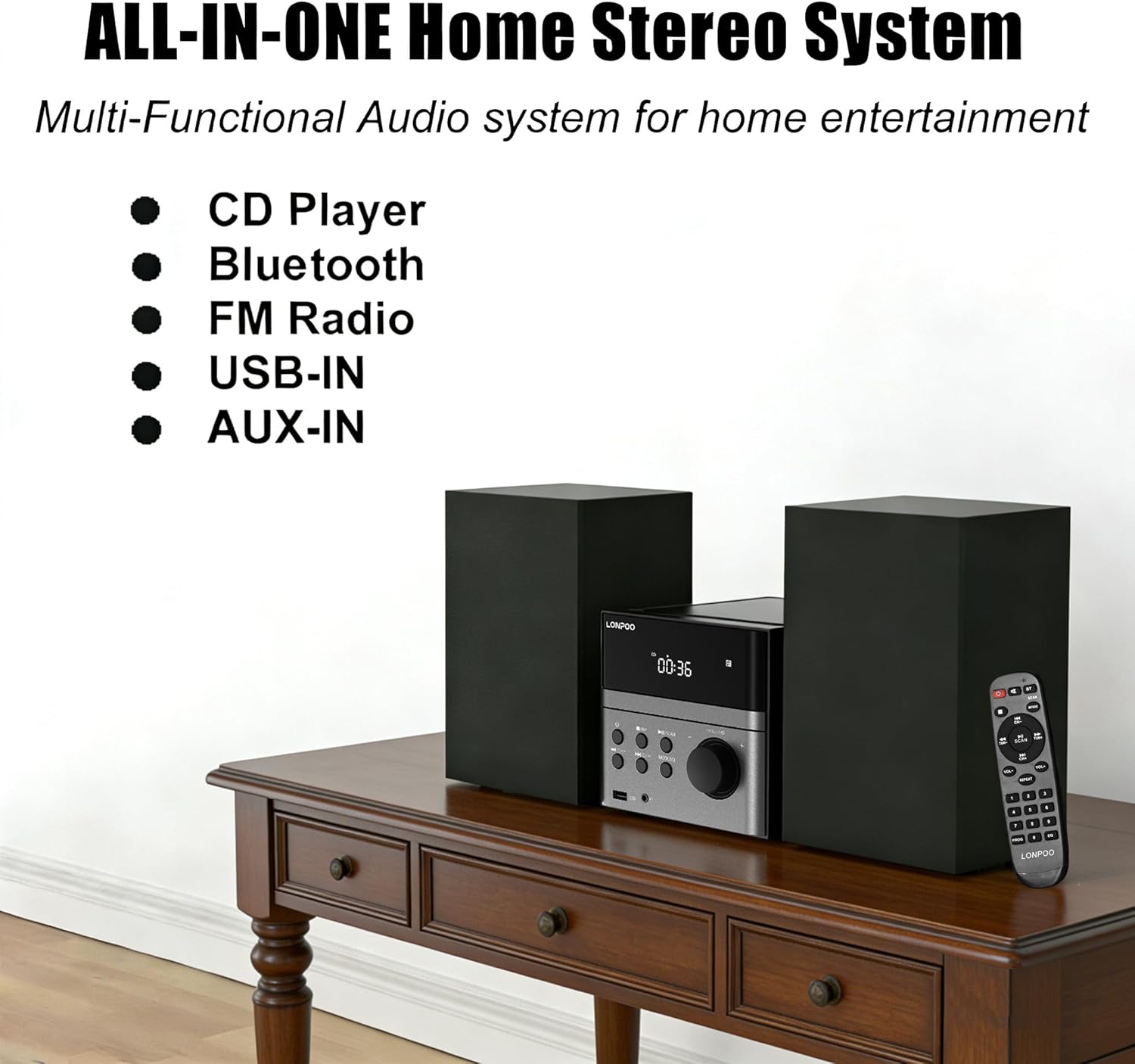
Figure 7: All-in-one home stereo system, illustrating its multi-functional audio capabilities.
Equalizer-indstillinger
Press the 'EQ' button (part of the MODE/EQ button) repeatedly to cycle through the available equalizer presets: Flat, Classic, Rock, Pop, and Jazz. Select the setting that best suits your audio preference.
Opretholdelse
To ensure the longevity and optimal performance of your LONPOO 128b-EU stereo system, follow these maintenance guidelines:
- Rensning: Use a soft, dry cloth to clean the exterior surfaces of the unit and speakers. Do not use abrasive cleaners, waxes, or solvents as they may damage the finish.
- Vedligeholdelse af CD-afspiller: Keep the CD compartment clean. If the lens is dirty, use a specialized CD lens cleaner disc. Avoid touching the lens directly.
- Ventilation: Sørg for tilstrækkelig ventilation af enheden. Bloker ikke ventilationsåbninger.
- Placering: Place the unit on a stable, flat surface away from direct sunlight, heat sources, excessive dust, moisture, or strong magnetic fields.
- Sluk: Always turn off the system and unplug it from the power outlet before cleaning or when not in use for extended periods.
Fejlfinding
If you encounter any issues with your stereo system, refer to the following common problems and solutions:
| Problem | Mulig årsag | Løsning |
|---|---|---|
| Ingen strøm | Netledning ikke tilsluttet; Strømudtag ikke aktivt | Ensure power cord is securely plugged into the unit and a working outlet. |
| Ingen lyd | Volume too low; Incorrect input mode; Speakers not connected | Increase volume; Select correct input mode (CD, BT, FM, USB, AUX); Check speaker connections. |
| CD'en afspiller ikke | Disken er isat forkert; Disken er snavset eller ridset; Diskformatet understøttes ikke | Insert disc correctly (label side up); Clean or replace disc; Ensure disc is CD/CD-R/CD-RW format. |
| Bluetooth forbinder ikke | Device not in pairing mode; Stereo system not in Bluetooth mode; Device too far | Ensure both devices are in pairing mode; Select Bluetooth mode on stereo; Move devices closer. |
| Dårlig FM -modtagelse | Antenna not extended or positioned correctly; Interference | Extend and reposition the FM antenna; Move away from other electronic devices. |
| Problemer med USB-afspilning | USB-drevet er ikke formateret korrekt; understøttes ikke file format | Ensure USB drive is FAT32 formatted; Check if fileer MP3/WMA. |
Specifikationer
| Feature | Detalje |
|---|---|
| Modelnummer | 128b-EU |
| Strømudgang | 30W (2 x 15W RMS) / 50W Max |
| Forbindelse | Bluetooth, USB, AUX-in |
| CD-kompatibilitet | CD, CD-R, CD-RW |
| USB-lydformater | MP3, WMA |
| FM frekvensområde | 87.5 - 108 MHz |
| Frekvensrespons | 20Hz - 20KHz |
| Antal højttalere | 2 (stereo) |
| Strømkilde | AC Cable (110-240V/50-60Hz) |
| Produktmål (L x B x H) | 42 x 27.9 x 16.5 cm (16.5 x 11 x 6.5 tommer) |
| Produktets vægt | 1.1 kg (2.4 lbs) |
| Fabrikant | LONPOO |
| Oprindelsesland | Kina |
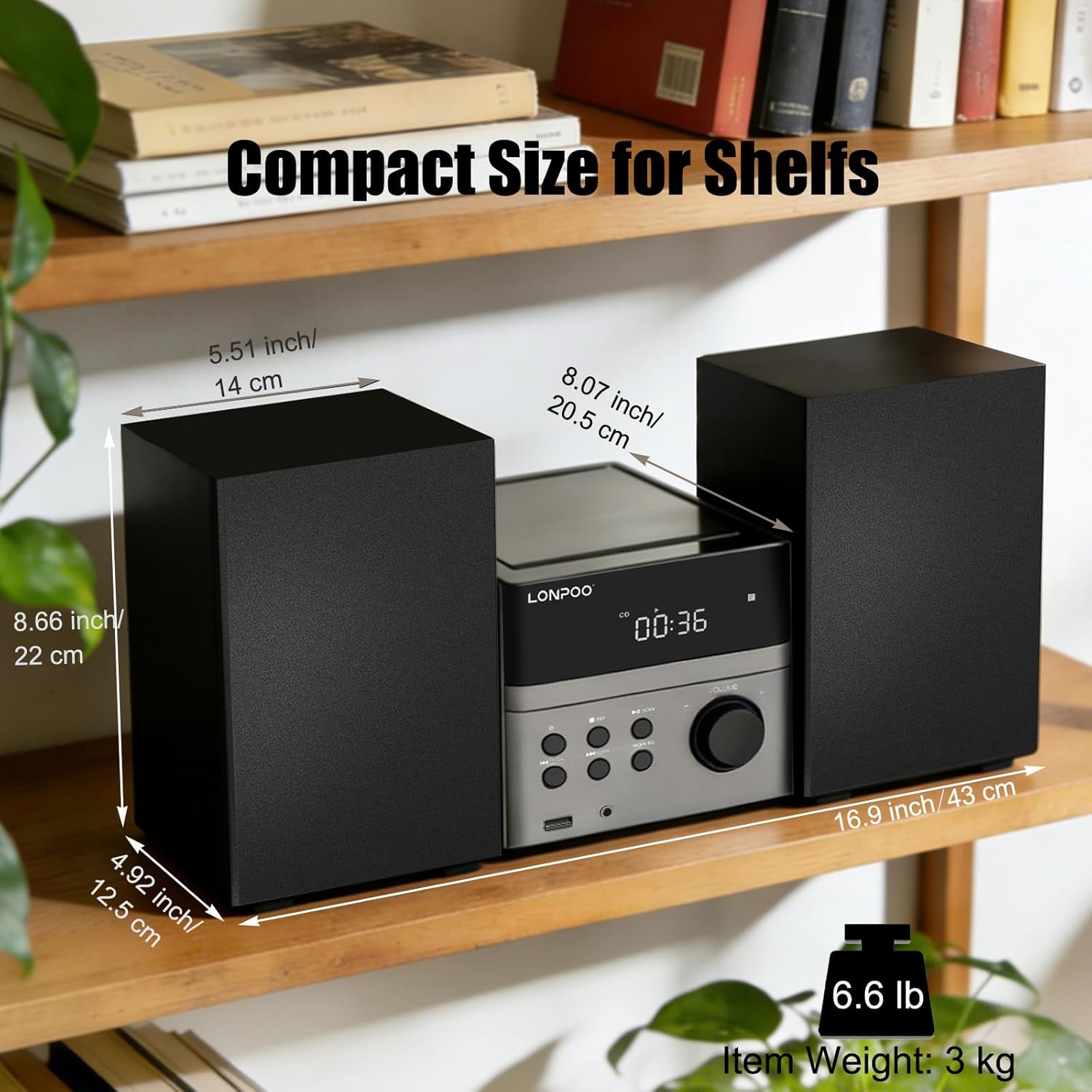
Figure 8: Dimensions of the compact stereo system, suitable for various shelf placements.
Garantioplysninger
The LONPOO 128b-EU Micro HiFi Compact Stereo System comes with a 1 års garanti fra købsdatoen. Denne garanti dækker fabrikationsfejl og udførelse under normal brug. Den dækker ikke skader forårsaget af misbrug, ulykker, uautoriserede ændringer eller normal slitage.
Please retain your proof of purchase for warranty claims. For warranty service, please contact customer support as detailed in the Support section.
Kundesupport
If you require further assistance, have questions not covered in this manual, or need to make a warranty claim, please contact LONPOO customer support.
For the most up-to-date support information, including contact details and FAQs, please visit the official LONPOO webwebstedet eller se de kontaktoplysninger, der følger med din købsdokumentation.