Indledning
This manual provides essential instructions for the setup, operation, and maintenance of your F96 Smart Watch. Please read this manual thoroughly before using the device to ensure proper function and to maximize your user experience.
The F96 Smart Watch features a 1.90-inch HD display, Bluetooth calling, and comprehensive health monitoring capabilities including ECG, heart rate, blood oxygen, and temperature tracking.
Hvad er der i æsken
Når du åbner pakken, skal du kontrollere, at alle nedenstående varer er til stede:
- F96 Smart Watch
- Ladekabel
- Brugervejledning (dette dokument)
Opsætningsvejledning
1. Opladning af enheden
Before initial use, fully charge your F96 Smart Watch. Connect the provided charging cable to the charging port on the watch and to a standard USB power adapter (not included). The watch display will indicate charging status. A full charge typically takes approximately 2 hours.
2. Tænd/sluk
- For at tænde: Press and hold the side button for a few seconds until the screen illuminates.
- For at slukke: Tryk og hold sideknappen nede, og vælg derefter "Sluk" på skærmen.
3. Appinstallation og parring
To access all features, download the companion application on your smartphone. Søg efter the app name (usually mentioned in the quick start guide or on the watch itself) in your device's app store (compatible with Android and iOS). Follow the in-app instructions to pair your F96 Smart Watch via Bluetooth.
Sørg for, at Bluetooth er aktiveret på din smartphone under parringsprocessen.
Betjeningsvejledning
Navigation og display
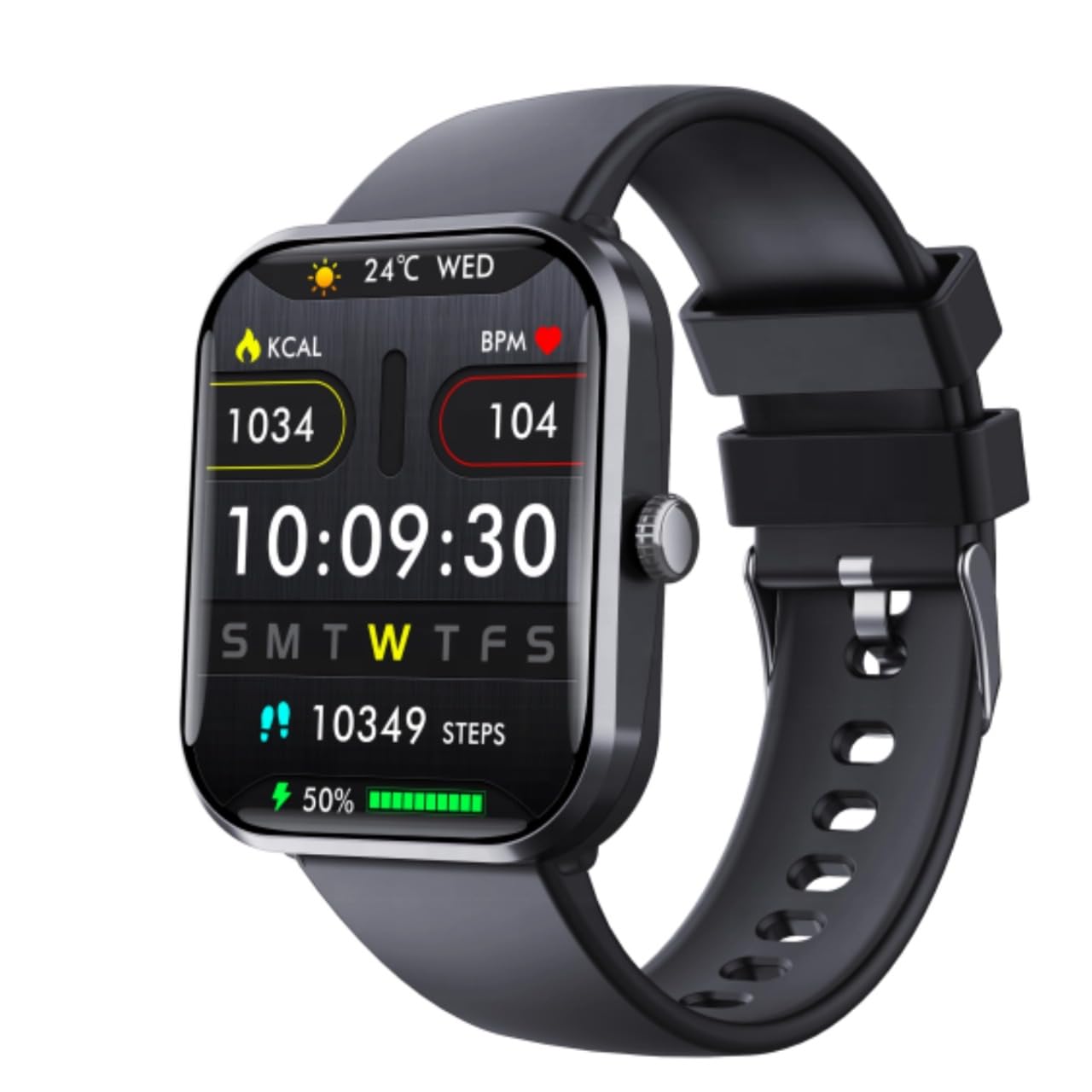
Billede: The F96 Smart Watch main display, illustrating the clear 1.90-inch HD screen with current time, date, daily steps, calories burned, heart rate, and battery status.
- Touchscreen interface: Stryg til venstre, højre, op eller ned for at navigere gennem menuer og funktioner. Tryk for at vælge en mulighed.
- Side knap: Press to return to the home screen or to wake the device. Long press for power options.
- Vise: The 1.90-inch HD LCD provides clear visibility of metrics, notifications, and time.
Sundhedsovervågning
The F96 Smart Watch offers comprehensive health tracking features:
- Pulsmåler: Continuously tracks your heart rate. Access historical data in the companion app.
- Blood Oxygen (SpO2) Sensor: Måler blodets iltmætning.
- ECG Monitor: Provides electrocardiogram readings. Consult a medical professional for interpretation.
- Kropstemperaturmåler: Måler din kropstemperatur.
- Blood Sugar Tracking: Offers monitoring capabilities for blood sugar levels.

Billede: The F96 Smart Watch and its companion app demonstrating blood glucose monitoring, including automatic tracking and data synchronization.
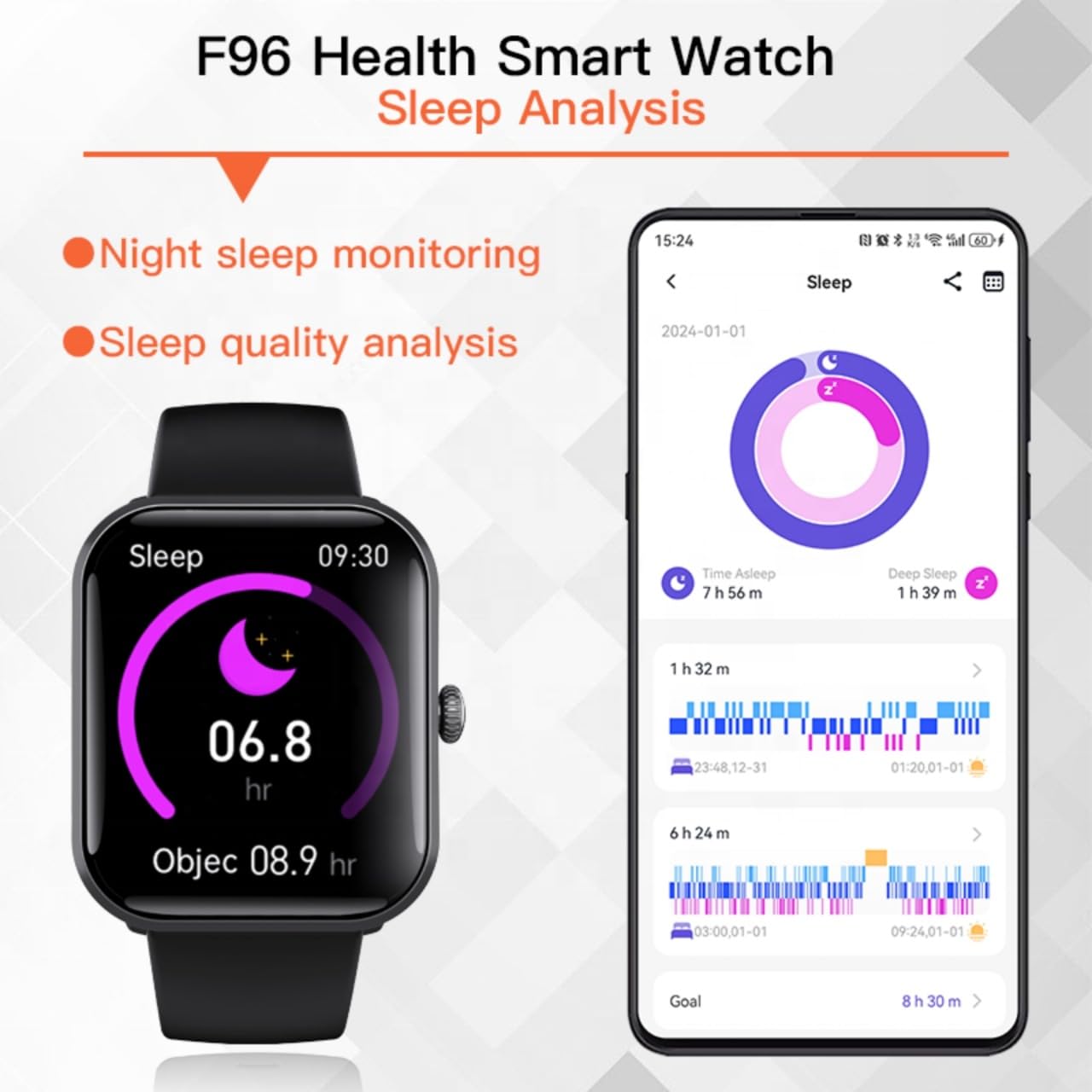
Billede: Sleep analysis feature of the F96 Smart Watch, showing night sleep monitoring and quality analysis on both the watch and the connected smartphone application.
Smart Connectivity and Notifications
- Bluetooth-opkald: Once paired, you can make and receive calls directly from your watch.
- Smarte meddelelser: Receive alerts for incoming calls, messages, and app notifications (e.g., WhatsApp, Facebook, Instagram) directly on your watch screen.
- SOS hjælpefunktion: In emergencies, activate the SOS feature (configure contacts in the app) for quick assistance.

Billede: Smart Notification Reminder feature, showing how the F96 Smart Watch displays text messages and notifications from various applications.
Fitness Tracking and Sports Modes
The watch tracks daily activities such as steps, calories burned, and distance. It also includes multiple sports modes for detailed workout tracking.

Billede: The F96 Smart Watch supports over 100 sports modes, including outdoor run, hiking, cycling, and more, providing comprehensive tracking for various physical activities.
Access sports modes from the main menu and select your desired activity to begin tracking.
Opretholdelse
- Rensning: Wipe the watch and strap regularly with a soft, dry cloth. Avoid using harsh chemicals or abrasive materials.
- Vandtæthed: Refer to the product specifications for water resistance ratings. Avoid prolonged exposure to water or submersion unless explicitly stated as waterproof.
- Opladningsport: Hold opladningskontakterne rene og tørre for at sikre effektiv opladning.
- Opbevaring: Opbevar uret et køligt og tørt sted, når det ikke er i brug.
Fejlfinding
- Uret tænder ikke: Sørg for, at uret er fuldt opladet. Tilslut det til opladeren i mindst 15 minutter.
- Kan ikke parres med smartphone:
- Sørg for, at Bluetooth er aktiveret på din smartphone.
- Sørg for, at uret er inden for rækkevidde af din smartphone.
- Genstart både uret og din smartphone.
- Check if the companion app is installed and running.
- Unøjagtige sundhedsdata:
- Sørg for, at uret sidder tæt på dit håndled, hverken for stramt eller for løst.
- Rengør sensoren på bagsiden af uret.
- Environmental factors or movement can affect readings.
- Notifikationer vises ikke:
- Verify that notifications are enabled in both the watch settings and the companion app.
- Check your smartphone's notification settings for the companion app.
- Sørg for, at uret er forbundet via Bluetooth.
Specifikationer
| Mærke | Generisk |
| Model | F96 |
| Skærmstørrelse | 1.9 tommer |
| Display Type | HD LCD |
| Operativsystem | Android, iOS |
| Forbindelse | Bluetooth, GPS |
| Særlige funktioner | Blood Oxygen Monitoring, Blood Sugar Monitor, ECG Monitor, Heart Rate Monitor, Temperature Monitor |
| Opladningstid | 2 timer |
| Materiale | Plast, silikone |
| Varens vægt | 65 g |
| Kompatible enheder | Smartphone |
Garanti og support
This product comes with a 7-day warranty from the date of purchase. Please retain your proof of purchase for any warranty claims.
For technical support or warranty inquiries, please contact your retailer or the manufacturer's customer service as indicated on the product packaging or purchase documentation.


