
Produkt overview
The LEICKE DAB+ Radio Tube (Model EP19035) is a versatile portable audio device combining a DAB+/FM radio with a powerful Bluetooth speaker. It features a robust 4500 mAh battery for extended playtime, dynamic RGB LED lighting, and multiple connectivity options including Micro SD and AUX-In. This manual provides essential information for setup, operation, and maintenance.
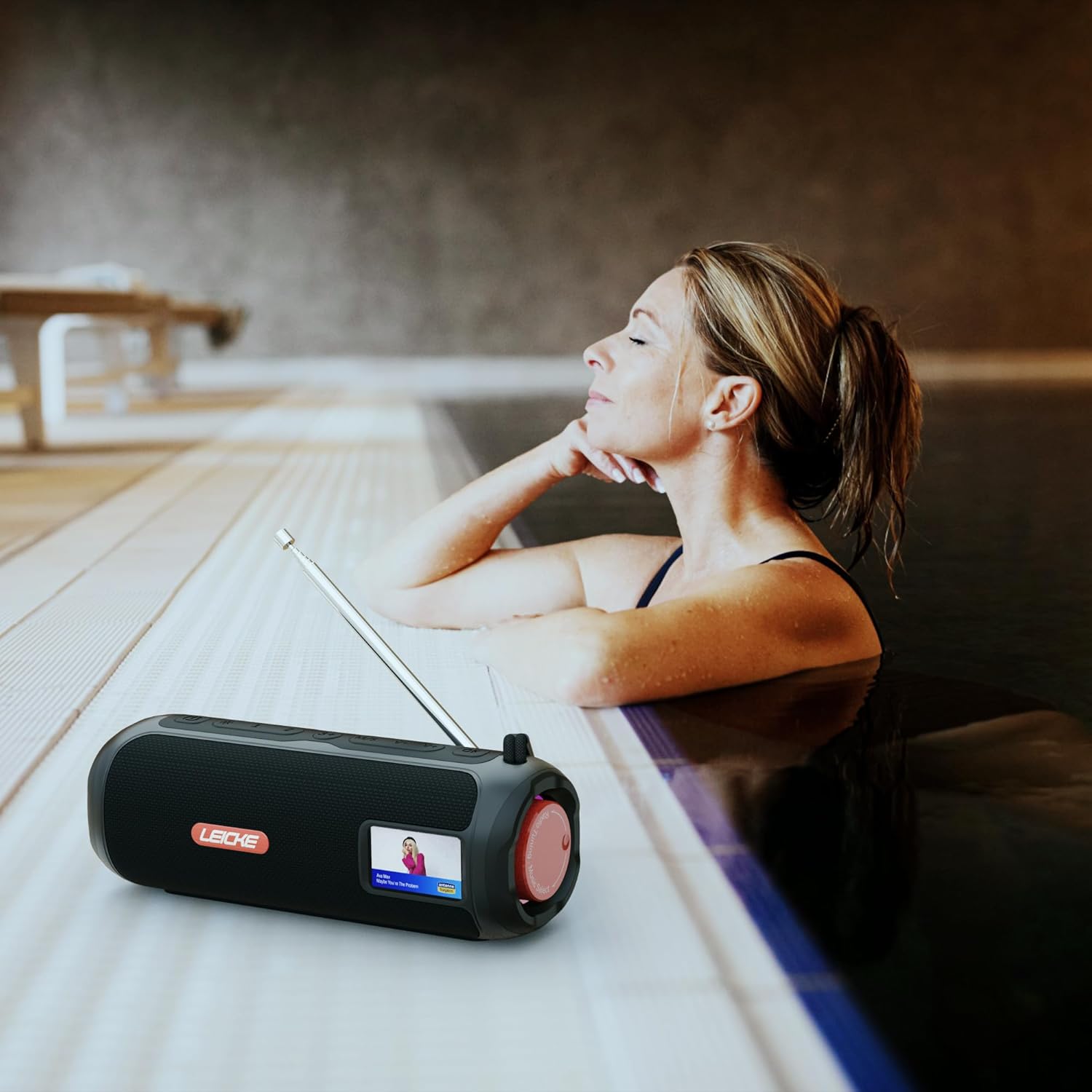
Image: The LEICKE DAB+ Radio Tube, showcasing its portable design, suitable for various environments like a poolside.
Nøglefunktioner:
- Kraftig stereolyd: Two 5W speakers deliver rich, clear audio with dynamic effects and powerful bass.
- Forlænget batterilevetid: Integrated 4500 mAh rechargeable battery provides up to 12 hours of playtime.
- DAB+ & FM Radio: Enjoy noise-free digital DAB+ and traditional FM radio with 30 station presets.
- Atmospheric RGB Lighting: Features cool color-changing LED lights for enhanced ambiance.
- Alsidig tilslutning: Bluetooth 5.3 for wireless streaming, Micro SD card slot, and 3.5 mm AUX-In.
- Praktisk opladning: USB-C port for quick and easy charging.
- Yderligere funktioner: Includes an integrated alarm clock, sleep timer, and equalizer settings.
Pakkens indhold
Tjek venligst pakken for følgende varer:
- LEICKE DAB+ Radio Tube (Model EP19035)
- USB-C ladekabel
- Instruktionsbog
- (Note: Specific accessories like AUX cable may vary by region or package. Please refer to your product packaging.)
Styringer og forbindelser
Familiarize yourself with the various buttons, ports, and indicators on your LEICKE DAB+ Radio Tube.

Billede: Forside view of the LEICKE DAB+ Radio Tube, highlighting the display, SD card slot, AUX input, and USB-C port.

Billede: Bagside view of the LEICKE DAB+ Radio Tube, showing the extendable antenna, AUX port, USB-C port, and Micro SD slot.
Portbeskrivelser:
- Micro SD-slot: Insert a Micro SD card for playing stored audio files.
- AUX-indgang (3.5 mm): Tilslut eksterne lydenheder med et 3.5 mm lydkabel.
- USB-C-port: Bruges til opladning af enheden.
- Antenne: Extend for optimal DAB+ and FM radio reception.
(Note: Specific button functions will be detailed in the 'Operating' section.)
Opsætning
1. Første opladning
- Oplad enheden helt før første brug.
- Connect the provided USB-C cable to the USB-C port on the speaker and the other end to a compatible USB power adapter (not included) or a computer's USB port.
- The charging indicator on the display will show the charging status. Once fully charged, the indicator will change.
2. Tænd/sluk
- For at tænde: Tryk og hold tænd/sluk-knappen nede (normalt markeret med ⏻ or MAGT) for a few seconds until the display lights up.
- For at slukke: Tryk og hold tænd/sluk-knappen nede igen i et par sekunder, indtil skærmen slukker.
Betjeningsvejledning
Valg af tilstand
Tryk på MODE button to cycle through available modes: DAB+ Radio, FM Radio, Bluetooth, Micro SD, and AUX-In.
1. DAB+ radiobetjening
- Træk antennen helt ud for den bedste modtagelse.
- Vælg DAB+-tilstand ved hjælp af MODE knap.
- Radioen søger automatisk efter tilgængelige DAB+-stationer ved første brug, eller hvis der ikke findes nogen stationer.
- Brug FORRIGE NÆSTE knapperne til at navigere gennem listen over tilgængelige stationer.
- Tryk på ENTER/PLAY knappen for at vælge en station.
- Gem forudindstillinger: Mens du lytter til en station, skal du trykke på og holde FORUDINDSTILLING knap. Brug FORRIGE NÆSTE for at vælge et forudindstillet nummer (1-30), og tryk derefter på ENTER/PLAY at gemme.
- Genkaldelse af forudindstillinger: Tryk kort på FORUDINDSTILLING knappen, og brug derefter FORRIGE NÆSTE to select a saved station and press ENTER/PLAY.
2. Betjening af FM-radio
- Træk antennen helt ud for den bedste modtagelse.
- Vælg FM-tilstand ved hjælp af MODE knap.
- Automatisk scanning: Tryk og hold på AFSPIL/PAUSE knappen for automatisk at scanne og gemme tilgængelige FM-stationer.
- Manuel indstilling: Tryk kort på FORRIGE NÆSTE at finjustere frekvensen.
- Gem forudindstillinger: Similar to DAB+ mode, press and hold FORUDINDSTILLING to save, and briefly press to recall.
3. Bluetooth-parring
- Vælg Bluetooth-tilstand ved hjælp af MODE button. The display will show "Bluetooth" and an icon will flash, indicating it's in pairing mode.
- On your smartphone, tablet, or laptop, enable Bluetooth and search for new devices.
- Select "LEICKE DAB+ Tube" from the list of available devices.
- Når højttaleren er parret, udsender den en bekræftelseslyd, og Bluetooth-ikonet på displayet holder op med at blinke.
- Du kan nu afspille lyd fra din tilsluttede enhed via højttaleren.
4. Micro SD Playback
- Insert a Micro SD card (with supported audio files) ind i Micro SD-stikket.
- Select Micro SD mode using the MODE button. The device will automatically start playing music from the card.
- Bruge AFSPIL/PAUSE to control playback, and FORRIGE NÆSTE at springe spor over.
5. AUX-In Connection
- Tilslut den ene ende af et 3.5 mm lydkabel (medfølger ikke) til AUX-In-porten på højttaleren.
- Tilslut den anden ende til hovedtelefonstikket eller lydudgangen på din eksterne enhed.
- Select AUX-In mode using the MODE knap.
- Styr afspilning og lydstyrke fra din eksterne enhed.
6. Lydstyrkekontrol
Use the dedicated Volume Up (+) og Lydstyrke ned (-) buttons to adjust the audio level.
7. Equalizer-indstillinger
Tryk på EQ button (if available) to cycle through preset equalizer modes such as Pop, Rock, Classic, Jazz, etc. There is no manual equalizer adjustment.
8. RGB LED-lys
The RGB LED lights will automatically activate when the device is powered on. There may be a dedicated button to change light modes or turn them off (refer to device specific button layout if available).
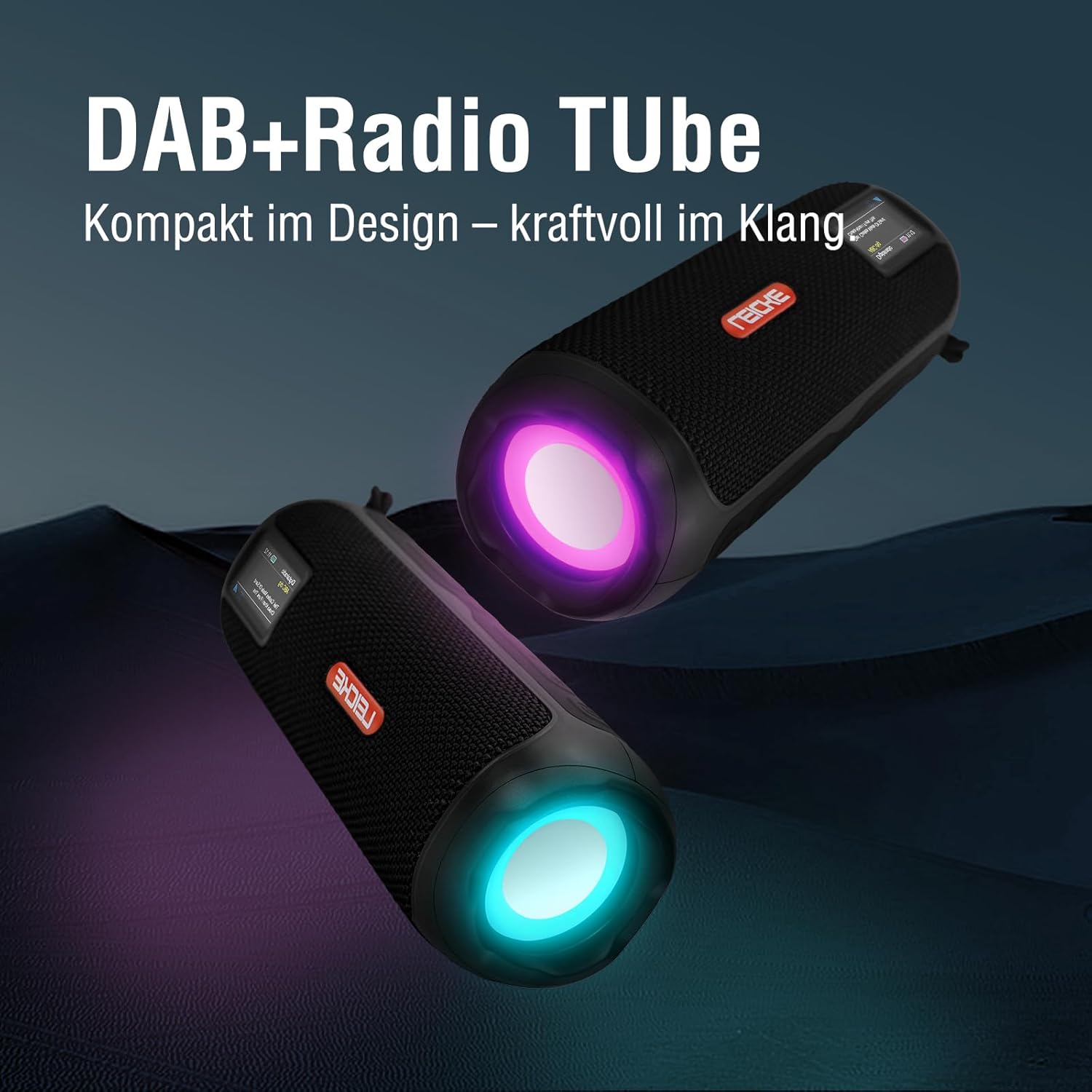
Image: Two LEICKE DAB+ Radio Tubes displaying their vibrant RGB LED lighting feature.
9. Vækkeur og sleeptimer
Access the menu settings (usually by pressing a MENU or SÆT button) to configure the alarm clock and sleep timer functions. Follow the on-screen prompts to set times and preferences.
Opretholdelse
Rensning
- Sørg for, at enheden er slukket og frakoblet enhver strømkilde før rengøring.
- Brug en blød, tør og fnugfri klud til at tørre de udvendige overflader af.
- Brug ikke slibende rengøringsmidler, voks eller opløsningsmidler, da de kan beskadige finishen.
- Undgå at fugt kommer ind i åbninger.
Batteripleje
- For at forlænge batteriets levetid bør du undgå at aflade batteriet helt ofte.
- Oplad enheden regelmæssigt, selvom den ikke er i brug, for at opretholde batteriets sundhedstilstand.
- Opbevar enheden et køligt og tørt sted, når den ikke er i brug i længere perioder.
Opbevaring
- When storing the device for a long time, ensure it is charged to about 50-70% to prevent deep discharge.
- Hold enheden væk fra ekstreme temperaturer, direkte sollys og høj luftfugtighed.
Fejlfinding
| Problem | Mulig årsag | Løsning |
|---|---|---|
| Enheden tænder ikke. | Lavt batteri; Tænd/sluk-knappen er ikke trykket korrekt ind. | Charge the device fully. Press and hold the Power button for a few seconds. |
| Ingen lyd. | Lydstyrken er for lav; Forkert tilstand valgt; Enheden er ikke parret (Bluetooth). | Increase volume. Ensure correct mode (DAB+, FM, BT, SD, AUX) is selected. Re-pair Bluetooth device. |
| Dårlig radiomodtagelse. | Antennen ikke strakt ud; Område med svagt signal. | Fully extend the antenna. Try moving the device to a different location. |
| Bluetooth-enheden vil ikke parres. | Speaker not in pairing mode; Device too far; Already connected to another device. | Ensure speaker is in Bluetooth pairing mode. Move devices closer. Disconnect from other devices. |
| Micro SD-kort genkendes ikke. | Kort isat forkert; Ikke understøttet file format; Beskadiget kort. | Reinsert the card correctly. Ensure files are in a supported format. Try a different Micro SD card. |
Specifikationer
| Feature | Detalje |
|---|---|
| Mærke | LEICKE |
| Modelnummer | EP19035 |
| Tuner-teknologi | DAB Plus, FM |
| Forbindelse | Bluetooth 5.3, Micro SD, 3.5mm AUX-In, USB-C (charging) |
| Lydudgang | 10W Stereo Sound (2 x 5W speakers) |
| Batterikapacitet | 4500 mAh Lithium Ion |
| Spilletid | Op til 12 timer (varierer med brug) |
| Særlige funktioner | RGB LED Lights, Equalizer, Alarm Clock, Sleep Timer, 30 DAB+/FM Presets |
| Strømkilde | Battery Operated, Wired (USB-C) |
| Produktdimensioner | 3.2 x 3.2 x 12 cm; 660 g |
Garantioplysninger
LEICKE products are designed and manufactured to the highest quality standards. This product is covered by a standard manufacturer's warranty. Please refer to the warranty card included in your package or visit the official LEICKE webwebstedet for detaljerede garantivilkår og -betingelser, der er specifikke for din region.
Gem din købskvittering som købsbevis i tilfælde af garantikrav.
Kundesupport
If you encounter any issues or have questions regarding your LEICKE DAB+ Radio Tube that are not covered in this manual, please contact LEICKE customer support.
- Online support: Visit the official LEICKE webwebsted med ofte stillede spørgsmål, supportressourcer og kontaktformularer.
- E-mail support: Refer to your product packaging or the LEICKE webwebstedet for den relevante support-e-mailadresse.
Please have your product model number (EP19035) and purchase details ready when contacting support.