1. Introduktion
This manual provides comprehensive instructions for the installation, operation, and maintenance of your new Generic Ninkear N15 Pro Laptop Keyboard. Please read this manual thoroughly before installation to ensure proper function and longevity of the product. This keyboard features an English US layout and is not backlit.
2. Produktet er slutview
The Generic Ninkear N15 Pro Laptop Keyboard is a replacement component designed for specific Ninkear N15 Pro laptop models. It features a standard English US layout and a black finish. This model does not include backlighting.
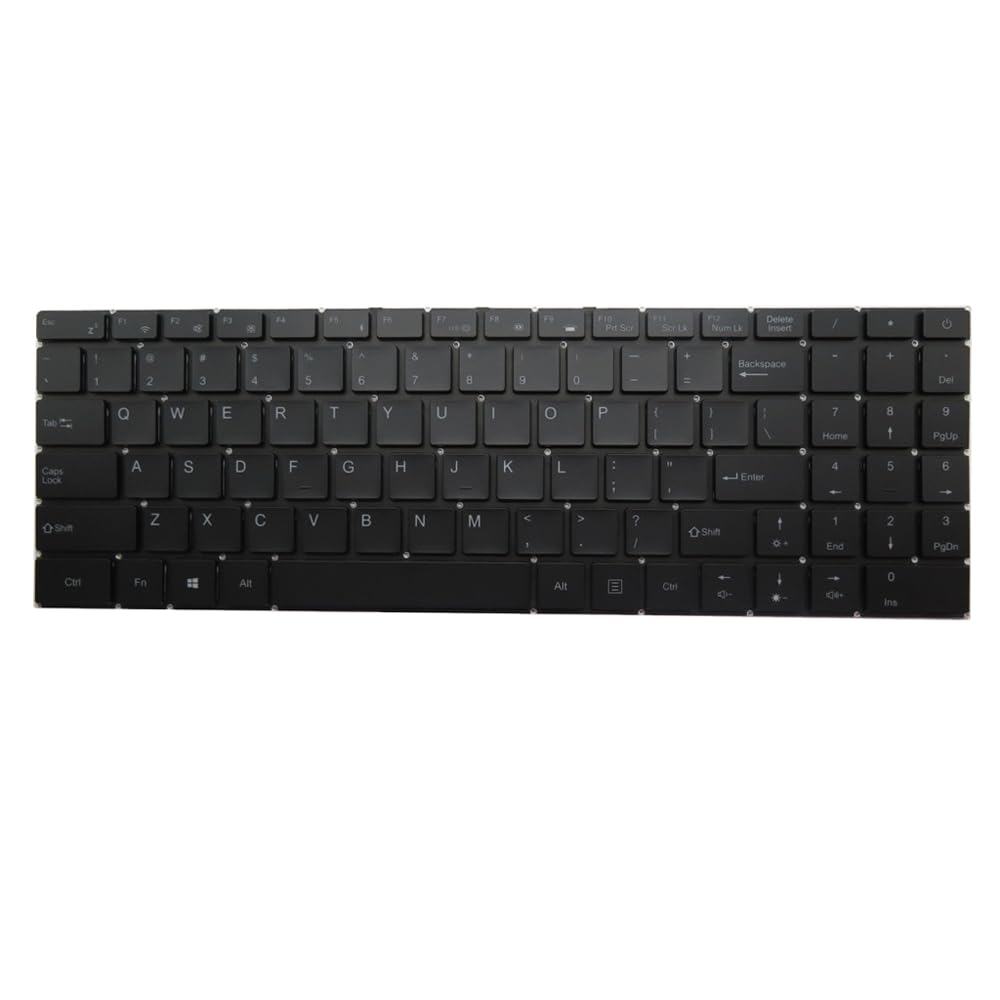
Figur 1: Front view of the Generic Ninkear N15 Pro Laptop Keyboard. This image displays the full keyboard layout, including alphanumeric keys, function keys, and the numeric keypad on the right. The keys are black with white legends, and there is no visible backlighting.
3. Opsætning og installation
This keyboard is intended as a replacement part. Professional installation is recommended. Incorrect installation may damage your laptop or the keyboard.
- Kompatibilitetskontrol: Before proceeding, verify that this keyboard is compatible with your specific Ninkear N15 Pro laptop model. Refer to your laptop's service manual or the product's part number.
- Sluk: Sørg for, at din bærbare computer er helt slukket og frakoblet alle strømkilder, inklusive batteriet.
- Demontering: Carefully disassemble your laptop to access the existing keyboard. This typically involves removing screws, prying open clips, and disconnecting ribbon cables. Consult your laptop's service manual for precise steps.
- Remove Old Keyboard: Disconnect the ribbon cable(s) of the old keyboard from the motherboard and remove the old keyboard.
- Installer nyt tastatur: Connect the ribbon cable(s) of the new Generic Ninkear N15 Pro keyboard to the corresponding connectors on the motherboard. Ensure the cables are seated securely and correctly.
- Sikkert tastatur: Place the new keyboard into its housing and secure it with any clips or screws that were removed during disassembly.
- Genmontering: Carefully reassemble your laptop, ensuring all components are correctly placed and secured.
- Indledende test: Reconnect the battery and power adapter. Power on your laptop and test all keys to ensure they are functioning correctly.
4. Betjeningsvejledning
Once installed, the Generic Ninkear N15 Pro keyboard functions as a standard laptop keyboard. No special drivers are typically required for basic operation, as it uses standard HID (Human Interface Device) protocols.
- Standardskrivning: Brug de alfanumeriske taster til tekstindtastning.
- Funktionstaster (F1-F12): These keys often have secondary functions (e.g., volume control, brightness adjustment, Wi-Fi toggle) when pressed in combination with the Fn key. Refer to your laptop's specific documentation for these combinations.
- Numerisk tastatur: If present, use the numeric keypad for efficient number entry. Ensure Num Lock is active if required.
5. Vedligeholdelse
Korrekt vedligeholdelse sikrer dit tastaturs levetid og ydeevne.
- Rensning: Regularly clean the keyboard surface with a soft, lint-free cloth. For stubborn dirt, slightly dampRengør kluden med vand eller et mildt, ikke-slibende rengøringsmiddel. Undgå for meget fugt.
- Fjernelse af støv: Use compressed air to remove dust and debris from between the keys. Hold the can upright and spray in short bursts.
- Undgå spild: Hold væsker væk fra tastaturet for at forhindre beskadigelse af interne komponenter.
- Skånsom brug: Avoid excessive force when typing to prevent premature wear of the key mechanisms.
6. Fejlfinding
Hvis du støder på problemer med dit tastatur, kan du prøve følgende fejlfindingstrin:
- Taster reagerer ikke:
- Sørg for, at tastaturets båndkablet er korrekt tilsluttet til bundkortet.
- Genstart din bærbare computer.
- Kontrollér for eventuelle fysiske forhindringer under tasterne.
- Forkert nøgleoutput:
- Verify that the correct keyboard layout is selected in your operating system settings.
- Ensure no sticky keys or accessibility features are inadvertently enabled.
- Tastatur ikke fundet:
- Re-check all internal connections.
- Update or reinstall keyboard drivers through your operating system's Device Manager.
- If possible, test with another compatible keyboard to rule out a laptop motherboard issue.
If these steps do not resolve the issue, contact the seller or a qualified technician for further assistance.
7. Specifikationer
| Model | N15 Pro (Compatible) |
| Layout | engelsk USA |
| Baggrundsbelysning | Ingen |
| Farve | Sort |
| Produktdimensioner | 16.93 x 7.09 x 2.76 tommer |
| Varens vægt | 10.6 ounce |
| Fabrikant | Generisk |
| ASIN | B0FWZ5BQZ2 |
8. Garanti og support
As this product is listed as "Generic" and sold by a third-party seller, specific warranty details are not provided in this manual. For information regarding warranty coverage, returns, or technical support, please contact the seller directly through your purchase platform. Keep your purchase receipt as proof of purchase.
For general laptop maintenance and troubleshooting, refer to your Ninkear N15 Pro laptop's official documentation or support resources.


