
Indledning
This manual provides detailed instructions for the installation, operation, and maintenance of your GNCC GT1ProB-2P Outdoor Security Camera. Designed for reliable home surveillance, this 2K camera features motion detection, color night vision, two-way audio, and 24/7 recording capabilities. Please read this manual thoroughly before use to ensure proper setup and optimal performance.
Pakkens indhold
- GNCC GT1ProB-2P Outdoor Security Camera (2 units)
- Strømadapter
- Monteringsstativ
- Monteringsskruer
- Instruktionsmanual
Opsætning
1. Fysisk installation
The GNCC GT1ProB-2P camera is designed for outdoor use and is IP65 waterproof. Select a suitable location that provides the desired viewing angle and is within range of a power outlet and your 2.4 GHz Wi-Fi network.
- Markér borepositioner: Place the mounting stand against the wall or surface where you intend to install the camera. Use a pencil to mark the positions for the mounting screws.
- Bore huller: Drill pilot holes at the marked positions. Insert wall anchors if necessary for your mounting surface.
- Fastgør stativet: Attach the mounting stand to the wall using the provided mounting screws.
- Tilslut kamera: Securely attach the camera to the mounting stand. Adjust the camera angle as needed.
- Tilslut strøm: Connect the power adapter to the camera and plug it into a power outlet. The camera will power on.

Image: The GNCC GT1ProB-2P camera, demonstrating its IP65 waterproof design, suitable for outdoor installation.
2. Appinstallation og parring
The GNCC GT1ProB-2P camera uses the Osaio app for control and monitoring.
- Download app: Søg efter "Osaio" in your smartphone's app store (App Store for iOS or Google Play Store for Android) and download the application.
- Opret konto: Open the Osaio app and follow the on-screen instructions to create a new user account or log in if you already have one.
- Tilføj enhed: Tap the "+" icon or "Add Device" option within the app. Select your camera model (GT1ProB-2P) from the list.
- Opret forbindelse til Wi-Fi: Follow the app's prompts to connect the camera to your 2.4 GHz Wi-Fi network. Ensure your phone is also connected to the same 2.4 GHz Wi-Fi network during the pairing process.
- Scan QR -kode: The app may display a QR code. Hold your camera up to your phone screen to scan the QR code. A voice prompt from the camera will confirm successful connection.
- Komplet opsætning: Når du er tilsluttet, skal du navngive dit kamera og fuldføre opsætningsprocessen i appen.
Betjeningsvejledning
Levende View og optagelse
Access the Osaio app to view live footage from your camera. The camera supports 24/7 continuous recording.
- Lokal opbevaring: Insert a MicroSD card (up to 128GB, not included) into the camera's MicroSD card slot for local storage of recordings.
- Cloud Storage: An optional cloud storage service is available, offering a 14-day free trial. This provides remote backup of your recordings.

Image: A smartphone interface showing 24/7 recording playback from the GNCC camera, with a timeline of events.
Bevægelsesdetektion og meddelelser
The camera features advanced motion detection. When motion is detected, the camera can send instant notifications to your smartphone via the Osaio app.
- Aktiver/deaktiver: You can enable or disable motion detection and adjust sensitivity settings within the Osaio app.
- Advarsler: Receive push notifications on your phone when motion or sound is detected.
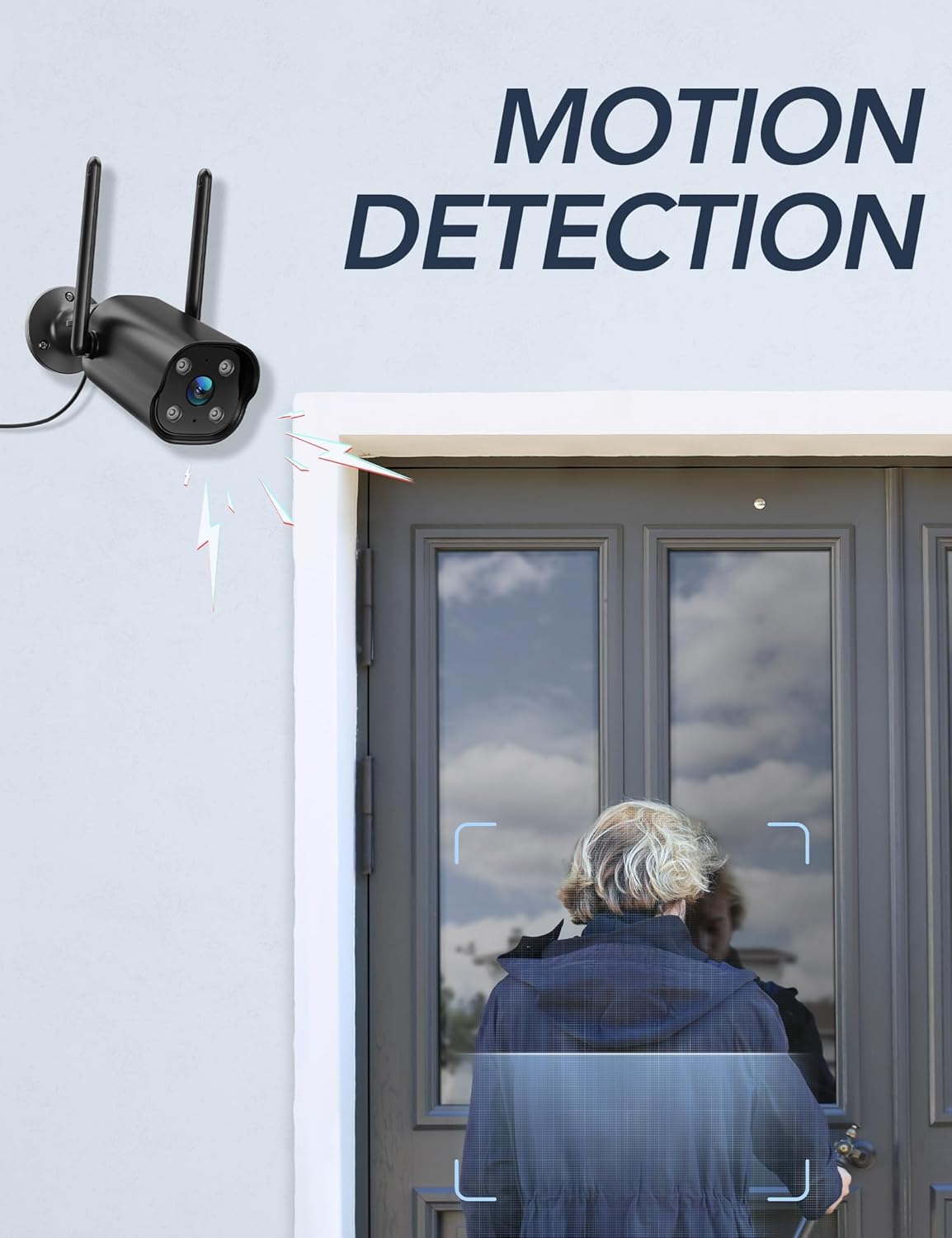
Image: The GNCC camera illustrating its motion detection capability, highlighting a person entering the detection zone.

Image: A smartphone displaying push notifications from the Osaio app, indicating detected motion and sound events.
To-vejs lyd
The integrated microphone and speaker allow for two-way communication through the camera. This feature enables you to speak to visitors or deter intruders remotely.
- Aktiver: I live view interface of the Osaio app, locate and tap the microphone icon to speak through the camera.
- Lytte: Kameraets mikrofon opfanger lyd fra omgivelserne, som du kan høre gennem din telefon.

Image: The GNCC camera demonstrating its two-way audio function, allowing communication between the user and the monitored area.
Nattesyn
The camera is equipped with enhanced night vision, providing clear visibility up to 50 feet (15 meters) in low-light conditions. It also supports color night vision for improved detail.
Smart Home Integration
The GNCC GT1ProB-2P camera is compatible with Amazon Alexa and Google Home. Refer to the Osaio app settings or your smart home assistant's documentation for instructions on linking your camera.
Opretholdelse
Rensning
To ensure optimal image quality, periodically clean the camera lens. Use a soft, damp cloth to gently wipe away dust and dirt. Avoid using harsh chemicals or abrasive materials that could scratch the lens.
Firmware opdateringer
GNCC regularly releases firmware updates to improve camera performance and add new features. Check for available updates through the Osaio app settings. It is recommended to keep your camera's firmware up to date.
Fejlfinding
Fælles problemer og løsninger
- Kamera offline:
- Sørg for, at kameraet er tændt, og at strømadapteren er tilsluttet korrekt.
- Tjek din Wi-Fi-router og internetforbindelse.
- Verify the camera is within range of your 2.4 GHz Wi-Fi network.
- Genstart kameraet ved at tage strømadapteren ud og sætte den i igen.
- Ingen optagelse:
- If using local storage, ensure a MicroSD card is properly inserted and formatted within the Osaio app.
- Check recording settings in the Osaio app to ensure 24/7 recording or motion-triggered recording is enabled.
- If using cloud storage, verify your subscription status.
- Dårlig billedkvalitet:
- Rengør kameralinsen med en blød klud.
- Ensure the camera is receiving sufficient power.
- Tjek din Wi-Fi-signalstyrke; et svagt signal kan påvirke kvaliteten af videostreaming.
- Bevægelsesdetektion virker ikke:
- Verify motion detection is enabled in the Osaio app settings.
- Juster indstillingerne for bevægelsesfølsomhed.
- Sørg for, at der ikke er nogen forhindringer, der blokerer kameraets view.
Specifikationer
| Modelnavn | GT1ProB-2P |
| Mærke | GNCC |
| Forbindelsesteknologi | Wired (Power), Wi-Fi (2.4 GHz), Bluetooth |
| Videooptagelsesopløsning | 2K |
| Fotosensor opløsning | 3 MP |
| Night Vision Range | Op til 50 fod (15 meter) |
| Særlige funktioner | 2-Way Audio, HD Resolution, Motion Sensor, Night Vision, Weatherproof (IP65) |
| Indendørs/Udendørs brug | Udendørs |
| Kompatible enheder | Smartphone (via Osaio App), Amazon Alexa, Google Home |
| Strømkilde | Elektrisk med ledning |
| Lokal opbevaring | MicroSD-kort op til 128 GB (medfølger ikke) |
| Cloud Storage | Optional, 14-day free trial available |
| Varedimensioner (L x B x H) | 11 x 7.6 x 5 centimeter |
| Farve | Sort |
| Fabrikant | Kalado |

Image: The GNCC camera highlighting its dual storage options: optional cloud storage and local MicroSD card storage (up to 128GB).
Garantioplysninger
GNCC products are covered by a limited warranty from the date of purchase. This warranty typically covers defects in materials and workmanship under normal use. Please refer to the warranty card included in your product packaging or visit the official GNCC webwebstedet for specifikke garantivilkår og -betingelser, herunder detaljer om varighed og dækning.
The warranty does not cover damage caused by improper installation, accident, misuse, abuse, natural disaster, or unauthorized modification or repair.
Kundesupport
If you encounter any issues or have questions regarding your GNCC GT1ProB-2P Outdoor Security Camera, please contact our customer support team. Before contacting support, please ensure you have reviewed the troubleshooting section of this manual.
- Online support: Visit the official GNCC webwebsted med ofte stillede spørgsmål, supportartikler og kontaktformularer.
- E-mail support: Refer to your product packaging or the GNCC webwebstedet for den dedikerede e-mailadresse til kundesupport.
- Osaio App: The Osaio app may also offer in-app support options or a help section.
When contacting support, please have your product model (GT1ProB-2P) and purchase information readily available.