
1. Introduktion
This manual provides instructions for the Adesso WKB-7010 Bluetooth Keyboard Case, designed for use with iPad Pro 11-inch and iPad Air 10.9-inch models. This product combines a protective case with a detachable wireless keyboard and integrated touchpad, transforming your tablet into a portable workstation.

Image 1.1: The Adesso WKB-7010 Bluetooth Keyboard Case with an iPad in use.
2. Pakkens indhold
Kontroller venligst, at alle varer er til stede i din pakke:
- Adesso WKB-7010 Bluetooth Keyboard Case
- USB-C ladekabel
- Brugervejledning (dette dokument)
3. Kompatibilitet
The Adesso WKB-7010 Bluetooth Keyboard Case is compatible with the following Apple iPad models:
- iPad Pro 11-inch: 1st generation (2018), 2nd generation (2020), 3rd generation (2021), 4th generation (2022)
- iPad Air 10.9-inch: 4th generation (2020), 5th generation (2022), 6th generation (2024 M2 models)
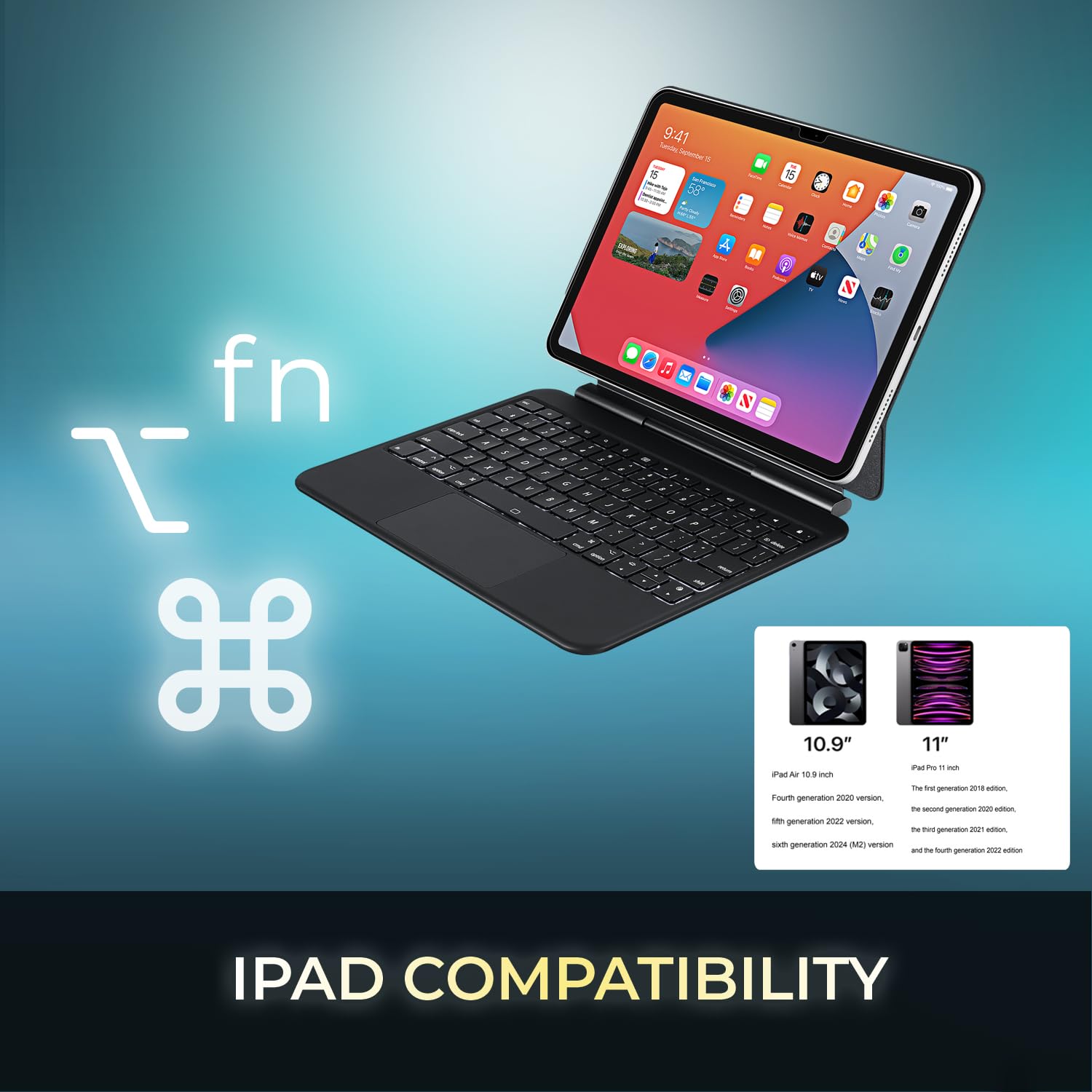
Image 3.1: Visual representation of compatible iPad models (10.9" and 11").
4. Funktioner
- Aftageligt design: The keyboard can be separated from the case for flexible use.
- Justerbart stativ: The case converts into a stand with multiple viewing vinkler.
- Integreret touchpad: Provides precise navigation and multi-touch gesture support.
- Bluetooth 5.1-forbindelse: Offers stable wireless connection up to 30 feet with low power consumption.
- Genopladeligt batteri: Built-in 450 mAh lithium polymer battery for extended use.
- Saksekontaktnøgler: Lav-profile keys designed for comfortable and responsive typing.
- Holdbar konstruktion: Ultra-slim aluminum design for portability and protection.

Image 4.1: The case allows for various adjustable viewing angles for the iPad.

Image 4.2: The keyboard case features an ultra-slim and compact design, as shown with a ruler for scale.
5. Opsætning
5.1. Opladning af tastaturet
Before initial use, fully charge the keyboard. Connect the included USB-C cable to the keyboard's charging port and the other end to a USB power source (e.g., computer, wall adapter). The charging indicator light will illuminate during charging and turn off when fully charged.

Image 5.1: The keyboard features a built-in rechargeable battery and charges via USB-C.
5.2. Indsættelse af din iPad
Carefully place your iPad into the protective case, ensuring it is securely seated. The magnetic closure will help secure the tablet and keyboard when closed.
5.3. Bluetooth-parring
- Sørg for, at tastaturet er tændt og fuldt opladet.
- Tænd tastaturet ved at skubbe tænd/sluk-knappen til "ON"-positionen.
- Tryk på Fn+C tasterne samtidigt for at aktivere Bluetooth-parringstilstand. Bluetooth-indikatorlampen blinker.
- På din iPad skal du gå til Indstillinger > Bluetooth.
- Slå Bluetooth til.
- Locate "Adesso WKB-7010" (or similar) in the list of available devices and tap to connect.
- Once connected, the Bluetooth indicator light on the keyboard will stop flashing.

Image 5.2: The keyboard utilizes Bluetooth 5.1 wireless technology for connection.
6. Betjeningsvejledning
6.1. Tastaturfunktioner
The keyboard features standard QWERTY layout keys and dedicated function keys for iPad control. Use the Fn key in combination with other keys for special functions (e.g., media control, volume, screen brightness).
6.2. Brug af touchpad
The integrated touchpad supports various gestures for navigation and interaction with your iPad. Ensure that "AssistiveTouch" or "Trackpad & Mouse" settings are configured on your iPad for optimal performance.
- Tryk med en enkelt finger: Venstre klik.
- To-finger tryk: Højreklik (kontekstmenu).
- To-finger rulning: Rul op/ned eller venstre/højre.
- Knib for at zoome: Brug to fingre til at zoome ind eller ud.
- Tre-finger swipe opad: Gå til startskærmen.
- Tre-finger swipe til venstre/højre: Skift mellem åbne apps.
7. Opladning af tastaturet
The keyboard is equipped with a 450 mAh rechargeable lithium polymer battery. A full charge takes approximately 3 hours using the provided USB-C cable.
- Continuous Use (backlight off): Op til 150 timer
- Continuous Use (backlight on): Op til 2.5 timer
- Standby tid: Op til 90 dage
When the battery is low, the power indicator light may flash or turn red. Connect the keyboard to a power source to recharge.
8. Vedligeholdelse
- Keep the keyboard and case clean by wiping with a soft, dry cloth.
- Undgå at udsætte enheden for ekstreme temperaturer, fugt eller direkte sollys.
- Brug ikke hårde kemikalier eller slibende rengøringsmidler.
- Opbevar enheden et køligt og tørt sted, når den ikke er i brug i længere perioder.
9. Fejlfinding
9.1. Tastatur opretter ikke forbindelse
- Sørg for, at tastaturet er tændt og fuldt opladet.
- Kontroller, at Bluetooth er aktiveret på din iPad.
- Put the keyboard into pairing mode (Fn + C).
- Glem enheden i din iPads Bluetooth-indstillinger, og forsøg at parre den igen.
- Genstart både din iPad og tastaturet.
9.2. Touchpad Not Responding
- Sørg for, at tastaturet er forbundet via Bluetooth.
- Check iPad settings for "Trackpad & Mouse" or "AssistiveTouch" to ensure external input devices are enabled.
- Genstart tastaturet og iPad'en.
9.3. Keys Not Working
- Sørg for, at tastaturet er fuldt opladet.
- Verify a stable Bluetooth connection.
- Rengør området omkring de berørte taster for at fjerne eventuelt snavs.
10. Specifikationer
| Modelnummer | WKB-7010 |
| Forbindelsesteknologi | Bluetooth 5.1 |
| Kompatible enheder | iPad Pro 11-inch, iPad Air 10.9-inch |
| Batteritype | Genopladelig lithiumpolymer |
| Batterikapacitet | 450 mAh |
| Opladningsport | USB-C |
| Driftsafstand | Op til 30 fod (10 meter) |
| Key Switch Type | Saksekontakt |
| Materiale | Aluminum, Leather (case exterior) |
| Dimensioner (L x B x H) | 10 x 7.8 x 0.55 tommer |
| Vægt | 1.2 pund |
11. Garanti og support
This Adesso product comes with a 1 års begrænset producentgaranti. For warranty claims or technical support, please contact Adesso customer service. You can find contact information on the official Adesso webwebsted: www.adesso.com
Gem venligst din købsbevis til garantiservice.