
1. Introduktion
Welcome to the NIMO N15A 15.6" Laptop User Manual. This guide provides essential information for setting up, operating, maintaining, and troubleshooting your new laptop. Please read this manual thoroughly to ensure optimal performance and longevity of your device.
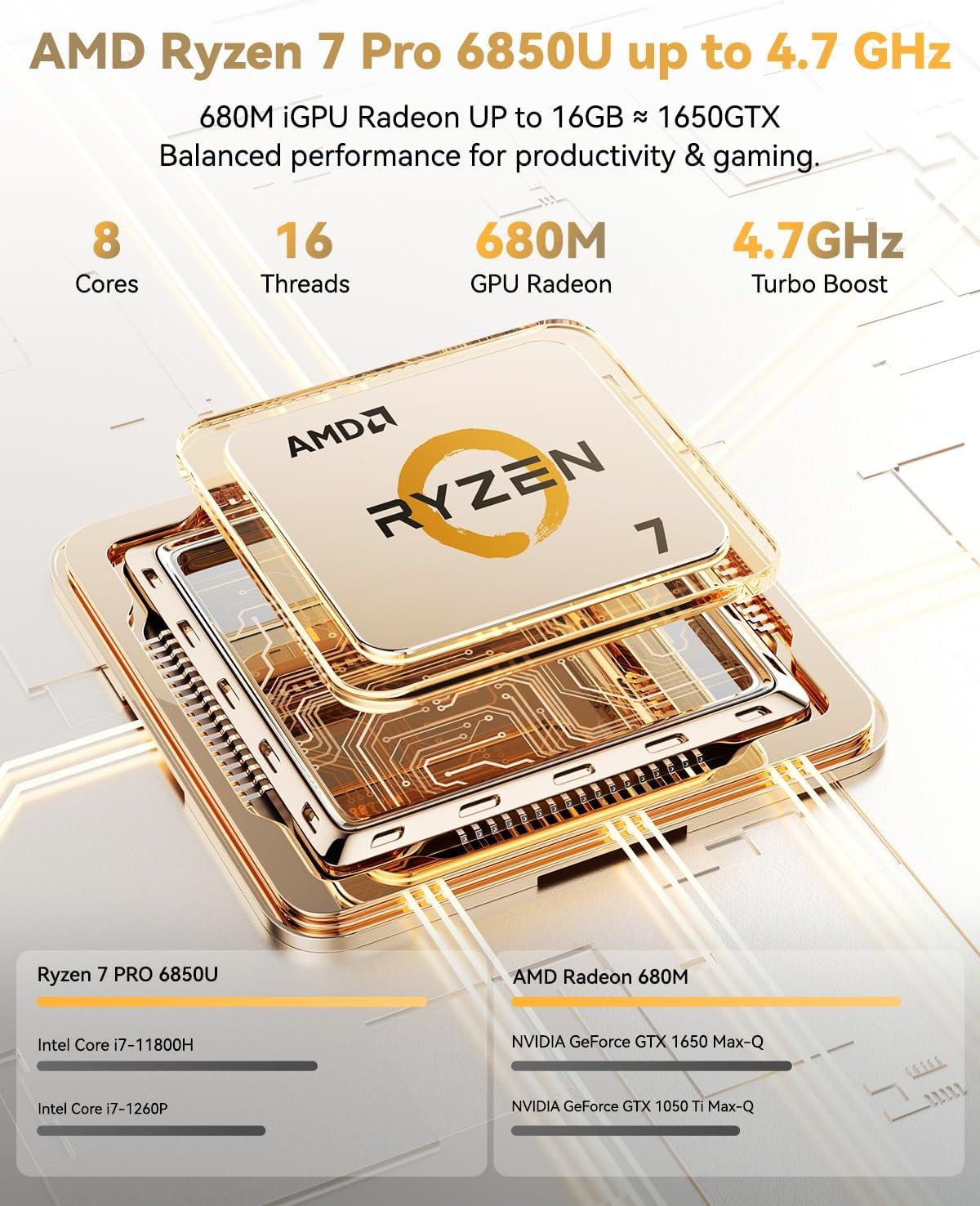
Figure 1: NIMO N15A 15.6" Laptop
2. Sikkerhedsoplysninger
To prevent damage to your NIMO N15A laptop and ensure your safety, please observe the following guidelines:
- Use only original chargers and regularly inspect cables for any signs of damage.
- Handle the laptop by its base and consider using a protective case to prevent physical damage.
- Undgå at placere tunge genstande på den bærbare computer.
- Ensure the laptop is placed on a hard, flat surface to allow for proper ventilation and prevent overheating.
- Hold enheden væk fra ekstreme temperaturer og fugt.
- Do not overcharge the battery. Discontinue use immediately if the battery shows signs of swelling or damage.
- Set strong passwords, keep your software updated, use antivirus protection, and regularly back up your data.
- In case of liquid spills, immediately unplug the laptop and allow it to dry completely before attempting to power it on.
- For any issues, consult qualified professionals. Do not attempt to disassemble or repair the laptop yourself, as this may void the warranty and cause further damage.
3. Hvad er der i æsken
Your NIMO N15A laptop package includes the following items:
- 1 x NIMO N15A bærbar computer
- 1 x Type-C 100W PD hurtigoplader
- 1 x Brugermanual (dette dokument)
- Windows 11 Home (forinstalleret)
- Garantioplysninger (2 års garanti, 90 dages returret)
Video 1: Unboxing and Initial Setup of the NIMO 15.6" Laptop. This video demonstrates the contents of the package and the first steps to power on the device.
4. Produktet er slutview
4.1. Fysiske egenskaber
The NIMO N15A laptop features a durable metal shell, combining a sleek aesthetic with robust protection. Its slim profile and lightweight design (3.75 lbs) make it highly portable.
4.2. Porte og tilslutningsmuligheder
The laptop is equipped with a variety of ports for versatile connectivity:
- Micro SD kortlæser
- USB 2.0 port
- USB 3.2-porte (flere)
- Hovedtelefonstik
- Kensington Lock-slot
- HDMI port
- Type-C (Multifunction) Ports (multiple, supporting 100W PD fast charging)
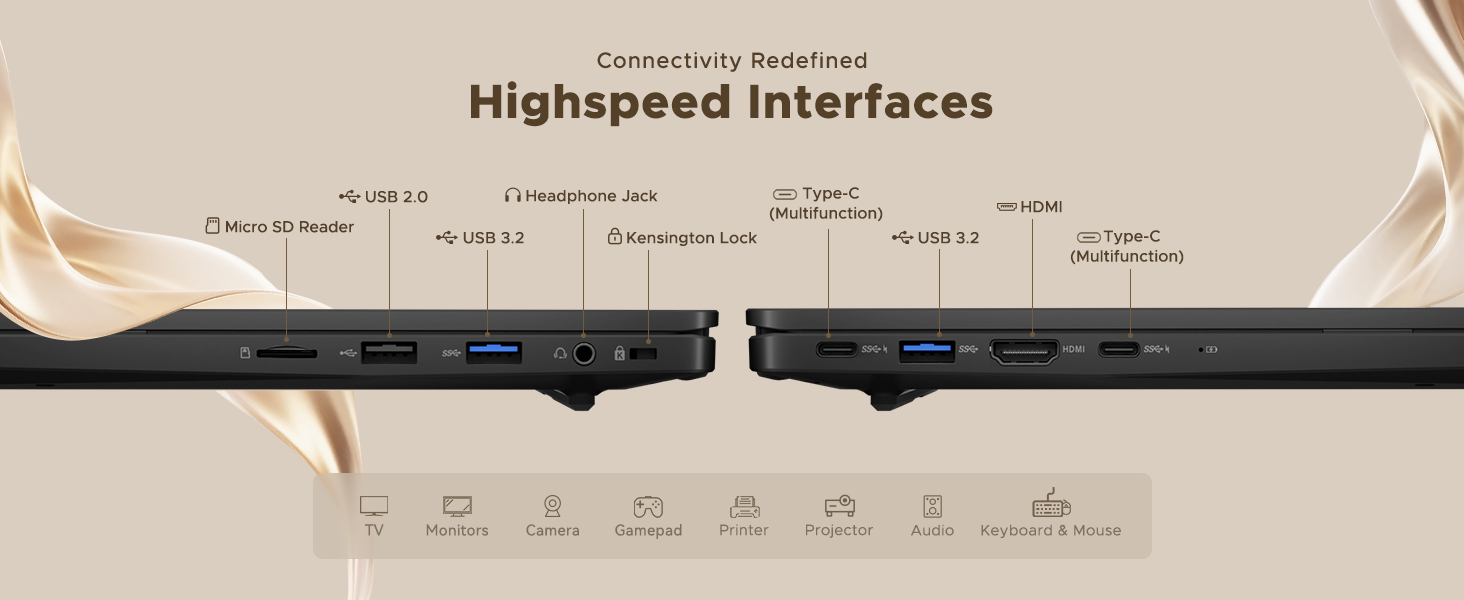
Figure 2: High-Speed Interfaces and Ports
Video 2: NIMO Laptop Overview. This video highlights the laptop's design, display, camera, keyboard, and various ports.
5. Opsætning
5.1. Første opstart
- Unpack your NIMO N15A laptop and all accessories from the box.
- Connect the 100W Type-C PD Fast Charger to the laptop's Type-C port and a power outlet.
- Åbn låget på den bærbare computer. Den bærbare computer tænder muligvis automatisk, eller du skal muligvis trykke på tænd/sluk-knappen.
- Følg instruktionerne på skærmen for at fuldføre Windows 11 Home-opsætningen, herunder sprog, region, netværksforbindelse og oprettelse af brugerkonto.
5.2. Tilslutning til Wi-Fi
During the initial setup or at any time, you can connect to a Wi-Fi network:
- Click the Wi-Fi icon in the taskbar (bottom right corner of the screen).
- Vælg dit ønskede Wi-Fi-netværk fra listen.
- Indtast netværksadgangskoden, hvis du bliver bedt om det, og klik på 'Opret forbindelse'.
6. Betjening af din bærbare computer
6.1. Display
The NIMO N15A features a 15.6" Full HD (1920x1080) IPS anti-glare display with an 85% screen-to-body ratio, providing clear and vibrant visuals for work, entertainment, and light gaming.
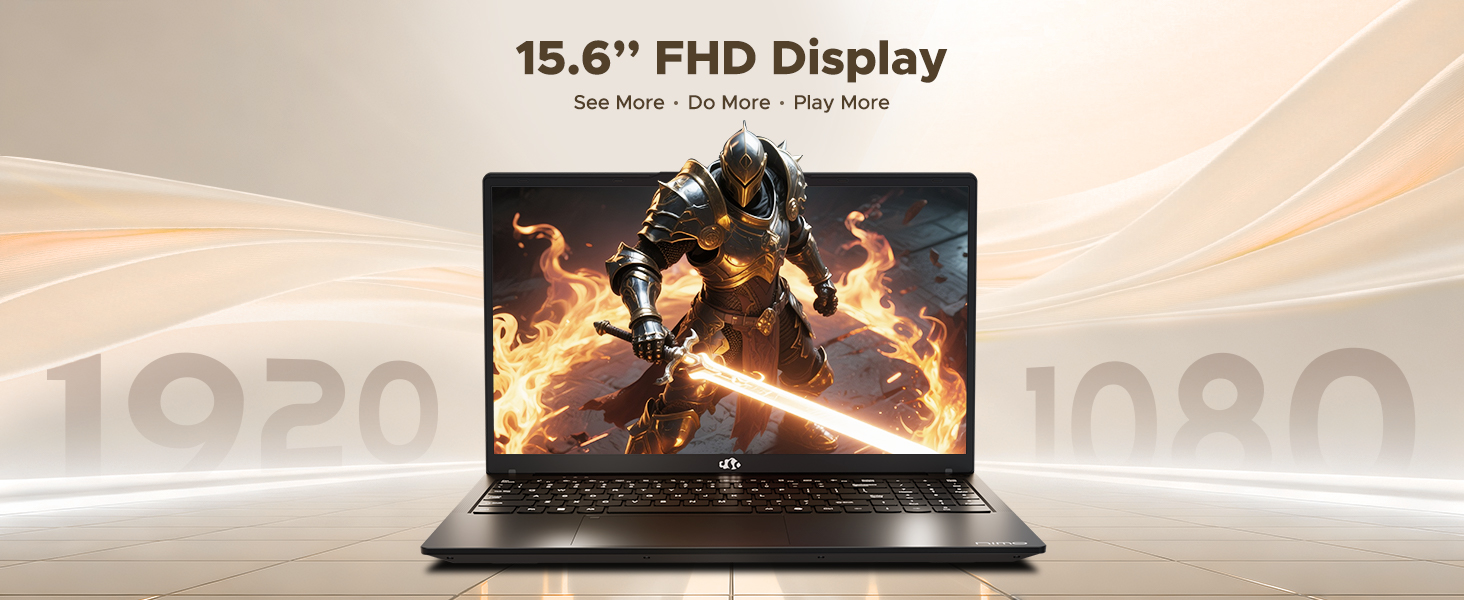
Figure 3: 15.6" FHD IPS Display
6.2. Tastatur og touchpad
The laptop includes an ergonomic backlit keyboard for comfortable typing in various lighting conditions and a precision gesture touchpad for smooth navigation.
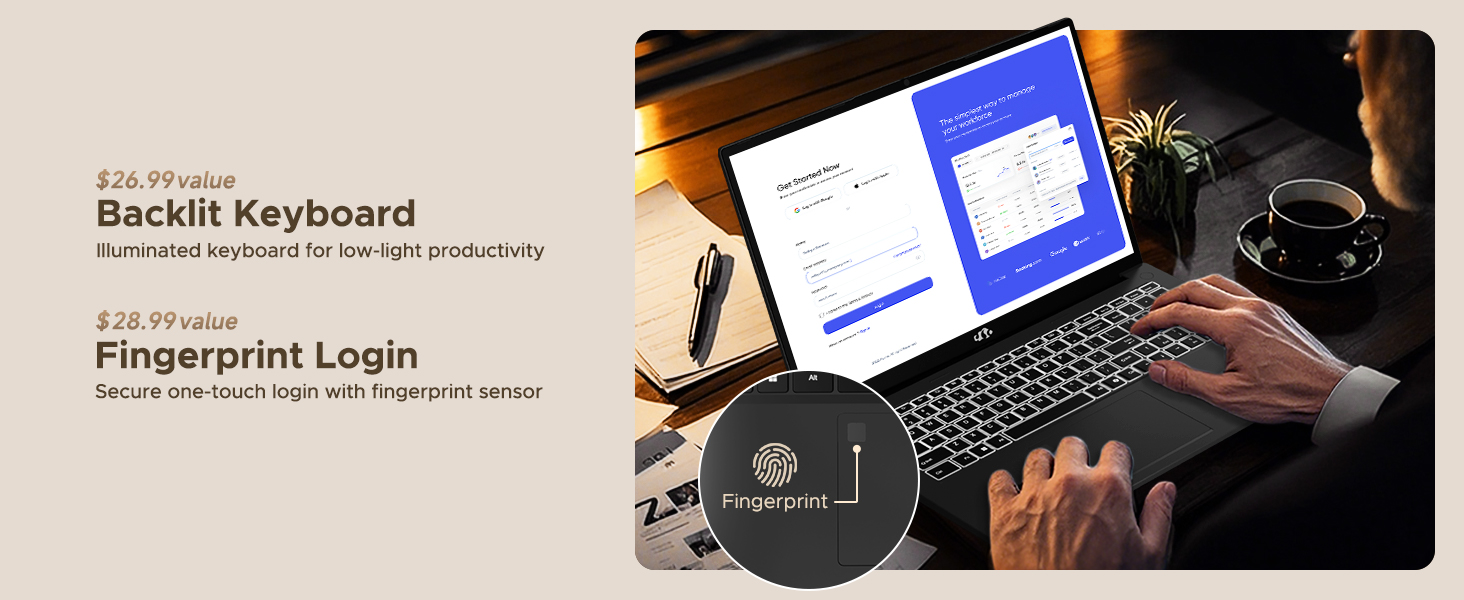
Figure 4: Backlit Keyboard and Fingerprint Sensor
6.3. Fingerprint Login
For enhanced security and convenience, the laptop features a fingerprint reader integrated into the touchpad. You can set up fingerprint login through Windows Settings for quick and secure access.
6.4. Kamera
The integrated 2MP front camera is suitable for video calls and online meetings. It includes a privacy shutter for when the camera is not in use.

Figure 5: Privacy-Focused Camera Convenience
6.5. Præstation
Powered by the AMD Ryzen 7 Pro 6850U processor (8 cores, 16 threads, up to 4.7GHz) and AMD Radeon 680M GPU, the NIMO N15A delivers balanced performance for productivity, content creation, and light gaming.
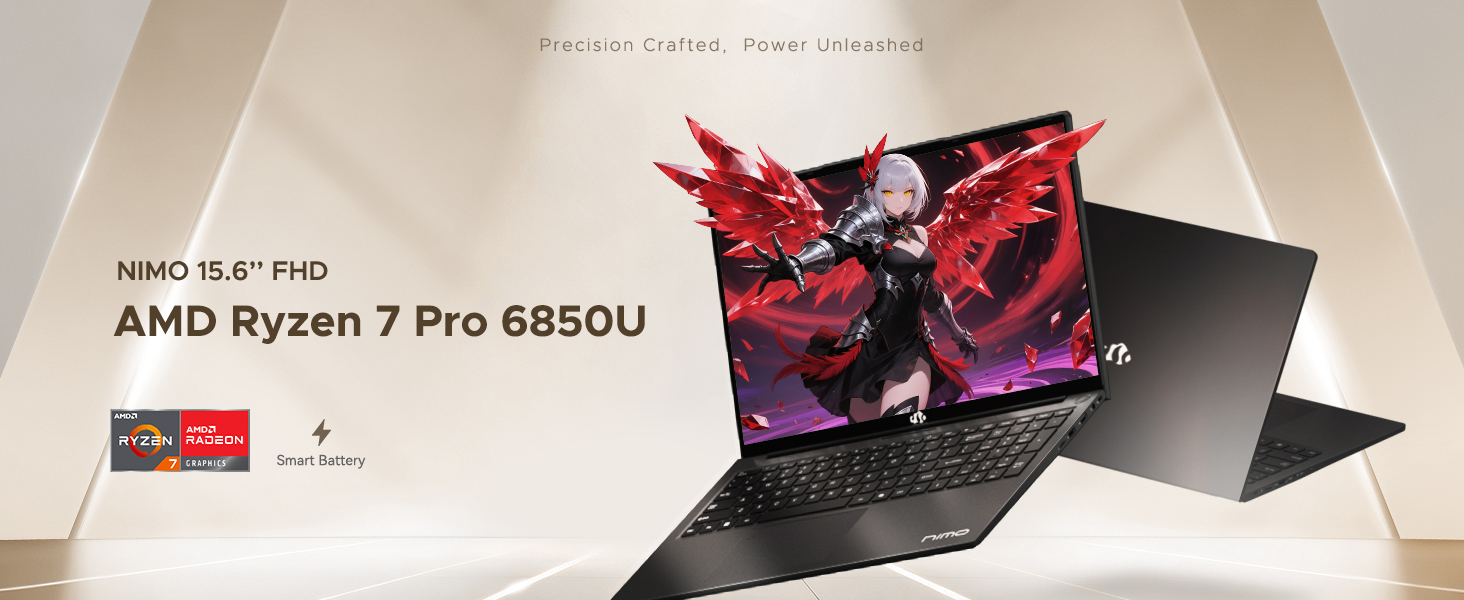
Figure 6: AMD Ryzen 7 Pro 6850U Processor Details
Video 3: NIMO Gaming Laptop Demonstration. This video showcases the laptop's performance in gaming and creative applications.
7. Opladning og batteri
The NIMO N15A is equipped with a 53.58 Watt-Hour Lithium Polymer battery, offering up to 9 hours of typical use and 12.75 hours of standby time. It supports 100W USB-C PD fast charging, allowing for approximately 2 hours of use from just a 15-minute charge.
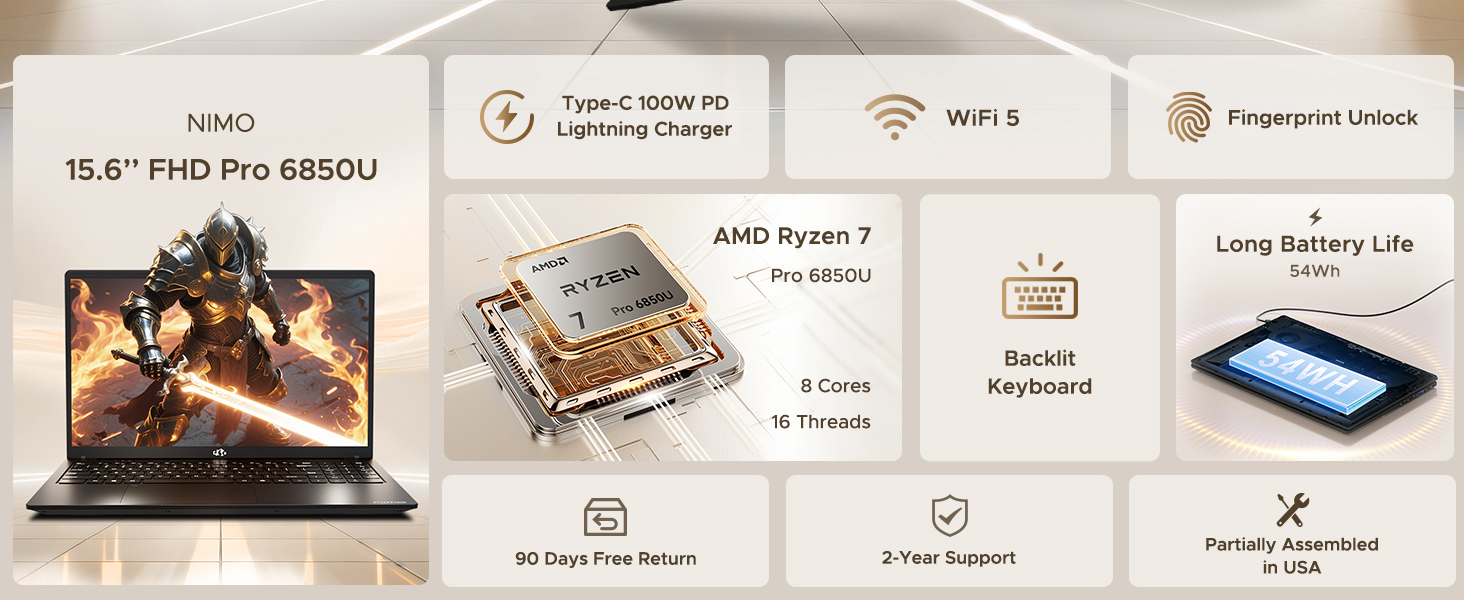
Figure 7: 100W USB-C Fast Charging
8. Lagring og hukommelse
The laptop features 16GB of lightning-fast LPDDR5 RAM (6400 MHz) for seamless multitasking and a pre-installed 1TB PCIe 4.0 SSD for rapid boot times and file overførsler.
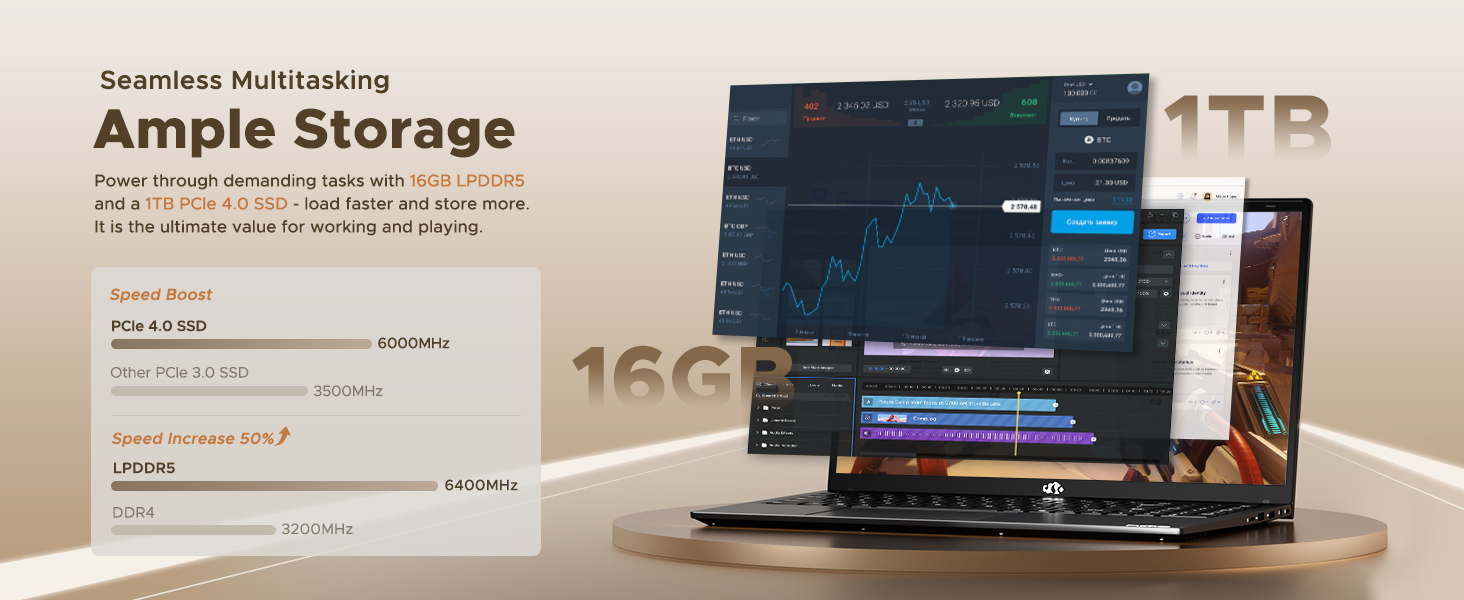
Figure 8: 16GB LPDDR5 RAM and 1TB PCIe 4.0 SSD
9. Vedligeholdelse
Regular maintenance helps ensure the longevity and optimal performance of your NIMO N15A laptop:
- Rensning: Brug en blød, fnugfri klud til at rengøre skærmen og ydersiden. Tør let ved genstridige pletter.ampRengør kluden med vand eller et skærmsikkert rengøringsmiddel. Undgå skrappe kemikalier.
- Softwareopdateringer: Regularly install operating system and driver updates to ensure security and performance improvements.
- Ventilation: Keep the ventilation openings clear of obstructions to prevent overheating. Avoid using the laptop on soft surfaces like beds or couches for extended periods.
- Batteripleje: To prolong battery life, avoid fully discharging the battery frequently. If storing the laptop for a long time, charge it to about 50-60%.
- Data backup: Tag jævnligt sikkerhedskopi af dine vigtige files til et eksternt drev eller cloud-lagring for at forhindre datatab.
10. Fejlfinding
If you encounter issues with your NIMO N15A laptop, try the following basic troubleshooting steps:
- Laptop tænder ikke: Ensure the charger is securely connected and the power outlet is functional. Try a different outlet or charger if available.
- Skærmen er tom: Connect an external monitor to check if the display is the issue. If the external monitor works, the laptop's screen may require service.
- Langsom ydeevne: Luk unødvendige programmer, tjek for malware, sørg for tilstrækkelig ledig lagerplads, og opdater drivere.
- Problemer med Wi-Fi-forbindelse: Restart your router and modem. Ensure Wi-Fi is enabled on your laptop and try reconnecting to the network.
- Tastatur eller touchpad reagerer ikke: Restart the laptop. If the issue persists, check for driver updates.
For more complex issues, please refer to the support section or contact NIMO customer service.
11. Specifikationer
Below are the detailed specifications for the NIMO N15A laptop:
| Feature | Specifikation |
|---|---|
| Mærke | NIMO |
| Modelnavn | NIMO N15A |
| Skærmstørrelse | 15.6 tommer |
| Opløsning | 1920x1080 pixels (FHD IPS) |
| Farve | Sort |
| CPU model | AMD Ryzen 7 Pro 6850U (8 kerner, 16 tråde, op til 4.7 GHz) |
| Grafik coprocessor | AMD Radeon 680M (Integreret) |
| Installeret RAM-hukommelsesstørrelse | 16 GB LPDDR5 (6400 MHz) |
| Harddisk størrelse | 1024 GB (1TB PCIe 4.0 SSD) |
| Operativsystem | Windows 11 Home |
| Særlige funktioner | Baggrundsbelyst tastatur, fingeraftrykslæser, HD-lyd, numerisk tastatur |
| Forbindelsesteknologi | Bluetooth, Wi-Fi (802.11a/b/g/n/ac) |
| Samlet USB-porte | 5 |
| Total HDMI-porte | 1 |
| Batterilevetid | 9 Hours (typical use), 12.75 Hours (standby) |
| Batteriets energiindhold | 53.58 wattimer |
| Webkamerafunktion | Yes (2 MP Front Camera) |
| Varens vægt | 3.75 pund |
| Item Dimensions L x W x Thickness | 14.07 cm L x 8.98 cm B x 0.76 cm T |
12. Garanti og support
12.1. Garantioplysninger
Your NIMO N15A laptop comes with a 2 års producentgaranti from NIMO Direct Inc. This warranty covers manufacturing defects and ensures peace of mind for your purchase.
12.2. Returpolitik
A 90-dages problemfri returpolitik is provided, allowing you to return the product if you are not completely satisfied.
12.3. Kundesupport
For any technical assistance, warranty claims, or support inquiries, please contact NIMO customer service. Our dedicated support team is ready to provide quick and effective assistance.
Please visit the official NIMO website or refer to the contact information provided with your product for the most up-to-date support details.