
1. Introduktion
This manual provides essential information for setting up, operating, and maintaining your Auusda 15.6-inch FHD Laptop. Designed for work, study, and entertainment, this laptop features an Athlon Silver 3050E Processor, 32GB DDR4 RAM, and a 1TB SSD for efficient performance and ample storage. Its thin and light design enhances portability, making it suitable for various environments.
Key features include a vibrant 15.6-inch Full HD IPS display, comprehensive connectivity options, a secure fingerprint reader, and a backlit keyboard for comfortable use in diverse lighting conditions. The laptop comes pre-installed with Windows 11 Pro.


2. Opsætning
2.1 Udpakning og første inspektion
Carefully remove the laptop and its accessories from the packaging. Ensure all components are present and undamaged.
- Auusda 15.6" FHD Laptop
- 12V 3A oplader
- US Layout Keyboard Cover
- Brugervejledning (dette dokument)
2.2 Tænding og indledende konfiguration
- Connect the charger to the laptop's DC-in port and a power outlet.
- Åbn låget på den bærbare computer. Den bærbare computer tænder muligvis automatisk, eller du skal muligvis trykke på tænd/sluk-knappen.
- Følg instruktionerne på skærmen for at fuldføre Windows 11 Pro-opsætningen, inklusive sprog, region, netværksforbindelse og oprettelse af brugerkonto.
- For secure login, configure the integrated fingerprint reader during setup or via Windows Settings later.
3. Betjening
3.1 Display og visuelle elementer
The laptop features a 15.6-inch Full HD (1920x1080) IPS display, providing crisp and vibrant visuals. The narrow bezel design enhances the viewing experience for various tasks, from document editing to streaming media.

3.2 Processor og ydeevne
Powered by an Athlon Silver 3050E Processor with 2 cores and 4 threads, the laptop offers a base frequency of 1.4 GHz and a maximum turbo frequency of up to 2.8 GHz. This configuration supports daily office tasks, online learning, and video playback efficiently.

3.3 Hukommelse og lagring
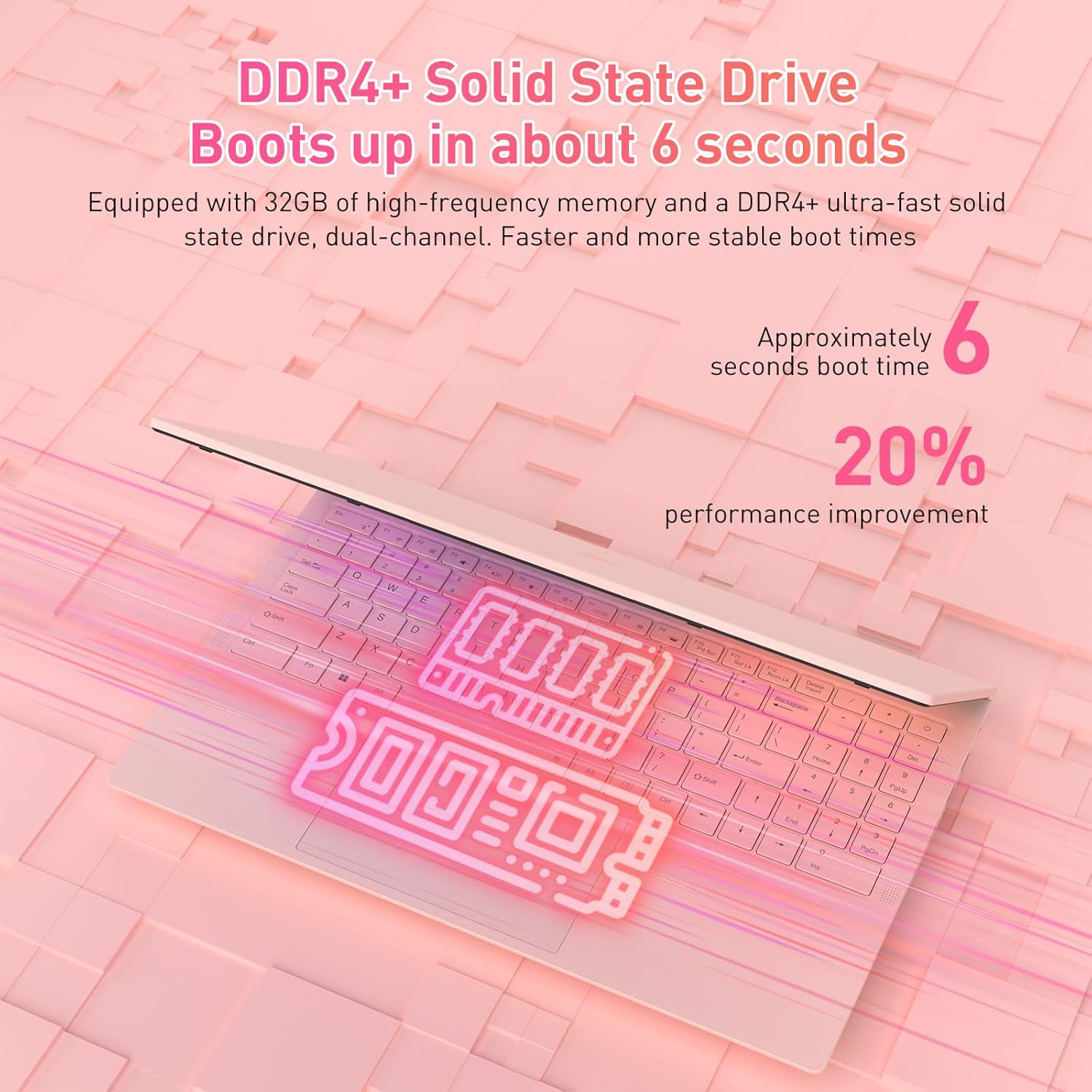
The laptop is equipped with 32GB of DDR4 RAM (2400 MHz) and a 1TB M.2 SATA 3.0 SSD. This combination ensures fast boot times (approximately 6 seconds) and smooth multitasking, allowing you to run multiple applications without significant slowdowns.

3.4 Keyboard and Security Features
The full-size backlit keyboard includes a numeric keypad for enhanced productivity. The large touchpad provides precise navigation. For secure access, the laptop is equipped with an integrated fingerprint reader, allowing for quick and reliable unlocking.

The laptop also features a privacy camera, which can be physically covered for enhanced security.
3.5 Forbindelse
The Auusda laptop offers a variety of ports and wireless options for versatile connectivity:
- USB-porte: 1x USB 3.0, 2x USB 2.0
- Type-C port: Full-featured, supporting charging and data transfer.
- HDMI: Til tilslutning til eksterne skærme.
- Lyd: 3.5 mm hovedtelefonstik.
- Kortlæser: TF kortslot.
- Trådløs: Built-in Wi-Fi 5 (802.11a/b/g/n) and Bluetooth 5.0.
- Sikkerhed: Security Lock Slot.
- Magt: DC Jack for charging.

3.6 Udvidelse af flere skærme
The laptop supports multi-screen expansion, allowing you to connect external monitors via the HDMI port for an extended desktop experience, enhancing productivity for work or entertainment.
While not primarily a gaming laptop, the Athlon Silver 3050E processor with RX Vega 3 integrated graphics can handle some lighter gaming titles. For optimal performance in gaming, ensure your system drivers are up to date.
4. Vedligeholdelse
4.1 Rengøring
- Use a soft, lint-free cloth to clean the screen. For stubborn smudges, dampRengør kluden med vand eller en skærmspecifik rengøringsopløsning.
- Tør tastaturet og kabinettet af med en let drænende kludamp klud. Undgå for meget fugt.
- Regularly clean the fan vents to prevent dust buildup, which can affect cooling performance.
4.2 Pleje af batterier
- Undgå at aflade batteriet helt ofte.
- Opbevar den bærbare computer et køligt og tørt sted, når den ikke er i brug i længere perioder.
- Use only the provided charger to prevent damage to the battery and laptop.
4.3 Softwareopdateringer
Regularly check for and install Windows updates and driver updates (especially for graphics and chipset) to ensure optimal performance and security. You can typically find driver updates on the Auusda support webwebsted eller AMD's officielle website for the Athlon processor.
5. Fejlfinding
Hvis du støder på problemer med din bærbare computer, kan du se følgende almindelige fejlfindingstrin:
- Laptop tænder ikke: Sørg for, at opladeren er tilsluttet korrekt, og at stikkontakten fungerer. Prøv at trykke på tænd/sluk-knappen og holde den nede i 10-15 sekunder.
- Skærmproblemer (ingen skærm, flimmer): Connect an external monitor via HDMI to check if the issue is with the laptop's internal display. Restart the laptop.
- Langsom ydeevne: Close unnecessary applications, check for background processes, ensure sufficient free storage space, and run a malware scan.
- Connectivity problems (Wi-Fi, Bluetooth): Check if wireless adapters are enabled in Windows settings. Restart your router/modem for Wi-Fi issues.
- Tastatur eller touchpad reagerer ikke: Restart the laptop. Ensure no external devices are interfering.
- Overophedning: Ensure the laptop's vents are clear and not obstructed. Use the laptop on a hard, flat surface to allow for proper airflow.
For persistent issues, please contact Auusda customer support.
6. Specifikationer
| Feature | Detalje |
|---|---|
| Mærke | Auusda |
| Modelnavn | T156A-3050E-32GB+1TB |
| Varemodelnummer | 3050E |
| Skærmstørrelse | 15.6 tommer |
| Skærmopløsning | 1920 x 1080 pixels (Full HD IPS) |
| Processor | AMD Athlon Silver 3050E (1.4 GHz base, up to 2.8 GHz) |
| VÆDDER | 32 GB DDR4 SDRAM (2400 MHz) |
| Opbevaring | 1 TB SSD (PCIE x 2 interface) |
| Grafik coprocessor | RX Vega 3 (Integrated Graphics) |
| Operativsystem | Windows 11 Pro |
| Trådløs type | 802.11a/b/g/n (Wi-Fi 5), Bluetooth 5.0 |
| USB-porte | 1x USB 3.0, 2x USB 2.0, 1x Type-C (Full-Featured) |
| Andre havne | HDMI, 3.5mm Headphone Jack, TF Card Slot, DC Jack, Security Lock Slot |
| Varens vægt | 3.7 pund |
| Produktdimensioner | 14 x 11 x 0.7 tommer |
| Farve | Lyserød |
| Særlige funktioner | Anti Glare Coating, Backlit Keyboard, Fingerprint Reader, Numeric Keypad, Portable |
| Batteri | 1x 12V batteri (inkluderet) |
7. Garanti og support
7.1 Producentens garanti
Your Auusda laptop comes with a 2-year manufacturer-backed coverage. This warranty covers defects in materials and workmanship under normal use. Please retain your proof of purchase for warranty claims.
7.2 Kundesupport
For technical assistance, warranty claims, or any questions regarding your Auusda laptop, please contact our customer support team:
- E-mail: Auusda.ltd@gmail.com (as per A+ content FAQ)
- Online: Log in to your Amazon buyer account, find your order, and click "Get Help" or "Ask questions" to reach the seller.
When contacting support, please provide your order number and a detailed description of the issue, including any relevant videos or screenshots.
