
1. Produktet er slutview
The occiam T19 Active Noise Cancelling Earbuds are designed to provide a high-quality audio experience with enhanced comfort and durability. Featuring active noise cancellation, these wireless Bluetooth headphones are suitable for various activities including work, sports, and running. The earbuds come with over-ear hooks for a secure fit and are IPX7 waterproof, making them resistant to sweat and splashes.
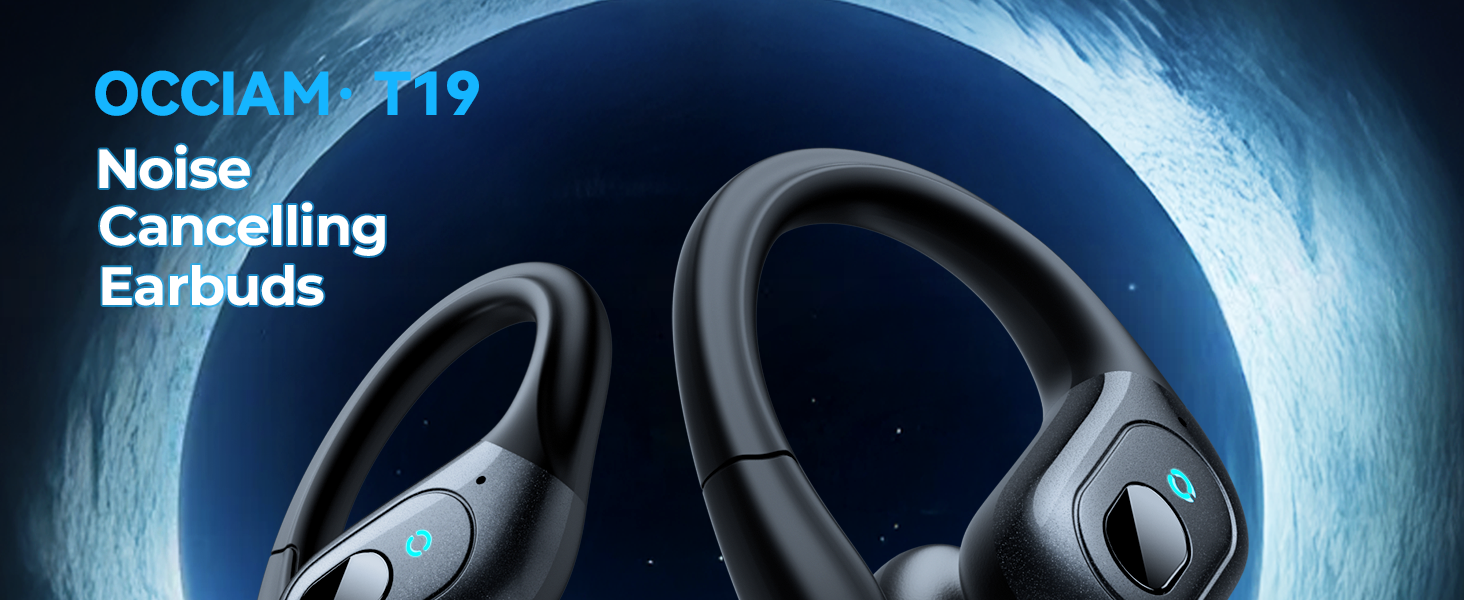
Image: occiam T19 Active Noise Cancelling Earbuds with charging case.
2. Pakkens indhold
Bekræft, at alle nedenstående varer er inkluderet i din pakke:
- Trådløse øretelefoner (venstre og højre)
- Opladningsetui
- USB-C ladekabel
- Brugermanual
- Ørepropper (størrelser S, M, L)

Image: All items included in the occiam T19 earbud package.
3. Opsætning
3.1. Opladning af etuiet og øretelefonerne
Before first use, fully charge the charging case and earbuds. The charging case features a digital battery display to show the remaining power and charging status of the earbuds.
- Tilslut det medfølgende USB-C-opladerkabel til opladningsporten på etuiet og til en kompatibel USB-strømkilde.
- The digital display on the case will show the charging progress.
- Place the earbuds into the charging case. Ensure they are correctly seated; magnetic contacts will guide them into place.
- The earbuds will begin charging automatically. The case display will indicate the charging status of each earbud.
- En fuld opladning af etuiet tager cirka 2 timer.

Image: Charging case showing battery levels for the case and individual earbuds.
3.2. Parring med en enhed
The earbuds feature one-step pairing and a built-in Hall switch for instant connection.
- Åbn opladningsetuiet. Ørepropperne tændes automatisk og går i parringstilstand.
- On your Bluetooth-enabled device (smartphone, tablet, laptop, etc.), go to the Bluetooth settings.
- Søg efter tilgængelige enheder, og vælg "T19" fra listen.
- Når der er forbindelse, hører du en lydmeddelelse, og ørepropperne er klar til brug.
- For subsequent uses, simply open the case, and the earbuds will automatically connect to the last paired device.
Video: A user demonstrates the unboxing and initial setup of the occiam T19 Wireless Earbuds, including opening the case and showing the charging indicators.
4. Betjeningsvejledning
4.1. Sådan tager du ørepropperne på
The occiam T19 earbuds are designed for a comfortable and secure fit, especially during physical activity.
- Choose the appropriate size eartips (S, M, L) for a snug fit in your ear canal.
- Place the earbud in your ear, ensuring the ear hook wraps securely over your ear.
- Adjust the angle of the earbud and ear hook until it feels comfortable and stable.

Image: Visual guide on selecting eartip sizes and correctly wearing the earbuds with over-ear hooks.
4.2. Knapkontrol
Each earbud features a physical button for easy control of audio playback and calls.
- Afspil/pause: Tryk enkeltvis på knappen på begge øretelefoner.
- Lydstyrkekontrol: Double press the button on the right earbud to increase volume, or on the left earbud to decrease volume.
- Næste nummer: Triple press the button on the right earbud.
- Forrige nummer: Triple press the button on the left earbud.
- Besvar/afslut opkald: Single press the button on either earbud during an incoming call or active call.
- Afvis opkald: Tryk og hold knappen nede på en af øretelefonerne under et indgående opkald.
- Aktiver stemmeassistent: Press and hold the button on either earbud for 2 seconds.
- Aktiv støjreduktion (ANC): Press and hold the button on either earbud for 3 seconds to toggle ANC on/off.
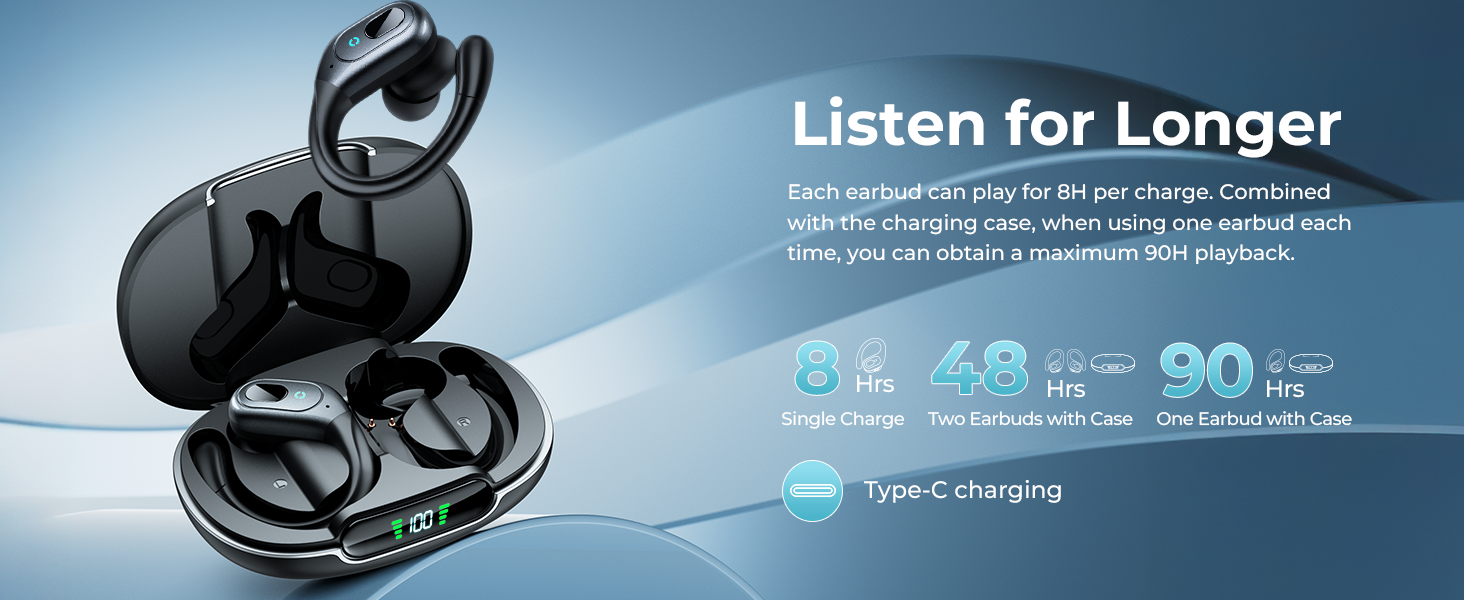
Image: Detailed illustration of the multi-functional button controls on the earbuds.
4.3. Mono- og binaural tilstande
The earbuds support both binaural (using both earbuds) and mono (using a single earbud) modes, offering flexible listening options.
- Binaural tilstand: Use both earbuds for a stereo audio experience.
- Mono-tilstand: Use either the left or right earbud independently. The unused earbud can remain in the charging case.
5. Vedligeholdelse
5.1. Rensning
To ensure optimal performance and longevity, regularly clean your earbuds and charging case.
- Tør ørepropperne og opladningsetuiet af med en blød, tør og fnugfri klud.
- If the earbuds have been exposed to sweat or water, ensure they are completely dry before placing them back in the charging case to prevent charging failures due to electrolyte reaction.
- Fjern forsigtigt ørevoks eller snavs fra ørepropperne og højttalernettet med en lille, blød børste eller vatpind.

Image: occiam T19 earbuds showcasing their sweatproof design, emphasizing the need for drying after exposure to moisture.
5.2. Opbevaring
Når ørepropperne ikke er i brug, skal de opbevares i deres opladningsetui for at beskytte dem og holde dem opladede.
- Store the earbuds and case in a cool, dry place away from extreme temperatures and direct sunlight.
- Avoid storing them near sharp objects that could scratch or damage the earbuds or case.
6. Fejlfinding
| Spørgsmål | Mulig løsning |
|---|---|
| Øretelefoner parrer ikke | Ensure earbuds are charged. Turn off and on Bluetooth on your device. Forget "T19" from your device's Bluetooth list and re-pair. |
| Ingen lyd eller lav lydstyrke | Check volume levels on both your device and earbuds. Ensure earbuds are properly seated in your ears. Clean eartips and speaker mesh. |
| Én øretelefon virker ikke | Place both earbuds back in the case, close it, then open again to reset. Ensure both earbuds are charged. |
| Ladeetui oplader ikke | Verify the USB-C cable and power adapter are working correctly. Ensure the cable is securely connected to the case. |
| Ørepropper falder ud | Try different sizes of eartips for a more secure fit. Adjust the ear hooks for better stability. |
7. Specifikationer
| Feature | Detalje |
|---|---|
| Modelnavn | T19 |
| Støjkontrol | Active Noise Cancellation (up to 45dB reduction) |
| Forbindelsesteknologi | Trådløs, Bluetooth 5.4 |
| Bluetooth rækkevidde | 10 meter (30ft) |
| Batterilevetid (ørepropper) | 8 timer pr. fuld opladning |
| Samlet afspilningstid (med opladningsetui) | Up to 48 hours (both earbuds), Up to 90 hours (single earbud) |
| Opladningstid | 2 timer (for hver sag) |
| Vandmodstandsniveau | IPX7 (svedtæt) |
| Audio driver størrelse | 10 millimeter dynamisk driver |
| Frekvensrespons | 20 KHz |
| Følsomhed | 92 dB |
| Kontrolmetode | Push Button (Volume Control) |
| Inkluderede komponenter | Charging Case, Eartips, USB-C Charging Cable, User Manual, Wireless Earbuds |
| Materiale | Acrylonitril Butadien Styren (ABS) |
| Varens vægt | 85 gram (3 ounce) |
| Produktdimensioner | 3.46 x 2.44 x 1.46 tommer |
8. Garanti og support
For warranty information, technical support, or customer service inquiries, please refer to the contact details provided in the original product packaging or visit the official occiam webwebsted.
Gem din købskvittering i tilfælde af garantikrav.