
1. Introduktion
This manual provides detailed instructions for the setup, operation, and maintenance of your xinwld Air3 Pro Adaptive Hybrid Active Noise Canceling Wireless Earbuds. Please read this manual thoroughly before using the product to ensure optimal performance and longevity.

Image: xinwld Air3 Pro True Active Noise-Cancellation banner.
2. Pakkens indhold
Bekræft, at alle nedenstående varer er inkluderet i din pakke:
- 2 x trådløse øretelefoner
- 1 x opladningsetui
- 1 x USB-C kabel
- 1 x brugermanual
- 2 x Eartips (S/L sizes)

Billede: Diagram, der illustrerer indholdet af produktpakken.
3. Produktet er slutview
The xinwld Air3 Pro earbuds feature an ergonomic design for comfortable wear and advanced audio technology.

Image: The xinwld Air3 Pro wireless earbuds housed within their charging case, showing the LED display.
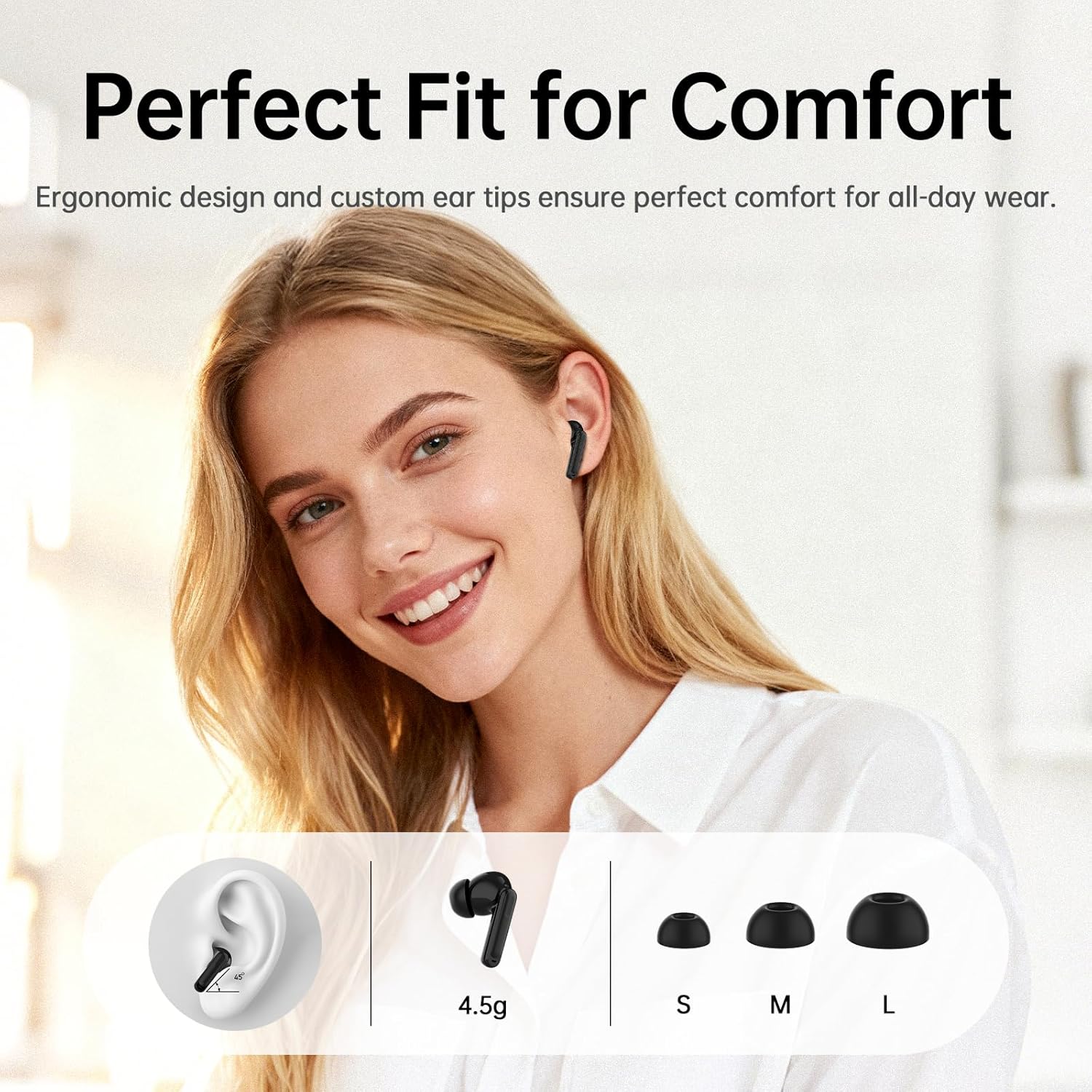
Image: Illustration of the ergonomic fit and various ear tip sizes for comfort.
4. Opladning af øretelefoner og etuiet
The charging case and earbuds are equipped with LED indicators to show battery status. Ensure both are fully charged before first use.
4.1 Opladning af øretelefonerne
- Place the earbuds into the charging case. The LED indicators on the case will show charging status.
4.2 Opladning af etuiet
- USB-C opladning: Tilslut det medfølgende USB-C-kabel til opladningsporten på etuiet og til en strømkilde.
- Trådløs opladning: Placer opladningsetuiet på en kompatibel trådløs opladningsplade.
A 10-minute charge provides approximately 2 hours of use. The total playtime with the charging case is up to 40 hours.

Image: Battery life and charging options for the earbuds and case.

Image: Illustration of wireless and Type-C charging methods for the case.
5. Opsætning og parring
5.1 Indledende parring
- Åbn opladningsetuiet. Ørepropperne går automatisk i parringstilstand.
- Aktiver Bluetooth på din enhed (smartphone, tablet, bærbar computer).
- Søg efter "Air3 Pro" in the list of available Bluetooth devices and select it to connect.
- Når forbindelsen er oprettet, vil en stemmemeddelelse bekræfte den gennemførte parring.
5.2 Forbindelse mellem flere enheder
The earbuds support simultaneous connection to two devices (e.g., phone and laptop). To activate this feature:
- Sørg for, at øretelefonerne er tilsluttet den første enhed.
- Open the companion app (see Section 6.3) and navigate to "Settings."
- Toggle on the "Søg efter Second Device" switch.
- Connect to the earbuds from your second device's Bluetooth settings.

Image: Representation of Bluetooth 5.4 technology for stable and efficient connections.

Image: Illustration of multipoint connection, allowing seamless switching between two devices.
6. Betjeningsvejledning
6.1 Tryk på kontrolelementer
The earbuds feature touch-sensitive controls. The functions can be customized via the companion app.
- Musikafspilning:
- Play/Pause: Tap 1x
- Previous Song: Tap Left earbud 2x
- Next Song: Tap Right earbud 2x
- Opkaldshåndtering:
- Answer Call: Tap 1x
- Hang Up: Tap and hold 2 seconds
- Reject Call: Tap and hold 2 seconds
- Andre funktioner:
- Voice Assistant: Tap Right earbud 3x
- Gaming mode/Music mode: Tap Left earbud 3x
- ANC/Transparency mode switching: Tap and hold 2 seconds

Image: Visual guide to the touch controls for various functions.
6.2 Active Noise Canceling (ANC) and Transparency Mode
The Air3 Pro earbuds feature Hybrid Dual-Feed Noise Canceling technology to reduce ambient noise and a Transparency Mode to allow environmental sounds.
- ANC-tilstand: Reduces external noise by up to -45dB, creating a quieter listening environment.
- Gennemsigtighedstilstand: Allows you to hear your surroundings while still listening to audio.
- Skiftemetoder: Tap and hold the earbud for 2 seconds to cycle between ANC, Normal, and Transparency modes.
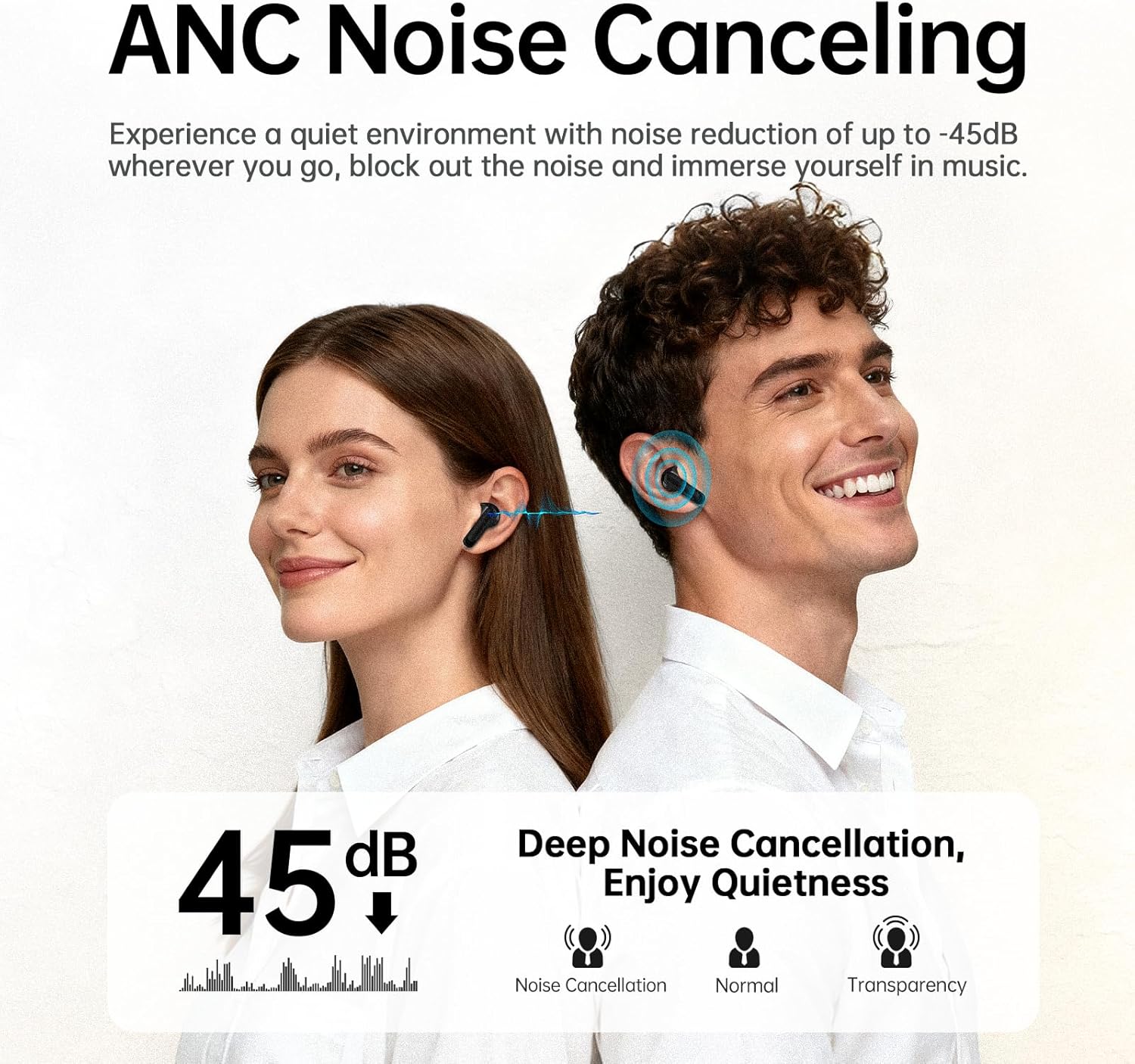
Image: Explanation of ANC noise reduction capabilities and available modes.

Image: Detailed diagram of the hybrid active noise cancellation technology.

Image: Visual representation of Transparency Mode in use.
6.3 Companion App Integration
The xinwld companion app enhances your earbud experience with additional features:
- Ambient Sound Switching: Easily switch between ANC, Normal, and Transparency modes.
- Find mine øretelefoner: Locate misplaced earbuds using a ringing feature or map.
- Tilpasning: Tailor your listening experience with 8 preset EQ modes or create custom settings.
- Touch Control Adjustment: Customize touch control functions to your preference.

Image: The Smart Life App interface on a smartphone, demonstrating customization options.

Billede: Overview of features available through the Smart Life App.
6.4 Opkaldskvalitet
Each earbud is equipped with three AI microphones, totaling six, which work with advanced AI noise-cancellation algorithms to filter out background noise for clear conversations.
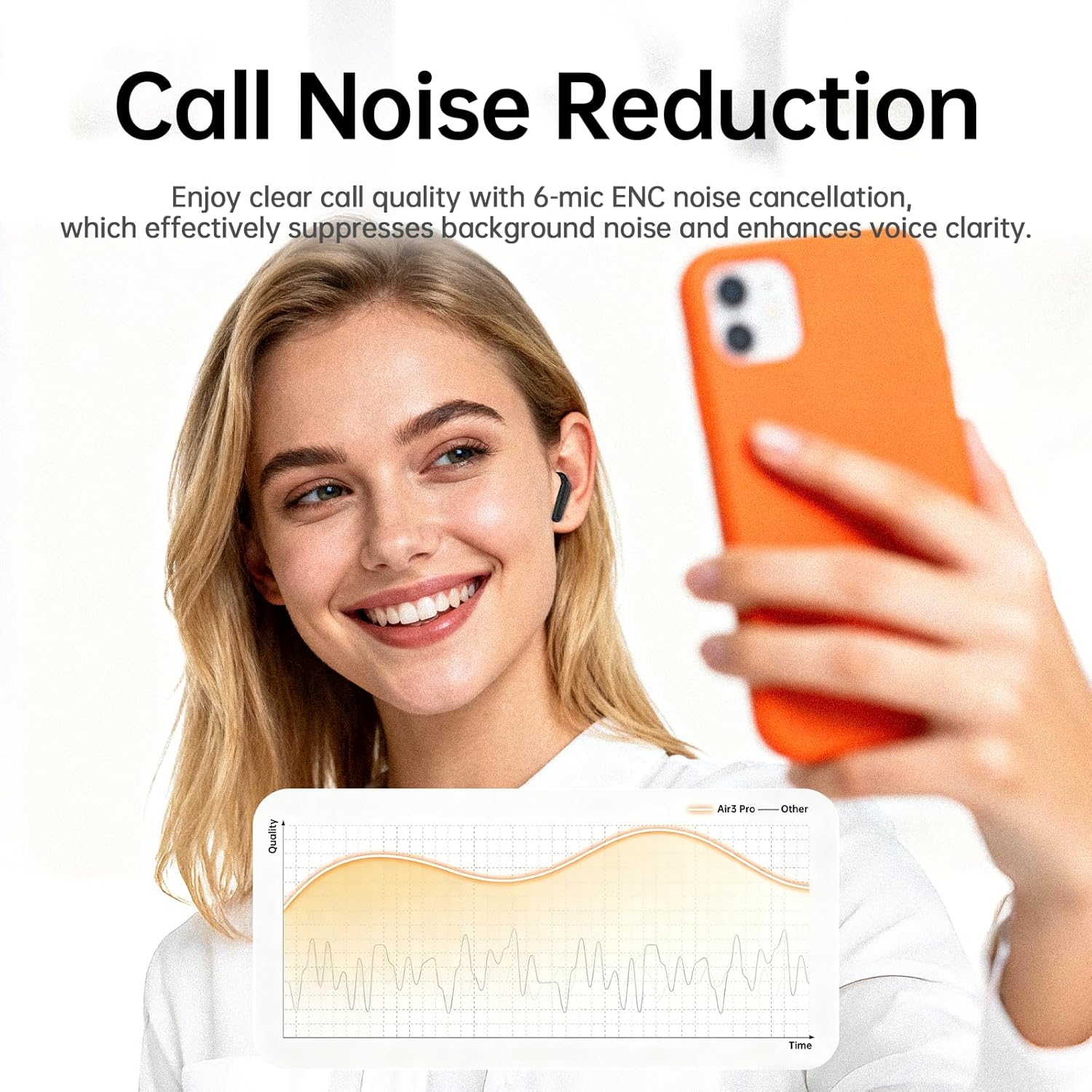
Image: Representation of enhanced call quality with noise reduction.

Image: Illustration of clear call performance in noisy environments using 6-mic ENC technology.
6.5 Lydkvalitet
The Air3 Pro earbuds feature an 11mm dynamic driver for professionally tuned acoustic performance, delivering deep bass and clear highs. They are compatible with SBC and AAC audio codecs.

Image: Internal structure of the earbud, emphasizing the audio driver and ANC components.

Image: Visual representation of immersive Hi-Fi stereo sound experience.
7. Vedligeholdelse
7.1 Rengøring
- Rengør regelmæssigt ørepropperne og opladningsetuiet med en blød, tør og fnugfri klud.
- Fjern ørepropperne, og rengør dem med mild sæbe og vand. Tør dem derefter grundigt, inden de sættes på igen.
- Ensure charging contacts on both earbuds and case are free of debris.
7.2 Vandtæthed
The earbuds are IP7 waterproof, providing protection against heavy rain and splashing water. They are not designed for submersion.

Billede: Ørepropper, der viser IPX7-vandtæthed.
7.3 Opbevaring
- Opbevar øretelefonerne i deres opladningsetui, når de ikke er i brug for at beskytte dem og holde dem opladet.
- Undgå ekstreme temperaturer og direkte sollys.
8. Fejlfinding
| Problem | Mulig årsag | Løsning |
|---|---|---|
| Øretelefoner parrer ikke | Earbuds not in pairing mode; Bluetooth off on device; out of range. | Ensure case is open and earbuds are in; turn device Bluetooth on/off; move closer to device. |
| Ingen lyd | Lydstyrken er for lav; ørepropperne er ikke tilsluttet; medierne er sat på pause. | Increase device volume; re-pair earbuds; check media playback. |
| Dårlig opkaldskvalitet | Miljøstøj; mikrofon blokeret. | Move to a quieter area; ensure microphones are clear. |
| Øretelefoner oplader ikke | Opladningskontakter snavsede; kabel defekt; batteri i kabinettet er tomt. | Clean charging contacts; try a different cable/power source; charge the case. |
| Appen forbinder ikke | Bluetooth not connected; app outdated. | Ensure earbuds are paired; update the app to the latest version. |
Hvis du støder på problemer, der ikke er nævnt her, bedes du henvise til supportafsnittet eller kontakte kundeservice.
9. Specifikationer
- Modelnavn: Air3 Pro
- Mærke: xinwld
- Forbindelse teknologi: Trådløs
- Trådløs kommunikationsteknologi: Bluetooth 5.4
- Øreplacering: In Ear
- Formfaktor: In Ear
- Kontroltype: Tryk på kontrol
- Særlige funktioner: ANC Noise Cancellation, Waterproof (IP7), Touch Control, Bluetooth 5.4
- Materiale: Plast
- Varens vægt: 3.84 ounce
- Batterier: 2 A-batterier påkrævet (medfølger)
- Fabrikant: xinwld
10. Garanti og support
For warranty information and customer support, please refer to the documentation included with your purchase or visit the official xinwld webwebsted. Gem din købsbevis til garantikrav.
Kontaktoplysninger: Please refer to the contact details provided on the product packaging or the official xinwld webwebsted for supportforespørgsler.