
1. Introduktion
This manual provides essential information for the safe and efficient operation of your Coocaa 55Y74 Pro QLED Ultra Smart Google TV. Please read this manual thoroughly before using the product and retain it for future reference. Your Coocaa TV features a durable A+ Grade QLED panel and an ultra-bright screen designed for optimal picture quality.
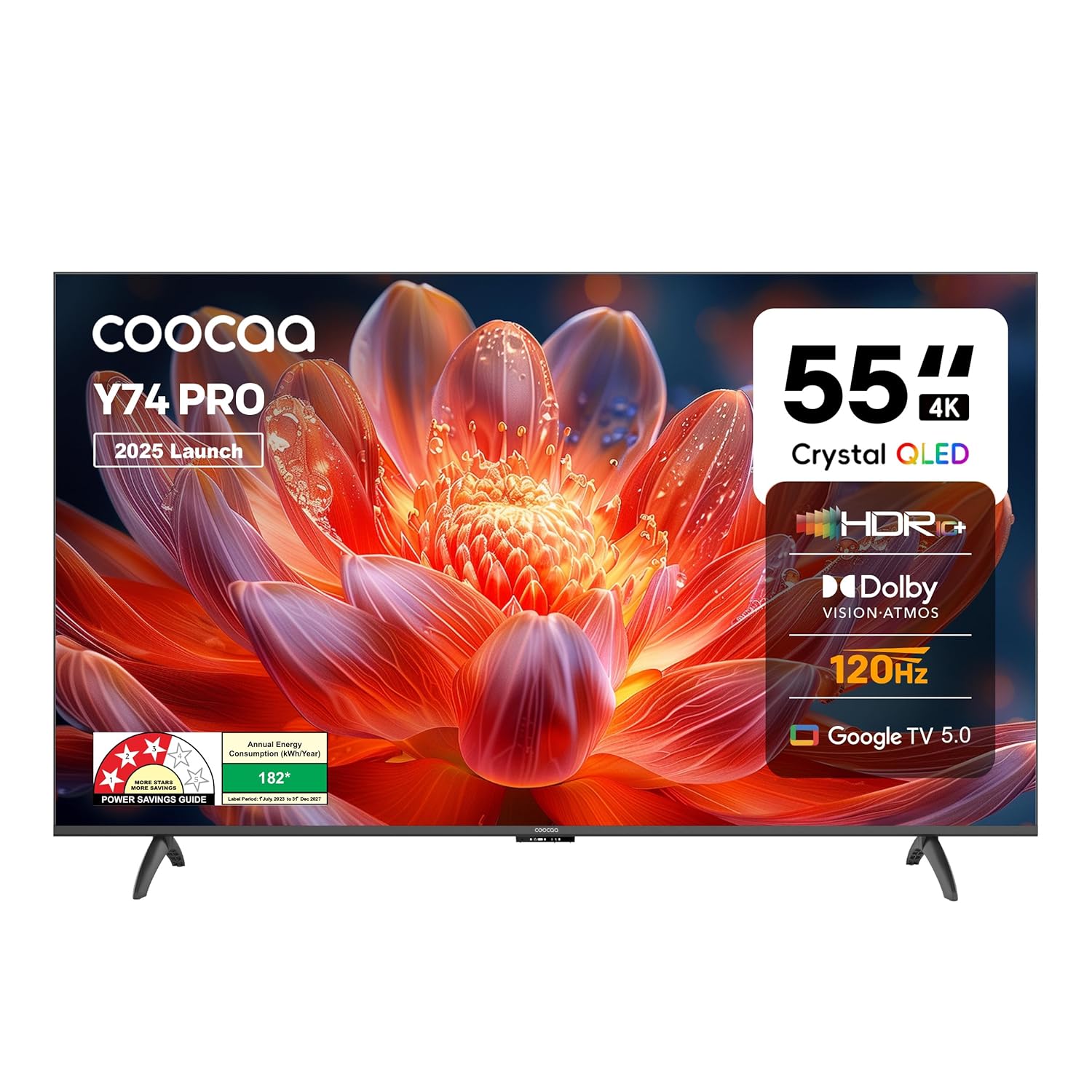
Figur 1.1: Forside view of the Coocaa 55Y74 Pro QLED Ultra Smart Google TV.
2. Sikkerhedsoplysninger
Overhold følgende sikkerhedsforanstaltninger for at forhindre skader og sikre sikker drift:
- Udsæt ikke TV'et for regn eller fugt.
- Bloker ikke ventilationsåbninger.
- Sørg for korrekt jordforbindelse til netledningen.
- Undgå at placere tv'et på ustabile overflader.
- Frakobl strømkablet under tordenvejr eller når apparatet ikke bruges i længere perioder.
- Overlad al service til kvalificeret servicepersonale.
3. Hvad er der i æsken
Kontroller, at alle komponenter er til stede i emballagen:
- TV-møbel (1N)
- Stativbaser (2N)
- Quick Start Guide (1N)
- Warranty Card (1N)
- Fjernbetjening (1N)
- AAA-batterier (2N)
- Netledning (1N)
- Skruer (4N)
- AV-konverteringskabel (1N)

Figure 3.1: Contents included with your Coocaa 55Y74 Pro TV.
4. Opsætning
4.1 Udpakning
Carefully remove the TV and all accessories from the packaging. It is recommended to retain the packaging for future transport or service needs.
4.2 Montering af stativ
If placing the TV on a table, attach the two stand bases to the bottom of the TV using the provided screws. Ensure the stands are securely fastened.
4.3 Vægmontering
The Coocaa 55Y74 Pro supports wall mounting. A compatible VESA wall mount kit (not included) is required. Follow the instructions provided with your wall mount kit and ensure professional installation for safety.
4.4 Tilslutning af eksterne enheder
Tilslut dine enheder til tv'et ved hjælp af de tilgængelige porte:
- HDMI-porte: Connect set-top boxes, Blu-ray players, gaming consoles, or other HDMI-enabled devices. The TV features 3 HDMI ports, including HDMI 2.1 with eARC support.
- USB-porte: Tilslut USB-lagerenheder til medieafspilning. TV'et har 2 USB 2.0-porte.
- Digital lydudgang: Til tilslutning til eksterne lydsystemer.
- LAN-port: Til en kablet internetforbindelse.
- AV-indgang: For ældre enheder, der bruger kompositvideo og stereolyd.
- Satellite Port: For satellite signal input.

Figure 4.1: Available connectivity ports on the Coocaa 55Y74 Pro TV.
4.5 Strømtilslutning
Connect the power cord to the TV's power input and then to a suitable electrical outlet. The TV operates on 240 Volts AC.
5. Betjening
5.1 Førstegangsopsætning
Upon first power-on, the TV will guide you through the initial setup process, including language selection, network connection (Wi-Fi or Ethernet), and Google account sign-in for Google TV features.
5.2 Fjernbetjening
Insert the two AAA batteries into the remote control. The remote features dedicated buttons for popular streaming services like Netflix and Prime Video, a navigation key, and a voice assistant button for Google Assistant.

Figure 5.1: The Coocaa TV remote control.
5.3 Grundlæggende funktioner
- Magt: Tryk på tænd/sluk-knappen på fjernbetjeningen for at tænde eller slukke for tv'et.
- Bind: Use the volume up/down buttons to adjust audio levels.
- Valg af input: Use the input button to switch between connected devices (HDMI, AV, etc.).
5.4 Smart TV-funktioner (Google TV)
Your Coocaa TV runs on Google TV, providing access to a wide range of applications and features:
- Appadgang: Download and use apps like Netflix, YouTube, Prime Video, Zee5, and Sony LIV from the Google Play Store.
- Google Assistant: Brug stemmekommandoer via fjernbetjeningen til søgning, styring og information.
- Chromecast indbygget: Cast content from compatible mobile devices directly to your TV.
- Display Mirroring: Mirror the screen of compatible devices to the TV.
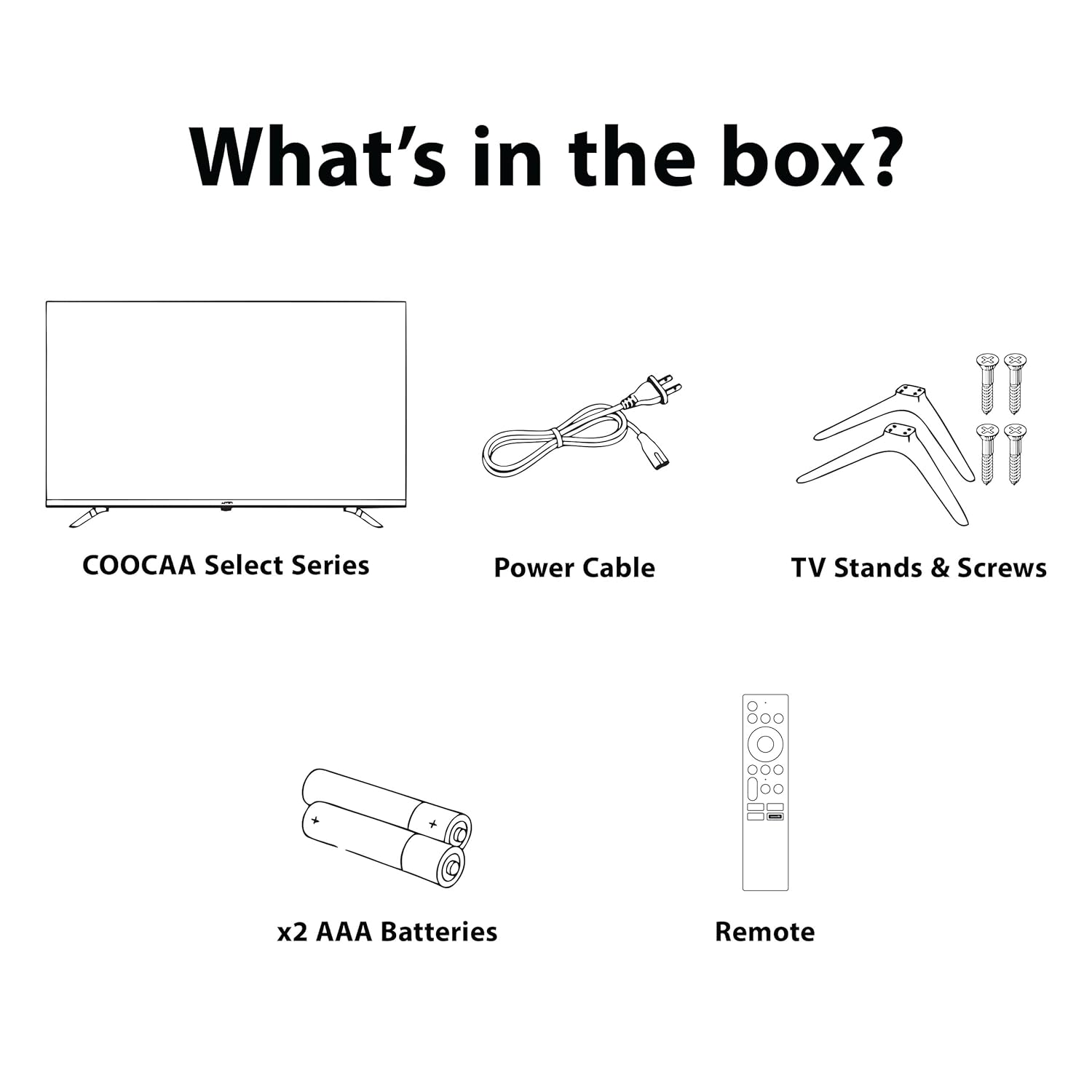
Figure 5.2: Key smart features of the Coocaa 55Y74 Pro TV.
6. Vedligeholdelse
6.1 Rengøring
- Skærm: Tør forsigtigt skærmen af med en blød, fnugfri klud. Brug en skærmrens, der er specielt designet til tv'er, til genstridige pletter, og påfør den på kluden, ikke direkte på skærmen.
- TV-krop: Wipe the TV frame and back panel with a soft, dry cloth. Avoid abrasive cleaners or solvents.
6.2 Softwareopdateringer
Your TV may receive software updates to improve performance and add new features. Ensure your TV is connected to the internet. You can usually check for updates in the TV's settings menu under 'System' or 'About'.
6.3 Opbevaring
Hvis du opbevarer tv'et i længere tid, skal du afbryde strømmen til det, fjerne batterierne fra fjernbetjeningen og opbevare det et køligt og tørt sted, helst i originalemballagen.
7. Fejlfinding
Se følgende tabel for almindelige problemer og løsninger på disse:
| Problem | Mulig årsag | Løsning |
|---|---|---|
| Ingen strøm | Netledningen er frakoblet; Problem med stikkontakten | Check power cord connection; Test power outlet with another device. |
| Intet billede, men der er lyd | Forkert inputkilde; Løst HDMI/AV-kabel | Select correct input source; Reconnect cables securely. |
| Ingen lyd, men der er billede | Lydstyrken er slået fra eller for lav; Problem med det eksterne lydsystem | Slå lydstyrken til eller øg niveauet; Kontroller eksterne lydforbindelser. |
| Fjernbetjening virker ikke | Løbte batterier; Forhindring; Fjernbetjening ikke parret | Replace batteries; Remove obstructions; Re-pair Bluetooth remote (refer to TV settings). |
| Problemer med Wi-Fi-forbindelse | Forkert adgangskode; Routerproblem; Signalforstyrrelser | Verify Wi-Fi password; Restart router; Move TV closer to router or use wired connection. |
Hvis problemet fortsætter efter at have forsøgt disse løsninger, bedes du kontakte kundesupport.
8. Specifikationer
Key technical specifications for the Coocaa 55Y74 Pro QLED Ultra Smart Google TV:
| Feature | Specifikation |
|---|---|
| Model | 55Y74 Pro |
| Skærmstørrelse | 55 tommer (138 cm) |
| Displayteknologi | QLED, A+ Display Type |
| Opløsning | 4K UHD (3840 x 2160 pixels) |
| Opdateringshastighed | HSR 120 Hz |
| Operativsystem | Google TV |
| Processor | A55 Chip |
| Grafik coprocessor | Mali G52 MC1 |
| RAM-hukommelse | 2 GB |
| Lagerkapacitet | 32 GB |
| Lydudgang | 30 Watts, Dolby Atmos, 2.0 Sound Channel |
| Forbindelse | 3 HDMI ports (1x HDMI 2.1 eARC), 2 USB 2.0 ports, Ethernet, Wi-Fi (Dual band), Bluetooth |
| Særlige funktioner | Chromecast, Google Voice Assistant, Display Mirroring, Eye Care (Flicker Free, Night Mode, Automatic Brightness) |
| Produktmål (LxBxH) | 122.6 x 7.9 x 72 cm |
| Varens vægt | 9.4 kg |
| Strømkilde | AC 240 volt |
| Wattage | 120 watt |

Figure 8.1: Dimensions of the Coocaa 55Y74 Pro TV.
9. Garanti og support
9.1 Garantioplysninger
Your Coocaa 55Y74 Pro QLED Ultra Smart Google TV comes with a 1 års garanti provided by the brand from the date of purchase. To avail warranty services, please retain your purchase invoice and the warranty card.
9.2 Kundesupport
For further assistance, technical support, or to access the latest user manual, please visit the official Coocaa brand website. Contact details for customer service can typically be found on the warranty card or the brand's webwebsted.