1. Introduktion
Thank you for choosing the Generic Pro 2 Wireless Earbuds. This manual provides essential information for the proper setup, operation, and maintenance of your device. These earbuds are designed to deliver a high-quality audio experience with features such as noise-canceling microphones, Bluetooth 5.4 connectivity, Type-C fast charging, and intuitive touch controls.
2. Pakkens indhold
Kontroller venligst, at alle varer er til stede i din pakke:
- Pro 2 Wireless Earbuds (Left and Right)
- Opladningsetui
- USB-C ladekabel
- Flere størrelser af silikoneørepropper
- Carrying Pendant
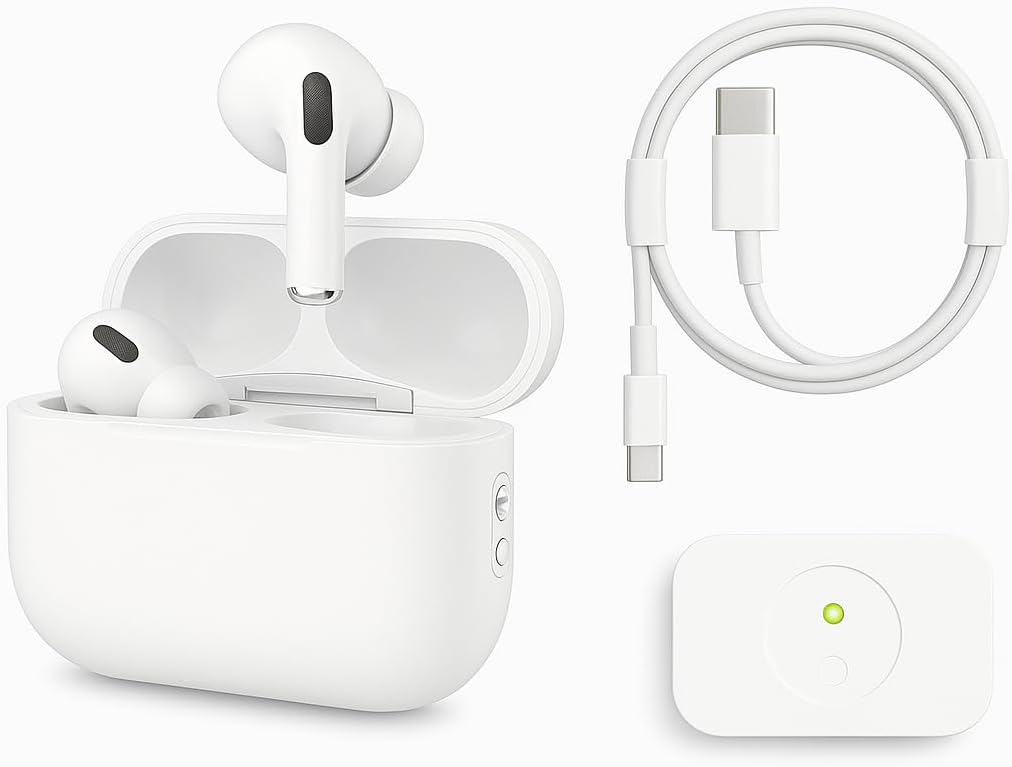
Image: The Pro 2 Wireless Earbuds, their charging case, a USB-C charging cable, and a small white accessory, likely a carrying pendant or additional component.
3. Opsætning
3.1 Opladning af øretelefoner og etuiet
Before first use, fully charge the earbuds and charging case. Use the provided USB-C cable to connect the charging case to a power source.
- A full charge provides approximately 6 hours of listening time with Active Noise Cancellation (ANC) enabled.
- The charging case extends total listening time to approximately 30 hours.
- A quick 15-minute charge can provide up to 6 hours of listening time.
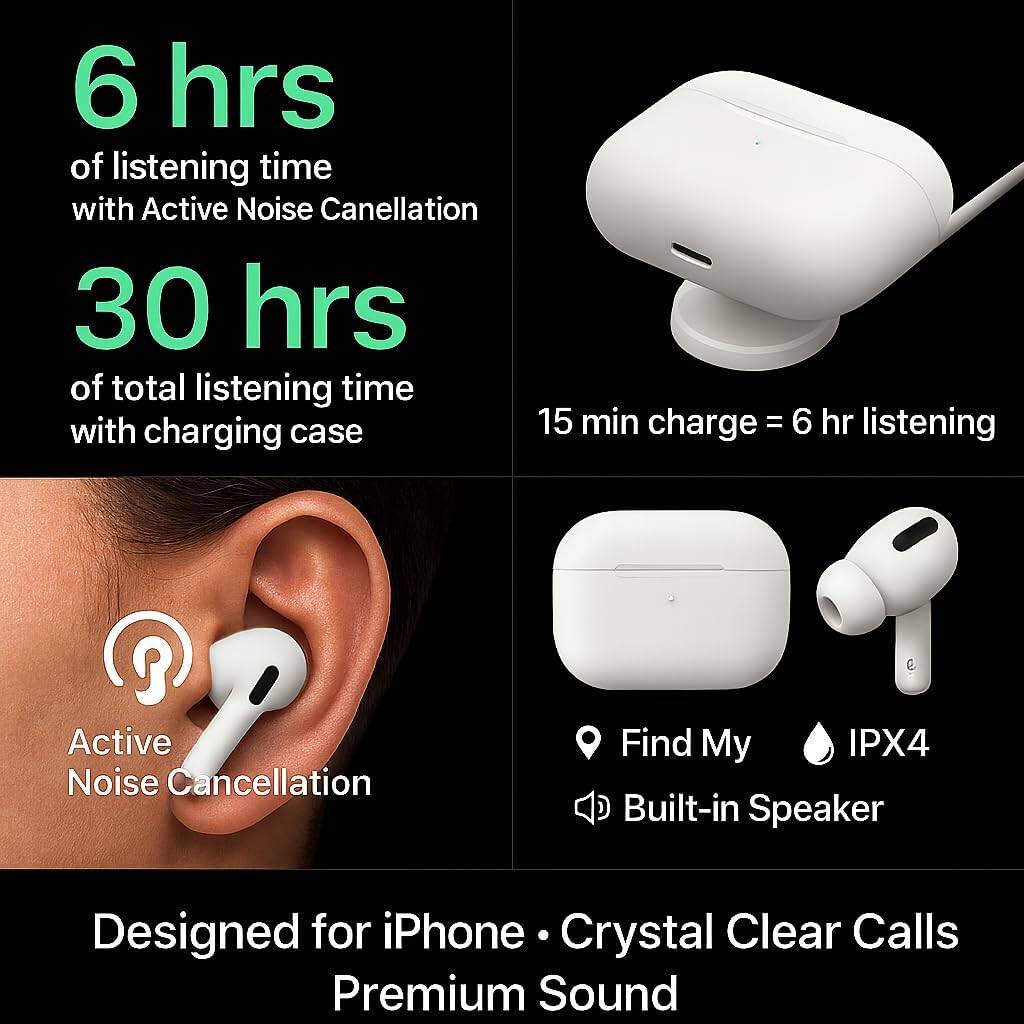
Image: Visual representation of battery life (6 hours with ANC, 30 hours total with case, 15 min charge for 6 hours listening), Active Noise Cancellation, IPX4 water resistance, 'Find My' feature, and a built-in speaker.
3.2 Bluetooth -parring
Sådan tilslutter du dine ørepropper til en enhed:
- Sørg for, at ørepropperne er i opladningsetuiet, og at låget er åbent.
- Gå til Bluetooth-indstillingerne på din enhed (smartphone, tablet osv.).
- Select "Pro 2 Earbuds" or a similar name from the list of available devices.
- Once connected, the earbuds will automatically pair with your device in the future when removed from the case.
The earbuds feature upgraded Bluetooth 5.4 technology for a more stable connection, longer transmission range, lower power consumption, and reduced latency.

Image: Diagram illustrating the benefits of upgraded Bluetooth 5.4, including enhanced connection stability, extended transmission range, reduced power consumption, and lower audio latency.
3.3 Sådan tager du ørepropperne på
The earbuds are ergonomically designed for comfort and stability. Choose the silicone ear tips that best fit your ears to ensure a secure fit and optimal sound quality. Gently insert each earbud into your ear canal and twist slightly to secure.
4. Betjeningsvejledning
4.1 Tryk på kontrolelementer
The Pro 2 Wireless Earbuds feature smart touch controls on each earbud for easy management of music and calls:
- Afspil/pause: Tryk én gang på begge øretelefoner.
- Forrige sang: Tap twice on the left earbud.
- Næste nummer: Tap three times on the right earbud.
- Besvar/afslut opkald: Tryk én gang på begge øretelefoner.
- Afvis opkald: Tryk og hold nede på en af øretelefonerne.
- Aktivér stemmeassistent (Siri/Google Assistant): Tryk to gange på begge øretelefoner.

Image: A visual guide to the smart touch controls, showing specific tap and press-and-hold gestures for functions like play/pause, track skipping, call management, and voice assistant activation.
4.2 Støjreduktion
The earbuds are equipped with 4 noise-canceling microphones to provide clear calls and an immersive listening experience by isolating ambient noise. Active Noise Cancellation (ANC) can be toggled through the touch controls or your connected device's settings, if supported.
5. Vedligeholdelse
5.1 Rengøring
Regelmæssig rengøring hjælper med at opretholde optimal ydeevne og hygiejne:
- Brug en blød, tør og fnugfri klud til at tørre ørepropperne og opladningsetuiet af.
- Do not use abrasive materials, solvents, or harsh chemicals.
- Gently remove ear tips and clean them with water and mild soap if necessary, ensuring they are completely dry before reattaching.
5.2 Opbevaring
Når ørepropperne ikke er i brug, skal de opbevares i deres opladningsetui for at beskytte dem mod støv og skader og for at holde dem opladet.
6. Fejlfinding
If you encounter issues with your Pro 2 Wireless Earbuds, refer to the following common solutions:
- Ørepropper parrer ikke: Ensure both earbuds are charged. Place them back in the case, close the lid for a few seconds, then open it and try pairing again. Check your device's Bluetooth settings to forget previous connections and re-pair.
- Ingen lyd fra den ene øreprop: Ensure both earbuds are charged. Try placing them back in the case and taking them out again. Re-pair with your device.
- Opladningsproblemer: Verify the USB-C cable is securely connected to both the case and the power source. Try a different cable or power adapter. Ensure the charging contacts on the earbuds and inside the case are clean and free of debris.
- Dårlig lydkvalitet: Ensure the ear tips provide a good seal in your ear. Try different sized ear tips. Check for obstructions in the earbud speakers.
- Touch-kontroller reagerer ikke: Sørg for, at dine fingre er rene og tørre. Prøv at genstarte ørepropperne ved at lægge dem i etuiet og tage dem ud.
7. Specifikationer
| Feature | Specifikation |
|---|---|
| Mærkenavn | Generisk |
| Modelnummer | QCPASS07 |
| Forbindelsesteknologi | Trådløs |
| Trådløs kommunikationsteknologi | Bluetooth 5.4 |
| Hovedtelefoner Øreplacering | In Ear |
| Hovedtelefoner Form Factor | In Ear |
| Støjkontrol | Sound Isolation, Active Noise Cancellation |
| Impedans | 4 Ohm |
| Hovedtelefonstik | Ingen Jack |
| Batterier | 3 ikke-standardbatterier kræves (inkluderet) |
| Pakkedimensioner | 5 x 3 x 3 cm |
| Varens vægt | 70 g |
| Fabrikant | evill.store |
| Dato først tilgængelig | 5. august 2025 |
8. Garanti og support
For garantioplysninger og kundesupport henvises til den dokumentation, der fulgte med dit køb, eller kontakt sælgeren direkte. Gem dit købsbevis i tilfælde af garantikrav.