1. Introduktion
This manual provides detailed instructions for the installation, operation, and maintenance of your Generic Zns07 Smart Digital Door Lock. This advanced security solution is designed for various environments including homes, offices, hotels, and warehouses, offering multiple access options and a user-friendly interface.
2. Sikkerhedsoplysninger
- Læs alle instruktioner omhyggeligt før installation og brug.
- Udsæt ikke låsen for direkte vand eller ekstreme temperaturer.
- Brug kun anbefalede batterityper.
- Keep mechanical keys in a safe location outside the property.
- Ensure all components are securely fastened during installation.
- Regularly check battery levels to prevent unexpected lockouts.
3. Produktet er slutview og komponenter
The Zns07 Smart Digital Door Lock features a sleek design with an integrated LED display and touch keypad. It offers multiple unlocking methods for enhanced security and convenience.

Billede 3.1: The Zns07 Smart Digital Door Lock, showcasing its modern design and how it appears when installed on a door. The image displays both the exterior unit with its keypad and camera, and the interior unit with its display and manual handle.

Billede 3.2: This diagram illustrates the precise dimensions of the Zns07 Smart Digital Door Lock's interior and exterior units, measured in both centimeters and inches. Additionally, it displays the various components included in the package, such as the mortise lock, mounting hardware, and mechanical keys, essential for installation and operation.
Pakkeindhold:
- Smart Door Lock (Exterior and Interior Units)
- Indstikslås
- Mounting Hardware (screws, spindles, etc.)
- Mekaniske nøgler
- Brugervejledning (dette dokument)
- Batterier (kan være inkluderet)
4. Opsætning og installation
The Zns07 lock is designed for easy installation on most standard doors. Professional installation is recommended for optimal performance.
4.1 Kontrol før installation
- Verify door thickness and backset compatibility.
- Sørg for, at alle komponenterne, der er anført i afsnit 3, er til stede.
4.2 Installationstrin (generelt)
- Prepare the door: Drill necessary holes according to the provided template (if applicable).
- Installer indstikslåsens hus i dørkanten.
- Mount the exterior unit, ensuring cables are routed correctly.
- Connect the cables to the interior unit.
- Mount the interior unit and secure it with screws.
- Install batteries into the interior unit's battery compartment.
- Test the lock's functionality with mechanical keys and initial programming.
4.3 Indledende programmering
Upon first power-up, the lock will typically require setting an administrator password. Follow the on-screen prompts on the LED display or refer to the quick start guide for specific steps to set up your first administrator user.
5. Betjeningsvejledning
The Zns07 Smart Digital Door Lock offers multiple convenient ways to access your property.
5.1 Oplåsningsmetoder
- Digital Password: Enter your registered password on the touch keypad followed by the '#' key.
- Chipkort: Present a registered smart card to the designated sensor area on the exterior unit.
- Fingeraftryksgenkendelse: Place a registered finger on the fingerprint sensor. The lock boasts a recognition speed of less than 0.5 seconds and a recognition rate of 99.99%.
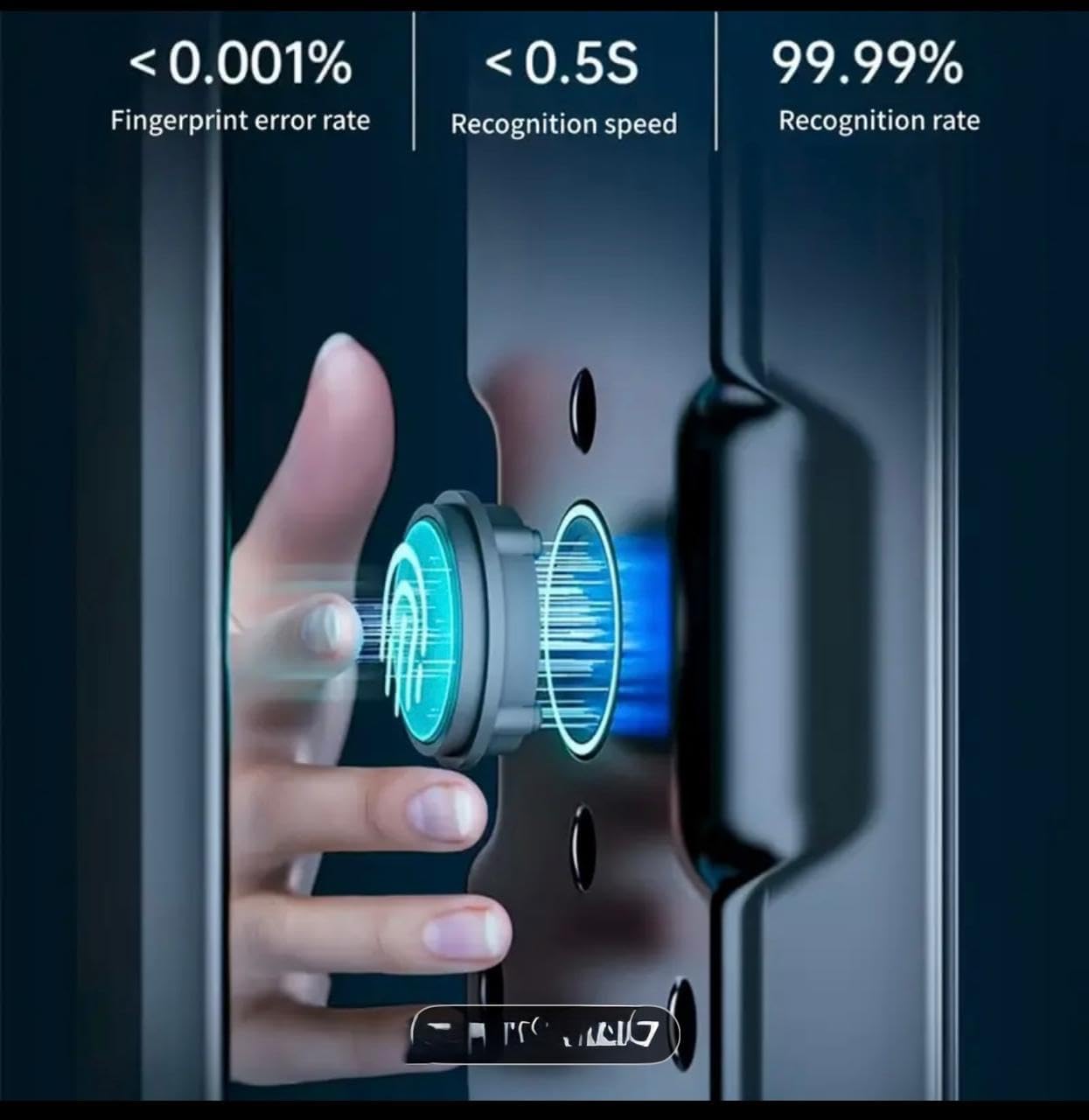
Billede 5.1: Dette billede giver et nærbillede view of the Zns07 Smart Digital Door Lock's fingerprint recognition technology. It highlights the sensor's capability with a visual representation of the scanning process, emphasizing its high accuracy and rapid recognition speed.
- Mekanisk nøgle: I tilfælde af nødsituation eller ved afladning af batteriet skal du bruge den fysiske nøgle til at låse døren op.
- Remote Control (Optional/App-based): If connected to a compatible smart home system via WiFi, the lock may support remote unlocking via a mobile application.
- Midlertidig adgangskode: Generate time-sensitive passwords for guests or service personnel via the mobile application (if connected).

Billede 5.2: This image details additional features of the Zns07 Smart Digital Door Lock, presented in a 'Cat's eye style' interface. It highlights capabilities such as WiFi internet connectivity, mobile phone temporary password generation, remote unlocking via mobile phone, an integrated doorbell, a camera with peephole function, and the option for mechanical key access.
5.2 LED Display and Touch Keypad
The integrated LED display provides visual feedback on lock status, battery level, and menu navigation. The touch keypad is used for entering passwords and navigating settings.
5.3 Lydløs tilstand
The lock features a silent mode that, when enabled, disables voice prompts during unlocking. This provides a quiet and undisturbed environment, ideal for homes with sleeping children or quiet offices.

Billede 5.3: This image illustrates the 'Silent Mode' feature of the Zns07 Smart Digital Door Lock. The lock's display clearly shows 'SILENT MODE' activated, accompanied by a speaker icon with a cross, indicating that all voice prompts are disabled for a quiet operation.
5.4 Doorbell and Camera Function
The exterior unit may include a doorbell function and a camera (peephole function). When the doorbell is pressed, it can send a notification and image/video to your connected mobile phone, allowing you to see who is at your door.
6. Vedligeholdelse
6.1 Rengøring
Tør låsens overflade af med en blød, tør klud. Undgå at bruge slibende rengøringsmidler eller opløsningsmidler, der kan beskadige overfladen eller de elektroniske komponenter.
6.2 Udskiftning af batteri
When the battery low indicator appears on the LED display, replace all batteries with new ones of the recommended type. Ensure correct polarity during installation.
7. Fejlfinding
- Låsen svarer ikke: Kontroller batteriniveauet. Udskift batterierne, hvis de er lave.
- Fingeraftryk/kort/adgangskode ikke genkendt: Ensure the fingerprint sensor/card reader is clean. Re-register the user if necessary. Verify the password is correct.
- Lock mechanism stuck: Check for any obstructions in the door frame or latch. Ensure the lock is properly aligned.
- LED-displayet virker ikke: Check battery connection. If issues persist, contact customer support.
- Forgotten Administrator Password: Refer to the specific reset procedure in the quick start guide or contact customer support. This usually involves a factory reset, which will erase all user data.
8. Specifikationer
| Feature | Detalje |
|---|---|
| Modelnummer | Zns07 |
| Fabrikant | ZNS |
| Dimensioner | 8 x 6 x 42 cm |
| Varens vægt | 7 kilo |
| Materiale | Metal, Plast |
| Farve | Black (hernvy) |
| Stil | Modern Digital |
| Finish Type | Blank |
| Låsetype | Digital lock, Fingerprint Closure, Password lock |
| Særlige funktioner | Digital lock, Display, LED display, Remote Control, Touch Keyboard |
| Anbefalede anvendelser | Hotels, Houses, Offices, Storage Rooms, Wine basements |
9. Garanti og support
For warranty information and technical support, please refer to the documentation included with your purchase or contact the retailer/manufacturer directly. Keep your proof of purchase for warranty claims.