
1. Introduktion
This manual provides detailed instructions for the safe and effective use of your NBD 5K 64MP Digital Camera, Model K100C. Please read this manual thoroughly before operating the camera and retain it for future reference.
2. Sikkerhedsoplysninger
- Udsæt ikke kameraet for vand eller fugt.
- Undgå at tabe kameraet eller udsætte det for hårde stød.
- Keep the camera away from extreme temperatures and direct sunlight.
- Use only NBD-approved accessories and power adapters.
- Forsøg ikke selv at skille kameraet ad eller reparere det. Kontakt kundesupport for at få hjælp.
- Opbevar batterier utilgængeligt for børn.
3. Pakkens indhold
Bekræft at alle varer er til stede i din pakke:
- NBD 5K 64MP Digital Camera (Model K100C)
- 2 x Rechargeable Lithium-Ion Batteries (1500mAh)
- Batterioplader
- 64 GB TF-kort
- USB kabel
- Kamera halsrem
- Brugervejledning (dette dokument)

Figure 3.1: Included accessories with the NBD K100C Digital Camera.
4. Kamera overview
4.1 Foran View
Figur 4.1: Forside view of the camera, highlighting the lens and built-in flash.
- Linse: 18X Digital Zoom Lens (F/1.8 f=5.04mm Macro 52mm)
- Indbygget flash: Giver belysning under forhold med svagt lys.
- Greb: Textured surface for secure handling.
4.2 bag View og kontroller

Figur 4.2: Bagside view of the camera with the LCD screen and control layout.
- 180° Flip Screen: Rotates for vlogging and selfies.
- Directional Pad (OK button in center): Navigerer i menuer og vælger muligheder.
- Menu-knap: Giver adgang til kameraindstillinger.
- DISP-knap: Changes display information on the screen.
- Zoom Buttons (T/W): Controls 18X digital zoom.
4.3 Top View and Mode Dial

Figur 4.3: Øverst view of the camera, featuring the physical mode dial for quick setting changes.
- Udløserknap: Tager billeder.
- Optag knap: Starter og stopper videooptagelse.
- Physical Mode Dial: Allows quick selection between Photo, Video, Time-lapse, Slow-motion, Macro, Scene, and Filter modes.
4.4 Sideporte
- USB-port: Til opladning og dataoverførsel.
- Mikrofonindgang: Til tilslutning af ekstern mikrofon.
5. Opsætning
5.1 Opladning af batteriet
- Insert a rechargeable battery into the provided battery charger.
- Connect the charger to a power source using the USB cable.
- The indicator light on the charger will show charging status. A full charge typically takes approximately 2-3 hours.
5.2 Inserting the Battery and TF Card
- Open the battery/TF card compartment cover on the bottom of the camera.
- Insert the charged battery into the battery slot, ensuring correct orientation.
- Insert the 64GB TF card into the TF card slot until it clicks into place.
- Luk dækslet forsvarligt.
6. Grundlæggende betjening
6.1 Tænd/sluk
Press and hold the Power button (usually located on the top or side) to turn the camera on or off.
6.2 Optagelse af billeder
- Turn the Physical Mode Dial to the Photo mode icon.
- Frame your shot using the 180° Flip Screen.
- Press the Shutter button halfway to activate autofocus. The focus frame will turn green when focused.
- Tryk udløserknappen helt ned for at tage billedet.

Figure 6.1: Precision autofocus ensures sharp images.
6.3 Optagelse af videoer
- Turn the Physical Mode Dial to the Video mode icon.
- Press the Record button to start recording. A red indicator will typically appear on the screen.
- Tryk på optageknappen igen for at stoppe optagelsen.

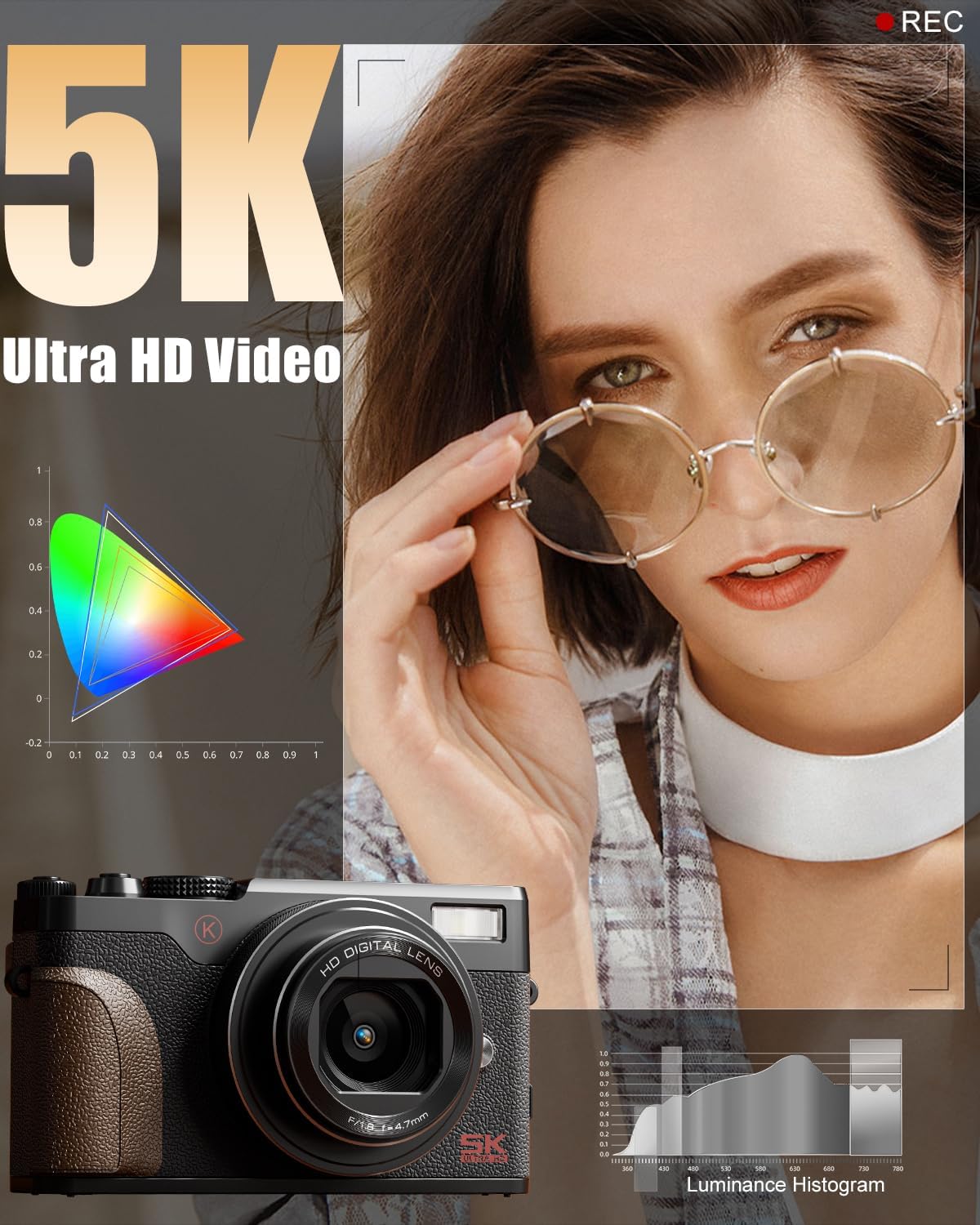
Figure 6.2: The camera is capable of capturing 5K Ultra HD video.
6.4 Brug af zoomfunktionen
Use the T (Telephoto) and W (Wide) buttons on the rear of the camera to adjust the 18X digital zoom.

Figure 6.3: The 18X digital zoom allows for detailed close-ups.
6.5 Activating the Flash
Press the flash release button (if available) or navigate through the menu to activate the built-in flash for additional lighting.

Figure 6.4: The built-in smart flash enhances photos in low-light conditions.
6.6 Brug af 180°-flipskærmen
Gently pull the screen outwards and rotate it 180 degrees to face forward for self-recording or vlogging. Adjust the angle as needed.

Figure 6.5: The 180° flip screen is ideal for vlogging and self-portraits.
7. Avancerede funktioner
7.1 Optagelsestilstande og filtre
The Physical Mode Dial allows quick access to various shooting modes including:
- Fototilstand: Standard stillbilledoptagelse.
- Videotilstand: Standard videooptagelse.
- Time-lapse-optagelse: Captures a series of images over time to create a sped-up video.
- Slow-motion Recording: Optager video med en højere billedhastighed til afspilning i slowmotion.
- Makrotilstand: Til nærbillede af små motiver.
- Scenetilstande: Pre-set modes optimized for specific shooting conditions (e.g., Portrait, Landscape).
- Filtertilstande: Apply various creative filters directly to your photos and videos.

Figure 7.1: Explore various photo modes for creative expression.

Figure 7.2: Utilize different video modes for diverse recording needs.
Video 7.1: Demonstration of various built-in filters available on the NBD K100C camera.
7.2 Anti-Shake Stabilization
The camera features anti-shake technology to minimize blur in handheld shots, especially useful in telephoto, macro, and low-light scenes.

Figure 7.3: Anti-shake feature helps in capturing clear images and videos.
7.3 Webcam tilstand
Connect the camera to your PC via the USB cable and select "PC Camera Mode" to use it as a webkamera til videoopkald eller livestreaming.

Figur 7.4: Kameraet kan bruges som en webcam for interactive sessions.
8. Vedligeholdelse
- Rengøring af linsen: Use a soft, lint-free cloth specifically designed for camera lenses. Do not use abrasive materials.
- Rengøring af skærmen: Wipe the screen gently with a microfiber cloth. Avoid pressing too hard.
- Opbevaring: When not in use, store the camera in a cool, dry place, away from dust and direct sunlight. Remove the battery if storing for extended periods.
- Batteripleje: Fully charge batteries before first use. Avoid completely draining batteries regularly to prolong their lifespan.
9. Fejlfinding
| Problem | Mulig årsag | Løsning |
|---|---|---|
| Kameraet tænder ikke. | Battery is drained or incorrectly inserted. | Oplad batteriet helt. Sørg for, at batteriet er isat med den korrekte polaritet. |
| Billeder er slørede. | Autofocus not engaged, camera shake, or low light. | Press the shutter button halfway to focus. Enable Anti-Shake. Use flash in low light. |
| Kan ikke optage video. | TF card is full or not inserted. | Check TF card storage. Insert TF card correctly. |
| Problemer med Wi-Fi-forbindelse. | Forkerte indstillinger eller interferens. | Ensure Wi-Fi is enabled on camera and device. Check for interference. Refer to the app's instructions. |
10. Specifikationer
| Mærke | NBD |
| Modelnavn | K100C |
| Effektiv stillopløsning | 64 MP |
| Video opløsning | 5K Ultra HD |
| Digital Zoom | 18X |
| Fotosensorteknologi | CMOS |
| Fotosensor størrelse | 1/2.3 tommer |
| Understøttet File Format | MOV (Video) |
| Speciel funktion | 180° Flip Screen, Autofocus, Anti-Shake, Built-in Flash, Webcam tilstand |
| Batterier | 2 litium-ion-batterier (1500 mAh hver) |
| Varens vægt | 1.28 pund |
| Pakkedimensioner | 6.02 x 4.92 x 3.23 tommer |
11. Garanti og support
For warranty information or technical support, please refer to the contact details provided with your purchase or visit the official NBD webwebsted. Gem din købsbevis til garantikrav.
You can visit the NBD Store for more information: NBD Official Flagship Store


