
1. Introduktion og overview
This manual provides essential information for setting up, operating, maintaining, and troubleshooting your HP 17-inch Business Laptop. This device is designed for productivity and features a 13th Generation Intel Core i5 processor, a 17.3-inch HD+ anti-glare display, a backlit keyboard with a numeric keypad, and a fingerprint reader for enhanced security. It comes pre-installed with Windows 11 Home.
Nøglefunktioner omfatter:
- Processor: 13th Gen Intel Core i5-1334U 10-core processor for efficient multitasking.
- Operativsystem: Windows 11 Home for a modern and secure computing experience.
- Vise: 17.3-inch HD+ (1366x768) anti-glare screen with micro-edge design.
- Hukommelse og opbevaring: Up to 64GB DDR4 RAM and up to 2TB NVMe M.2 SSD for fast performance and ample opbevaring.
- Forbindelse: USB 3.2 Gen 1 Type-C, USB 3.2 Gen 1 Type-A, HDMI 1.4, and a headphone/microphone combo jack.
- Sikkerhed: Integrated fingerprint reader.
- Bekvemmelighed: Full-size backlit keyboard with numeric keypad and HP Fast Charge battery technology.
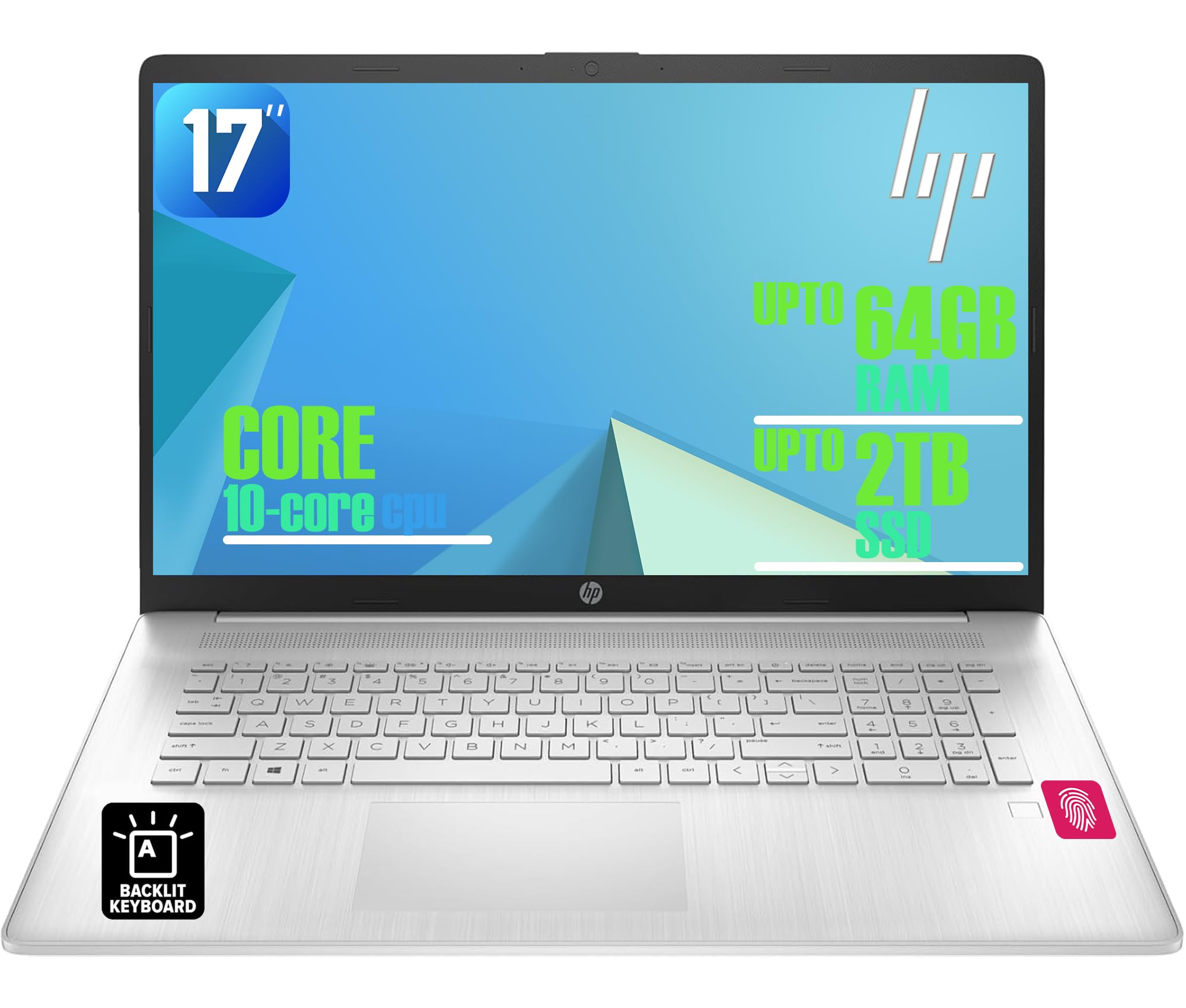
Figure 1: HP 17-inch Business Laptop (Silver)
2. Opsætning
2.1 Udpakning og første inspektion
Carefully remove the laptop and all accessories from the packaging. Check for any visible damage. The package should include the HP 17-inch laptop, a power adapter, and documentation.
2.2 Tilslutning til strøm
- Connect the power adapter to the AC smart pin port on the side of the laptop.
- Sæt strømadapteren i en stikkontakt.
- Lad den bærbare computer oplade i mindst 30 minutter før første brug, eller indtil batteriindikatoren viser tilstrækkelig opladning.
2.3 Første opstart og Windows-opsætning
- Åbn låget på den bærbare computer, og tryk på tænd/sluk-knappen, som typisk er placeret øverst til højre på tastaturet.
- Følg instruktionerne på skærmen for at fuldføre installationsprocessen for Windows 11 Home. Dette inkluderer valg af region og sprog, oprettelse af forbindelse til et Wi-Fi-netværk og oprettelse af en brugerkonto.
2.4 Tilslutning af eksterne enheder
Your HP laptop offers various ports for connecting external devices:
- USB-porte: Use the USB 3.2 Gen 1 Type-C port or the two USB 3.2 Gen 1 Type-A ports for connecting external drives, mice, keyboards, or other USB accessories.
- HDMI: Connect an external monitor or projector using the HDMI 1.4 port.
- Lyd: Plug headphones or an external microphone into the 3.5mm headphone/microphone combo jack.

Figur 2: Side view illustrating available ports (USB Type-C, USB Type-A, HDMI, Headphone/microphone combo, AC smart pin)
3. Betjening af din bærbare computer
3.1 Strømstyring
- Tænd: Tryk på tænd/sluk-knappen.
- Sove mode: Luk låget, eller vælg 'Søvn' i startmenuen.
- Luk ned: Vælg 'Luk ned' i Start-menuen.
- Genstart: Vælg 'Genstart' i Start-menuen.
3.2 Tastatur og touchpad
The laptop features a full-size backlit keyboard with a numeric keypad. Use the function keys (Fn) in combination with other keys for specific actions like adjusting screen brightness, volume, or toggling the keyboard backlight.
The integrated touchpad supports multi-touch gestures for navigation. Refer to Windows settings for customizing touchpad behavior.

Figure 3: Backlit keyboard with numeric keypad and integrated fingerprint reader
3.3 fingeraftrykslæser
The integrated fingerprint reader allows for secure and quick login using Windows Hello. To set up, navigate to Indstillinger > Konti > Log ind-muligheder og følg instruktionerne for at registrere dit fingeraftryk.
3.4 Trådløs forbindelse
- Wi-Fi: The laptop supports Realtek Wi-Fi 6 (2x2). To connect to a wireless network, click the Wi-Fi icon in the taskbar, select your desired network, and enter the password if required.
- Bluetooth: Bluetooth 5.3 is integrated for connecting wireless accessories like headphones or mice. Enable Bluetooth from Indstillinger > Bluetooth og enheder and pair your devices.
3.5 Skærm og Webcam
The 17.3-inch HD+ anti-glare display provides a clear viewing experience. The HP True Vision 720p HD webcam with dual microphones is suitable for video calls and online meetings.
3.6 HK QuickDrop
HP QuickDrop allows for wireless file transfer between your laptop and mobile devices without needing cables. Install the HP QuickDrop app on both your laptop and mobile device and follow the in-app instructions to pair and transfer files.

Figure 4: HP QuickDrop for wireless file transfer between laptop and phone
4. Vedligeholdelse
4.1 Rengøring af din bærbare computer
- Skærm: Brug let en blød, fnugfri klud damprengøres med vand eller et skærmrensemiddel. Sprøjt ikke væske direkte på skærmen.
- Tastatur og kabinet: Brug en blød, tør klud. Til genstridigt snavs, en let tør klud.amp cloth can be used, ensuring no liquid enters the device. Compressed air can help remove debris from between keys.
4.2 Pleje af batterier
The laptop is equipped with a 41Wh Lithium-Ion Battery. To maximize battery lifespan:
- Undgå ekstreme temperaturer.
- Undgå at aflade batteriet helt regelmæssigt.
- Utilize HP Fast Charge, which can charge the battery from 0 to 50% in approximately 45 minutes.

Figure 5: Battery life indicator (Up to 8 hours wireless streaming)
4.3 Softwareopdateringer
Søg regelmæssigt efter og installer Windows-opdateringer for at sikre, at dit system har de nyeste sikkerhedsrettelser og forbedringer af ydeevnen. Gå til Indstillinger > Windows-opdatering at administrere opdateringer.
5. Fejlfinding
Dette afsnit omhandler almindelige problemer, du kan støde på med din HP bærbare computer.
5.1 Strømproblemer
- Bærbar computer tænder ikke: Sørg for, at strømadapteren er korrekt tilsluttet både den bærbare computer og en fungerende stikkontakt. Kontroller, om strømadapterens indikatorlampe lyser. Prøv en anden stikkontakt.
- Batteri oplades ikke: Verify the power adapter connection. Check battery health in Windows settings.
5.2 Skærmproblemer
- Intet billede på skærmen: Sørg for, at den bærbare computer er tændt. Hvis en ekstern skærm er tilsluttet, kan du prøve at frakoble den eller trykke på Fn + F4 (eller den tilsvarende displayknap) for at skifte displayoutput.
- Dæmp skærmen: Adjust brightness using the function keys (e.g., Fn + F2/F3) or through Windows settings.
5.3 Forbindelsesproblemer
- Wi-Fi opretter ikke forbindelse: Ensure Wi-Fi is enabled in Windows settings. Restart your router and the laptop. Check for updated network drivers.
- Bluetooth-enhed parres ikke: Sørg for, at Bluetooth er aktiveret på både den bærbare computer og enheden. Sørg for, at enheden er i parringstilstand.
5.4 Generelle ydeevneproblemer
- Langsom ydeevne: Luk unødvendige programmer. Tjek for malware. Sørg for tilstrækkelig ledig plads på SSD'en.
- Systemet fryser: Trykke Ctrl + Alt + Del to open Task Manager and end unresponsive tasks. If unresponsive, perform a hard shutdown by holding the power button for several seconds.
6. Specifikationer
The following table outlines the key technical specifications for the HP 17-inch Business Laptop (Model: HP laptop).
| Feature | Specifikation |
|---|---|
| Mærke | HP |
| Modelnavn | HP laptop |
| Processor | 13th Gen Intel Core i5-1334U (10 Cores, up to 4.6 GHz) |
| Operativsystem | Windows 11 Home |
| Vise | 17.3-inch HD+ (1366x768) Anti-glare, 250 nits |
| Grafik | Intel Iris Xe-grafik (integreret) |
| RAM-hukommelse | Up to 64GB DDR4 SDRAM 3200 MHz |
| Opbevaring | Op til 2 TB NVMe M.2 SSD |
| Trådløs forbindelse | Realtek Wi-Fi 6 (2x2), Bluetooth 5.3 |
| Havne | 1x USB 3.2 Gen 1 Type-C, 2x USB 3.2 Gen 1 Type-A, 1x HDMI 1.4, 1x Headphone/microphone combo jack |
| Tastatur | Full-size Backlit Keyboard with Numpad |
| Sikkerhed | Fingeraftrykslæser |
| Kamera | 720p HD-kamera med privatlivslukkere |
| Batteri | 41Wh Lithium-Ion (HP Fast Charge) |
| Dimensioner (L x B x H) | 15.78 x 10.15 x 0.81 cm (ca.) |
| Vægt | 4.6 lbs (ca.) |
| Farve | Naturligt sølv |

Figure 6: Laptop dimensions (15.78" W x 10.15" D x 0.78" H) and weight (4.60 lbs)
7. Garanti og support
7.1 Producentgaranti
Your HP laptop is covered by a manufacturer's warranty. Please refer to the warranty documentation included with your product for specific terms, conditions, and duration. Keep your proof of purchase for warranty claims.
7.2 Teknisk support
For teknisk assistance, download af drivere eller yderligere support, besøg venligst den officielle HP-supportside. website. You will typically need your product's serial number or model number to access specific support resources.
Online support: https://support.hp.com