
1. Introduktion
Thank you for choosing the BANTI 40x24 Electric Height Adjustable Standing Desk. This desk is designed to provide an ergonomic and flexible workspace, allowing you to easily switch between sitting and standing positions. This manual contains important information regarding the assembly, operation, maintenance, and troubleshooting of your new standing desk. Please read it thoroughly before use and retain it for future reference.
2. Sikkerhedsoplysninger
- Sørg for, at alle komponenter er forsvarligt fastgjort før brug.
- Hold børn og kæledyr væk fra skrivebordet under højdejustering.
- Do not place hands or objects near moving parts during operation.
- Avoid overloading the desk beyond its specified weight capacity.
- Afbryd strømmen før rengøring eller vedligeholdelse.
- Brug kun den medfølgende strømadapter og komponenter.
3. Pakkens indhold
Kontroller venligst, at alle dele er til stede, før monteringen påbegyndes. Hvis der mangler eller er beskadigede dele, skal du kontakte kundesupport.
- Desktop (splejsekort)
- Skrivebordsstel (ben og tværstang)
- Kontrolpanel med LED-display
- Motor og strømadapter
- Høretelefonkrog
- Monteringsværktøj (unbrakonøgle, skruetrækker)
- Instruktionsmanual
4. Opsætning og montering
Assembly is required for this desk and all necessary tools are included. For detailed visual guidance, please refer to the installation video provided by BANTI. The general steps involve:
- Attach the feet to each leg of the desk frame.
- Connect the legs using the crossbar.
- Assemble the two halves of the desktop (splice board).
- Securely bolt the assembled legs to the desktop.
- Mount the control panel and connect the motor and power cables.
- Install the headphone hook as desired.
Ensure all connections are tight and stable before proceeding to operation.

Image: BANTI Standing Desk Product Dimensions (40x24 inches, adjustable height 28.3"-46.5")

Image: Anti-collision technology, headphone hook, and stable frame base features.
5. Betjeningsvejledning
The BANTI standing desk features an intuitive control panel for easy height adjustment and memory functions.
5.1 Kontrolpanel overview

Image: Convenient Control Panel with LED Display, Up/Down Buttons, and 4 Memory Heights.
- LED display: Viser den aktuelle skrivebordshøjde i tommer.
- Op/ned-knapper (▲ / ▼): Tryk og hold nede for manuelt at justere skrivebordets højde.
- Hukommelsesforudindstillinger (1, 2, 3, 4): Program and recall up to four preferred height settings.
5.2 Justering af højde
Sådan justerer du skrivebordets højde:
- Manuel justering: Press and hold the ▲ (Up) or ▼ (Down) button until the desk reaches your desired height. The desk operates quietly, under 50 dB.
- Brug af hukommelsesforudindstillinger: Press the corresponding preset button (1, 2, 3, or 4) to automatically move the desk to a saved height.
5.3 Programming Memory Presets
To save a desired height setting:
- Adjust the desk to your preferred height using the manual up/down buttons.
- Press the 'M' or 'Set' button (if available, otherwise proceed to step 3).
- Press one of the numbered preset buttons (1, 2, 3, or 4) until you hear a beep or see the display flash, indicating the height has been saved.
5.4 Antikollisionsteknologi
The desk is equipped with anti-collision technology. If the desk encounters an obstacle during height adjustment, it will automatically reverse its movement by approximately 2 cm to prevent damage to the desk or objects. This feature protects both the motor and the tabletop.
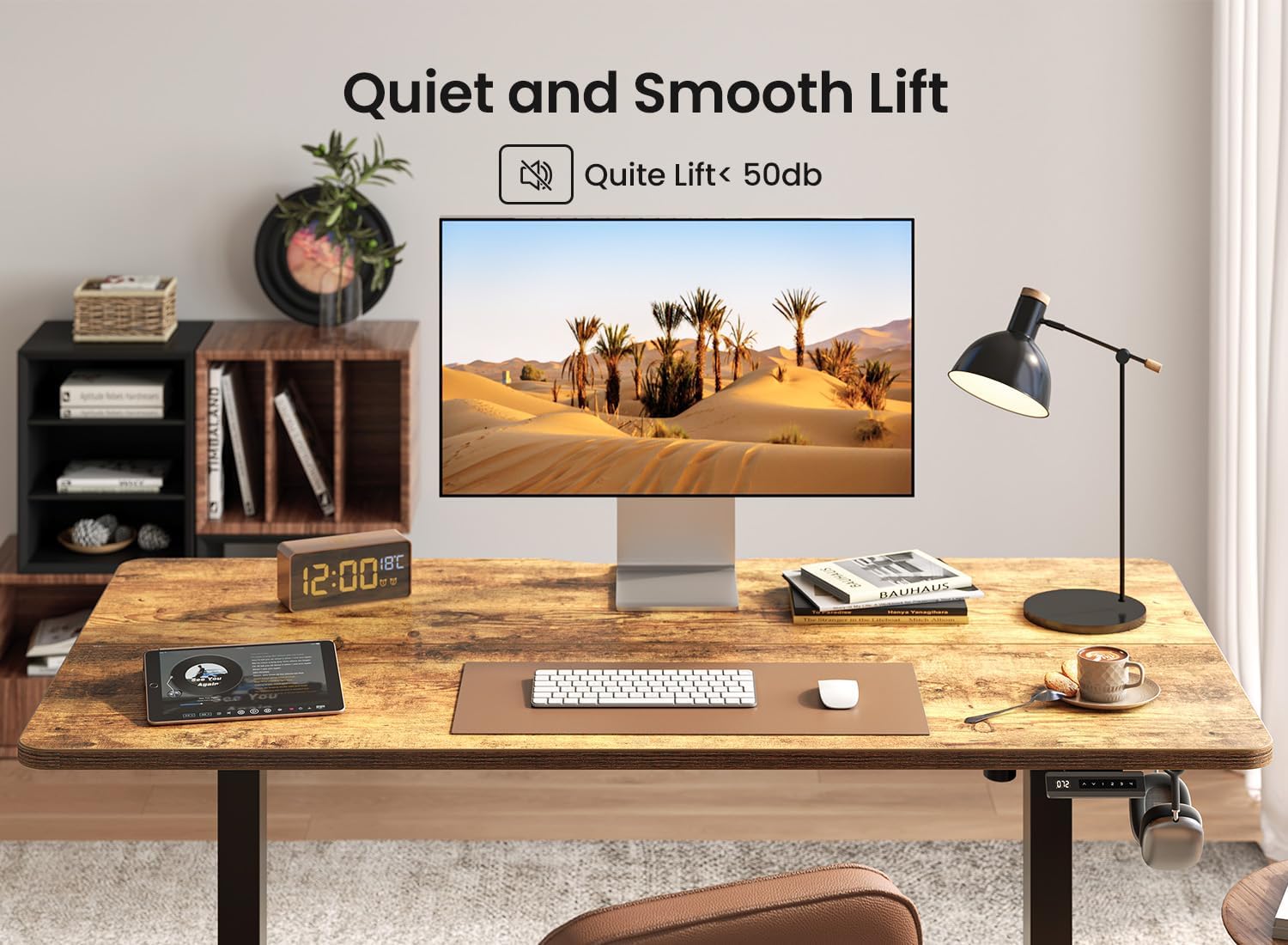
Image: BANTI Standing Desk demonstrating quiet and smooth lift operation.
6. Vedligeholdelse
To ensure the longevity and optimal performance of your BANTI standing desk, follow these simple maintenance guidelines:
- Rensning: Wipe the desk surface and frame with a dry, soft cloth. Avoid abrasive cleaners or harsh chemicals that could damage the finish.
- Kabelstyring: Kontroller og organiser kabler regelmæssigt for at forhindre sammenfiltring eller beskadigelse, især under højdejusteringer.
- Inspektion: Kontrollér regelmæssigt alle skruer og forbindelser for at sikre, at de forbliver fastspændte. Efterspænd om nødvendigt.
- Motorpleje: The motor is designed for durability. Avoid continuous operation for extended periods without rest to prevent overheating.
7. Fejlfinding
If you encounter any issues with your BANTI standing desk, please refer to the following common solutions. If the problem persists, contact BANTI technical support.
- Skrivebordet bevæger sig ikke: Check if the power cord is securely plugged into both the desk and the wall outlet. Ensure no cables are pinched or obstructing movement.
- Ujævn bevægelse: Ensure the desk is not overloaded on one side. Check that all leg components are properly assembled and tightened.
- Vist fejlkode: Refer to the specific error code in a more detailed troubleshooting guide (if provided separately) or contact technical support with the code. Often, a power cycle (unplugging and replugging) can resolve minor electronic glitches.
- Anti-Collision Triggering Frequently: Ensure there are no objects in the path of the desk's movement.
8. Specifikationer
| Feature | Detalje |
|---|---|
| Mærke | BANTI |
| Modelnummer | B-SDE-DJSX-V1 |
| Produktmål (D x B x H) | 24" D x 40" B x 28" H |
| Justerbart højdeområde | 28 tommer (minimum) til 46 tommer (maksimum) |
| Farve | Rustik brun |
| Top materialetype | Træ (lamineret) |
| Grundmateriale | Legeret stål |
| Varens vægt | 40 pund |
| Særlige funktioner | Adjustable, Electric, Ergonomic, Rust Resistant, Anti-collision Technology, 4 Height Presets |
| Støjniveau | Under 50 dB |
| Montering påkrævet | Ja (Værktøj inkluderet) |
| Produktplejevejledning | Tør af med en tør klud |
9. Garanti og support
BANTI is committed to providing quality products and customer satisfaction. While specific warranty details are not provided in this manual, please retain your proof of purchase for any warranty claims. For technical assistance, troubleshooting, or inquiries regarding your BANTI standing desk, please contact our dedicated technical support team through the vendor's official channels or the platform where the product was purchased.