
1. Introduktion
This manual provides detailed instructions for the proper use and maintenance of your TECKNET TK-HS036 Open Ear Bluetooth Headphones. Please read this manual thoroughly before using the product to ensure optimal performance and longevity. Keep this manual for future reference.
2. Pakkens indhold
Bekræft at alle varer er til stede i din pakke:
- TECKNET TK-HS036 Open Ear Bluetooth Headphones (Left and Right)
- Opladningsetui
- USB-C ladekabel
- Brugermanual
3. Produktet er slutview
The TECKNET TK-HS036 headphones feature an open-ear design for comfort and situational awareness. They are designed to rest securely on your ear without blocking the ear canal.

Figur 3.1: Open-ear design for secure fit and all-day comfort. This design allows users to remain aware of their surroundings while listening to audio.
The charging case includes a smart digital display to indicate battery levels for both the case and individual earbuds.
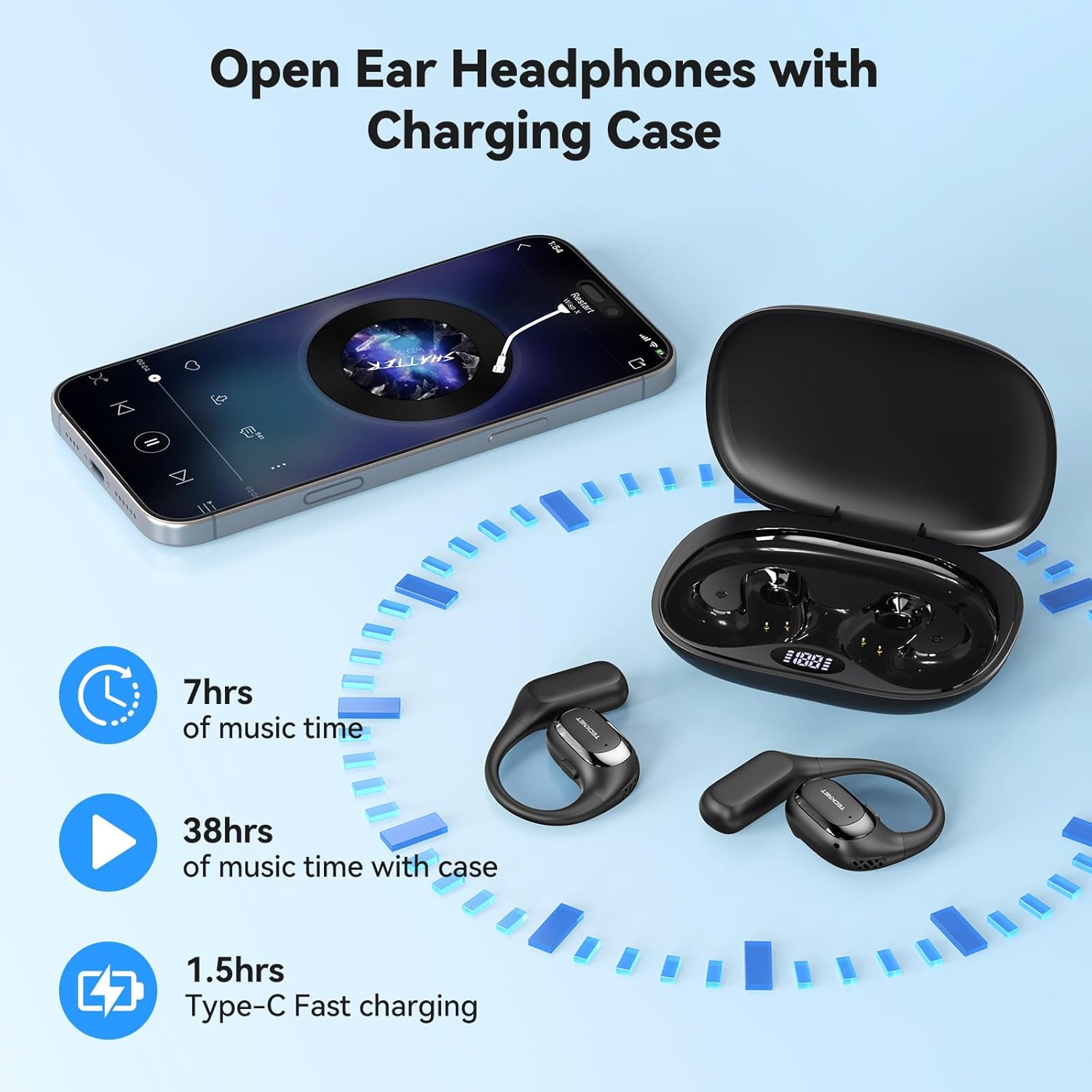
Figur 3.2: Headphones and charging case. The display on the case shows battery status. The image also indicates 7 hours of music time per charge, 38 hours total with the case, and 1.5 hours for Type-C fast charging.
4. Opsætning
4.1 Opladning af hovedtelefoner og etuiet
- Indledende opkrævning: Oplad både hovedtelefonerne og opladningsetuiet helt inden første brug.
- Opladning af etuiet: Connect the provided USB-C cable to the charging port on the case and to a USB power adapter (not included). The digital display on the case will show the charging progress.
- Opladning af hovedtelefoner: Place the headphones into their respective slots in the charging case. Ensure the charging contacts align. The digital display will show the charging status of each earbud.
- Fuld opladningsindikation: The display will indicate a full charge when complete. A full charge for the case and headphones typically takes approximately 1.5 hours.
4.2 Tænd/sluk
- Tænd: Open the charging case, and the headphones will automatically power on. Alternatively, press and hold the multi-function button on each earbud for 3 seconds.
- Sluk: Place the headphones back into the charging case and close the lid; they will automatically power off and begin charging. Alternatively, press and hold the multi-function button on each earbud for 5 seconds.
4.3 Bluetooth -parring
- Gå ind i parringstilstand: Åbn opladningsetuiet. Hovedtelefonerne går automatisk i parringstilstand, hvilket indikeres af en blinkende LED-lampe på ørepropperne.
- Aktiver Bluetooth: Gå til Bluetooth-indstillingerne på din enhed (smartphone, tablet osv.), og aktiver Bluetooth.
- Vælg enhed: Look for "TK-HS036" in the list of available devices and select it to connect.
- Tilslutningsbekræftelse: Når der er forbindelse, holder LED-indikatoren på hovedtelefonerne op med at blinke, og du vil høre en bekræftelse med en hørbar lyd.

Figur 4.1: Bluetooth 6.0 connection process. The image shows a phone's Bluetooth settings with the TK-HS036 headphones successfully connected.
- Automatisk genforbindelse: After the initial pairing, the headphones will automatically connect to the last paired device when powered on and within range.
5. Betjeningsvejledning
5.1 Musikafspilning
- Afspil/pause: Tryk enkeltvis på multifunktionsknappen på begge øretelefoner.
- Næste nummer: Dobbelttryk på multifunktionsknappen på den højre øreprop.
- Forrige nummer: Dobbelttryk på multifunktionsknappen på den venstre øreprop.
- Lydstyrke op: Triple tap the multi-function button on the right earbud.
- Skrue ned for lyden: Triple tap the multi-function button on the left earbud.
5.2 Opkaldsfunktioner
- Besvar/afslut opkald: Tryk enkeltvis på multifunktionsknappen på begge øretelefoner.
- Afvis opkald: Tryk og hold multifunktionsknappen på begge øretelefoner nede i 2 sekunder.
- Aktiver stemmeassistent: Press and hold the multi-function button on either earbud for 2 seconds (when not on a call).
5.3 Lydkvalitet
The TK-HS036 headphones are equipped with a 14.2mm driver designed to deliver clear audio with enhanced bass.
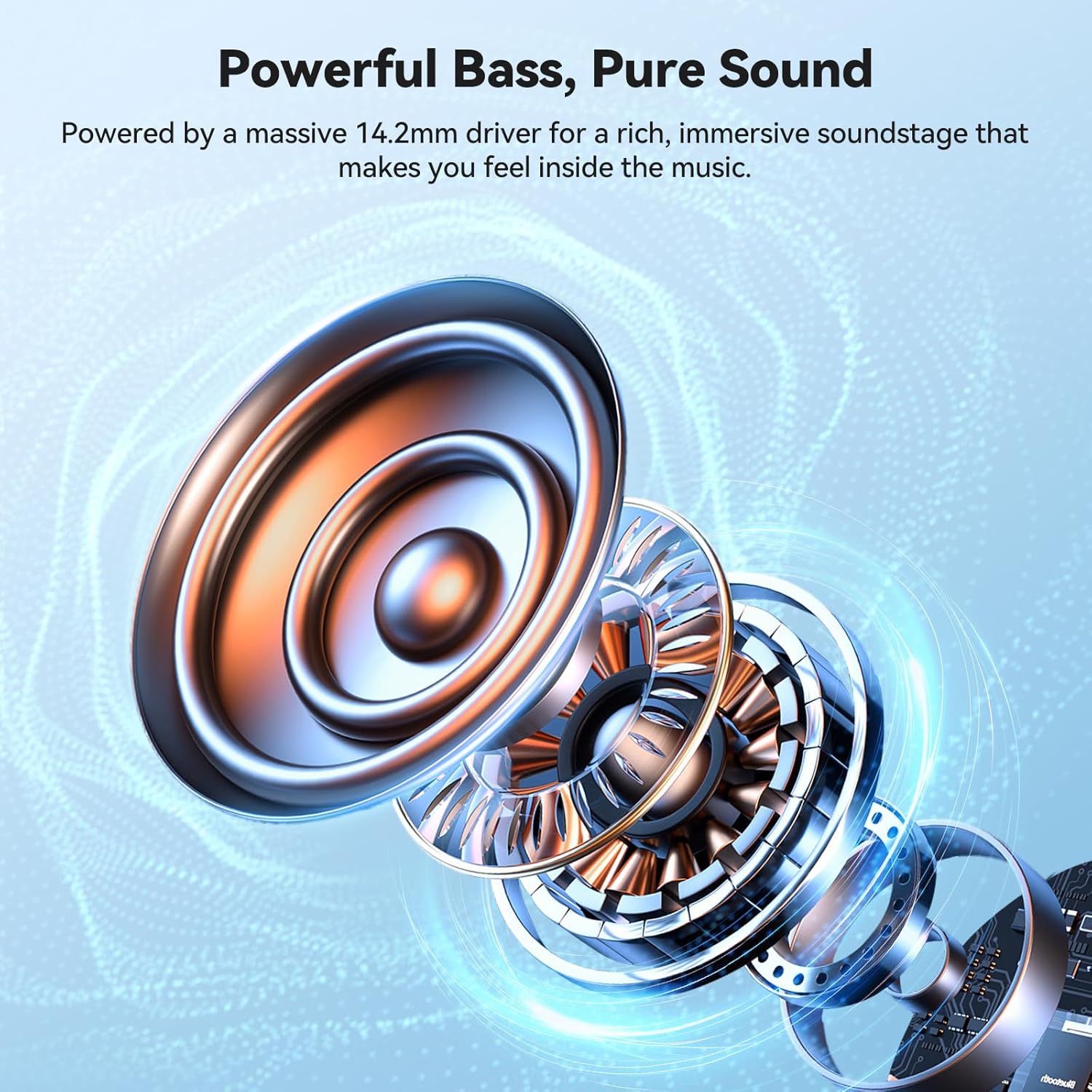
Figur 5.1: Indre view of the 14.2mm driver, responsible for audio output.
6. Vedligeholdelse
6.1 Rengøring
- Tør hovedtelefonerne og opladningsetuiet af med en blød, tør og fnugfri klud.
- Brug ikke slibende rengøringsmidler, alkohol eller kemiske opløsningsmidler.
- Sørg for, at opladningskontakterne er rene og fri for snavs.
6.2 Opbevaring
- Opbevar hovedtelefonerne i deres opladningsetui, når de ikke er i brug, for at beskytte dem og holde dem opladede.
- Undgå opbevaring i ekstreme temperaturer eller høj luftfugtighed.
6.3 IPX5 vandtæthedsklassificering
The headphones are rated IPX5 waterproof, meaning they are resistant to sweat and light splashes of water. They are not designed for submersion in water.

Figur 6.1: IPX5 Waterproof feature. The headphones are designed to withstand sweat and light rain, making them suitable for sports and outdoor activities.
7. Fejlfinding
| Problem | Mulig årsag | Løsning |
|---|---|---|
| Hovedtelefonerne tændes ikke. | Lavt batteri. | Charge the headphones and charging case fully. |
| Kan ikke parres med enheden. | Bluetooth er slået fra på enheden; hovedtelefoner er ikke i parringstilstand; enheden er for langt væk. | Ensure Bluetooth is enabled on your device. Place headphones in pairing mode. Move device closer to headphones. Forget previous pairings on your device and try again. |
| Ingen lyd eller lav lydstyrke. | Volume too low on headphones or device; headphones not properly connected. | Adjust volume on both headphones and your device. Reconnect headphones to your device. |
| Intermitterende forbindelse. | Interferens; enhed for langt væk; lavt batteri. | Move closer to your device. Avoid areas with strong Wi-Fi or other Bluetooth signals. Ensure headphones are charged. |
8. Specifikationer
| Feature | Detalje |
|---|---|
| Modelnavn | TK-HS036 |
| Mærke | TECNET |
| Forbindelsesteknologi | Bluetooth 6.0 |
| Øreplacering | On Ear (Open-Ear Design) |
| Vandtæt vurdering | IPX5 |
| Musik spilletid (ørepropper) | Op til 7 timer |
| Samlet spilletid (med opladningsetui) | Up to 40 hours (approx. 38 hours stated in image) |
| Opladningstid (etui) | Cirka 1.5 timer (USB-C) |
| Driver størrelse | 14.2 mm |
| Farve | Sort |
9. Garanti og support
TECKNET products come with a standard manufacturer's warranty. For specific warranty details, please refer to the warranty card included in your product packaging or visit the official TECKNET website. If you encounter any issues or have questions regarding your TK-HS036 headphones, please contact TECKNET customer support through their official channels.