
Ordtop GS400 Ultra
Ordtop GS400 Ultra Wireless Gaming Headset User Manual
Model: GS400 Ultra
Mærke: Ordtop
Indledning
This manual provides detailed instructions for the setup, operation, and maintenance of your Ordtop GS400 Ultra Wireless Gaming Headset. Please read this manual thoroughly before using the product to ensure proper functionality and longevity.
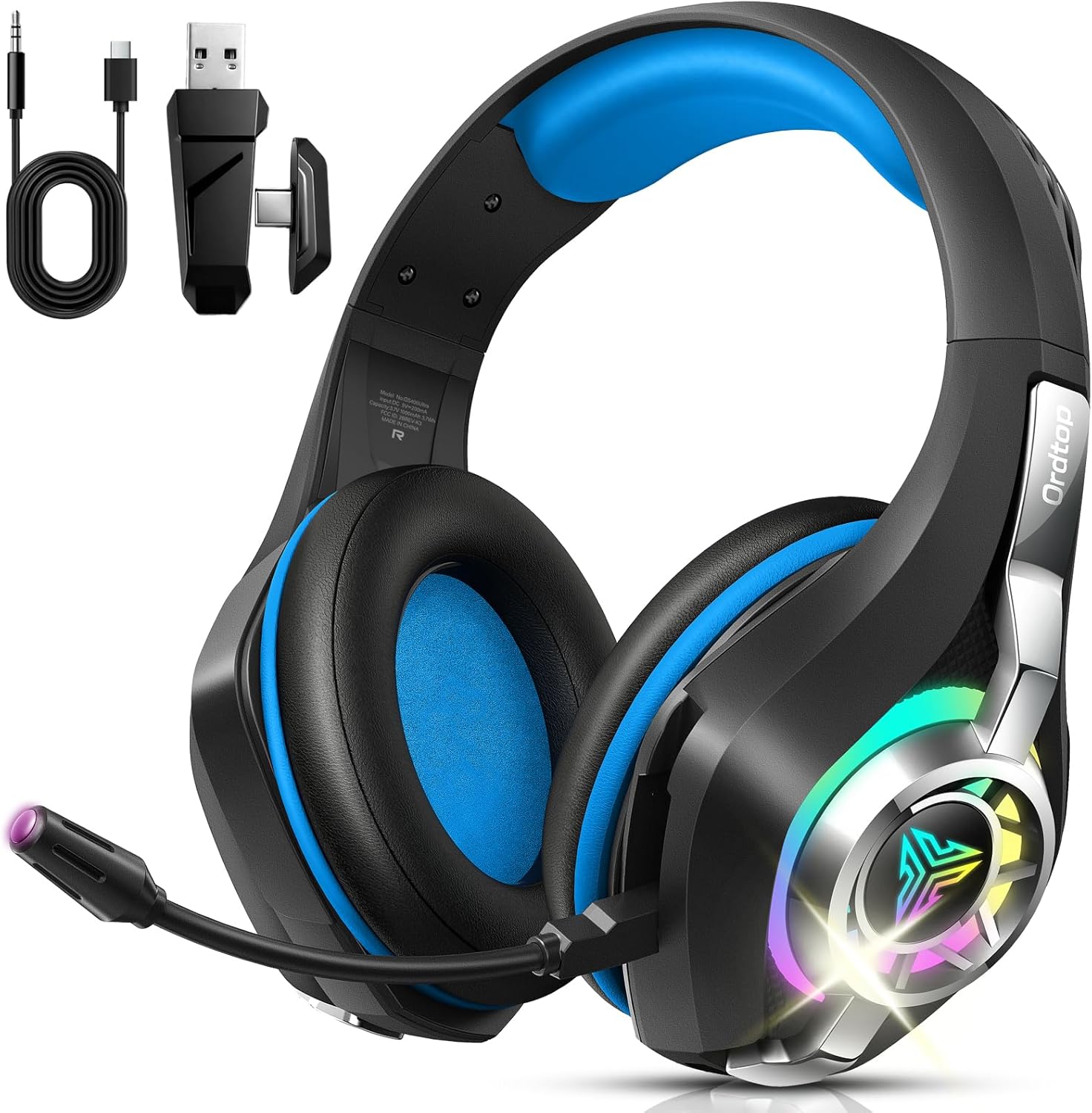
Image: The Ordtop GS400 Ultra Wireless Gaming Headset, showcasing its design and included accessories like the USB dongle and charging cable.
Pakkens indhold
Bekræft at alle varer er til stede i pakken:
- Bluetooth Gaming høretelefoner
- USB & Type-C Plug (2.4GHz wireless dongle)
- 3.5 mm lydkabel
- Type-C opladerkabel
- Brugervejledning (dette dokument)
Opsætning og tilslutning
The Ordtop GS400 Ultra headset offers multiple connection options for various devices.
1. Opladning af headsettet
Before first use, fully charge the headset. Connect the Type-C charging cable to the headset's charging port and to a USB power source. A full charge takes approximately 2 hours.
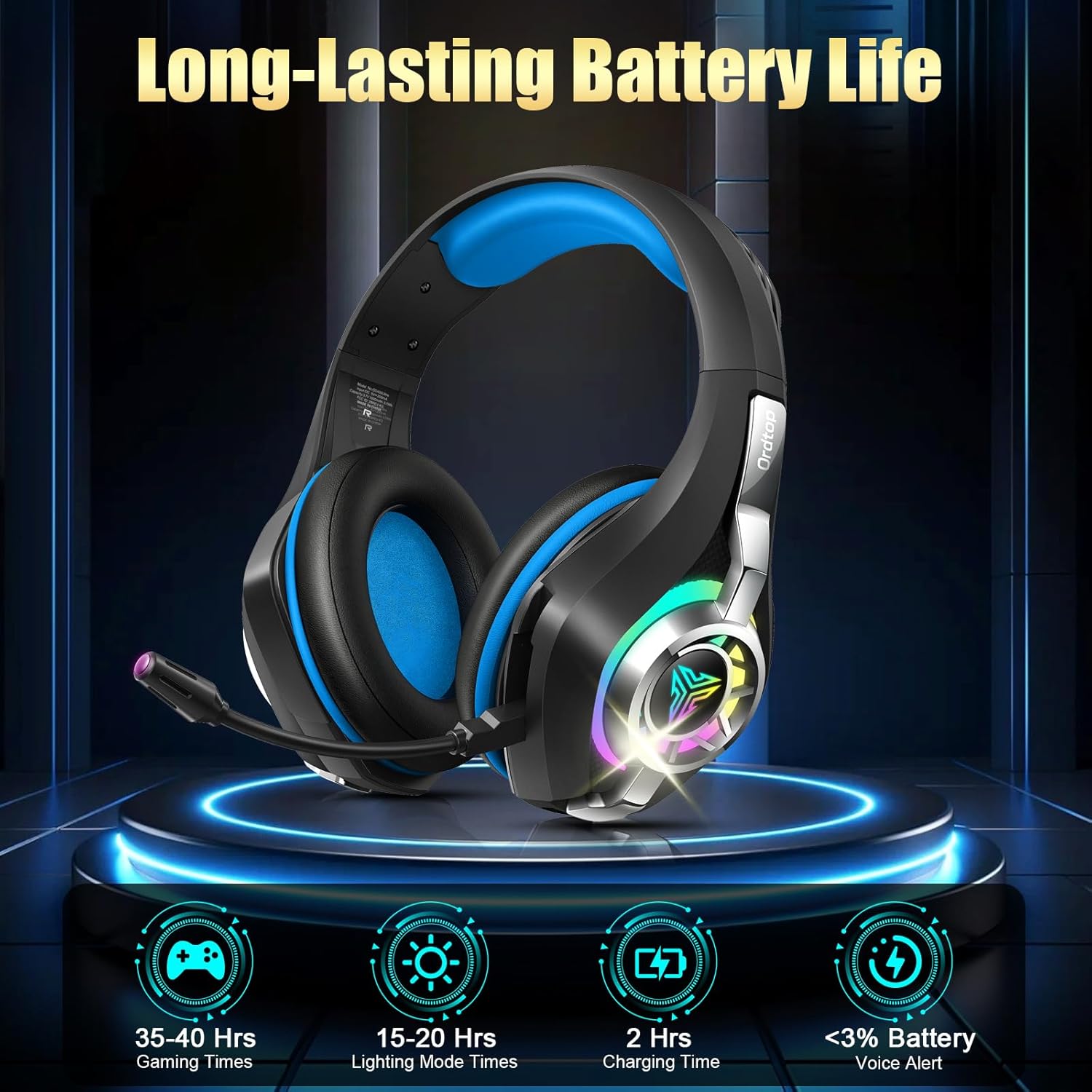
Image: Battery life information, indicating 35-40 hours of gaming time, 15-20 hours with RGB lighting, and a 2-hour charging time.
2. Tilslutningstilstande
The headset supports 2.4GHz wireless, Bluetooth, and 3.5mm wired connections.
2.1. 2.4GHz Wireless Mode (for PC, Mac, PS4, PS5, Laptop)
- Sørg for, at headsettet er slukket.
- Insert the USB & Type-C plug (dongle) into an available USB port on your device (PC, Mac, PS4, PS5, Laptop).
- Press and hold the Power button and Volume+ button on the headset simultaneously for 6 seconds to initiate pairing.
- Headsettet vil automatisk oprette forbindelse til donglen.
- To switch to 2.4GHz mode from another mode, use the dedicated slider on the earcup.
Image: A visual representation of the headset's multi-platform wireless support, detailing compatibility for 2.4GHz mode (PC, Mac, PS4, PS5, Laptop, Xbox Line-in) and Bluetooth mode (PC, Mac, Tablets, Mobile Phone, Switch).

Image: The USB and Type-C plug (dongle) demonstrating its compatibility with different devices such as PS4, PS5, PC, Mac, Laptops, phones, tablets, and Nintendo Switch.
2.2. Bluetooth Mode (for PC, Mac, Tablets, Mobile Phone, Switch)
- Sørg for, at headsettet er tændt.
- Slide the dedicated switch on the earcup to Bluetooth mode.
- On your device, enable Bluetooth and search for "GS400 Ultra" (or similar).
- Vælg det headset, der skal parres.
- Note: Microphone functionality is not supported in Bluetooth mode for Nintendo Switch. Bluetooth is not compatible with PS5 or PS4.
2.3. 3.5 mm kabelforbindelse
For devices supporting a 3.5mm audio jack, connect the included 3.5mm audio cable to the headset and your device. This mode does not require battery power.
Betjeningsvejledning
1. Kontroller overview
All essential controls are located on the earcup for easy access.

Image: Detailed diagram illustrating the location and function of controls on the headset earcup, including Volume +, Play/Pause, Power On/Off, Volume -, Mic Mute, 2.4GHz/Bluetooth mode switch, and Type-C port for charging or 3.5mm wired connection.
- Tænd/sluk: Langt tryk i 2 sekunder.
- Volumen +: Enkelt klik for at øge lydstyrken.
- Lydstyrke -: Enkelt klik for at sænke lydstyrken.
- Afspil/pause: Single click.
- Besvar/læg på/afvis opkald: Single click to answer/hang up, long press to reject.
- Mikrofon mute: Double click the Volume - button.
- RGB belysning: Double-tap to switch RGB lighting on or off.
- Mode Switch: Use the dedicated slider to switch between 2.4GHz Wireless Mode and Bluetooth Mode.
2. Mikrofonbrug
The external microphone features Environmental Noise Cancellation (ENC) technology to reduce background noise during communication.

Image: A visual comparison demonstrating the effectiveness of the ENC Noise Cancelling Mic, showing clearer voice transmission and environmental sound details after activation.
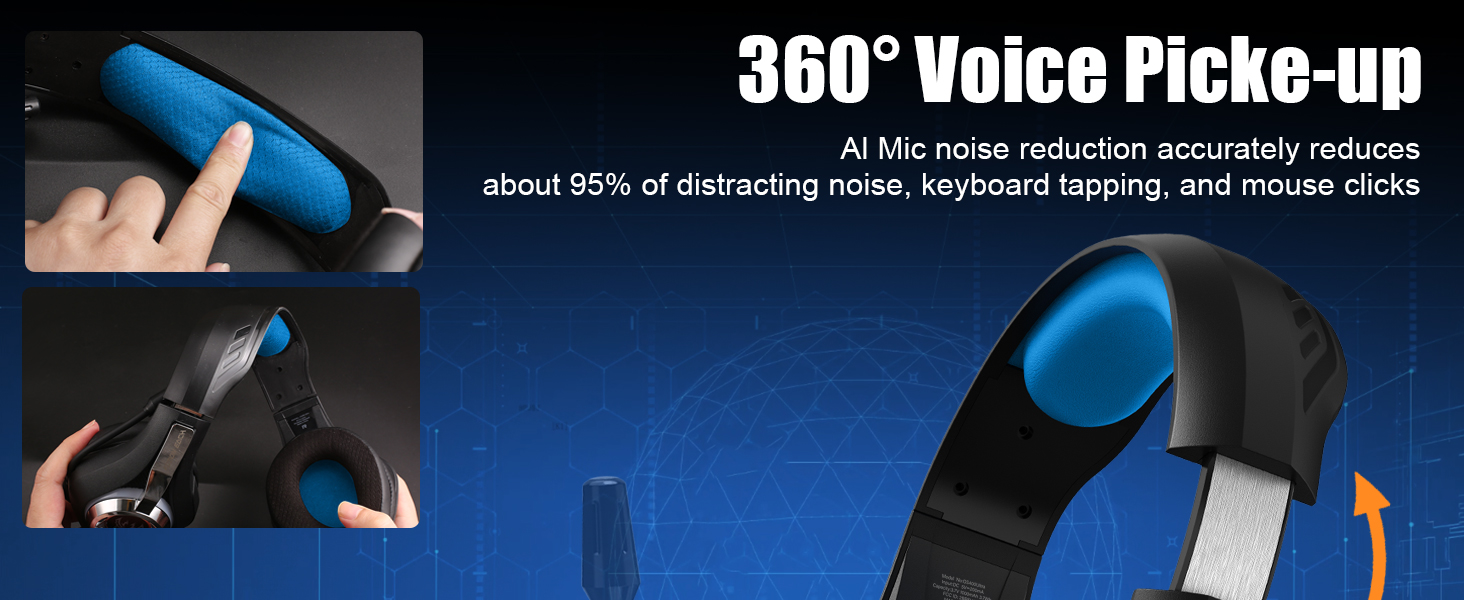
Image: Illustration of the microphone's 360-degree voice pickup capability and its adjustable design, highlighting AI noise reduction for clear communication.
3. Lydoplevelse
The headset is equipped with 40mm dynamic drivers and supports virtual 7.1 surround sound for an immersive audio experience.

Image: The headset with a graphic overlay illustrating 7.1 Stereo Surround Sound and Deep Bass, emphasizing the dynamic 40mm drivers for an immersive audio experience.
Opretholdelse
- Rengør headsettet regelmæssigt med en blød, tør klud.
- Undgå at udsætte headsettet for ekstreme temperaturer, fugtighed eller direkte sollys.
- Do not attempt to disassemble the headset, as this may void the warranty and cause damage.
- Opbevar headsettet et køligt og tørt sted, når det ikke er i brug.
Fejlfinding
| Problem | Mulig årsag | Løsning |
|---|---|---|
| Ingen lyd fra headsettet | Headsettet er ikke tændt, lavt batteri, forkert forbindelsestilstand, enhedens lydstyrke er for lav. | Ensure headset is charged and powered on. Verify correct connection mode (2.4GHz, Bluetooth, or wired). Check device volume settings. Re-pair if using wireless modes. |
| Mikrofon virker ikke | Microphone muted, incorrect input device selected on computer/console, Bluetooth mode on Switch. | Double click Volume - to unmute mic. Check audio input settings on your device. Note that mic is not supported on Switch in Bluetooth mode. |
| Connection unstable or laggy | Interference, distance from dongle/device, low battery. | Ensure headset is within range (up to 55 ft for 2.4GHz, 17 meters for Bluetooth). Minimize obstacles. Charge headset. Re-pair the connection. |
| RGB-belysning virker ikke | RGB feature turned off, low battery. | Double-tap to toggle RGB lighting. Charge headset (RGB lighting consumes more battery). |
Specifikationer
| Modelnavn | GS400 Ultra |
| Forbindelsesteknologi | 2.4 GHz trådløs, Bluetooth, 3.5 mm kablet |
| Trådløs kommunikation | Bluetooth |
| Audio driver størrelse | 40 mm dynamiske drivere |
| Lydforsinkelse | 20 Milliseconds (under 2.4GHz) |
| Bluetooth rækkevidde | Op til 17 meter |
| 2.4 GHz trådløs rækkevidde | Op til 55 fod |
| Støjkontrolfunktioner | Environmental Noise Cancellation (ENC) Microphone |
| Batterilevetid (spil) | 35-40 Hours (without RGB) |
| Batterilevetid (RGB tændt) | 15-20 timer |
| Opladningstid | Cirka 2 timer |
| Vægt | 276 g (ca. 9.7 oz) |
| Materiale | Polyurethane (PU) earcups |
| Kompatible enheder | PS5, PS4, PC, Nintendo Switch, Xbox (Line-in mode), Laptop, Tablet, iPad, Mobile Phone |
Garanti og support
For warranty information and technical support, please refer to the official Ordtop webwebstedet eller kontakt deres kundeservice. Gem din købskvittering til garantikrav.
Officiel mærkebutik: Ordtop Store on Amazon
Relaterede dokumenter - GS400 Ultra
 |
occkic Kablet Gaming Headset til PS4, PS5, Xbox, PC - Funktioner og specifikationer Detaljeret overview af det kablede Ockic-gamingheadset med hi-fi-lyd, støjreducerende mikrofon, ergonomisk design og kompatibilitet med PS4, PS5, Xbox og PC. Inkluderer tekniske specifikationer. |
 |
Fachixy FC-100 Gaming Headset Brugermanual Omfattende brugermanual til Fachixy FC-100 Gaming Headset, der dækker opsætning, funktioner og fejlfinding til forskellige platforme, herunder PS4, PS5, Xbox, Nintendo Switch, PC og Mac. Indeholder produktspecifikationer, sikkerhedsadvarsler og kontaktoplysninger. |
 |
SOMiC GS510 Cat Headset Brugermanual En omfattende guide til SOMiC GS510 Cat Headset, der beskriver funktioner, opsætning, kompatibilitet med spillekonsoller og pc samt brugsanvisning til den udtrækkelige støjreducerende mikrofon. |
 |
Brugervejledning til EKSA E1000 WT trådløst gamingheadset Comprehensive user manual for the EKSA E1000 WT Wireless Gaming Headset, detailing features, specifications, operation, and troubleshooting. |
 |
Brugermanual til Captain 400 trådløst gamingheadset Omfattende brugermanual til det trådløse Captain 400 gamingheadset, der dækker opsætning, betjening, tilslutningsmuligheder (2.4G, Bluetooth, kablet), fejlfinding, specifikationer og sikkerhedsoplysninger. |
 |
BUTFULAKE GH-4 Pro Gaming Headset User Manual Official user manual for the BUTFULAKE GH-4 Pro Gaming Headset. Learn how to connect and use your headset with PC, PS4, Xbox One, and other devices. Includes setup instructions, FAQs, and safety information. |
Ask a question about this manual
Ask about setup, troubleshooting, compatibility, parts, safety, or missing instructions. Manuals+ will review the question and use this page’s manual context to help answer it.