
1. Introduktion
The Hollyland Lyra UHD 4K Webcam is designed to provide high-quality video and audio for various applications, including live streaming, video calls, and gaming. This manual provides essential information on setting up, operating, and maintaining your Lyra webkamera for at sikre optimal ydeevne.
2. Pakkens indhold
Bekræft, at alle nedenstående varer er inkluderet i din pakke:
- Lyra Webcam x 1
- USB-C til USB-A adapter x 1
- Magnetic Mount x 1
- Hurtig vejledning x 1
- Garantikort x 1

Figure 2.1: Contents of the Hollyland Lyra Webcam package. The image displays the Lyra webcam, a magnetic mount, a USB-C to USB-A adapter, a quick guide, and a warranty card.
3. Nøglefunktioner
- 4K & 50MP Video Quality: Captures true 4K video at 30 frames per second (fps) with a 50MP sensor, delivering high-detail visuals suitable for professional meetings and live streams.
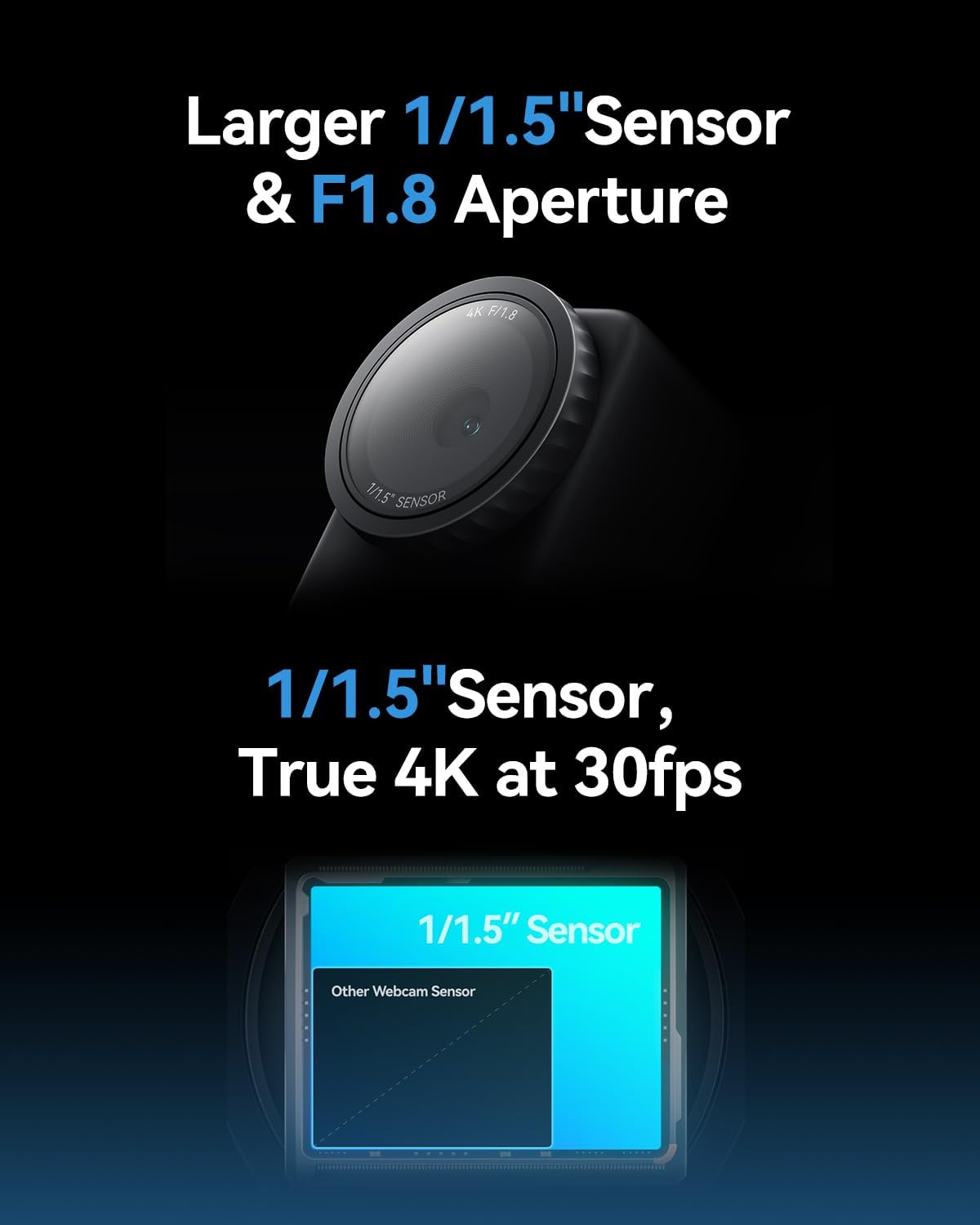
Figure 3.1: Visual representation of the Lyra's 1/1.5" sensor size compared to other webcams, highlighting its superior light capture and true 4K at 30fps capability.
- Large 1/1.5" CMOS Sensor: Equipped with a 1/1.5" CMOS sensor, which is significantly larger than typical webcam sensors, allowing for superior light capture and clear video even in low-light conditions.
- F/1.8 Aperture: Features an f/1.8 aperture for a shallow depth of field, enhancing the subject's prominence against a softly blurred background, ideal for professional-looking streams and calls.
- Phase Detection Autofocus (PDAF): Utilizes advanced PDAF technology for rapid and precise autofocusing, ensuring the subject remains sharp even with movement.
- AI-tuning: Incorporates self-developed AE (Auto Exposure) and AWB (Auto White Balance) algorithms that intelligently adjust image parameters in real-time based on lighting conditions, simplifying professional-grade image quality.
- AI Tracking & Smart Auto-Framing: Automatically tracks and keeps the subject centered in the frame, even when moving. It also auto-frames multiple participants and adjusts as new speakers join.
- Bred kompatibilitet: Seamlessly integrates with popular platforms such as Zoom, Microsoft Teams, Twitch, Google Meet, and OBS Studio.
- Green Screen Functionality: Hollyland's cutout algorithm provides precise background removal for green, blue, or red screens, preserving fine details for virtual productions.
- Billedoverlay: Allows easy enhancement of meetings or live streams with overlays, animations, and custom background images from a built-in library or user uploads.
- Skin Perfecting: Advanced algorithms provide skin-perfecting features like foundation changing and skin evening for a flawless on-camera appearance.
4. Opsætning
Follow these steps for initial setup of your Hollyland Lyra Webcam:
- Montering af Webcam: Attach the magnetic mount to the top of your monitor or laptop screen. The webcam can then be magnetically attached to the mount.
- Tilslutning til computer: Connect the Lyra webcam to your computer using the provided USB-C cable. If your computer only has USB-A ports, use the included USB-C to USB-A adapter. The webKameraet er designet til plug-and-play-funktionalitet.
- Første gang tændt: Når den er tilsluttet webcam should power on automatically. A green indicator light will illuminate on the webcam.
- Softwaregenkendelse: Your operating system (Windows/macOS) should automatically detect the webcam. You can then select it as your video input device in your preferred video conferencing or streaming application.

Figure 4.1: The Hollyland Lyra WebKameraet er sikkert monteret på en bærbar computerskærm, klar til brug.
5. Betjeningsvejledning
The Lyra webcam is designed for ease of use. For basic operation, simply select it as your video and audio input in your chosen application (e.g., Zoom, Teams, OBS Studio).
5.1 Privatlivsudløser
De webcam features a built-in physical privacy shutter. To activate or deactivate the shutter, gently rotate the lens ring left or right. This will physically block or unblock the camera lens.

Figure 5.1: The Lyra webcam demonstrating its physical privacy shutter, which can be activated by rotating the lens ring.
5.2 Vertical/Horizontal Mounting
The magnetic mount allows for flexible orientation. You can easily rotate the webcam on its magnetic base to switch between horizontal (landscape) and vertical (portrait) video modes without needing to adjust software settings for cropping.
6. HollyStudio Software Control
For advanced control and customization, download and install the HollyStudio software from the official Hollyland website. This software provides access to various settings and features:
- Billedkontrol: Adjust focal length, shutter speed, ISO, white balance, exposure, contrast, saturation, and sharpness.
- AI funktioner: Access AI Tracking, Smart Auto-Framing, Green Screen, Image Overlay, and Skin Perfecting algorithms.
- Lydindstillinger: Control input volume and noise cancellation for the built-in microphone or connected external microphones.
- Scenestyring: Create and save custom scene templates for quick switching between different camera settings and framing.
Note: The Mac version of HollyStudio currently supports basic parameter adjustments. Advanced features such as green screen, image overlay, skin beauty, and color correction magic may not yet be available on macOS and will be added in future updates.

Figure 6.1: The HollyStudio software interface, displaying options for image control, AI features, and scene management.
7. Specifikationer
| Feature | Specifikation |
|---|---|
| Mærke | Hollyland |
| Modelnummer | Lyra |
| Fotosensorteknologi | CMOS (1/1.5") |
| Videooptagelsesopløsning | 4K |
| Maksimal blænde | F/1.8 |
| Maksimal brændvidde | 26 millimeter |
| Forbindelsesteknologi | USB |
| Særlige funktioner | AI Tracking, Auto-Framing, Green Screen, Skin Perfecting, Image Overlay |
| Varens vægt | 12.8 ounce |
| Produktdimensioner | 5.4 x 4.15 x 3.35 tommer |
8. Fejlfinding
- WebKamera ikke fundet: Sørg for, at USB-kablet er korrekt tilsluttet til begge webcam and your computer. Try a different USB port or cable. Restart your computer.
- Dårlig billedkvalitet: Check your lighting conditions. Ensure the lens is clean and the privacy shutter is fully open. Adjust settings in HollyStudio or your application (exposure, white balance, sharpness).
- Lydproblemer: Bekræft webcam is selected as the audio input device in your application. Check microphone volume levels. Ensure noise cancellation is configured correctly in HollyStudio.
- Software Crashing/Not Opening: Ensure your operating system is up to date. Check for HollyStudio software updates. Temporarily disable other camera-related plugins or software that might conflict.
- Overophedning: While some warmth is normal for high-performance devices, excessive heat may indicate an issue. Ensure proper ventilation around the webcam. If overheating persists, contact support.
9. Vedligeholdelse
- Rengøring af linsen: Tør forsigtigt linsen af med en blød, fnugfri klud. Undgå at bruge skrappe kemikalier eller slibende materialer.
- Opbevaring: Når den ikke er i brug, skal du opbevare den webcam in a clean, dry place. Use the privacy shutter to protect the lens from dust and scratches.
- Softwareopdateringer: Regularly check for and install firmware and software updates for the Hollyland Lyra Webcam and HollyStudio to ensure optimal performance and access to new features.
10. Garanti og support
Your Hollyland Lyra Webcam comes with a limited warranty. Please refer to the included Warranty Card for detailed terms and conditions. For technical support, product inquiries, or warranty claims, please visit the official Hollyland webwebsted eller kontakt deres kundeservice.