
1. Introduktion
The Mercusys Halo H3600BE (2-Pack) is a Whole Home Mesh Wi-Fi 7 System designed to provide extensive and high-speed wireless coverage throughout your home. This system combines advanced Wi-Fi 7 technology with a mesh network architecture to eliminate dead zones and deliver seamless connectivity for multiple devices. This manual provides instructions for setting up, operating, and maintaining your Halo H3600BE system.
2. Pakkens indhold
Bekræft at alle varer er til stede i din pakke:
- 2 × Halo H3600BE Units
- 1 × RJ45 Ethernet-kabel
- 2 × Power Adapters
- Hurtig installationsvejledning
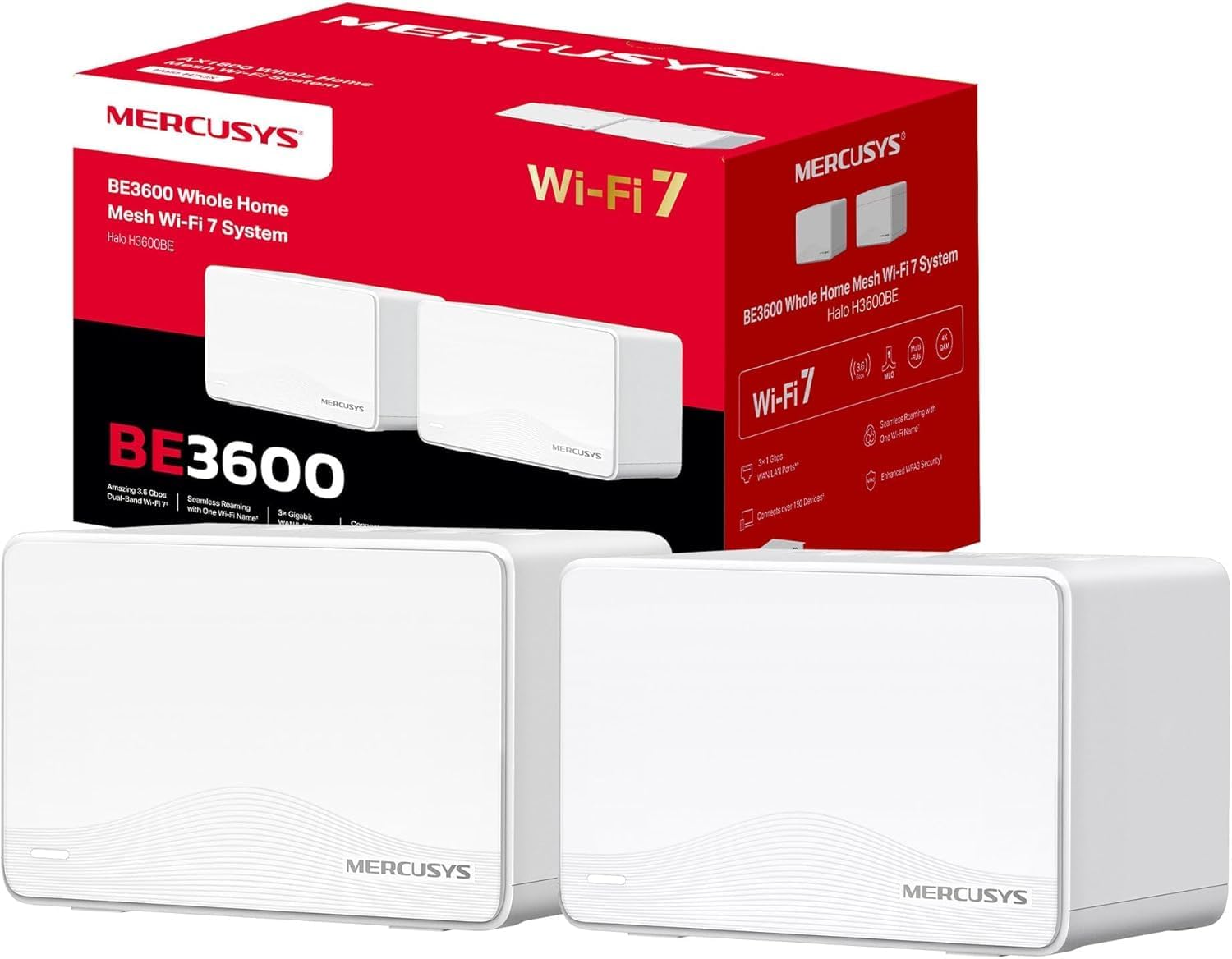
Image: The Mercusys Halo H3600BE (2-Pack) Mesh WiFi 7 System, showing two units and their retail packaging.
3. Opsætningsvejledning
Follow these steps to set up your Mercusys Halo H3600BE Mesh WiFi System:
- Step 1: Unpack the Devices. Fjern alle komponenter fra emballagen.
- Step 2: Connect the Main Halo Unit.
- Connect one Halo unit to your modem or existing router using the provided Ethernet cable. Plug one end into any of the Gigabit ports on the Halo unit (these ports are auto-sensing WAN/LAN) and the other end into your modem/router's LAN port.
- Connect the power adapter to the main Halo unit and plug it into an electrical outlet. Wait for the LED indicator on the Halo unit to turn solid white, indicating it is ready for setup.
- Step 3: Download and Configure via Mercusys App.
- Download the Mercusys app from the App Store (iOS) or Google Play Store (Android).
- Open the app and follow the on-screen instructions to create a Mercusys ID and set up your main Halo unit. The app will guide you through creating your Wi-Fi network name (SSID) and password.
- Step 4: Add Additional Halo Units.
- Place the second Halo unit in a central location within your home, ideally between the main Halo unit and the area needing improved coverage.
- Connect the power adapter to the additional Halo unit and plug it into an electrical outlet.
- The additional unit will automatically detect and join the existing mesh network. The LED indicator will turn solid white once successfully connected.
- Step 5: Verify Connection. Once all units are set up, check the Mercusys app to ensure all Halo units are online and functioning correctly.

Image: A visual representation of the Mercusys Halo H3600BE setup process, including connecting power, Ethernet, and using the mobile application for configuration.
4. Betjeningsvejledning
4.1. Network Management via Mercusys App
The Mercusys app provides comprehensive control over your mesh network. Key features include:
- Forældrekontrol: Administrer internetadgangstider og indhold for bestemte enheder.
- Gæstenetværk: Opret et separat Wi-Fi-netværk til gæster, og hold dit primære netværk sikkert.
- Enhedsstatus: View connected devices, their signal strength, and manage their access.
- Servicekvalitet (QoS): Prioritize bandwidth for specific applications or devices.
- Månedlige rapporter: Receive summaries of network usage and security events.
4.2. Problemfri roaming
The Halo H3600BE system supports seamless roaming, meaning your devices will automatically switch to the strongest Wi-Fi signal as you move around your home, without experiencing drops or interruptions.
4.3. Wi-Fi 7-teknologi
This system utilizes Wi-Fi 7 (802.11be) technology, offering:
- Dual-band betjening: Combines 5GHz (up to 2880Mbps) and 2.4GHz (up to 688Mbps) bands for high-speed data transfer.
- Høj kapacitet: Supports over 150 devices simultaneously.
- Lav forsinkelse: Optimized for demanding applications like 4K/8K streaming and VR/AR gaming.
- WPA3-sikkerhed: Enhanced security protocols for your wireless network.

Billede: Overview of Mercusys Halo H3600BE features, including Wi-Fi 7 dual-band speeds, device capacity, and Gigabit ports.
5. Vedligeholdelse
- Firmwareopdateringer: Regularly check the Mercusys app for available firmware updates to ensure optimal performance and security.
- Placering: Ensure Halo units are placed in open areas, away from obstructions and sources of interference (e.g., microwaves, cordless phones).
- Rensning: Tør forsigtigt enhederne af med en blød, tør klud. Brug ikke flydende rengøringsmidler eller aerosoler.
- Genstart: If you experience network issues, try restarting your Halo units and modem.
6. Fejlfinding
- Ingen internetadgang:
- Kontroller, om dit modem fungerer korrekt.
- Ensure the Ethernet cable between the main Halo unit and the modem is securely connected.
- Restart your modem and all Halo units.
- Svagt Wi-Fi-signal eller døde zoner:
- Relocate the additional Halo units closer to the main unit or to a more central location.
- Ensure there are no major physical obstructions (thick walls, large metal objects) between the units.
- Kan ikke oprette forbindelse til Wi-Fi:
- Verify you are using the correct Wi-Fi network name (SSID) and password.
- Prøv at genstarte den enhed, du prøver at oprette forbindelse til.
- Check the Mercusys app to ensure the network is broadcasting.
- Langsomme hastigheder:
- Sørg for, at din internetudbyder (ISP) leverer de forventede hastigheder.
- Minimize interference by moving other wireless devices away from the Halo units.
- Se efter firmwareopdateringer.
7. Specifikationer
| Feature | Detalje |
|---|---|
| Mærke | MERCUSYS |
| Modelnavn | Halo H3600BE |
| Trådløs forbindelsestype | 802.11.be (Wi-Fi 7) |
| Frekvensbåndsklasse | Dual Band |
| Særlige funktioner | Parental Control, Guest Networks, Mesh, WPA3 |
| Kompatible enheder | Smartphone, Laptop, Smart TV, IoT Devices |
| Anbefalet brug | Hjem |
| Antal enheder | 2-pakke |
| Dækning (2-pak) | Up to 460m² / 5,000 ft² |
| Max tilsluttede enheder | Over 150 |
| Ethernet Ports per Unit | 3 Gigabit (Auto-sensing WAN/LAN) |
| Dimensioner (pr. enhed) | Cirka 21.9 x 16.4 x 15.9 cm |
| Vægt (pr. Enhed) | Cirka 660 g |
| Operativsystem | TP-Link OS |

Billede: Bagside view of a Mercusys Halo H3600BE unit, displaying the power input, reset button, and three Gigabit WAN/LAN ports.
8. Garanti og support
For warranty information and technical support, please refer to the official Mercusys website or contact Mercusys customer service. The Quick Installation Guide included in your package may also contain specific warranty details for your region.
Du kan finde flere oplysninger og supportressourcer på Mercusys Brand Store.