
1. Introduktion
This manual provides detailed instructions for the safe and efficient operation of your NBD 5K 64MP Digital Camera, model S110-WM. Please read this manual thoroughly before using the camera and retain it for future reference. This camera features 5K video recording, 64-megapixel still image capture, 16x digital zoom, autofocus, anti-shake functionality, a 3-inch 180-degree rotatable display, Wi-Fi connectivity, and includes wide-angle and macro lenses.
2. Pakkens indhold
Bekræft, at alle nedenstående varer er inkluderet i din pakke. Hvis der mangler eller er beskadigede varer, bedes du kontakte kundesupport.
- NBD 5K 64MP Digital Camera Body (S110-WM)
- Vidvinkelobjektiv
- Makro linse
- Rechargeable Lithium-ion Batteries (x2)
- Batterioplader
- USB kabel
- 64 GB TF-kort
- Kamerarem
- Brugermanual

Image: Contents of the NBD 5K 64MP Digital Camera package, including the camera body, lenses, batteries, charger, cables, TF card, and strap.
3. Opsætning
3.1. Batteriinstallation og opladning
- Åbn batteridækslet, der er placeret i bunden af kameraet.
- Insert the lithium-ion battery, ensuring the correct orientation as indicated inside the compartment.
- Luk batterirummets dæksel forsvarligt.
- To charge, connect the camera to a power source using the provided USB cable and charger. The charging indicator light will show the charging status.
The camera comes with two 1500mAh high-capacity lithium-ion batteries, allowing for extended shooting time. The advanced battery charger also functions as a charging station.
3.2. Installation af TF-kort
- Find TF-kortstikket på siden af kameraet.
- Insert the 64GB TF card into the slot with the metal contacts facing down, aligning it with the icon.
- Push the card gently until it clicks into place. To remove, push the card again until it springs out.

Image: Visual guide for inserting and removing the TF card. Push until it clicks to lock, push again to release.
3.3. Objektivmontering
The camera includes a wide-angle lens and a macro lens. These 52mm detachable lenses can be screwed onto the front of the main camera lens.
- Vidvinkelobjektiv: Udvider feltet for view up to 120 degrees, suitable for landscapes and group shots.
- Makroobjektiv: Allows for close-up photography, capturing fine details of small subjects.

Image: The NBD digital camera shown with its detachable wide-angle and macro lenses, highlighting their use for different photographic needs.
4. Betjeningsvejledning
4.1. Tænd/sluk
Press and hold the power button (usually marked with a power symbol) to turn the camera on or off.
4.2. Grundlæggende fotograferingstilstande
The camera offers various shooting modes accessible via the mode dial or menu. These include:
- Fototilstand: Til optagelse af stillbilleder.
- Videotilstand: Til optagelse af videofodtage.
- Slowmotion: Optager video med højere billedhastighed til afspilning i slowmotion.
- Tidsforskydning: Captures a series of photos over time and combines them into a video.
- Filtertilstand: Applies various creative filters to your photos and videos.
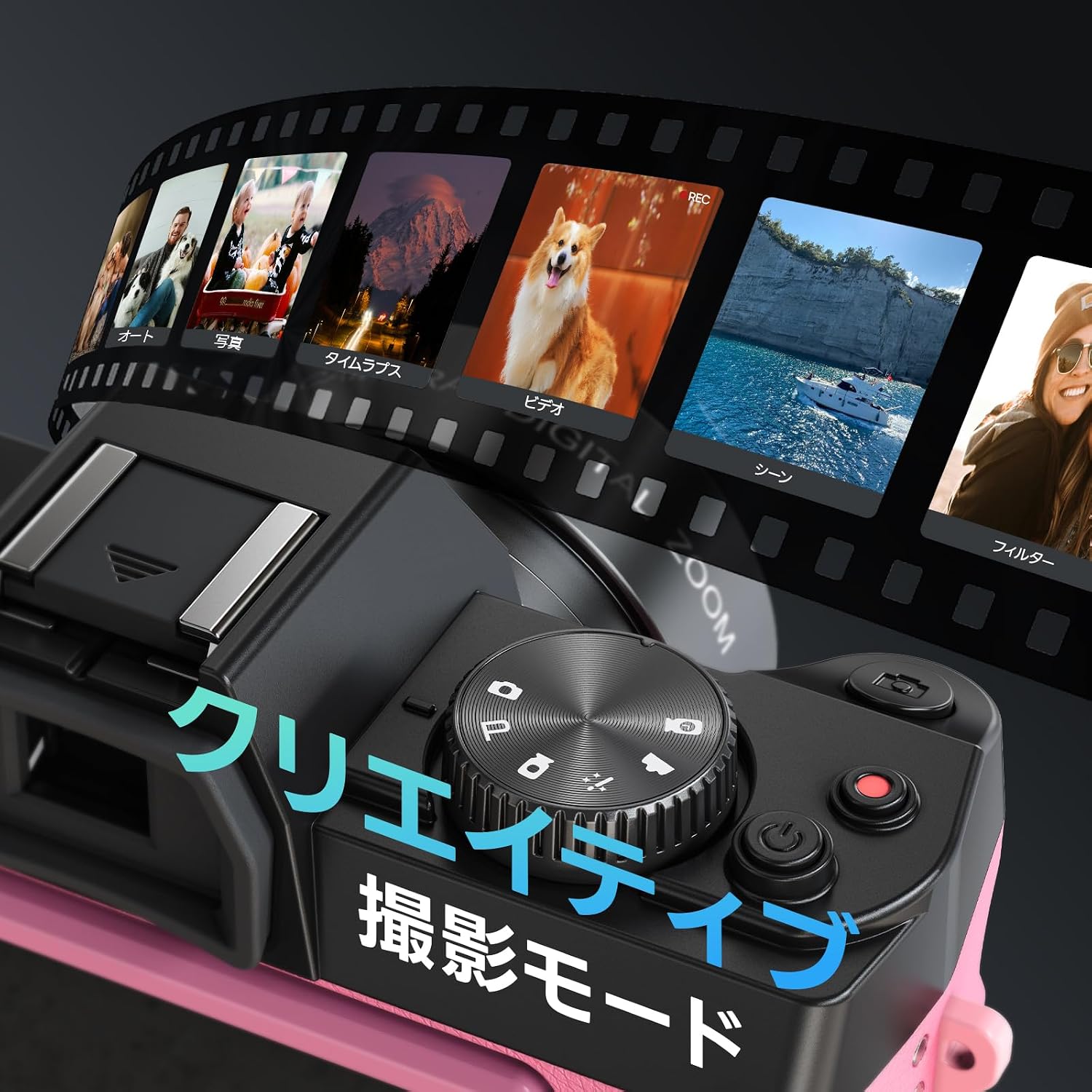
Image: The camera's display showing various creative shooting modes like Photo, Video, Time-Lapse, and Filters.
4.3. Autofocus and Anti-shake
The camera features autofocus and anti-shake functions to ensure clear and stable images.
- Autofokus: Half-press the shutter button to activate autofocus. The camera will focus on the subject, indicated by a green frame on the screen.
- Anti-shake: This feature automatically stabilizes your shots, reducing blur caused by camera movement.

Image: Instructions on how to use autofocus by half-pressing the shutter button to achieve a clear focus.

Image: A comparison showing the effect of the anti-shake feature, with a clear image on the left and a blurred image on the right when anti-shake is off.
4.4. Digital zoom
The camera supports up to 16x digital zoom. Use the zoom controls (usually marked 'W' for wide and 'T' for telephoto) to adjust the magnification.

Image: Visual representation of the 16x digital zoom capability, showing different levels of magnification from 4x to 16x.
4.5. 180° Flip Screen
The 3-inch LCD screen can be rotated 180 degrees, making it ideal for selfies and vlogging. Adjust the screen to your desired angle for easy framing and monitoring.

Image: The NBD camera with its screen flipped 180 degrees, demonstrating its utility for self-recording or vlogging.
4.6. Wi-Fi-forbindelse og app-kontrol
The camera supports Wi-Fi for seamless transfer of photos and videos to your smartphone and remote control via a dedicated app.
- Turn on Wi-Fi in the camera's settings menu.
- Scan the QR code displayed on the camera screen or refer to the manual to download the companion app on your smartphone. Download app
- Connect your smartphone to the camera's Wi-Fi hotspot. The hotspot name and password will be displayed on the camera screen.
- Once connected, you can use the app to remotely control shooting, adjust settings, preview in real-time, and transfer files.

Image: A step-by-step visual guide for connecting the camera to a smartphone via Wi-Fi and using the app for remote control and file overførsel.
The camera can also function as a webcam, når den er tilsluttet en computer via USB.
4.7. Adjusting Image and Video Quality
You can adjust the resolution and aspect ratio for both photos and videos through the camera's menu.
- Press the 'Fn' (Function) key to access quick settings.
- Navigate using the arrow keys to select "Image Resolution" or "Video Resolution".
- Tryk på 'OK' for at bekræfte dit valg.
Available photo resolutions include up to 64MP. Video resolutions include 5K 25FPS, 4K 30FPS, 2K 30FPS, 1080P 60FPS/30FPS, and 720P 120FPS/60FPS.

Image: A visual guide demonstrating how to access and change image and video quality settings using the 'Fn' button and navigation keys.
4.8. Continuous Shooting and Self-Timer
The camera supports continuous shooting for capturing fast-moving subjects and a self-timer for delayed shots.
- Kontinuerlig optagelse: Allows you to capture multiple frames per second.
- Selvudløser: Options typically include 2s, 5s, and 10s delays before taking a photo.

Image: A sequence of images demonstrating the continuous shooting mode, capturing a person jumping with a basketball.

Image: Three images showing the self-timer function with 2-second, 5-second, and 10-second delay options for group photos.
4.9. Indbygget blitz
The camera includes a built-in flash for illuminating subjects in low-light conditions. It can be turned on or off as needed.

Image: The NBD camera with its built-in flash activated, illuminating a subject in a dark environment, compared to the same scene without flash.
5. Vedligeholdelse
- Hold kameraet rent ved at tørre det af med en blød, tør klud. Undgå at bruge skrappe kemikalier eller slibende materialer.
- Clean the lens gently with a lens cleaning cloth and solution. Do not touch the lens surface with your fingers.
- Opbevar kameraet et tørt, køligt sted væk fra direkte sollys og ekstreme temperaturer.
- Fjern batteriet, hvis kameraet ikke skal bruges i en længere periode.
6. Fejlfinding
| Problem | Mulig årsag | Løsning |
|---|---|---|
| Kameraet tænder ikke. | Batteriet er afladet eller isat forkert. | Oplad batteriet, eller sæt det korrekt i igen. |
| Billeder er slørede. | Autofocus not engaged, anti-shake off, or insufficient light. | Half-press shutter to focus, ensure anti-shake is on, or use flash/better lighting. |
| Kan ikke oprette forbindelse til Wi-Fi. | Incorrect password, Wi-Fi not enabled on camera, or app issue. | Verify Wi-Fi settings and password, restart camera and phone app. |
| TF card error. | Card incorrectly inserted or corrupted. | Re-insert the TF card. If the issue persists, try formatting the card (this will erase all data) or use a different card. |
7. Specifikationer
| Feature | Detalje |
|---|---|
| Modelnavn | S110-WM |
| Mærke | NBD |
| Fotosensorteknologi | CMOS |
| Maksimal billedopløsning | 64 MP |
| Videooptagelsesopløsning | 5K, 4K, 2K, 1080P, 720P |
| Digital Zoom | 16x |
| Skærmstørrelse | 3 tommer |
| Særlige funktioner | 180° Flip Screen, Autofocus, Anti-shake, Wi-Fi, Webcam Funktion |
| Linsetype | Macro/Wide-angle (52mm detachable lenses included) |
| Minimum Expanded ISO | 100 |
| Maximum Expanded ISO | 6400 |
| File Format | MOV, JPG |
| Eksponeringskontroltype | Auto, Manuel |
| Lukkerhastighed | 1/3 til 1/2000 sekunder |
| Batteritype | Lithium-ion (1500mAh x2) |
| Medfølgende hukommelseskort | 64 GB TF-kort |
| Produktets vægt | 442 gram |
| Mål (D x B x H) | 12.6 x 11 x 8.2 cm |
| Oprindelse | Kina |
8. Garanti og support
Dette produkt leveres med en 1 års garanti from the date of purchase. For warranty claims, technical support, or any inquiries regarding your NBD Digital Camera, please contact NBD customer service through the retailer where you purchased the product or visit the official NBD webwebsted for supportkontaktoplysninger.
Gem venligst din købsbevis for at validere garantien.


