
1. Introduktion
This manual provides detailed instructions for the installation, operation, and maintenance of your ALITOVE Permanent Outdoor LED Strip Lights. These 100FT (30M) RGB IC LED strip lights are designed for outdoor use, featuring IP67 waterproofing, 24V low voltage operation, and smart control via app or remote. Each strip incorporates an IC chip, allowing for multiple colors to be displayed simultaneously, enhancing dynamic lighting effects.
2. Sikkerhedsoplysninger
- Strømforsyning: Use only the provided 24V adapter. Connecting to an incorrect voltage kan beskadige produktet og udgøre en sikkerhedsrisiko.
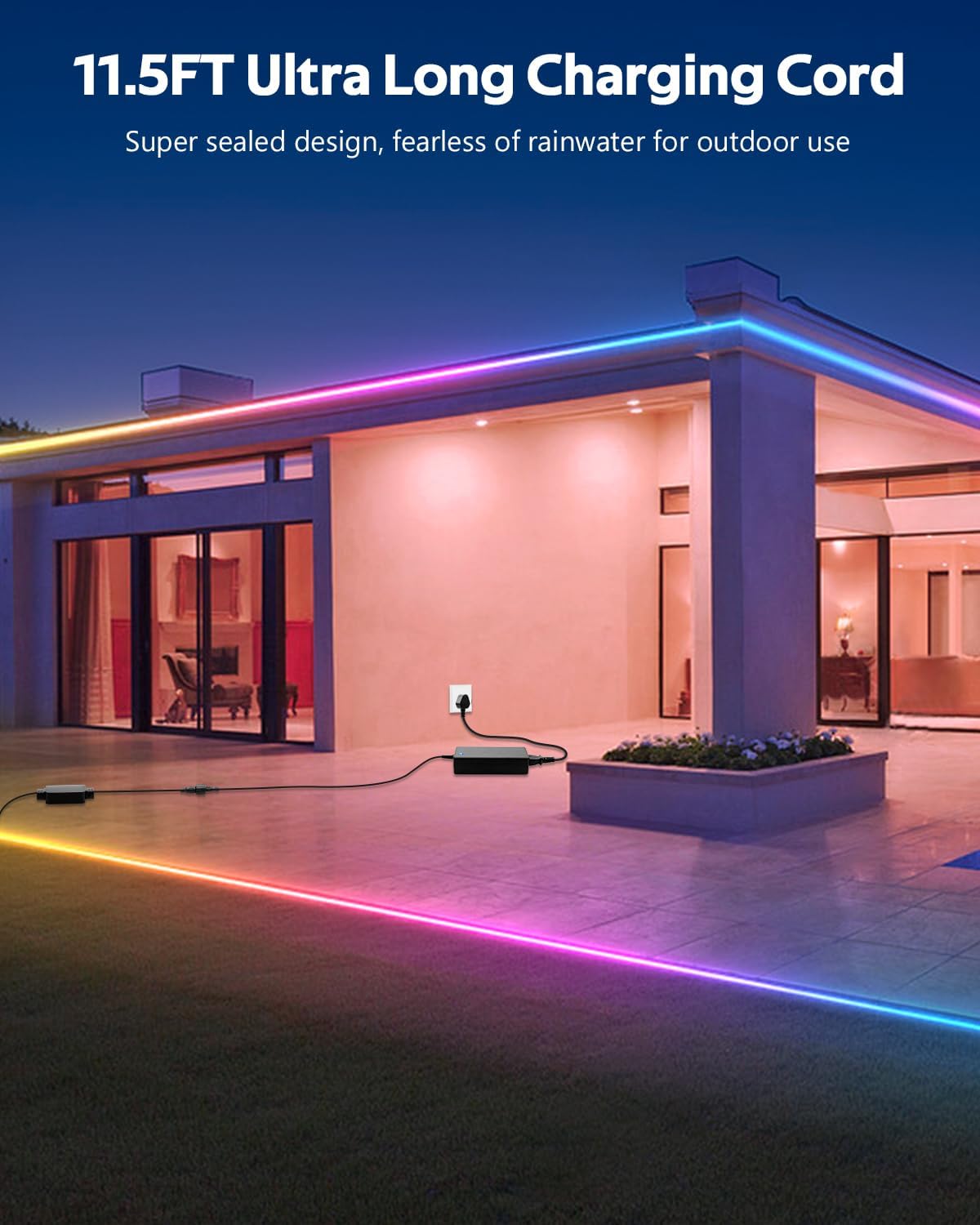
- Vandtætning: The LED strip lights are IP67 waterproof, suitable for outdoor environments. Ensure all connections to the power adapter and controller are secure and protected from direct water exposure if not rated for it.
- Installation: Do not install the lights in areas where they may be submerged in water for extended periods. Avoid piercing or damaging the strip during installation.
- Skæring: The LED strip can be cut only at designated cut marks (every 20cm). Cutting at other points will damage the strip and void the warranty.
- Varme: Do not cover the LED strips with materials that could trap heat, as this may reduce their lifespan.
- Børn: Opbevar produktet og dets komponenter utilgængeligt for børn.
3. Pakkens indhold
Bekræft, at alle nedenstående varer er inkluderet i din pakke:
- 1 x 100ft (30M) LED Strip Light
- 1 x 24V strømadapter
- 1 x LED-controller
- 90 x monteringsclips
- 180 x skruer
Note: This product does not include adhesive backing. Mounting clips and screws are provided for secure installation.

4. Opsætningsvejledning
- Planlæg dit layout: Before installation, unroll the LED strip and plan the desired path. Ensure the length is sufficient for your application.
- Montering af strimlen: Use the provided mounting clips and screws to secure the LED strip to your desired surface. Space the clips evenly to ensure the strip is held firmly. The strip is flexible and can be bent to fit corners and contours.
- Tilslut controlleren: Connect the LED strip to the LED controller. Ensure the connectors are aligned correctly and securely fastened.
- Tilslut strømadapteren: Connect the 24V power adapter to the LED controller. The product includes an 11.5FT (3.5M) ultra-long charging cord, allowing for flexible power placement without space limitations.
- Tilslut: Plug the power adapter into a suitable outdoor-rated power outlet.
5. Betjeningsvejledning
Your ALITOVE LED Strip Lights can be controlled using either the included remote control or the dedicated smartphone application.
5.1. App Control (Magic Lantern)
For full functionality and customization, download the "Magic Lantern" app on your smartphone.
- Download appen: Søg efter "Magic Lantern" in your device's app store and install it.
- Aktiver Bluetooth: Sørg for, at Bluetooth er aktiveret på din smartphone.
- Connect to Lights: Open the "Magic Lantern" app. The app should automatically detect and connect to your LED strip lights via Bluetooth. If not, follow the in-app instructions to pair.
- Kontrolfunktioner: I appen kan du:
- Select from 16 million static colors.
- Choose from 213 dynamic lighting scenes.
- Adjust brightness and speed of dynamic effects.
- Customize colors and create your own lighting designs.

5.2. Fjernbetjening
Den medfølgende fjernbetjening giver nem adgang til grundlæggende funktioner.
- Power knap: Tænd/sluk lysene.
- Farvevalg: Directly select various static colors.
- Valg af tilstand: Cycle through pre-programmed dynamic lighting modes.
- Justering af lysstyrke: Øg eller reducer lysintensiteten.
- Hastighedstilpasning: Juster hastigheden af dynamiske lyseffekter.

5.3. Music Sync Function
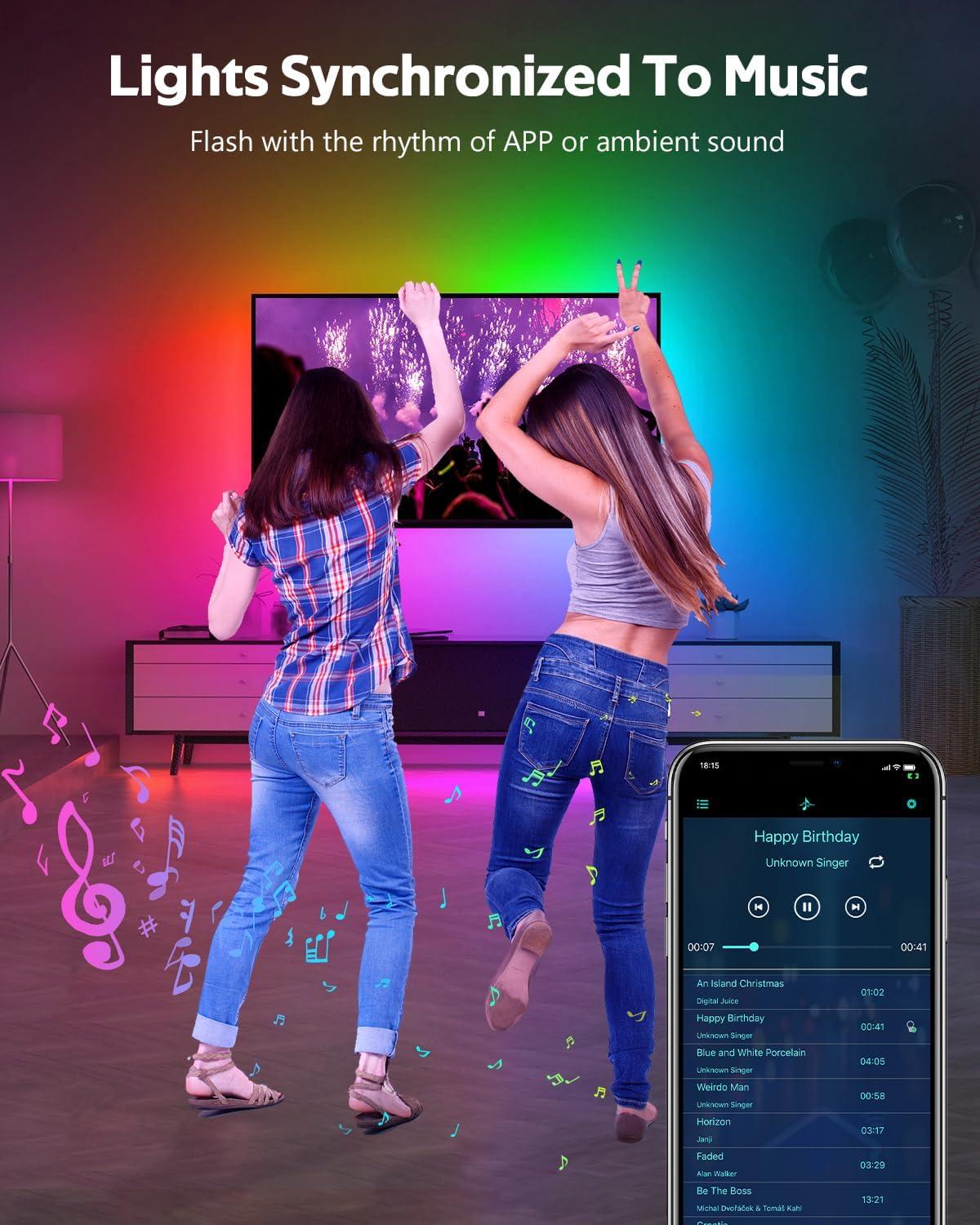
The built-in microphone allows the lights to synchronize with music or ambient sounds.
- Aktivering: Activate the music sync mode via the "Magic Lantern" app or the remote control (if available).
- Mikrofonplacering: For optimal response, ensure the controller's microphone is placed close to the sound source.
- App Music Playback: The app also supports music playback, allowing the lights to respond directly to the music played through your device.
5.4. Timing-funktion
Set schedules for your lights to turn on or off automatically using the "Magic Lantern" app.
- Access Timing: Navigate to the timing or schedule section within the app.
- Indstil tidsplaner: Configure specific times for the lights to activate or deactivate.

6. Vedligeholdelse
- Rensning: Gently wipe the LED strip with a soft, damp cloth to remove dust or dirt. Do not use harsh chemicals or abrasive cleaners.
- Tilslutningskontrol: Periodically inspect all connections (strip to controller, controller to adapter) to ensure they are secure and free from corrosion or damage.
- Vandtæt integritet: While IP67 rated, avoid prolonged exposure to extreme weather conditions if possible. Ensure no cuts or damage compromise the waterproof sealing.
- Opbevaring: Hvis du opbevarer lysene i længere tid, skal du sørge for, at de er rene, tørre og løst oprullede for at forhindre skader.
7. Fejlfinding
| Problem | Mulig årsag | Løsning |
|---|---|---|
| Lysene tænder ikke. | No power, loose connection, faulty adapter/controller. | Check power outlet. Ensure all connections are secure. Test with another power source if possible. |
| Fjernbetjening virker ikke. | Batteriet er fladt, fjernbetjeningen er uden for rækkevidde, IR-sensoren er blokeret. | Replace remote battery. Ensure remote is pointed at the controller. Remove any obstructions. |
| Appen kan ikke oprette forbindelse til lysene. | Bluetooth slukket, app ikke parret, interferens. | Ensure Bluetooth is enabled on your phone. Restart the app and try pairing again. Move closer to the controller. |
| Lysene er svage eller ujævne. | Power supply issue, voltage drop (unlikely with 24V system), damaged section. | Ensure the power adapter is functioning correctly. Check for physical damage to the strip. |
| Music sync not responsive. | Microphone too far from sound, low volume. | Move the controller closer to the sound source. Increase music volume. |
8. Specifikationer
| Feature | Specifikation |
|---|---|
| Modelnummer | WS2811-30M-FGY30-24V |
| Længde | 100FT (30 Meters) |
| LED type | RGB IC LED (Addressable) |
| LED-densitet | 30 LEDs/Meter |
| Voltage | 24V DC |
| Wattage | 81 Watt (Max) |
| Vandtæt vurdering | IP67 |
| Kontrolmetode | Bluetooth App ("Magic Lantern"), Remote Control |
| Særlige funktioner | Music Sync, Timing Function, Dimmable, Flexible |
| Gennemsnitligt liv | 50,000 timer |
| Indendørs/Udendørs brug | Udendørs |
9. Garanti og support
For warranty information and technical support, please refer to the ALITOVE official webwebstedet eller kontakt deres kundeservice direkte. Behold din købskvittering som købsbevis.