
1. Introduktion
This manual provides detailed instructions for the setup, operation, and maintenance of your uaue P131 GPS Smart Watch. This device is designed to be a comprehensive fitness tracker and smart companion, offering features such as GPS positioning, extensive sports modes, health monitoring, and smart notifications.
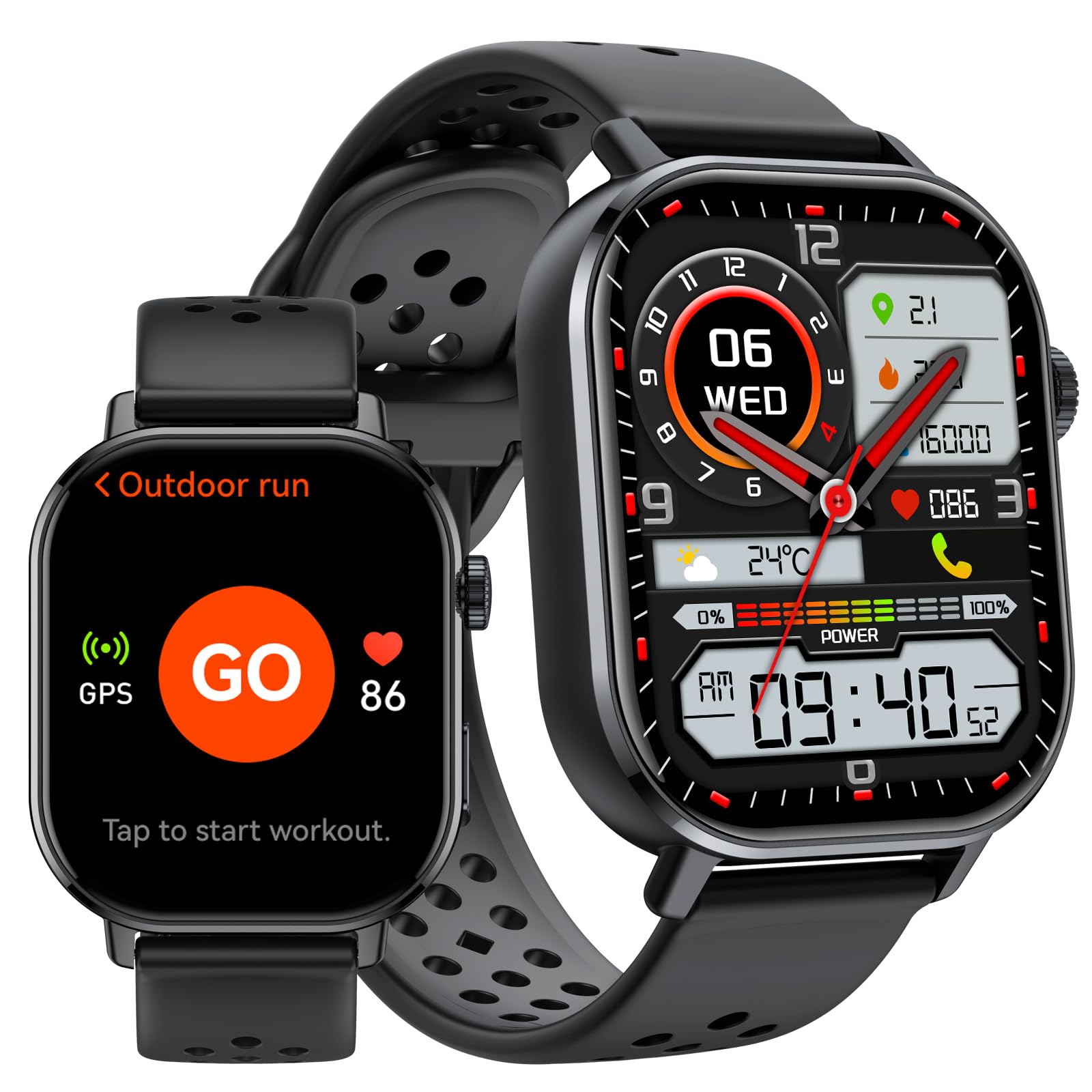
Billede 1: Overview of the uaue P131 GPS Smart Watch's multifunctional display.
2. Opsætning
2.1 Opladning af enheden
Before first use, fully charge your smart watch. Connect the magnetic charging cable to the charging points on the back of the watch and plug the USB end into a power adapter (not included) or a computer's USB port. A full charge typically takes approximately 2.5 hours.

Image 2: Battery capacity and charging information for the uaue P131 Smart Watch.
2.2 Parring med din smartphone
- Download the official companion app from your smartphone's app store (compatible with iOS and Android devices).
- Sørg for, at Bluetooth er aktiveret på din smartphone.
- Open the app and follow the on-screen instructions to search for and pair with your uaue P131 Smart Watch.
- Grant necessary permissions for notifications, location services, and health data synchronization to ensure full functionality.
3. Betjeningsvejledning
3.1 Display og navigation
The uaue P131 features a vibrant 2.06-inch AMOLED touchscreen.
- Stryg op/ned: Få adgang til hurtigindstillinger eller notifikationer.
- Stryg til venstre/højre: Naviger gennem widgets og hovedfunktioner.
- Tryk på: Vælg et element eller bekræft en handling.
- Tryk på sideknappen: Gå tilbage til startskærmen eller åbn appmenuen.

Image 3: The 2.06-inch AMOLED touchscreen of the uaue P131 Smart Watch.
3.2 Calling and Messaging Notifications
Once paired with your smartphone, you can make and receive calls directly from your watch via Bluetooth. The smart notification system delivers alerts for incoming calls, messages, and app notifications. Customize notification preferences through the companion app.

Image 4: Bluetooth calling and message alerts on the uaue P131 Smart Watch.
3.3 Sundhedssporing
The watch provides 24/7 health monitoring. Access these features by swiping through the watch interface or via the companion app.
- Heart Rate Monitoring: Sporer din puls kontinuerligt.
- Overvågning af blodilt (SpO2): Måler dit iltniveau i blodet.
- Søvnovervågning: Analyserer dine søvnmønstre og -kvalitet.
- Stressovervågning: Assesses stress levels based on heart rate variability.

Image 5: Real-time health monitoring features of the uaue P131 Smart Watch.
3.4 Sportstilstande og GPS
The watch supports over 178 sports modes. Select your desired activity from the workout menu to track specific metrics. The integrated GPS system utilizes multiple global satellite networks for accurate tracking of your routes, distance, and pace during outdoor activities. It also includes an altimeter for elevation changes and a barometer for atmospheric pressure trends.

Image 6: The uaue P131 Smart Watch offers over 178 built-in sports modes.
3.5 Stemmekontrol
Utilize the built-in voice assistant for hands-free control. Activate the voice assistant and issue commands for tasks such as checking weather, setting reminders, controlling music playback, or asking general questions.
3.6 Yderligere funktioner
The uaue P131 Smart Watch includes several utility features:
- Vækkeur: Set multiple alarms for daily reminders.
- Stopur og timer: Til præcis tidtagning under aktiviteter.
- Lommeregner: Udfør grundlæggende beregninger direkte på dit håndled.
- Musik kontrol: Administrer musikafspilning på din tilsluttede smartphone.
- Vejrudsigt: Få vejropdateringer i realtid.
- Find telefon: Find din forlagte smartphone.
- Fjernudløser: Styr dit smartphonekamera på afstand.
- Lommelygte: Brug skærmen som en midlertidig lyskilde.
- Kompas: Giver retningsbestemt vejledning.
- Åndedrætsøvelser: Guidet vejrtrækning for afslapning.
4. Vedligeholdelse
4.1 Vandtætning (IP68)
The uaue P131 Smart Watch is IP68 waterproof, meaning it is resistant to dust and can withstand immersion in water up to 1.5 meters for up to 30 minutes. It is suitable for daily use, such as hand washing, rain, and shallow swimming. However, it is not recommended for hot showers, saunas, or diving, as steam and high water pressure can compromise the seal.

Image 7: The uaue P131 Smart Watch features 5ATM waterproofing for outdoor use.
4.2 Pleje af batterier
To maximize battery life, avoid extreme temperatures and fully discharge and recharge the battery periodically. The watch offers up to 30 days of standby time or 7 days of typical use.
4.3 Rengøring
Rengør ur og rem regelmæssigt med en blød, tør kludamp cloth. Ensure the charging contacts are free of dirt and debris for optimal charging.
5. Fejlfinding
- Uret tænder ikke: Sørg for, at uret er fuldt opladet. Tilslut det til opladeren, og vent et par minutter, før du forsøger at tænde det.
- Kan ikke parres med smartphone:
- Sørg for, at Bluetooth er aktiveret på din telefon, og at uret er inden for rækkevidde.
- Genstart både din telefon og uret.
- Prøv at ophæve parringen og parre enheden igen via den tilhørende app.
- Check if the app has all necessary permissions granted on your phone.
- Inaccurate or missing health data (Heart Rate, Sleep, Blood Oxygen):
- Sørg for, at uret sidder tæt på dit håndled, hverken for stramt eller for løst.
- Rengør sensorerne på bagsiden af uret.
- Restart the watch and check for app updates.
- Environmental factors or movement can sometimes affect sensor readings.
- Notifikationer vises ikke:
- Verify that notifications are enabled in both the watch's settings and the companion app.
- Check your phone's notification settings to ensure the companion app has permission to send notifications.
- Sørg for, at uret er forbundet til din telefon via Bluetooth.
- Problemer med GPS-sporing:
- Sørg for at du er i et åbent område med klar view af himlen for optimal satellitmodtagelse.
- Verify that location services are enabled on your smartphone and for the companion app.
- Allow the watch a few moments to acquire a GPS signal before starting an activity.
6. Specifikationer
| Feature | Detalje |
|---|---|
| Modelnummer | P131 |
| Mærke | uaue |
| Display Type | AMOLED |
| Skærmstørrelse | 2.06 tommer |
| Forbindelse | Bluetooth |
| GPS | Indbygget GPS |
| Vandmodstand | IP68 (5ATM equivalent) |
| Batterilevetid (typisk brug) | Op til 7 dage |
| Batterilevetid (Standby) | Op til 30 dage |
| Opladningstid | Ca. 2.5 timer |
| Kompatible enheder | iOS og Android smartphones |
| Varens vægt | 5.9 ounce |
| Pakkedimensioner | 6.61 x 3.31 x 1.38 tommer |
7. Garanti og support
The uaue P131 GPS Smart Watch comes with a 2 års garanti from the date of purchase. This warranty covers manufacturing defects and ensures reliable operation under normal use. For warranty claims, technical support, or any inquiries regarding your device, please contact uaue customer service through the contact information provided with your product packaging or on the official uaue webwebsted.