
1. Introduktion
The OUKITEL P1000E Plus is a versatile portable power station designed to provide reliable power for various applications, from outdoor adventures and camping to emergency home backup. Featuring a 1024Wh LiFePO4 battery, 1800W AC output, and multiple charging options, it ensures your devices stay powered wherever you are. This manual provides essential information for safe operation, setup, maintenance, and troubleshooting.
2. Sikkerhedsinstruktioner
- Enheden må ikke skilles ad, repareres eller ændres. Forkert samling kan forårsage brand eller personskade.
- Udsæt ikke enheden for ild eller høje temperaturer.
- Brug eller opbevar ikke enheden i direkte sollys eller i varme omgivelser.
- Brug eller opbevar ikke enheden på badeværelset eller i områder, der er udsat for vand eller regn.
- Brug kun originalt eller certificeret tilbehør.
- Hold enheden væk fra børn og kæledyr.
- Sørg for korrekt ventilation under brug for at forhindre overophedning.
- Avoid dropping, heavy impacts, or strong vibrations.
- If the unit emits unusual odors, heat, or other abnormalities, stop using it immediately and contact customer support.
3. Pakkens indhold
Bekræft at alle varer er inkluderet i din pakke:
- OUKITEL P1000E PLUS unit x1
- AC ladekabel x1
- MC4 to XT60 cable x1
- Brugervejledning x1

Figur 3.1: Included Components. This image illustrates the OUKITEL P1000E Plus power station alongside its standard accessories, including the AC charging cable, MC4 to XT60 cable for solar connection, and the user manual.
4. Produktfunktioner og overview
Nøglefunktioner
- 11-in-1 Connections: Features 4 AC 1800W outputs (3600W peak), 2 PD100W Type-C outputs, 2 USB-A 18W outputs, 2 DC5521 outputs, and a 12V cigarette lighter port for comprehensive device compatibility.
- Reliable and Durable LiFePO4 Battery: Offers up to 4000 charge cycles for daily use, ensuring a lifespan of up to 10 years.
- 1200W Fast Charging Function: Achieves 100% power in just 70 minutes via AC. Combined AC and solar charging can fully charge the unit in 40 minutes. 500W solar charging alone completes a full charge in 2.1 hours.
- 10ms Seamless Power Switching (UPS): Automatically switches to UPS mode in less than 10 milliseconds during a power outage, ensuring continuous operation for critical connected devices.
- Smart App Control: Manage the power station with the OUKITEL app, allowing seamless switching between charging modes, flexible adjustment of charging speed, and real-time statistics. Enjoy quiet operation with noise levels ≤ 29 dB.
Output Ports Overview

Figur 4.1: Front Panel Layout. This image displays the front panel of the OUKITEL P1000E Plus, highlighting the locations of the AC outlets, DC ports, USB-A ports, USB-C ports, and the cigarette lighter port, along with the main display and control buttons.

Figur 4.2: Multiple Device Charging. The power station is shown actively charging a laptop, a smartphone, and powering a fan, demonstrating its multi-device capability and various output types.
5. Opsætning og opladning
Indledende opsætning
Before first use, fully charge your OUKITEL P1000E Plus. This ensures optimal battery performance and calibration.
Opladningsmetoder
The P1000E Plus supports multiple charging methods:
- AC vægopladning: Connect the AC charging cable to the unit and a standard wall outlet. The 1200W fast charging can fully charge the unit in approximately 70 minutes.

Figur 5.1: AC Wall Charging. The power station is connected to a standard wall socket for rapid AC charging, illustrating the quick charge capability.
- Solopladning: Connect compatible solar panels (up to 500W) to the unit using the MC4 to XT60 cable. A full charge via 500W solar input takes approximately 2.1 hours.
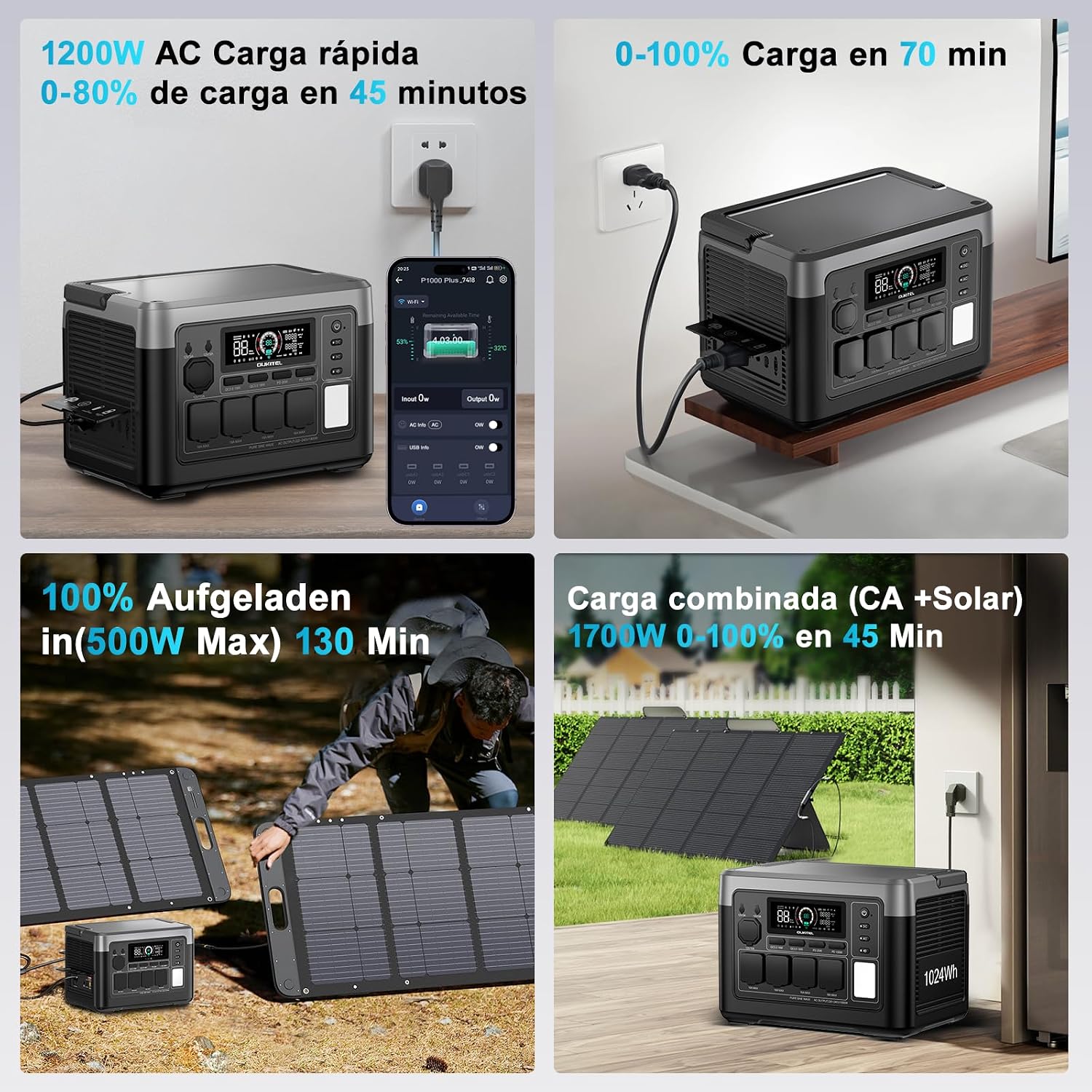
Figur 5.2: Solar Charging. The power station is shown connected to foldable solar panels in an outdoor setting, demonstrating its solar charging capability.
- Bilopladning: Use a 12V/24V car charger to charge the unit from your vehicle's power outlet. Full charging time varies between 8 to 12 hours depending on the vehicle's output.

Figur 5.3: Car Charging. The power station is depicted charging inside a vehicle, connected to the car's 12V/24V outlet, highlighting its portability and convenience for travel.
- Combined AC + Solar Charging: For the fastest charging, combine AC and solar inputs. This method can achieve a full charge in as little as 40 minutes.
6. Betjeningsvejledning
Tænd/sluk
Press and hold the main power button for a few seconds to turn the unit on or off. The display will illuminate, showing battery status and output information.
Brug af AC-udgange
Press the AC button to enable or disable the AC outlets. Connect your devices to the 1800W (3600W peak) AC ports. Ensure the total power consumption does not exceed the rated output.
Brug af DC- og USB-udgange
Press the DC button to enable or disable the DC outputs (including USB-A, USB-C, DC5521, and cigarette lighter port). Connect your compatible devices to the respective ports.
Uninterruptible Power Supply (UPS) funktion
When the P1000E Plus is connected to an AC wall outlet and has devices plugged into its AC outputs, it can function as a UPS. In the event of a power outage, the unit will automatically switch to battery power in less than 10 milliseconds, providing seamless power to connected critical devices.

Figur 6.1: UPS Function in Action. The power station is shown connected to a desktop computer setup, illustrating its role in providing uninterrupted power during a grid failure, preventing data loss.
Smart app kontrol
Download the OUKITEL app from your smartphone's app store. Connect your P1000E Plus via Bluetooth or Wi-Fi to monitor battery status, adjust charging parameters, switch between modes, and view real-time power statistics. The app also allows for silent operation mode, keeping noise levels below 29 dB.

Figur 6.2: OUKITEL App Interface. A smartphone screen displays the OUKITEL app, showing battery percentage, input/output wattage, and controls for various functions of the power station.
7. Vedligeholdelse og opbevaring
Batteripleje
The P1000E Plus uses a LiFePO4 battery, known for its longevity and safety. To maximize battery lifespan:
- Undgå at aflade batteriet helt ofte.
- For long-term storage, charge the unit to approximately 50-80% and recharge every 3-6 months.
- Opbevares på et køligt, tørt sted væk fra direkte sollys og ekstreme temperaturer.
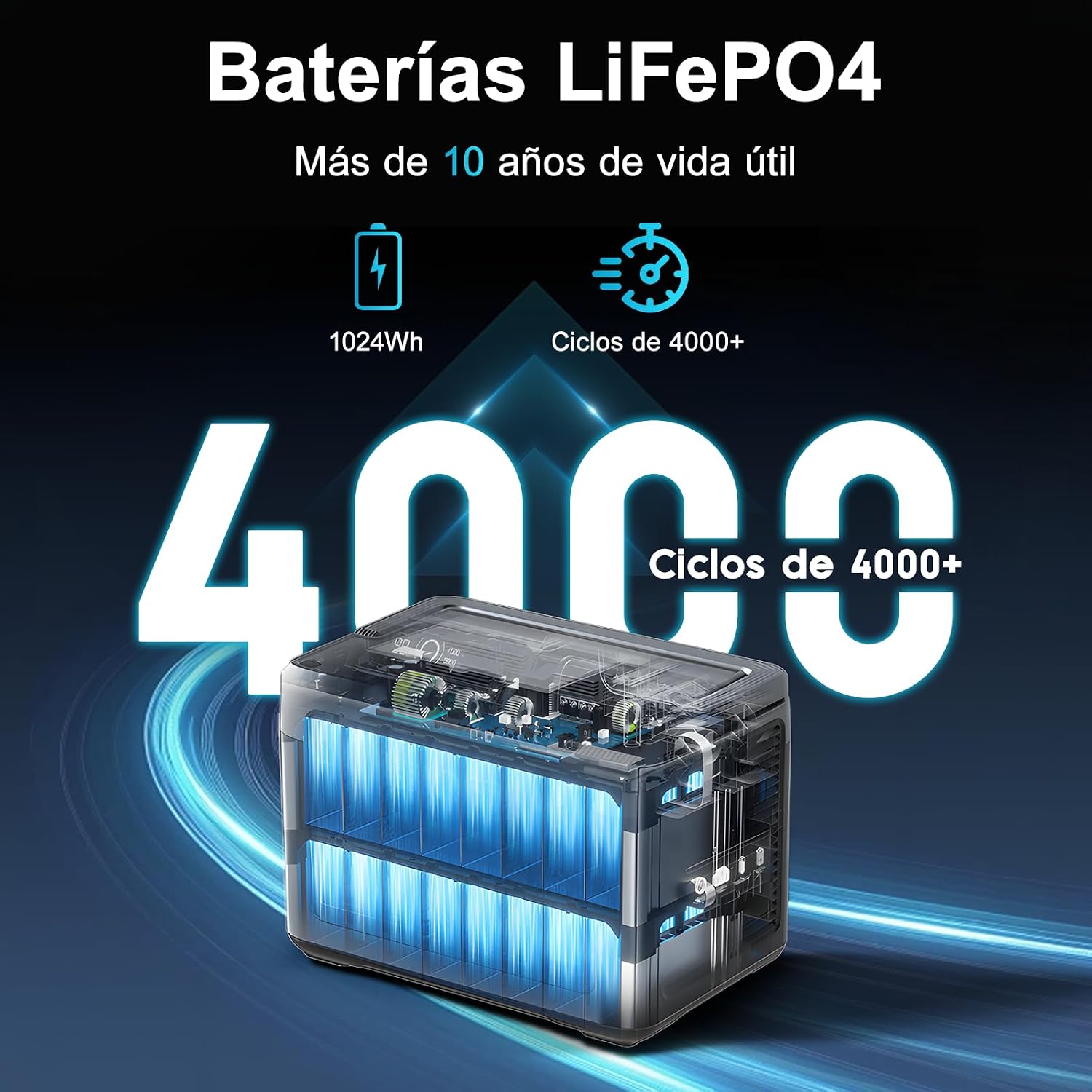
Figur 7.1: LiFePO4 Battery Longevity. This diagram visually represents the extended lifespan of the LiFePO4 battery, highlighting its capability of over 4000 charge cycles and more than 10 years of operational life.
Rengøring og opbevaring
Wipe the unit with a dry, soft cloth. Do not use abrasive cleaners or solvents. When not in use, store the power station in a stable, dry environment.
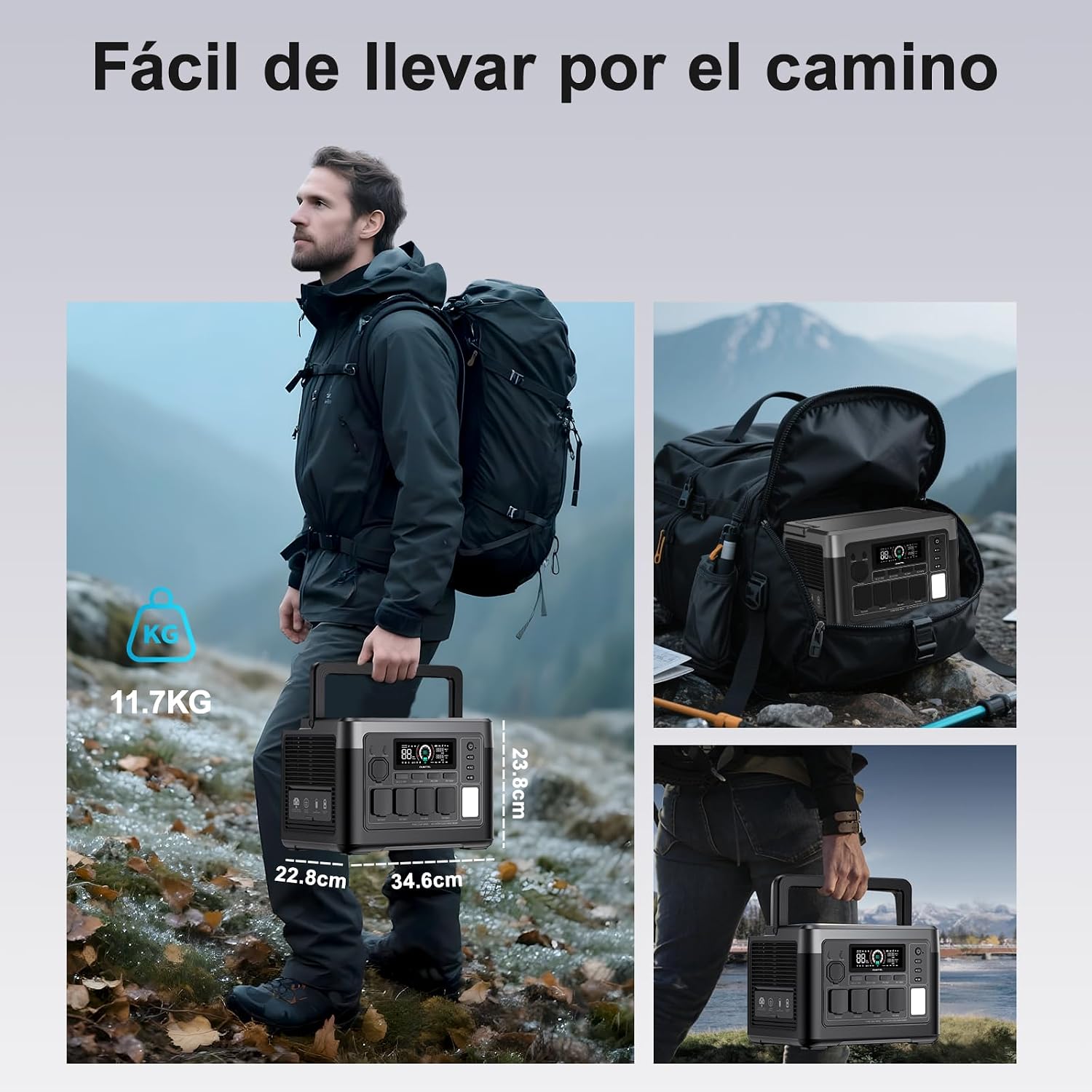
Figur 7.2: Portability. A person is shown easily carrying the OUKITEL P1000E Plus by its handle, emphasizing its compact design and light weight for transport.
8. Fejlfinding
If you encounter issues with your OUKITEL P1000E Plus, refer to the following common troubleshooting steps:
- Enheden tænder ikke: Sørg for, at batteriet er opladet. Hvis ikke, skal du tilslutte det til en strømkilde.
- Ingen output fra porte: Check if the respective output buttons (AC/DC) are enabled. Ensure the device connected is within the power station's wattage grænser.
- Langsom opladning: Verify that the charging cable is securely connected and the power source is adequate. For solar charging, ensure panels are in direct sunlight and clean.
- Advarsel om overbelastning: Disconnect some devices to reduce the load. The unit will automatically recover once the load is within limits.
- Overophedning: Ensure the unit has adequate ventilation. Move it to a cooler environment if necessary.
For persistent issues, please contact OUKITEL customer support.
9. Specifikationer
| Specifikation | Værdi |
|---|---|
| Mærke | OUKITEL |
| Modelnummer | OUKITEL P1000E PLUS |
| Batteritype | LiFePO4 |
| Batterikapacitet | 1024Wh |
| AC Output Wattage | 1800W (Operating), 3600W (Peak) |
| Total Number of AC Outlets | 4 |
| Type-C udgang | PD100W x2 |
| USB-A-output | 18W x2 |
| DC-udgang | DC5521 x2, 12V Cigarette Lighter |
| AC hurtigopladning | 1200W (0-100% in 70 minutes) |
| Solar ladeindgang | Max 500W (0-100% in 2.1 hours) |
| UPS skiftetid | < 10 ms |
| Produktmål (L x B x H) | 39.9 x 28.6 x 32 cm |
| Anbefalede produktanvendelser | Camping, Outdoor, Emergency, RV |
| Start System Type | Elektronisk |
10. Garanti og support
OUKITEL tilbyder en tre års garanti for the P1000E Plus Portable Power Station, covering manufacturing defects and malfunctions under normal use.
For any questions, technical assistance, or warranty claims, please do not hesitate to contact OUKITEL customer support. We are committed to responding to your inquiries within 24 hours.
Please refer to the contact information provided on our official webwebstedet eller din købsplatform for at finde de mest opdaterede supportkanaler.