
1. Introduktion
This manual provides essential information for the safe and effective operation, maintenance, and care of your STANLEY STHT77803-A Laser Distance Meter. Please read this manual thoroughly before using the device and keep it for future reference.
The STANLEY STHT77803-A is a professional laser distance meter designed for accurate and efficient measurement of distances, areas, and volumes up to 100 meters. It features a robust design with an IP40 dust and water-splash rating, making it suitable for various working environments.
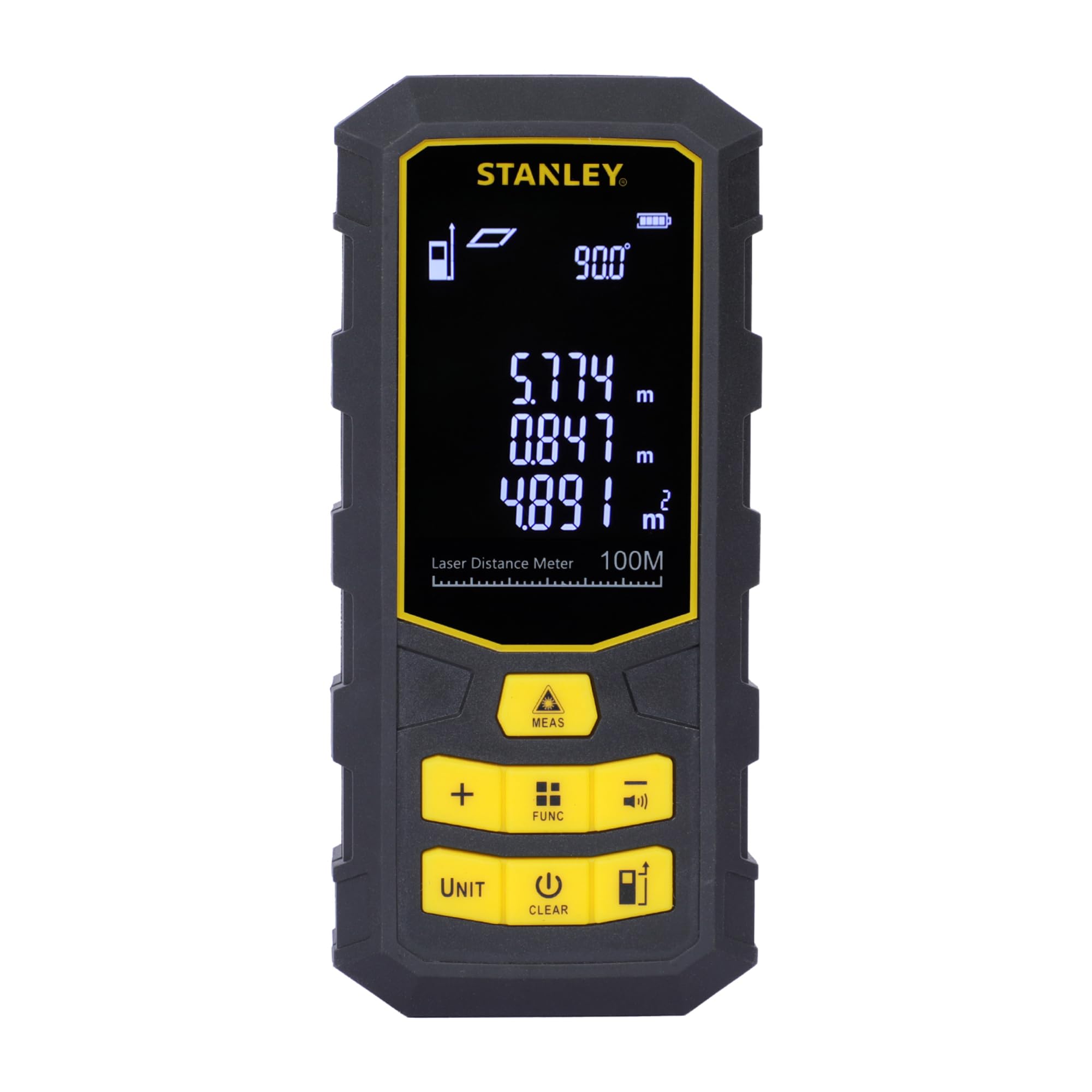
The STANLEY STHT77803-A Laser Distance Meter, a compact and robust device for precise measurements.
2. Hvad er der i æsken
Ved udpakning skal du sørge for, at alle nedenstående varer er til stede og i god stand:
- 1 x STANLEY STHT77803-A Laser Distance Meter (100 Metres)
- 1 x bæretaske
- 3 x AAA-batterier (1.5V)
- 1 x brugermanual
- 1 x garantikort

The product packaging showing the laser distance meter, carry pouch, and batteries.
3. Sikkerhedsoplysninger
ADVARSEL: LASERSTRÅLING
This device emits Class 2 laser radiation. Do not stare into the laser beam. Avoid direct eye exposure. The laser power is <1mW at 630-690nm. Use of controls or adjustments or performance of procedures other than those specified herein may result in hazardous radiation exposure.
- Always operate the device in accordance with the instructions provided.
- Forsøg ikke at adskille eller modificere enheden.
- Opbevar enheden utilgængeligt for børn.
- Ensure the laser is not aimed at reflective surfaces or other people.
4. Produktet er slutview
Familiarize yourself with the components and controls of your laser distance meter.

Detaljeret view of the laser distance meter's front panel, highlighting the display, laser emitter, and control buttons for various functions.
Nøglefunktioner:
- Laser nøjagtighed: ±2 mm
- Max Storage: 99 enheder
- Laser type: Klasse 2
- Batteritype: 1.5V 3*AAA

En overview of the laser distance meter's key specifications: ±2mm laser accuracy, 99 units max storage, Class 2 laser type, and 1.5V 3*AAA battery type.
5. Opsætning
5.1 Batteriinstallation
- Find batteridækslet på bagsiden af enheden.
- Skub dækslet åbent.
- Isæt tre 1.5V AAA-batterier, og sørg for korrekt polaritet (+/-).
- Luk batterirummets dæksel forsvarligt.

The rear of the device with the battery compartment cover removed, showing slots for three AAA batteries.
6. Betjeningsvejledning
6.1 Grundlæggende måling
- Tryk på MÅL button to turn on the device and activate the laser.
- Aim the laser beam at the target point from which you want to measure the distance.
- Tryk på MÅL Tryk på knappen igen for at foretage en måling. Resultatet vises på skærmen.

Illustration of the laser beam emitting towards a target point and the precise measurement display on the device screen.

A user holding the laser distance meter, demonstrating how to aim the laser beam for measurement.

The device display showing various measurement readings, including distance, area, and volume.
6.2 Funktionsknapper
The device features several buttons for different operations:
- MÅL: Power on and start measuring instantly.
- +: Add multiple measurements for total distance.
- FUNC: Access various functions and save data.
- -: Subtract values and mute sound.
- ENHED: Switch between different measurement units (meters, feet, inches).
- KLAR: Turn off the device or clear a measurement.
- Standard Measurement Button: Basic control for standard measurements.

Close-up of the device's control panel, detailing buttons for power/measurement, addition, function/storage access, and subtraction/mute.

Further detail on the control panel, showing buttons for switching measurement units, turning off/clearing measurements, and standard measurement control.
6.3 Avancerede målefunktioner
- Area and Volume Measurement: Tryk på FUNK button to cycle through measurement modes until the area or volume icon appears. Follow the on-screen prompts to take the required length, width, and height measurements.
- Indirect Pythagorean Theorem Measurement: Use this function to measure inaccessible distances. Press FUNK to select the Pythagorean mode and follow the instructions to measure the hypotenuse and one side.
- Kontinuerlig måling (sporing): This mode allows you to move the device and see real-time distance updates. The device will display maximum and minimum measurements during continuous tracking.
- Opbevaringsfunktion: The device can store up to 99 measurement units. Use the FUNK button to access and manage stored data.
7. Vedligeholdelse
Proper maintenance ensures the longevity and accuracy of your laser distance meter.
- Opbevaring: Do not store the meter in high temperature or high humidity environments for extended periods. If not used frequently, remove the batteries and store the device in its portable bag in a cool, dry place.
- Rensning: Keep the device surface clean. Use a wet soft cloth to wipe off dust. Do not use corrosive liquids for cleaning.
- Optiske komponenter: The laser output window and its focus lens should be maintained according to standard optical device cleaning procedures. Avoid touching these surfaces directly.

The laser distance meter securely stored within its protective black carry pouch.
8. Fejlfinding
Hvis du støder på problemer med din enhed, kan du bruge følgende almindelige løsninger:
- Enheden tænder ikke: Kontroller, om batterierne er korrekt isat og har tilstrækkelig opladning. Udskift batterierne om nødvendigt.
- Upræcise målinger: Ensure the laser lens is clean and unobstructed. Verify that the measurement reference point is correctly set. Avoid measuring through transparent surfaces or in extremely bright conditions.
- Problemer med skærm: Hvis displayet er svagt eller flimrer, skal batterierne udskiftes.
- Laser ikke synlig: In very bright outdoor conditions, the laser dot may be difficult to see. This is normal for Class 2 lasers. Try to shade the target area or use the device in lower light conditions.
Ved vedvarende problemer bedes du kontakte kundesupport.
9. Specifikationer
| Feature | Specifikation |
|---|---|
| Modelnummer | STHT77803-A |
| Måleområde | 100m |
| Målenøjagtighed | ±(2mm + 5x10⁻⁵D) |
| Display nøjagtighed | 1 mm |
| Laser klasse | Niveau 2 |
| Laser Power | <1mW |
| Dust and Water Splash Rating | IP40 |
| Driftstemperaturområde | 0°C ~ +40°C |
| Opbevaringstemperaturområde | -10°C ~ +50°C |
| Batteritype | 3 x 1.5V AAA |
| Laser Automatic Shutdown Time | 30 sekunder |
| Instrument Automatic Shutdown Time | 3 minutter |
| Varens vægt | 140 gram |
| Varedimensioner (L x B x H) | 13L x 6W x 3H Centimeter |
| Materiale | Polyvinyl Chloride, Rubber |
| Oprindelsesland | Kina |
10. Garanti
Your STANLEY STHT77803-A Laser Distance Meter comes with a 1 års garanti provided by the manufacturer from the date of purchase. This warranty covers manufacturing defects only. Please retain your purchase receipt as proof of purchase for warranty claims.
11. Kundesupport
For any queries, technical assistance, or warranty claims, please contact STANLEY customer support:
- Telefon: 1800-203-0644 (mandag - lørdag, 09:00 - 06:00 IST, undtagen helligdage)
- E-mail: sbd-customercommunications@sbdinc.com
- WhatsApp: Scan the QR code below or click the link to contact us.

Image displaying contact details for STANLEY customer support, including phone number, email, and WhatsApp QR code.
Contact via WhatsApp: Klik her
Fabrikantens kontaktoplysninger:
Stanley Black & Decker India Pvt Limited, GAT NO. 135, 137 & 157, PO - Mahalunge, Talukha - Khed, Pune, 410501, Maharashtra, India.