
1. Introduktion
The ORIGBELIE External CD/DVD Drive (Model TP888-NEW) is a versatile peripheral designed to provide optical disc reading and writing capabilities to devices lacking an internal drive. It features high-speed USB 3.0 connectivity, a multi-port USB hub, and integrated TF/SD card slots, making it a comprehensive solution for data management and media playback.
Produkt overview

Figur 1: The ORIGBELIE External CD/DVD Drive connected to a laptop, showcasing its compact design and how it integrates into a workspace.
2. Pakkens indhold
Bekræft, at alle nedenstående varer er inkluderet i din pakke:
- 1 x External Optical Drive
- 1 x USB A to DC Power Supply Cable
- 1 x Opbevaringspose
- 1 x brugermanual

Figur 2: All components included in the ORIGBELIE External CD/DVD Drive package.
3. Produktfunktioner og komponenter
Nøglefunktioner
- USB 3.0 High-Speed: Supports up to 5 Gbps data transfer rates, 8x DVD read/write, and 24x CD read/write speeds.
- Plug & Play: No drivers or external power supply typically required for basic operation.
- Supports All Disc Formats: Compatible with CD±R/RW, CD-ROM, DVD±R/RW, DVD-ROM, DVD-RAM, DVD+R DL, DVD-R DL, VCD, and SVCD.
- 6-in-1 USB 3.0 Hub: Includes 1 USB-A 3.0 port, 1 USB-A 2.0 port, 2 USB-C ports, and TF/SD card slots.
- 2-in-1 USB 3.0 Data Cable: Integrated Type-A/C data cable for versatile connectivity.
- Kompakt og bærbar: Ultra-slim design with integrated cable and included storage bag for easy transport.
Komponentidentifikation
Figur 3: Forside og side view of the drive, highlighting the pop-up button, forced ejection hole, USB-A data cable, USB-C data cable, DC 5V port, USB-A 3.0 port, USB-C ports, TF slot, SD slot, and RGB LED indicator light.
4. Opsætningsvejledning
Tilslutning af drevet
- Locate the integrated 2-in-1 USB 3.0 data cable on the back of the drive.
- Connect the appropriate connector (USB Type-A or Type-C) to an available USB port on your computer (laptop, desktop, Mac).
- The drive is typically plug-and-play, meaning your computer should automatically detect and install necessary drivers.
- If your computer's USB port does not provide sufficient power, connect the included USB A to DC Power Supply Cable to the DC 5V port on the drive and then to a 5V charger or power bank (not included) for additional power.

Figur 4: Connecting the external CD/DVD drive to a laptop using the integrated USB 3.0 data cable.
Opsætning af videoguide
Video 1: This video demonstrates the simple plug-and-play setup and high-speed data transfer capabilities of the ORIGBELIE External CD/DVD Drive.
5. Betjeningsvejledning
Isætning og udtagning af diske
- To open the disc tray, gently press the 'IN/OUT' button located on the front of the drive.
- Placer disken i bakken med etiketsiden opad. Sørg for, at disken sidder korrekt på spindlen.
- Skub forsigtigt bakken tilbage i drevet, indtil den klikker på plads.
- To eject a disc, press the 'IN/OUT' button again. In case of power failure or if the button does not respond, use a thin, pointed object (like a paperclip) to gently push into the small forced ejection hole next to the button.
Using as a USB Hub and Card Reader
- The drive features 1 USB-A 3.0 port, 1 USB-A 2.0 port, and 2 USB-C ports for connecting various USB computer accessories such as hard drives, flash drives, mice, and keyboards.
- Insert SD cards into the SD slot and TF (Micro SD) cards into the TF slot to transfer photos and videos.
- Note: The SD and TF card slots cannot be used simultaneously.

Figur 5: The external drive serving as a multi-functional hub with various devices connected.
Supported Disc Formats and Functions
This external DVD drive supports a wide range of disc formats for both reading and writing:
- CD Formats: CD±R/RW, CD-ROM, VCD, SVCD
- DVD-formater: DVD±R/RW, DVD-ROM, DVD-RAM, DVD+R DL, DVD-R DL
It can be used for various tasks including playing music, watching movies, backing up data, and installing software.
Produkt overview Video
Video 2: Denne video giver en omfattende overview of the ORIGBELIE External CD/DVD Drive, showcasing its features, connectivity options, and compact design.
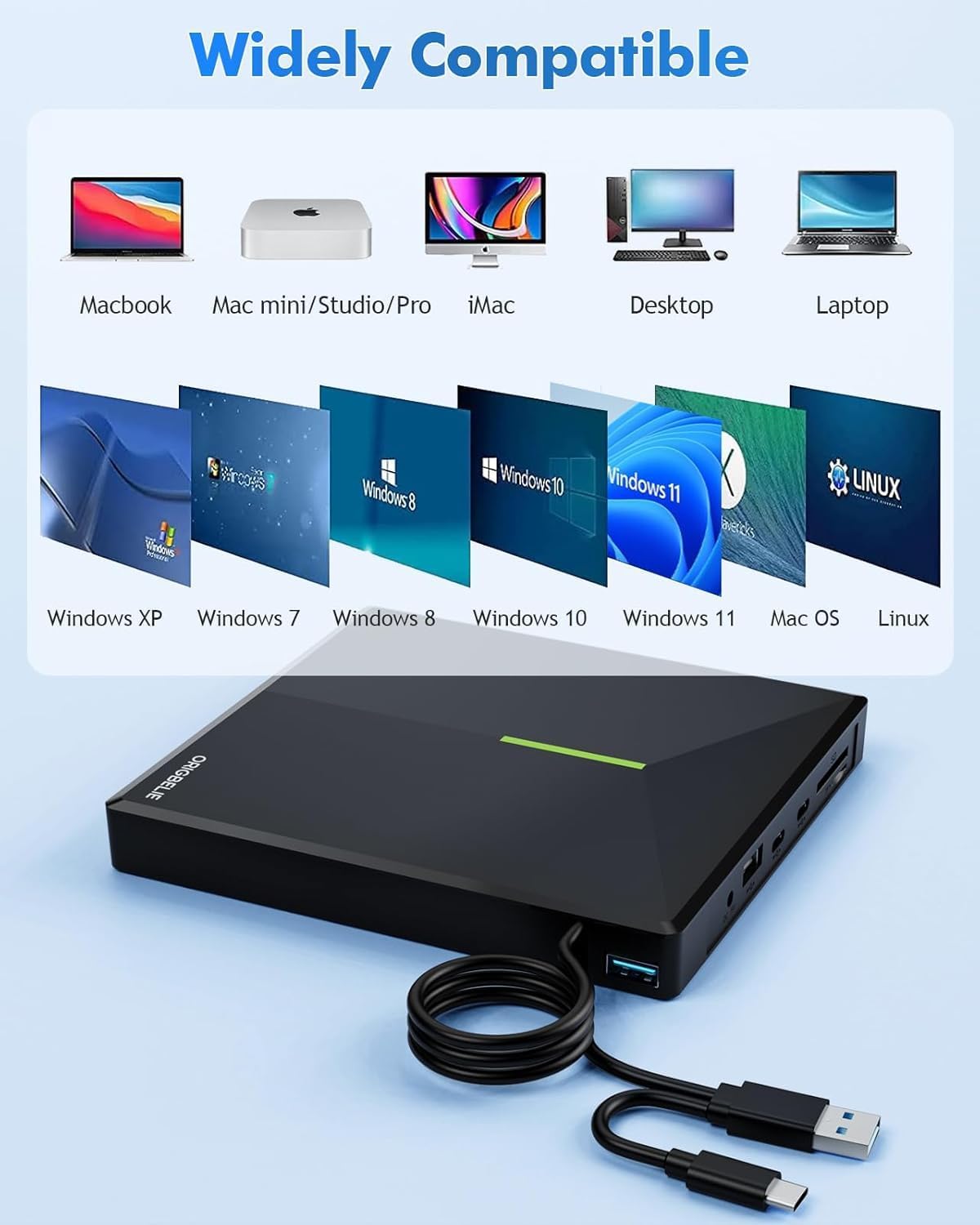
6. Kompatibilitet
Supported Systems and Devices
The ORIGBELIE External CD/DVD Drive is compatible with a wide range of operating systems and devices:
- Operativsystemer: Windows 11/10/8/7/XP, Vista 7/8, Linux, Mac OS 10.6 or above.
- Enheder: MacBook, iMac, Notebook, Desktop PC, Laptop.
Bemærk til Windows 11-brugere: A media player (such as VLC) and an active network connection may be required for optimal functionality.
Bemærkning til Mac-brugere: The device icon will only appear after a disc is successfully inserted and read.
Incompatible Systems and Devices
This drive is ikke supported by the following:
- Cars, TVs, Tablets, Phones, iPads
- PS4/5, Xbox, Nintendo Switch, Projectors
- Chromebook, partial Surface models, Ubuntu system
- Blu-ray discs (this drive does not support Blu-ray format)

Figur 6: Visual representation of compatible and incompatible devices and operating systems.
7. Vedligeholdelse og pleje
To ensure the longevity and optimal performance of your ORIGBELIE External CD/DVD Drive, follow these maintenance guidelines:
- Hold drevet rent og fri for støv. Brug en blød, tør klud til at rengøre det udvendige.
- Undgå at udsætte drevet for ekstreme temperaturer, fugtighed eller direkte sollys.
- Handle discs carefully to prevent scratches or damage. Always store discs in their cases when not in use.
- Do not attempt to disassemble or repair the drive yourself, as this will void the warranty.
- When transporting, use the provided storage bag to protect the drive from scratches and impacts.
8. Fejlfinding
If you encounter issues with your external CD/DVD drive, refer to the following common solutions:
- Drev ikke genkendt:
- Sørg for, at USB-kablet er korrekt tilsluttet til både drevet og din computer.
- Prøv at tilslutte til en anden USB-port på din computer.
- If using a desktop PC, connect the drive to a USB port on the back of the computer, as front ports may not provide sufficient power.
- Connect the additional USB A to DC Power Supply Cable to a 5V power source if the drive is not receiving enough power.
- Disc Not Reading/Writing:
- Sørg for, at disken er ren og fri for ridser eller pletter.
- Verify that the disc format is supported by the drive (refer to Section 5).
- For Mac users, the drive icon will only appear after a disc is inserted and successfully read.
- For Windows 11, ensure a compatible media player (e.g., VLC) is installed and a network connection is active.
- Insufficient Current Supply:
- Some computers, especially older models or certain laptops, may not provide enough power through their USB ports.
- Use the provided USB A to DC Power Supply Cable to connect the drive to an external 5V power source (e.g., a wall adapter or power bank).

Figur 7: Illustrations of common issues: device incompatibility and insufficient power supply, with suggested solutions.
9. Tekniske specifikationer
| Feature | Specifikation |
|---|---|
| Mærke | ORIGBELIE |
| Modelnummer | TP888-NEW |
| Hardware platform | Bærbar computer, Mac, PC |
| Varens vægt | 11.5 ounces (ca. 326 g) |
| Produktdimensioner | 6 x 5.6 x 0.7 tommer (15.3 x 14.3 x 1.9 cm) |
| Farve | RGB sort |
| Optisk lagrings skrivehastighed | Maks. 24x CD / 8x DVD |
| Optisk lagrings læsehastighed | Maks. 24x CD / 8x DVD |
| Hardware-interface | USB 3.0, USB 3.0 Type A, USB 3.0 Type C |
| Særlige funktioner | Backward Compatible, Error Correction, Noise Reduction Technology, Plug & Play |
10. Garanti og support
The ORIGBELIE External CD/DVD Drive (Model TP888-NEW) comes with a 90 dages garanti fra købsdatoen. Denne garanti dækker fabrikationsfejl og sikrer, at produktet fungerer som beskrevet under normal brug.
For technical assistance, troubleshooting, or warranty claims, please contact ORIGBELIE customer support through the retailer's platform or the official ORIGBELIE website. Please have your purchase details and product model number (TP888-NEW) ready when contacting support.