
Indledning
This manual provides comprehensive instructions for the safe and efficient operation of your NIIMBOT D110 Bluetooth Label Maker Machine. Please read this manual thoroughly before using the device to ensure proper setup, usage, and maintenance.
Pakkens indhold
Når du åbner pakken, skal du kontrollere, at alle følgende varer er inkluderet:
- 1 x NIIMBOT D110 Label Maker Machine
- 1 x 12x40mm Thermal Label Roll (pre-installed in printer)
- 1 x Type-C USB-kabel
- Brugervejledning (dette dokument)
- Additional 3 rolls of clear labels (packaged separately)
Opsætning
1. Opladning af enheden
Before initial use, fully charge the NIIMBOT D110 label maker.
- Connect the provided Type-C USB cable to the charging port on the label maker.
- Tilslut den anden ende af USB-kablet til en standard USB-strømadapter (medfølger ikke) eller en computers USB-port.
- Indikatorlampen viser opladningsstatus (f.eks. rød for opladning, grøn for fuldt opladet).
2. Montering af etiketbånd
The device comes with one roll of label tape pre-installed. To replace or install new tape:
- Open the label compartment cover by gently lifting it.
- Remove any empty label roll.
- Insert the new label roll with the printing surface facing upwards, ensuring the label edge extends slightly out of the slot.
- Luk dækslet til rummet godt, indtil det klikker på plads.

Image: NIIMBOT D110 Label Maker with a label roll being inserted and a smartphone displaying the NIIMBOT app interface for label creation.
3. Download af app og Bluetooth-forbindelse
The NIIMBOT D110 operates via a dedicated mobile application.
- Download the "NIIMBOT" app from the App Store (for iOS) or Google Play Store (for Android). You can search for "NIIMBOT" or scan the QR code provided in the quick start guide.
- Sørg for, at Bluetooth er aktiveret på din mobilenhed.
- Open the NIIMBOT app.
- Turn on the D110 label maker by pressing and holding the power button.
- Within the app, search for available devices and select "D110" to connect. The indicator light on the printer will confirm a successful connection.
Image: The NIIMBOT D110 Bluetooth Label Maker, highlighting its wireless connectivity and showing icons for downloading the companion app from the App Store and Google Play.
4. PC-forbindelse (valgfrit)
For more versatile content editing, the D110 can also be connected to a computer.
- Download and install the necessary drivers from the official NIIMBOT webwebsted.
- Connect the D110 to your computer using the provided Type-C USB cable.
- Follow the on-screen instructions in the NIIMBOT PC software to begin creating and printing labels.
Betjeningsvejledning
1. Oprettelse af etiketter med NIIMBOT-appen
The NIIMBOT app offers various features for designing your labels.
- Tekstinput: Indtast den ønskede tekst.
- Symboler og ikoner: Få adgang til over 1500 symboler for at forbedre dine etiketter.
- Sprog: Understøtter over 10 sprog til tekstinput.
- Rammer: Choose from over 100 frames to customize label borders.
- QR-kode og stregkode: Generer og udskriv QR-koder eller stregkoder direkte fra appen.
- Skabeloner: Utilize various built-in templates for quick label creation.
- Batchudskrivning: Print multiple identical or different labels efficiently.

Image: The NIIMBOT app interface showcasing its powerful functions, including a wide selection of symbols, support for multiple languages, various frames, and the ability to generate QR codes and barcodes.
2. Udskrivning af etiketter
Når du har designet din etiket i appen:
- Review dit etiketdesign på appens skærm.
- Ensure the D110 is connected via Bluetooth and has sufficient battery.
- Tryk på knappen "Udskriv" i appen.
- The label maker will automatically feed and print the label.
- Riv den trykte etiket af langs den savtakkede kant.
3. Understøttede etiketstørrelser
The D110 supports various label widths from 0.47 inches (12mm) to 0.59 inches (15mm). Ensure you use genuine NIIMBOT thermal labels for optimal performance.

Image: The NIIMBOT D110 Label Maker demonstrating its compatibility with various label sizes, including 12x22mm, 12x40mm, 14x40mm, 14x60mm, 15x30mm, and 15x50mm, with exampfærre trykte etiketter.
4. Ansøgning Eksamples
The NIIMBOT D110 is suitable for a wide range of labeling needs, including:
- School supplies (notebooks, binders, pencil cases)
- Food storage and organization
- Reminder labels for medication or tasks
- Gift labeling
- Travel item identification
- Cosmetic organization
- Office filing and organization
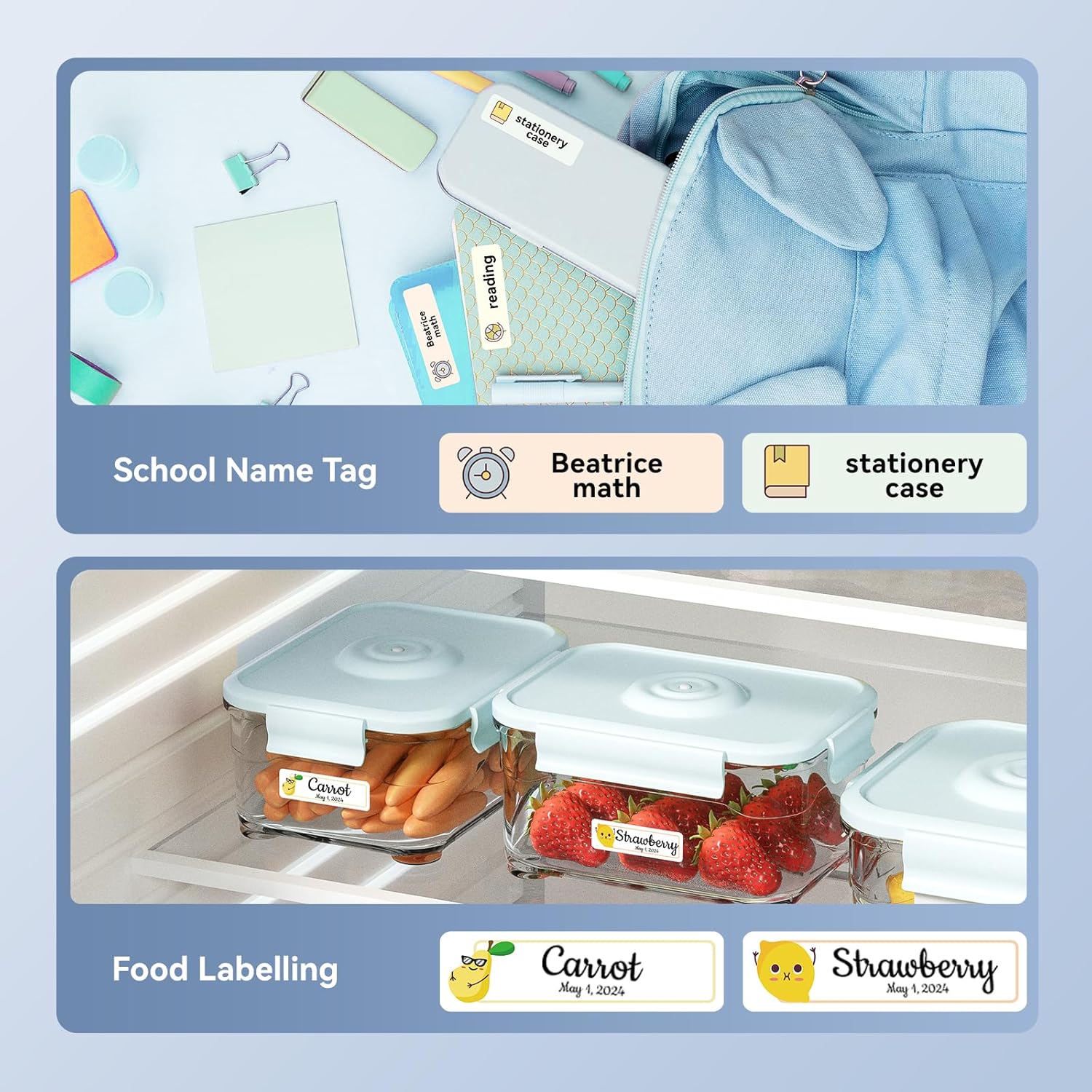
Billede: Eksamples of labels created with the NIIMBOT D110, demonstrating use for school name tags on backpacks and stationery, as well as for food labeling on storage containers with contents and dates.

Billede: Eksamples of labels created with the NIIMBOT D110, showing application for medication reminders in a pill organizer and decorative labels for gifts.

Billede: Eksamples of labels created with the NIIMBOT D110, illustrating use for organizing travel toiletries like shampoo and conditioner, and for identifying makeup products such as eyeliner and eyeshadow.
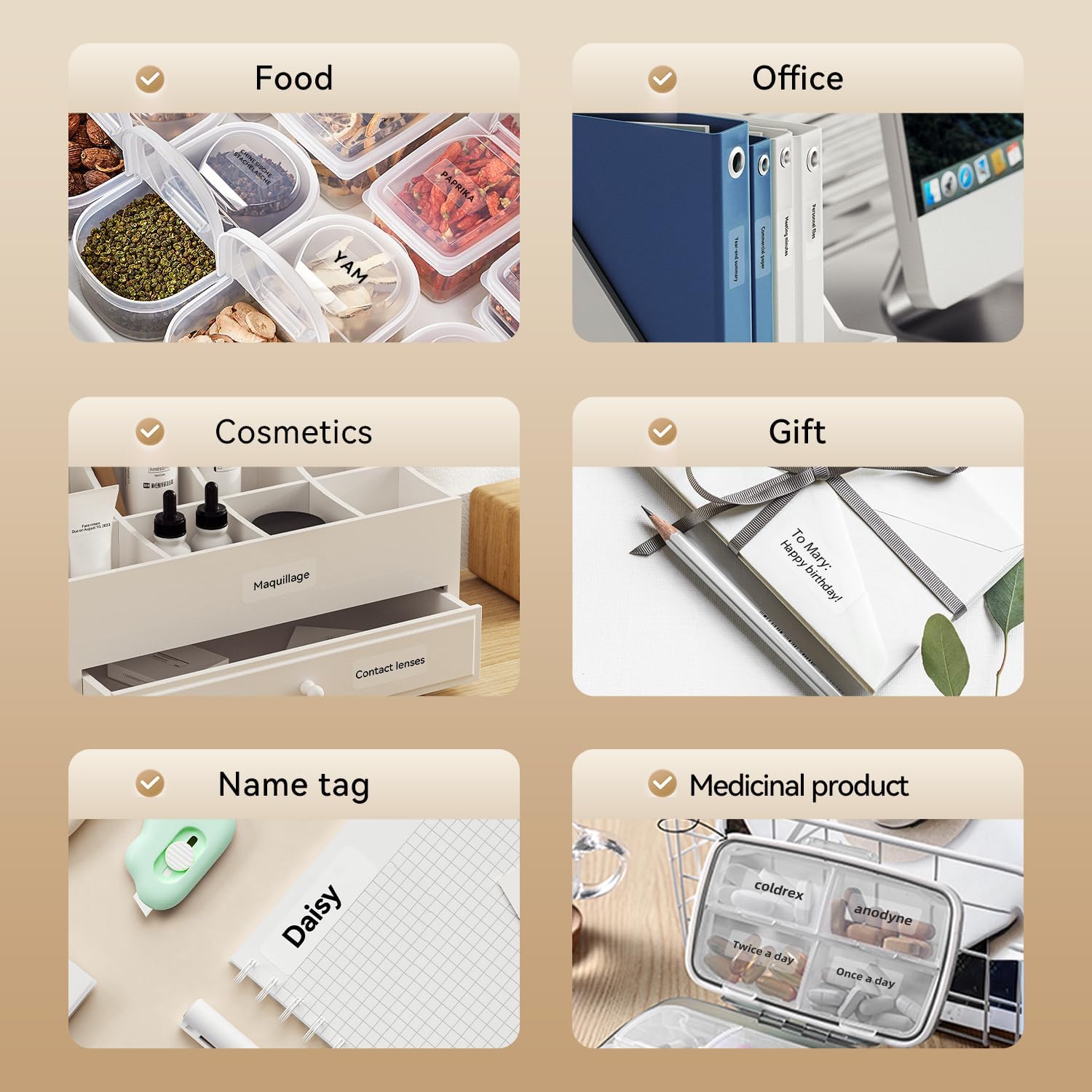
Image: A collage of various application examples for NIIMBOT D110 labels, including organizing food containers, office supplies, cosmetic items, gifts, creating name tags, and labeling medicinal products.
Opretholdelse
1. Rengøring af printhovedet
To ensure optimal print quality, regularly clean the print head.
- Sluk etiketprinteren, og afbryd den fra enhver strømkilde.
- Åbn dækslet til etiketrummet.
- Tør forsigtigt printhovedet af med en vatpind.ampafsluttet med isopropylalkohol.
- Lad printhovedet tørre helt, før du lukker dækslet og genoptager brugen.
2. Batteripleje
For at forlænge batterilevetiden:
- Undgå at aflade batteriet helt ofte.
- Oplad enheden regelmæssigt, selvom den ikke er i konstant brug.
- Opbevar enheden et køligt og tørt sted, når den ikke er i brug i længere perioder.
3. Opbevaring
Store the label maker and label rolls in a dry environment, away from direct sunlight and extreme temperatures.
Fejlfinding
| Problem | Mulig årsag | Løsning |
|---|---|---|
| Enheden tænder ikke | Lavt batteri | Oplad enheden ved hjælp af det medfølgende USB-kabel. |
| Kan ikke oprette forbindelse via Bluetooth | Bluetooth is off; App not open; Device out of range | Ensure Bluetooth is enabled on your phone, open the NIIMBOT app, and keep the printer within close proximity. Restart both devices if necessary. |
| Dårlig printkvalitet | Snavset printhoved; Forkert etikettype; Lavt batteriniveau | Clean the print head (refer to Maintenance section). Ensure you are using genuine NIIMBOT thermal labels. Charge the device. |
| Etiketter fremføres ikke korrekt | Label roll incorrectly installed; Label jammed | Open the cover and re-install the label roll, ensuring it is properly aligned. Remove any jammed labels carefully. |
| "No ink" message | Thermal printers do not use ink. This message is incorrect or a misunderstanding. | The D110 is a thermal printer and does not require ink. Ensure the label roll is correctly installed and is thermal paper. |
Specifikationer
| Feature | Detalje |
|---|---|
| Model | NIIMBOT D110 |
| Udskrivningsmetode | Thermal Printing (No Ink Required) |
| Forbindelse | Bluetooth, USB (for PC) |
| Understøttet etiketbredde | 0.47'' - 0.59'' (12 mm - 15 mm) |
| Vægt | 0.2 lb (approximately 90g) |
| Dimensioner | 3.8'' x 2.9'' x 1.1'' (approximately 9.65cm x 7.37cm x 2.79cm) |
| Strømindgang | Type-C USB |

Image: A visual comparison showing the NIIMBOT D110 as significantly smaller and lighter (0.2 lb, 3.8"x2.9"x1.1") compared to a traditional label printer (1.2 lb, 7"x6.3"x2.2").
Garanti og support
For warranty information and technical support, please refer to the official NIIMBOT website or contact NIIMBOT customer service directly. Details can typically be found on the product packaging or the manufacturer's webwebsted.
Online support: Besøg www.niimbot.com for FAQs, driver downloads, and contact information.