
1. Introduktion
This manual provides essential information for the safe operation, setup, and maintenance of your GoolRC WLtoys 6406-C Mini RC Car. Please read it thoroughly before first use to ensure proper functionality and to prevent damage. This 1:64 scale FPV remote control car features a 720P camera, app control, and LED lights, offering a versatile indoor driving experience.
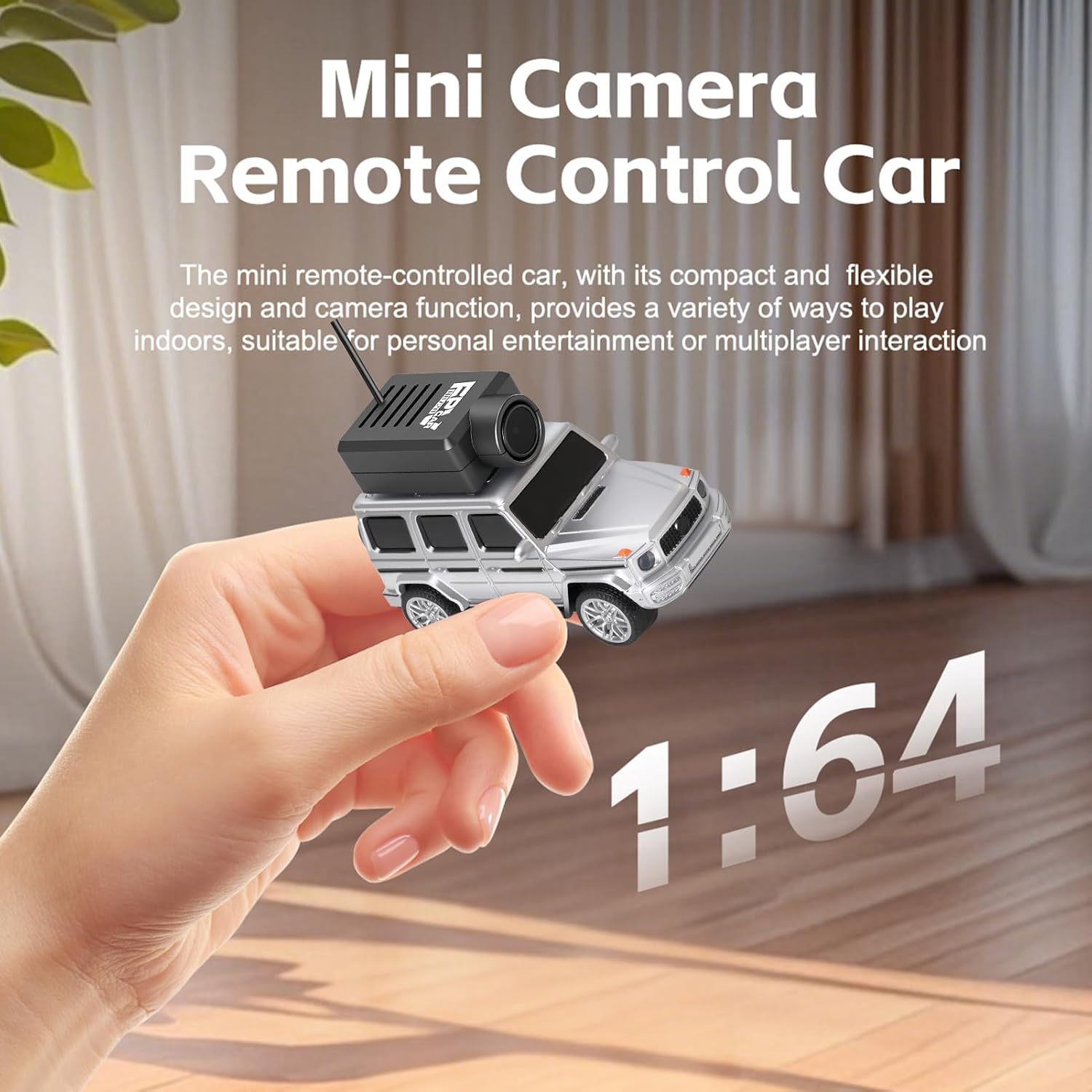
Image 1.1: The GoolRC WLtoys 6406-C Mini RC Car, highlighting its compact design and integrated camera.
2. Pakkens indhold
Verify that all items listed below are included in your package. If any components are missing or damaged, please contact customer support.
- 1 x RC Car (WLtoys 6406-C)
- 1 x fjernbetjening
- 1 x opladningskabel (Type-C)
- 1 x brugsanvisning
- 2 x Toy Trailers
- 1 x skruetrækker
- 1 x telefonholder
- 2 x skruer
- 2 x Tow Hooks
- 1 x Opbevaringspose

Image 2.1: All components included in the GoolRC WLtoys 6406-C package.
3. Produktfunktioner
- 2.4G Auto-Matching Technology: Ensures quick and easy connection between the car and controller.
- Indbygget gyroskop: Provides self-stabilization for smooth driving on various surfaces.
- Shock-Absorbing Front Wheels: Enhances stability and minimizes bumps during operation.
- Undercarriage LED Lights: Cool blue lighting for improved visibility and aesthetic appeal.
- Tre justerbare hastighedstilstande: Fast, Medium, and Slow settings to suit different skill levels and environments.
- Dobbelt kontrolmuligheder: Operate via the included remote controller or a smartphone app.
- High-Performance 720P Camera: Offers real-time FPV (First-Person View) video transmission via WiFi with low latency.
- App funktioner: Supports photo capture, video recording, VR mode compatibility, and omnidirectional movement control.
- Magnetic Suction Camera: Allows for easy installation and removal of the camera.
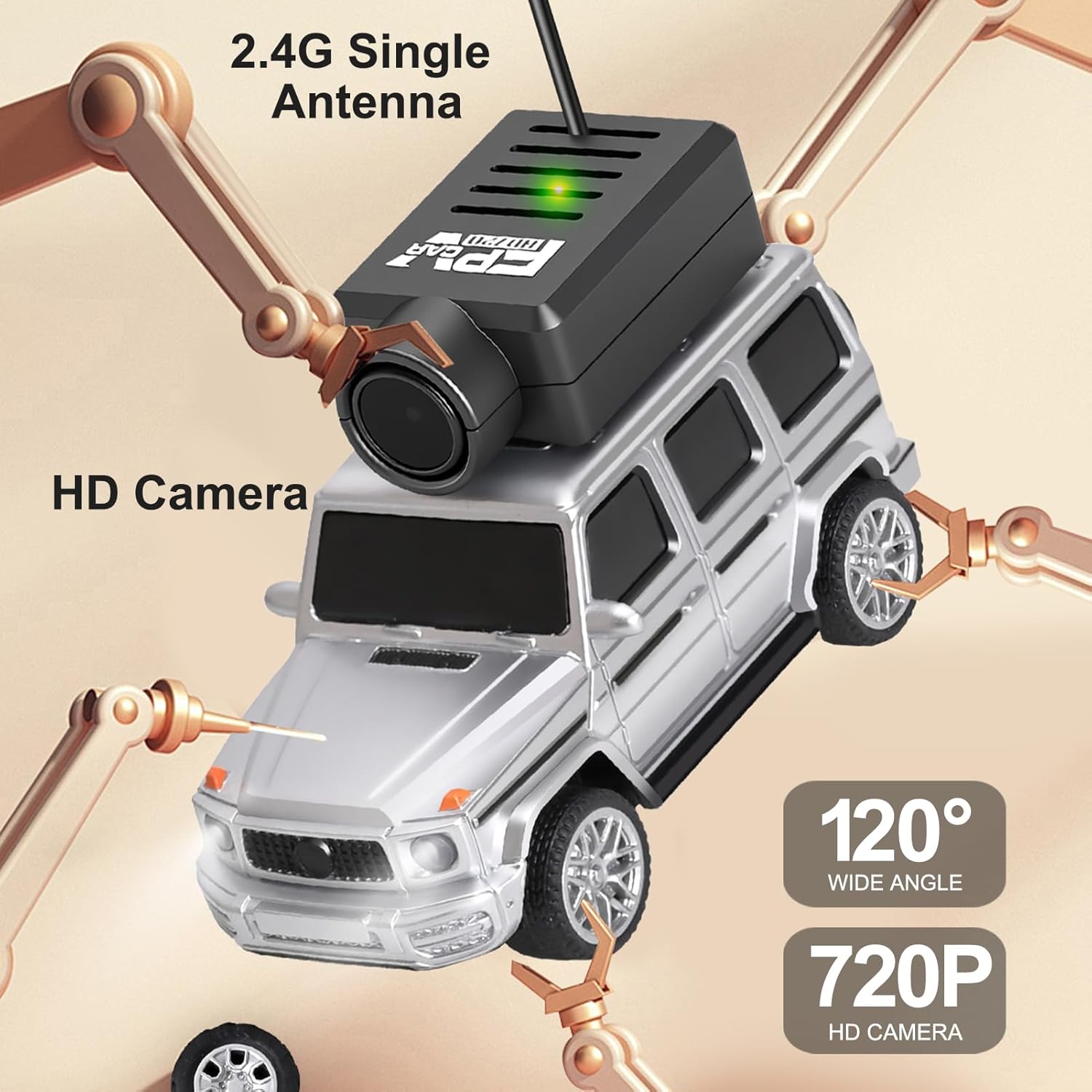
Billede 3.1: Detaljeret view of the FPV camera specifications.

Image 3.2: The RC car with its blue ambient undercarriage lighting.
4. Opsætning
4.1 Opladning af fjernstyrede bilers batteri
The RC car is powered by a 3.7V 20C 180mAh polymer lithium battery. Use the provided Type-C charging cable to charge the car. Connect the Type-C end to the car's charging port and the USB-A end to a compatible USB power source (e.g., computer, USB wall adapter). The indicator light will show charging status (refer to the car's specific LED behavior for full charge indication).

Image 4.1: Location of the Type-C charging port on the RC car.
4.2 Opsætning af fjernbetjening
The remote controller requires batteries (not included). Insert the required batteries into the controller's battery compartment. Turn on the remote controller. The 2.4G auto-matching technology will automatically pair the controller with the RC car once both are powered on.
4.3 Appinstallation og -forbindelse
To use app control and FPV features, download the 'WL Tech FPV CAR' app. Scan the QR code provided in the color box or instruction manual, or search for the app on your device's app store (App Store for iOS, Google Play for Android).
- Scan the QR code on the color box or instruction manual to find the app.
- Choose the version compatible with your phone and download the app.
- Tænd for den fjernbetjente bilkontakt.
- Connect your smartphone to the car's WiFi network. The WiFi name will typically start with "WL_FPV_CAR" followed by a series of numbers. The password is the last 8 digits of the WiFi name.

Image 4.2: Steps for app installation and WiFi connection.
5. Betjeningsvejledning
5.1 Basic Control (Remote Controller)
The remote controller provides precise control over the RC car. Attach your smartphone to the phone mount on the remote for FPV viewing.
- Pilot Lamp: Indikerer strømstatus.
- Steering Fine-tuning: Adjusts steering trim for straight driving.
- Lyskontrolknap: Toggles the undercarriage LED lights.
- Turn Left and Right Switch: Controls the direction of the car.
- Gyroscope Fine-tuning: Adjusts gyroscope sensitivity for stability.
- Hastighedskontrolnøgle: Cycles through speed modes (Slow, Medium, Fast).
- Fartpilot-knap: Aktiverer/deaktiverer fartpilot.
- Afbryderen: Tænder/slukker fjernbetjeningen.

Image 5.1: Remote controller layout and functions.
5.2 Hastighedsjustering
The car offers three adjustable speed levels:
- Slow Gear: Approximately 1.7 Km/h. Ideal for beginners or precise indoor maneuvering.
- Medium Speed Gear: Approximately 2.5 Km/h. Balanced speed for general play.
- Quick Gear: Approximately 3 Km/h. For experienced users seeking higher speeds.

Image 5.2: Speed settings for the RC car.
5.3 App Control and FPV Functions
Once connected to the app, your smartphone becomes an intuitive control interface. The app displays real-time video from the car's camera.
- Proportional Throttle Control: Adjust speed precisely.
- Proportional Steering Control: Finjuster styringen.
- Kamera Funktion: Tage billeder.
- Videofunktion: Optag videoer.
- VR Function: Engage VR mode for an immersive first-person perspective (requires VR glasses, not included).
- Lane Assist: Provides driving assistance.
- Modeskift: Switch between different control modes.

Image 5.3: App interface for FPV and control.

Image 5.4: Detailed app control functions.

Image 5.5: VR mode experience with the RC car.
6. Vedligeholdelse
6.1 Batteripleje og opladning
- Brug altid det medfølgende Type-C-opladerkabel.
- Overoplade ikke batteriet. Frakobl det, når det er fuldt opladet.
- Store the car and battery in a cool, dry place away from direct sunlight and extreme temperatures.
- If the car will not be used for an extended period, charge the battery to approximately 50% before storage.
6.2 Rengøring
- Wipe the car with a soft, dry cloth after use.
- Undgå at bruge vand eller kemiske rengøringsmidler, da de kan beskadige elektroniske komponenter.
- Ensure no dust or debris accumulates around the wheels or camera lens.
6.3 Camera Installation/Removal
The camera uses a magnetic suction design for easy attachment and removal. Ensure the camera is securely attached before operation to prevent it from falling off during movement.

Image 6.1: Magnetic camera installation.
7. Fejlfinding
This section addresses common issues you might encounter with your GoolRC WLtoys 6406-C Mini RC Car.
| Problem | Løsning |
|---|---|
| RC car tires appear to be showing or exposed. | This design feature, with a strong grip and resistance to drifting, improves the stability and tire grip during turns. This is normal operation. |
| How to adjust tire tilt? | Adjust the tire tilt using the steering fine-tuning on the remote control and the steering pull rod. |
| RC car has slight scratches. | Minor scratches on the chassis may occur during transportation. These do not affect the product's use or performance. |
| Bilen reagerer ikke på fjernbetjening/app. | Ensure both the car and controller are powered on and fully charged. Re-pair the controller if necessary. For app control, verify WiFi connection and correct password. |
| FPV video is laggy or disconnected. | Ensure your smartphone is close to the car and there are no strong WiFi interferences. Check the car's battery level. Restart the app and car if needed. |

Image 7.1: Common troubleshooting scenarios.
8. Specifikationer
| Feature | Detalje |
|---|---|
| Mærkenavn | GoolRC |
| Modelnavn | GoolRCczig5vd6na-12 (WLtoys 6406-C) |
| Skala | 1:64 |
| Kontrolfrekvens | 2.4 GHz |
| Fjernbetjening afstand | Up to 30 meters (App Control), Up to 50 meters (Remote Control) |
| Kameraopløsning | 720P HD |
| Kamera vidvinkel | 120° |
| Batteritype | 3.7V 20C 180mAh Polymer Lithium Battery |
| Opladningsport | Type-C |
| Materiale Type | Plast |
| Emnedimensioner | 8.66 x 6.69 x 2.75 tommer |
| Aldersgruppe beskrivelse | Adult (Manufacturer Minimum Age: 168 months) |
9. Garanti og support
For warranty information, please refer to the documentation included with your purchase or contact the retailer. For technical support or inquiries, please visit the official GoolRC webwebstedet eller kontakt deres kundeserviceafdeling. Gem din købskvittering som købsbevis i tilfælde af garantikrav.