
1. Introduktion
Welcome to the user manual for your new OPPO F31 Pro 5G smartphone. This guide provides essential information on setting up, operating, maintaining, and troubleshooting your device. Please read this manual thoroughly to ensure optimal performance and longevity of your smartphone.
1.1 Hvad er der i æsken
- OPPO F31 Pro 5G smartphone
- Telefon etui
- Strømadapter
- SIM-bakkeudkaster
- Skærmbeskytter (forudmonteret eller separat)
2. Indledende opsætning
Follow these steps to set up your OPPO F31 Pro 5G for first-time use.
2.1 Enhed overview
Sæt dig ind i de fysiske komponenter på din smartphone.
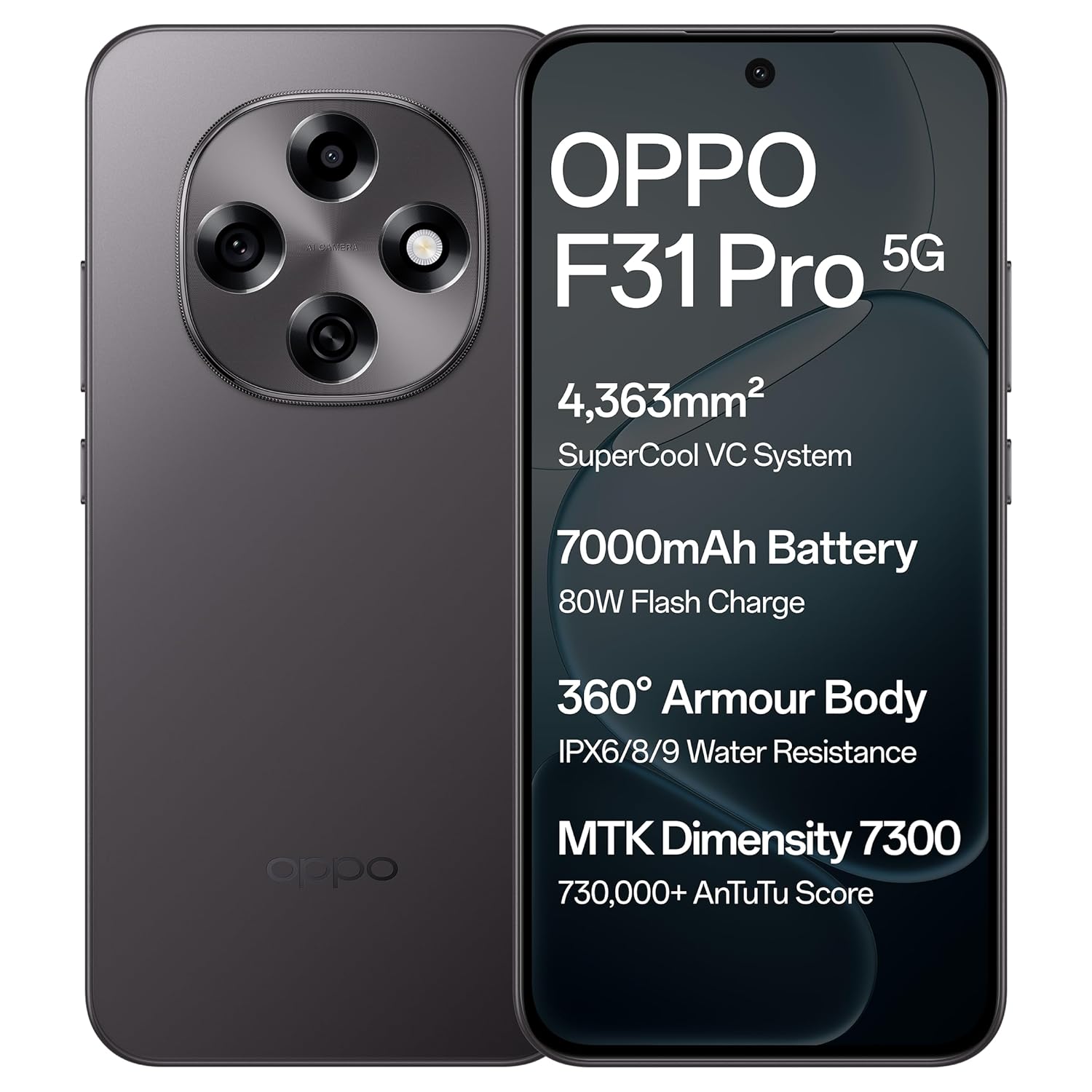
Billede: Forside og bagside view of the OPPO F31 Pro 5G smartphone, highlighting its sleek design and camera module.
2.2 Isætning af SIM-kort og hukommelseskort
- Find SIM-kortbakken på siden af din enhed.
- Sæt SIM-kortbakkens udløserværktøj ind i det lille hul ved siden af bakken, og tryk godt ned, indtil bakken springer ud.
- Place your Nano-SIM card(s) and/or a compatible memory card into the designated slots on the tray. Ensure the gold contacts face downwards.
- Sæt forsigtigt bakken tilbage i telefonen, indtil den klikker på plads.
2.3 Opladning af enheden
Before first use, fully charge your device using the provided power adapter and USB Type-C cable.
- Tilslut USB-kablet til strømadapteren.
- Sæt strømadapteren i en stikkontakt.
- Connect the USB Type-C end of the cable to the charging port at the bottom of your phone.
- Opladningsindikatoren vises på skærmen.
2.4 Tænding og indledende konfiguration
- Press and hold the Power button (usually on the right side) until the OPPO logo appears.
- Følg vejledningen på skærmen for at vælge dit sprog, oprette forbindelse til et Wi-Fi-netværk og konfigurere din Google-konto.
- Du kan også blive bedt om at oprette en skærmlås (pinkode, mønster, adgangskode eller fingeraftryk).
3. Betjening af din enhed
This section details the key features and functionalities of your OPPO F31 Pro 5G.
3.1 Skærmfunktioner
Your device features an Ultra-Bright, Eye-Caring 6.57-inch AMOLED flexible display with a 120Hz adaptive refresh rate and up to 1400-nit peak brightness for clear visibility in various lighting conditions. Hardware-level low blue light and natural-like light simulation are integrated for eye protection.
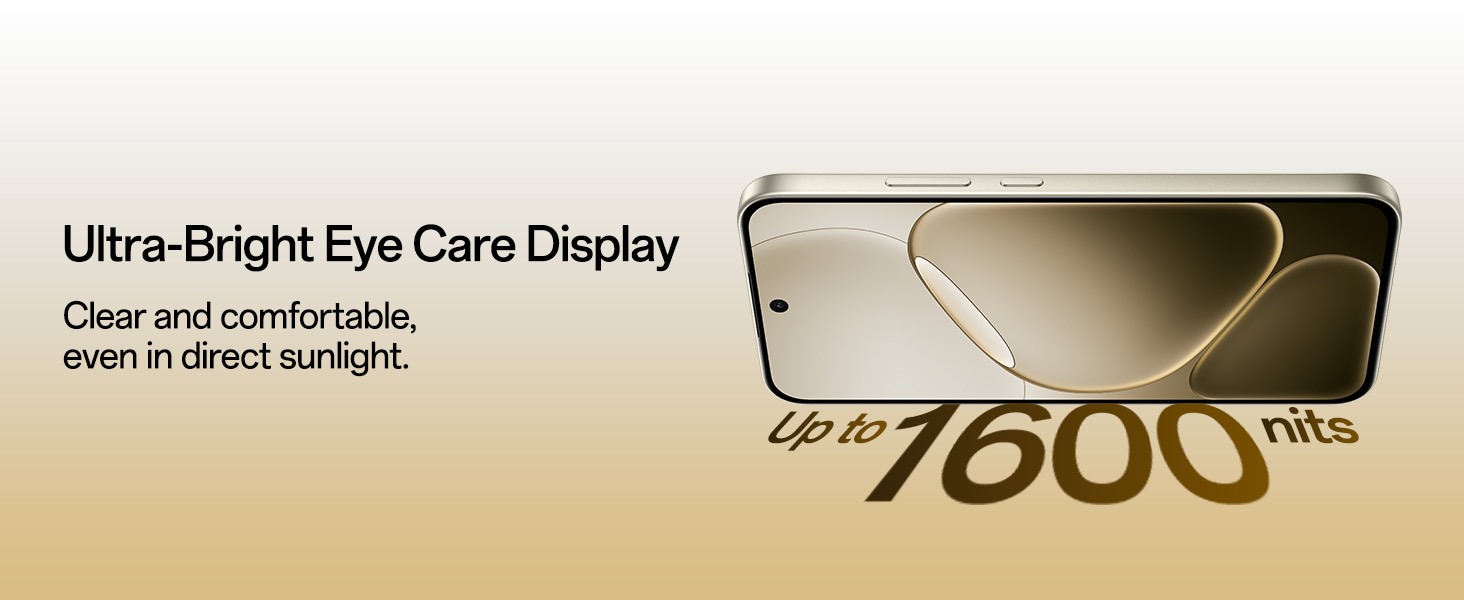
Image: The OPPO F31 Pro 5G's ultra-bright AMOLED display, designed for clear and comfortable viewing.
3.2 Ydelse
The OPPO F31 Pro 5G is powered by the MediaTek Dimensity 7300 chipset, offering efficient and smooth performance for multitasking and gaming. It includes a 4363 mm² VC cooling system to maintain optimal temperatures during intensive use. The device runs on ColorOS 15, optimized for long-term fluency.
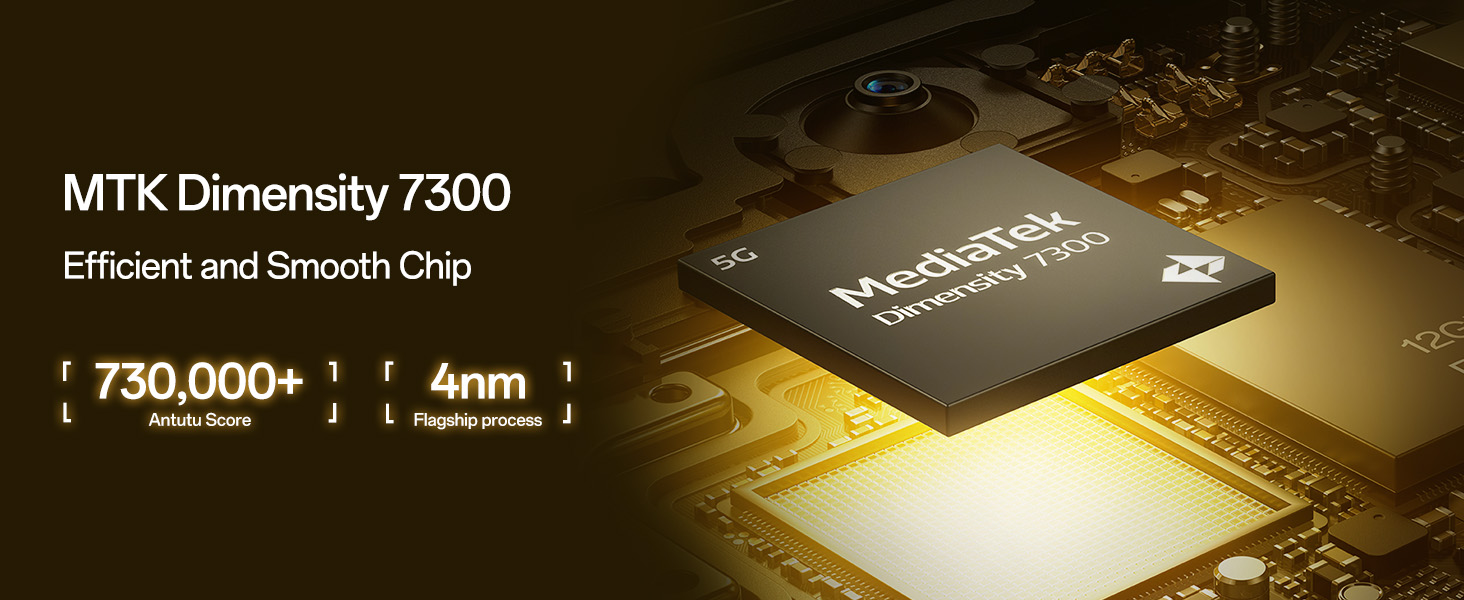
Image: A close-up of the MediaTek Dimensity 7300 Mobile Platform chip, emphasizing its role in efficient performance.
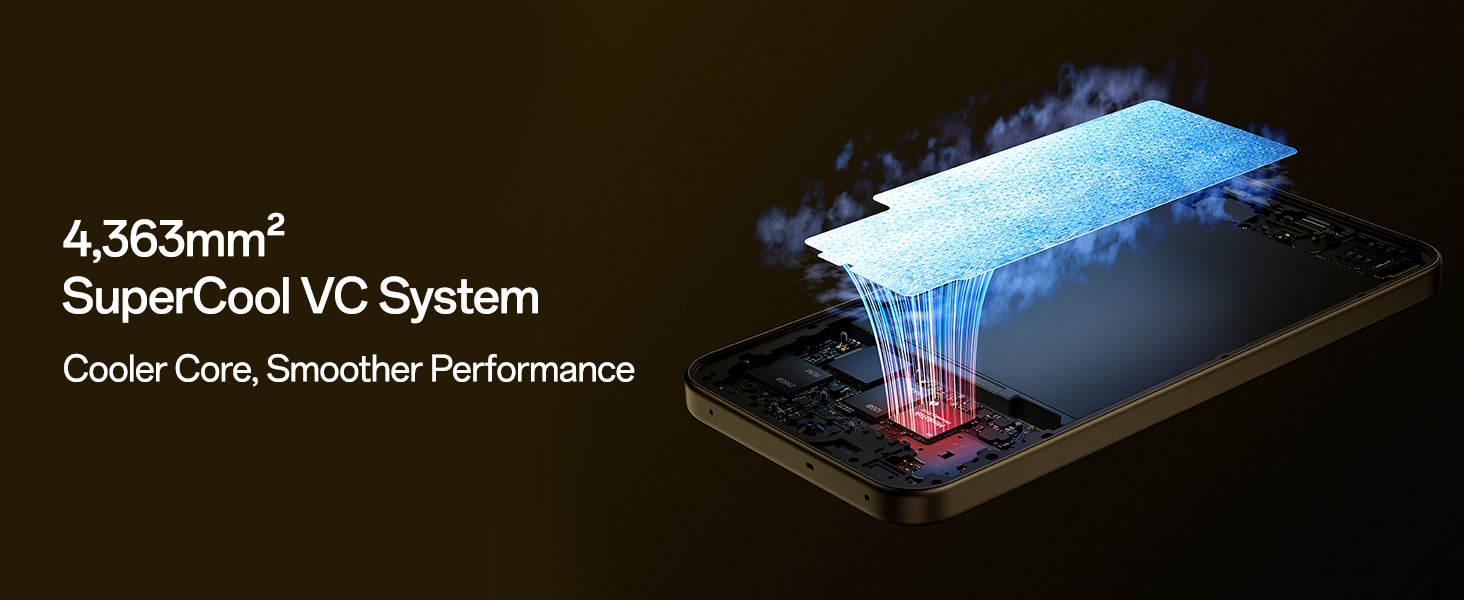
Image: Diagram illustrating the 4,363mm² SuperCool VC System, designed for efficient heat dissipation and smoother performance.
3.3 Kamerasystem
Optag billeder og videoer i høj kvalitet med det avancerede kamerasystem:
- Bagkamera: 50 MP Main Camera and 2 MP Portrait Camera. Features include 4K Underwater Videography/photography mode and Advanced HDR Algorithm Optimization.
- Forreste kamera: Sharp 32 MP Front Camera.
- Videofunktioner: Dobbelt-View Video, Live Photos, and Dynamic Capturing.
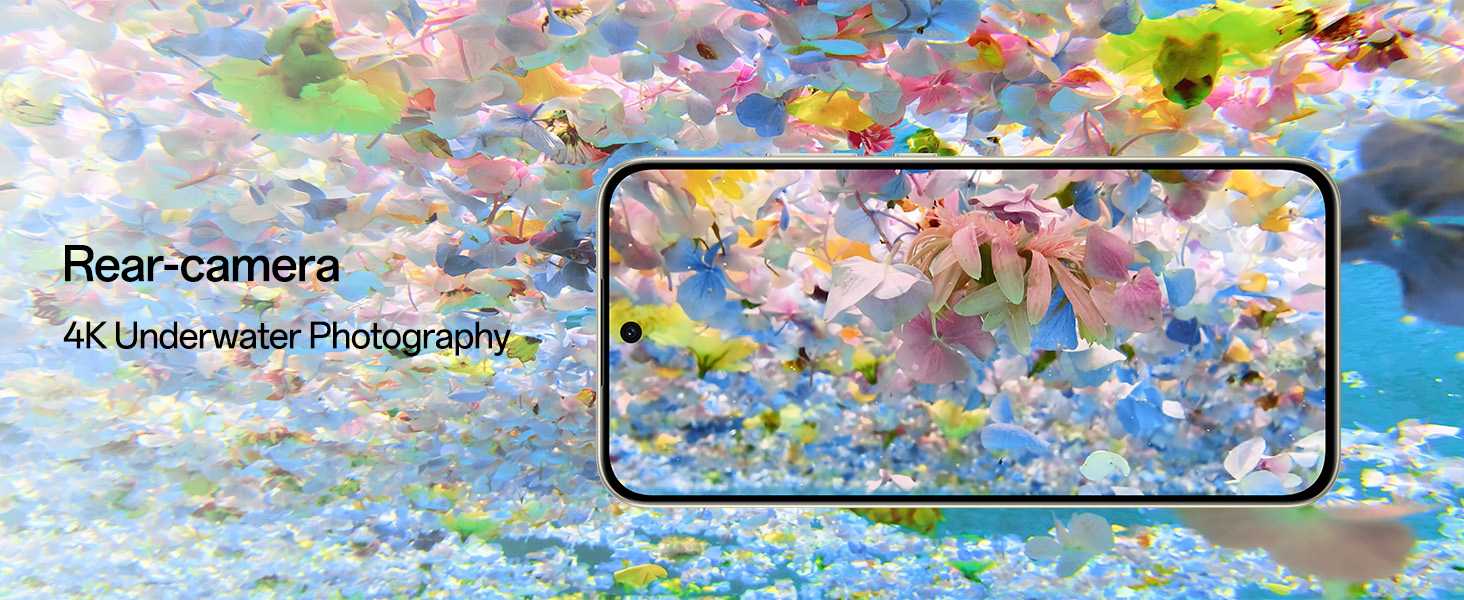
Image: The rear camera module of the OPPO F31 Pro 5G, showcasing its capability for 4K underwater photography.
3.4 Forbindelse
Stay connected with advanced network technologies:
- AI LinkBoost 3.0 and Hunter Antenna: Ensures stable internet and calls even in areas with weak signals.
- Beacon Link 2.0: Enables offline peer-to-peer calls, texts, and picture sharing via Bluetooth within a range of up to 210m.
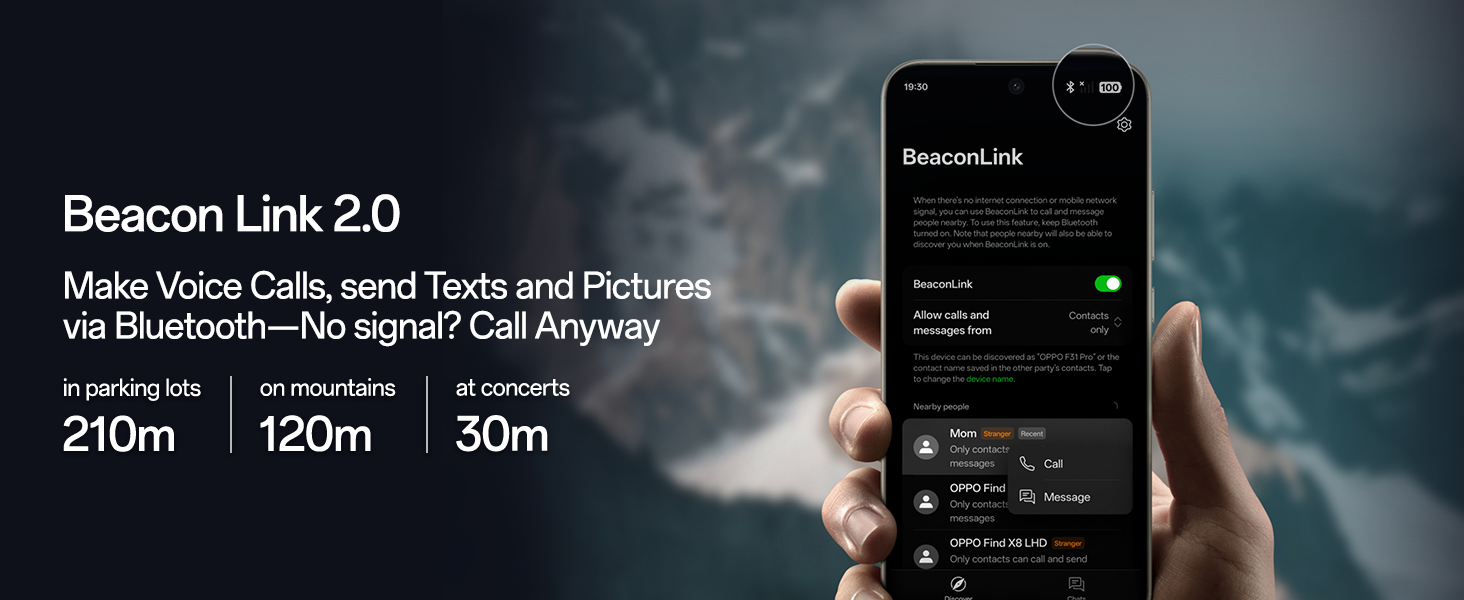
Image: A visual representation of the Beacon Link 2.0 feature, showing its interface and range capabilities for offline communication.
3.5 Batteri og opladning
The device is equipped with a large 7000mAh battery, providing up to 3 days of power on a single charge. It supports 80W SuperVOOC Flash Charge for rapid recharging, even in extreme temperatures.
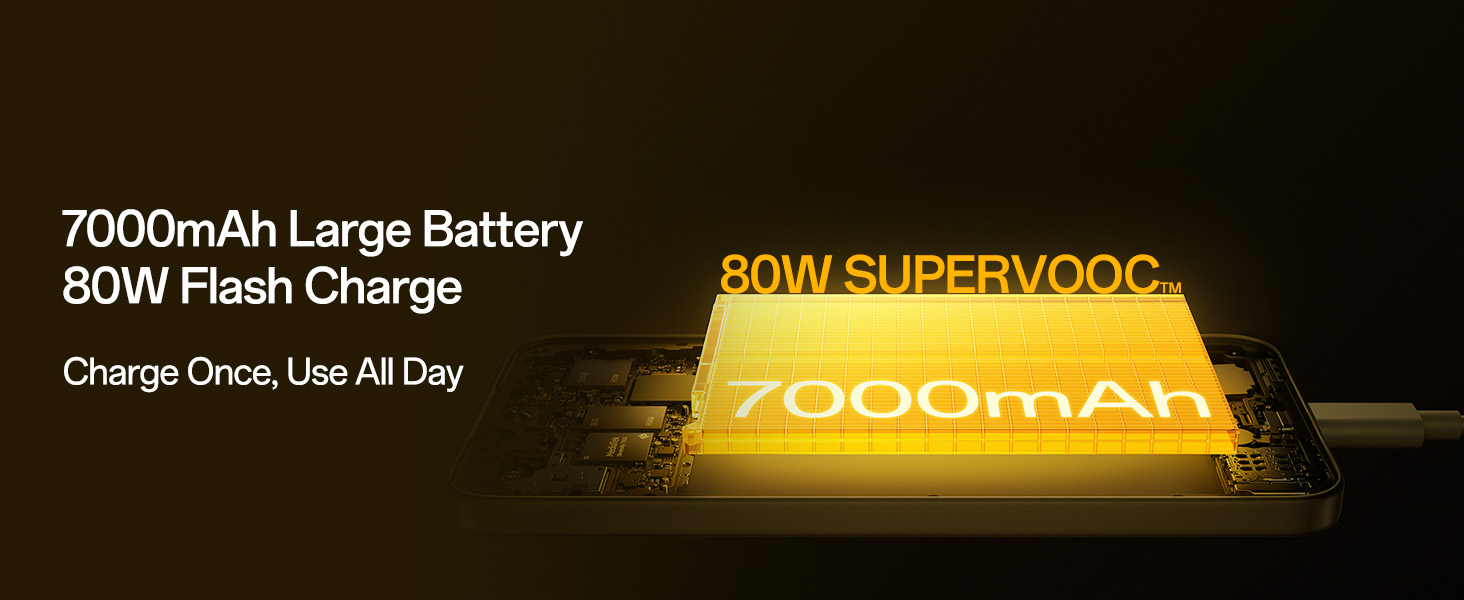
Image: An illustration of the 7000mAh large battery and the 80W SuperVOOC Flash Charge technology, highlighting fast and long-lasting power.
3.6 Holdbarhed og design
The OPPO F31 Pro 5G is built with aerospace-grade aluminum and AGC DT-Star D+ glass, offering robust protection. It boasts IP69/IP68/IP66 full-scenario dust and water resistance, capable of resisting submersion up to 1.5m for 30 minutes. The device is compliant with MIL-STD-810H-2022 and 18A military-grade standards for enhanced resilience against drops, sand, and extreme conditions.
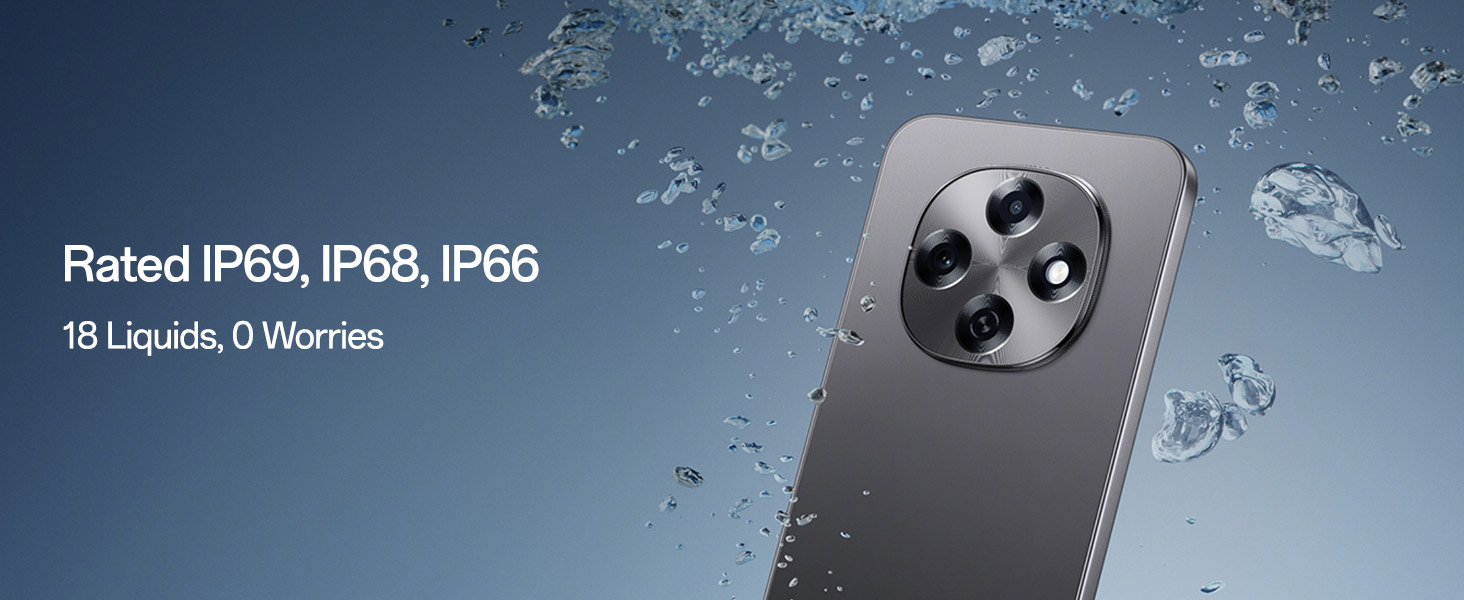
Image: The OPPO F31 Pro 5G being exposed to water, demonstrating its IP69, IP68, and IP66 water resistance ratings.
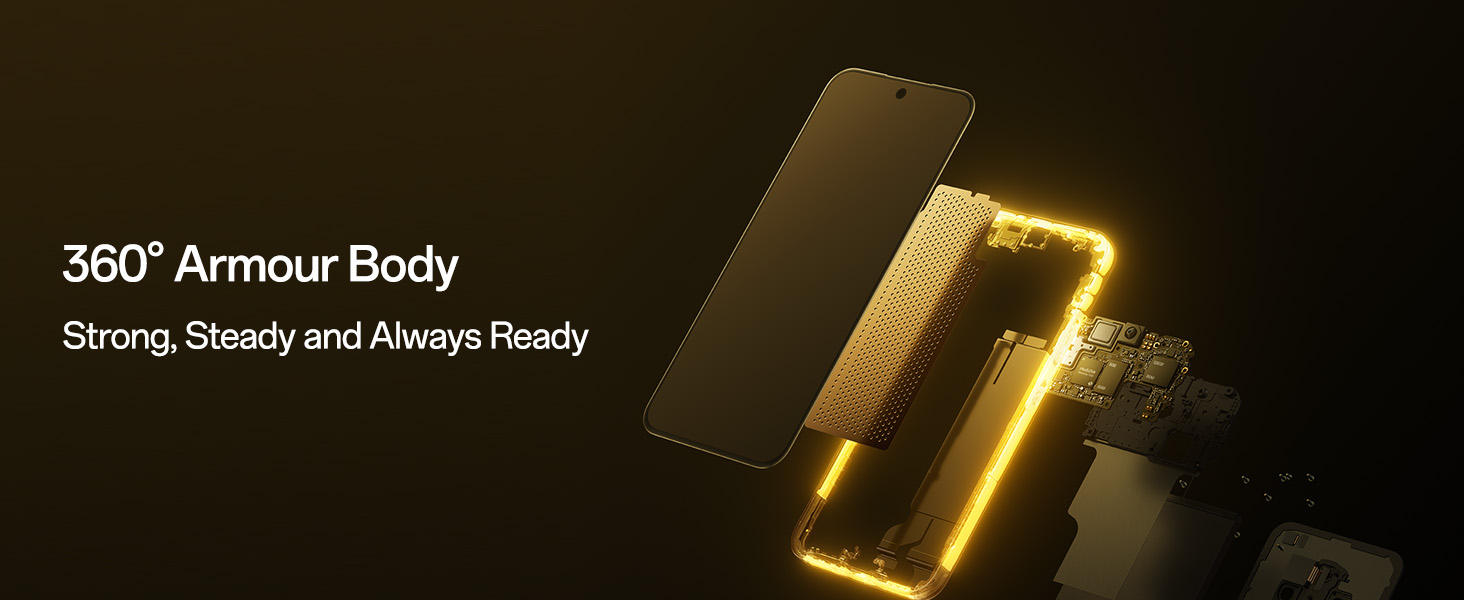
Billede: En eksploderet view of the OPPO F31 Pro 5G, illustrating its 360-degree armor body construction for enhanced durability.
3.7 Software og AI-funktioner
Running on ColorOS 15, the device integrates AI-powered features:
- Smart Document: AI summaries, translations, and rewriting capabilities.
- Smart Note: AI-enhanced note-taking.
- Google Gemini: Integrated for advanced language understanding, content creation, and reasoning.
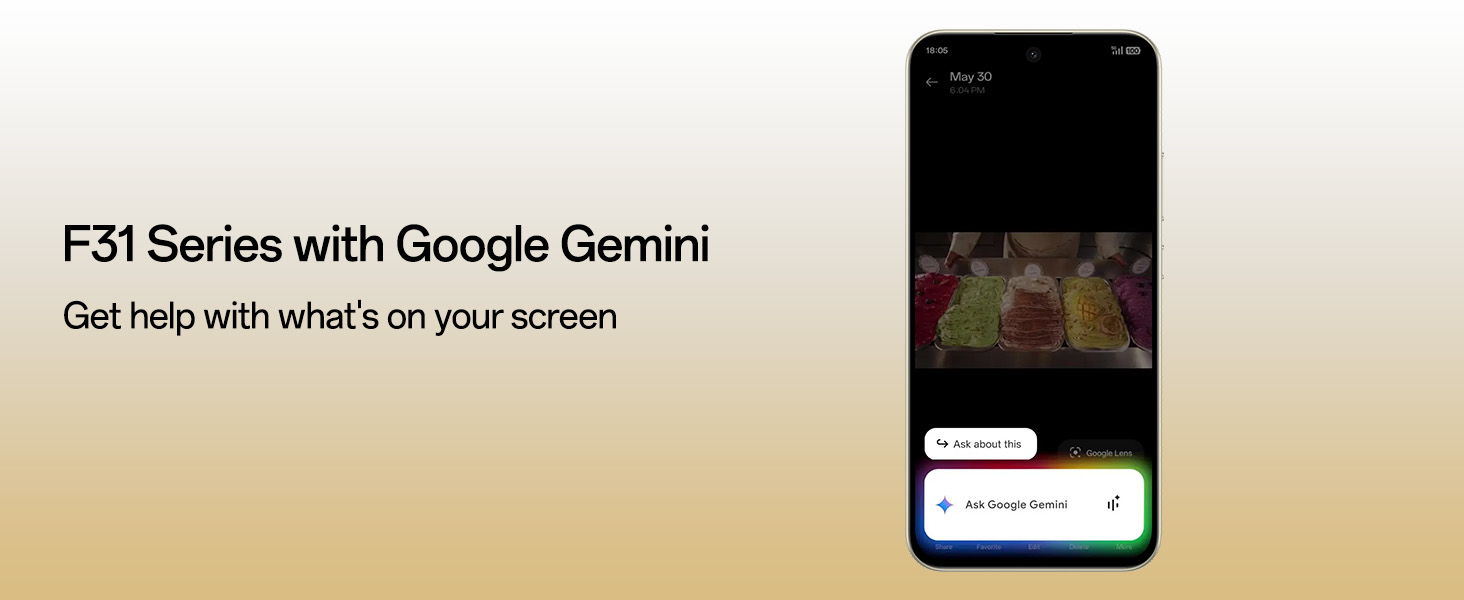
Image: The OPPO F31 Pro 5G screen displaying the Google Gemini interface, demonstrating its AI assistance capabilities.
3.8 Security and Audio
- O-Lock Anti-Theft: Locks the device if stolen, preventing data breaches and unauthorized resets.
- Spam Call Blocking: Filters unwanted calls.
- Intelligent Speaker Drainage System: Expels water and debris from speakers for clear sound.
4. Vedligeholdelse
Proper maintenance ensures the longevity and optimal performance of your OPPO F31 Pro 5G.
4.1 Rengøring af din enhed
- Brug en blød, fnugfri klud til at tørre skærmen og kabinettet af.
- Undgå at bruge skrappe kemikalier, slibende rengøringsmidler eller aerosolspray.
- Til genstridige pletter, let dampRengør kluden med vand eller en skærmrens, der er specielt designet til elektronik.
4.2 Softwareopdateringer
Regularly check for and install software updates to enhance security, improve performance, and gain new features. Go to Indstillinger > Om enhed > Opdateret for at søge efter opdateringer.
4.3 Pleje af batterier
- Undgå at udsætte enheden for ekstreme temperaturer (meget varmt eller meget koldt).
- Lad ikke enheden oplade i længere perioder, efter den har nået 100%.
- Brug kun originalt eller certificeret opladningstilbehør.
4.4 Retningslinjer for vandtæthed
While your device is IP69/IP68/IP66 rated, water resistance is not a permanent condition and may decrease over time with normal wear. To prevent liquid damage:
- Nedsænk ikke enheden med vilje i vand.
- Avoid exposing the device to pressurized water or high-velocity water, such as showering, water skiing, or surfing.
- Do not use the device in a sauna or steam room.
- If the device gets wet, wipe it dry with a clean, soft cloth. Do not charge it until it is completely dry.
5. Fejlfinding
Her er løsninger på nogle almindelige problemer, du kan støde på.
5.1 Enheden tænder ikke
- Sørg for, at batteriet er opladet. Tilslut opladeren, og vent et par minutter, før du forsøger at tænde.
- Tryk og hold tænd/sluk-knappen nede i mindst 10-15 sekunder for at fremtvinge en genstart.
5.2 Opladningsproblemer
- Kontroller, om opladningskablet og adapteren er korrekt tilsluttet.
- Prøv at bruge en anden stikkontakt.
- Undersøg opladningsporten for snavs eller skader.
- Use only original OPPO charging accessories.
5.3 Problemer med netværksforbindelse
- Intet signal/svagt signal: Ensure your SIM card is properly inserted. Try restarting the device. Check if you are in an area with network coverage.
- Problemer med Wi-Fi-forbindelse: Genstart din Wi-Fi-router. Glem netværket på din telefon, og genopret forbindelsen.
- Bluetooth-problemer: Ensure Bluetooth is enabled on both devices. Try unpairing and re-pairing the devices.
5.4 Apps der går ned eller fryser
- Luk appen, og åbn den igen.
- Ryd appens cache og data (Indstillinger > Apps > [Appnavn] > Lager > Ryd cache/Ryd data).
- Opdater appen til den nyeste version fra Google Play Butik.
- Hvis problemet fortsætter, skal du afinstallere og geninstallere appen.
5.5 Fabriksindstilling
Hvis du oplever vedvarende softwareproblemer, kan en fabriksnulstilling muligvis løse dem. Advarsel: Dette vil slette alle data på din telefon. Sikkerhedskopier vigtige data, før du fortsætter. Gå til Settings > System settings > Back up and reset > Reset phone > Erase all data.
6. Specifikationer
Key technical specifications for the OPPO F31 Pro 5G:
| Feature | Specifikation |
|---|---|
| Mærke | OPPO |
| Model | F31 Pro 5G |
| Operativsystem | Android 14 (ColorOS 15) |
| RAM-hukommelse | 8 GB |
| Intern opbevaring | 128 GB |
| Processor | MediaTek Dimensity 7300 (2.5 GHz CPU-hastighed) |
| Display Type | AMOLED |
| Skærmstørrelse | 6.57 tommer |
| Opløsning | 1080x2372 pixels |
| Opdateringshastighed | 120 Hz |
| Bagkamera | 50 MP (Main) + 2 MP (Portrait) |
| Forreste kamera | 32 MP |
| Batterikapacitet | 7000 mioamp Timer |
| Opladning | 80W hurtigopladningsunderstøttelse |
| Antal SIM-kortpladser | Dual SIM (Nano) |
| Connector Type | USB Type C |
| Biometrisk sikkerhed | Fingeraftryksgenkendelse |
| Vandmodstandsniveau | IP69/IP68/IP66 Water Resistant |
| Varens vægt | 204 gram |
| Emnedimensioner | 16.3 x 7.8 x 0.8 centimeter |
| Cellulær teknologi | 5G |
| Trådløs netværksteknologi | Bluetooth, Wi-Fi, GSM, Infrared, LTE |
7. Garanti og support
7.1 Garantioplysninger
Your OPPO F31 Pro 5G comes with a warranty of 12 Months on the Handset and 6 Months on the Adapter & Cable fra købsdatoen. Gem venligst din købsbevis i tilfælde af garantikrav.
7.2 Fabrikantens kontaktoplysninger
For teknisk support, service eller garantiforespørgsler, kontakt venligst:
OPPO Mobiles India Pvt Ltd5. SAL, Tårn B, BYGNING, N-8,
DLF Cyber City, DLF Fase 2,
Gurugram, Haryana 122002
Tlf.: 18001032777