
SUNTEK Robotic Lawn Mower SRM2050
Instruktionsmanual
1. Vigtige sikkerhedsoplysninger
Read all safety warnings and instructions carefully before operating the robotic lawn mower. Failure to follow these instructions may result in electric shock, fire, and/or serious injury.
- Hold altid hænder og fødder væk fra skæreknivene.
- Do not operate the mower when people, especially children, or pets are in the immediate vicinity.
- Ensure the mower is switched off and disconnected from the charging station before performing any maintenance or cleaning.
- Do not use the mower in wet conditions or rain, unless specifically designed for it (this model has IPX5 protection, but avoid heavy downpours).
- Inspect the lawn for objects such as stones, toys, or wires before operation and remove them.
- Brug kun originale reservedele og tilbehør.
2. Produktet er slutview
The SUNTEK SRM2050 is an advanced robotic lawn mower designed for autonomous lawn care. It features AI Vision technology for boundary-free operation and obstacle avoidance, suitable for lawns up to 600 m².

Image: The SUNTEK SRM2050 Robotic Lawn Mower docked in its robust all-weather garage.
Nøglefunktioner:
- Boundary-Free Operation: Utilizes AI Vision for precise lawn detection without physical boundary wires.
- Intelligent undgåelse af forhindringer: Detects and avoids over 200 different obstacles.
- Automatisk kortlægning: Maps the lawn for efficient mowing patterns.
- App kontrol: Manage schedules and settings via Bluetooth and Wi-Fi.
- IPX5 vandtæthed: Protected against water jets, allowing for easy cleaning and operation in light rain.
- Hældningsevne: Handles slopes up to 35%.
3. Opsætning
3.1 Udpakning og første inspektion
Carefully remove all components from the packaging. Verify that all parts are present and undamaged. Refer to the packing list for a complete overview af inkluderede varer.
3.2 Charging Station and Garage Placement
Select a suitable location for the charging station and garage. It should be on a flat surface, preferably in a shaded area, with access to a power outlet. The garage protects the mower and charging station from weather elements.
Image: The robotic lawn mower and its garage, ready for installation. The garage provides protection from sun and rain.
- Place the charging station on a level surface near a power outlet.
- Connect the power adapter to the charging station and plug it into the outlet.
- Position the garage over the charging station. Secure it to the ground using the provided screws or stakes.
3.3 Indledende opladning
Before first use, fully charge the robotic lawn mower. Place the mower onto the charging station, ensuring proper contact. The charging indicator will illuminate. A full charge typically takes approximately 5 hours.
3.4 Boundary-Free Setup
The SRM2050 does not require a physical boundary wire. Its AI Vision system intelligently distinguishes between grass and non-grass areas. This simplifies installation significantly.
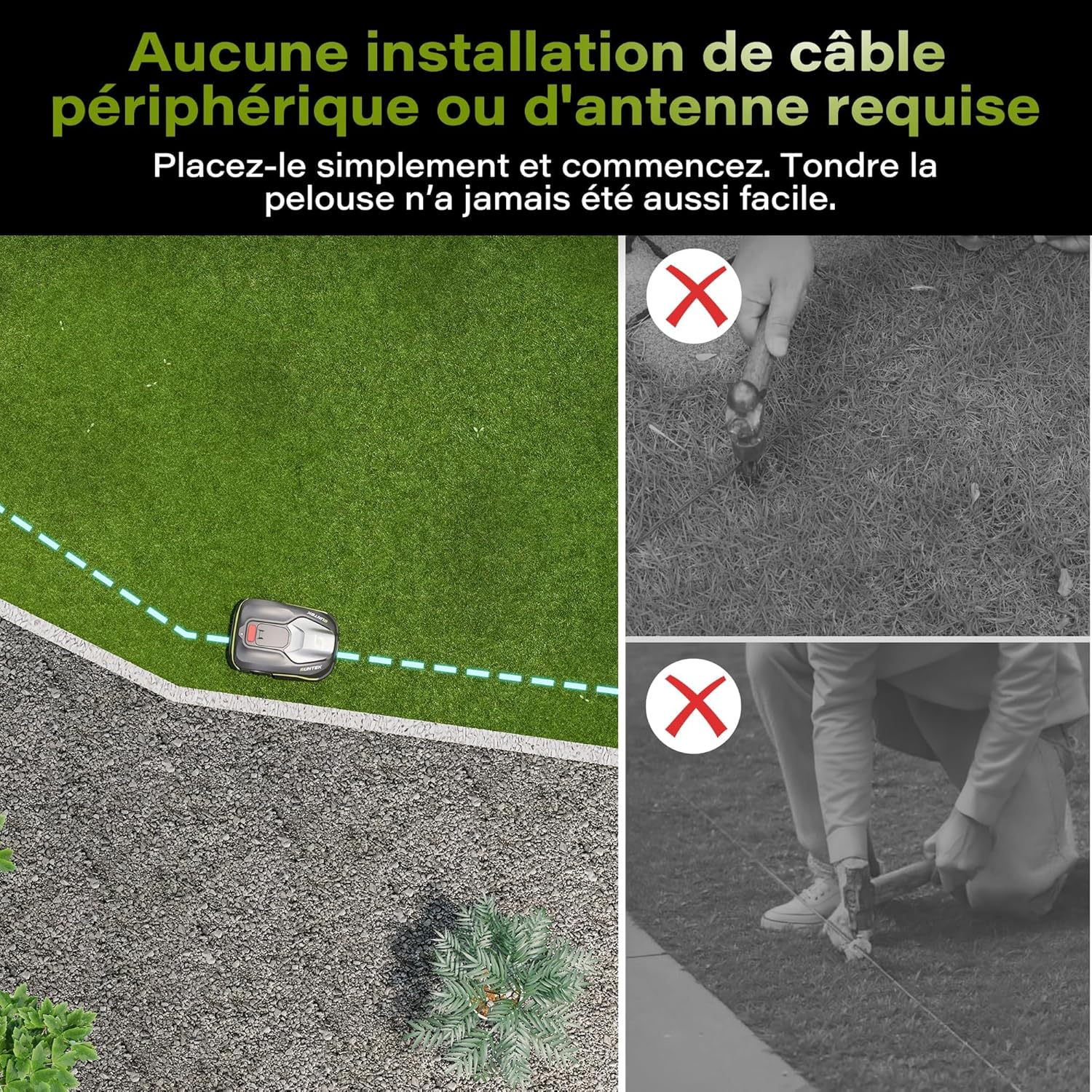
Image: Illustration showing that no perimeter cable installation is needed, simplifying setup.

Image: The mower's sensor actively detecting the boundary between grass and non-grass areas.
- Ensure the lawn area is clear of debris and obstacles that could confuse the vision system.
- The mower will perform an initial mapping run to understand the layout of your lawn.
4. Betjeningsvejledning
4.1 Kontrol af mobilapps
The SUNTEK SRM2050 can be controlled and configured via a mobile application, connecting through Bluetooth and Wi-Fi.

Image: A smartphone displaying the control application for the SUNTEK robotic mower, showing scheduling options.
- Download the official SUNTEK robotic mower app from your device's app store.
- Follow the in-app instructions to pair your mower via Bluetooth and connect it to your home Wi-Fi network.
- Use the app to set mowing schedules, define specific mowing zones, adjust cutting height, and monitor the mower's status.
4.2 Automatic Mowing and Obstacle Avoidance
The mower uses its AI Vision system to navigate your lawn, detect obstacles, and avoid collisions. It can manage lawns up to 600 m² and handle slopes up to 35%.
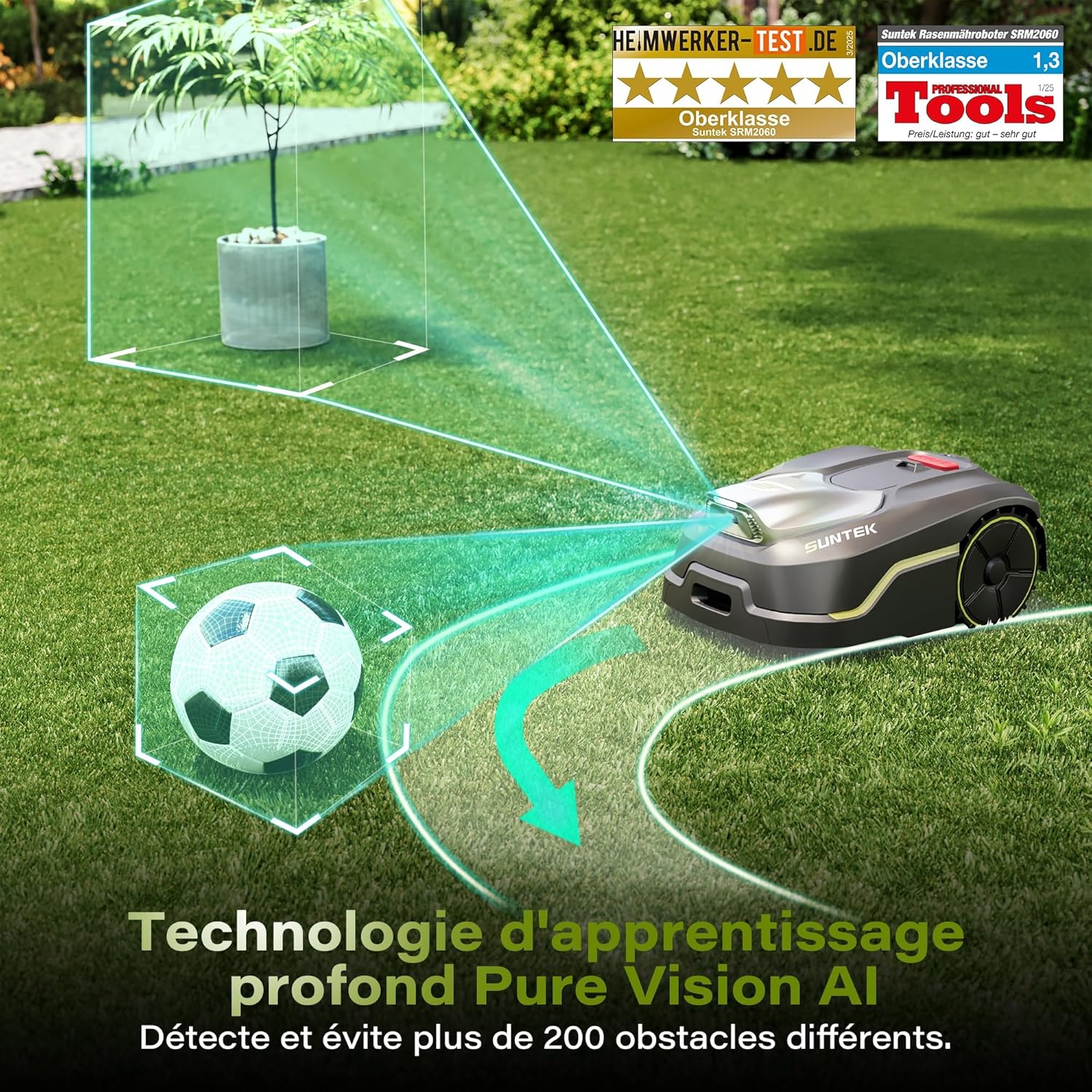
Image: The mower's AI Vision technology detecting and navigating around a soccer ball and other objects.

Image: The robotic mower demonstrating its ability to mow effectively on a steep incline of up to 35%.

Billede: En luftfoto view illustrating the mower's capability to cover a single mowing zone of up to 600 square meters.
- The mower will automatically return to its charging station when the battery is low or when its schedule is complete.
- A sensitive rain sensor will detect precipitation and automatically send the mower back to its charging station to protect it from adverse weather.
5. Vedligeholdelse
5.1 Rengøring
Regular cleaning ensures optimal performance and extends the life of your mower. The IPX5 water resistance allows for easy cleaning.

Image: The underside of the robotic mower being rinsed with water, demonstrating its IPX5 water resistance for easy cleaning.
- Turn off the mower and disconnect it from the charging station.
- Carefully turn the mower over to access the cutting deck.
- Use a brush or cloth to remove grass clippings and dirt.
- For stubborn dirt, you can rinse the underside with a gentle stream of water. Avoid directing water directly into electrical components.
- Clean the wheels and sensors regularly to ensure proper operation.
5.2 Udskiftning af knive
Dull or damaged blades can affect cutting performance. Replace blades regularly, typically every 1-3 months depending on usage and lawn conditions.
- Ensure the mower is switched off and wear protective gloves.
- Carefully turn the mower over.
- Unscrew the old blades and replace them with new, sharp blades. Ensure all screws are tightened securely.
- Always replace all blades at the same time to maintain balance.
5.3 Pleje af batterier
To maximize battery life, store the mower in a cool, dry place during extended periods of non-use. Ensure the battery is partially charged (around 50%) before storage.
6. Fejlfinding
This section addresses common issues you might encounter with your SUNTEK SRM2050 robotic lawn mower.
| Problem | Mulig årsag | Løsning |
|---|---|---|
| Mower does not charge. | Charging contacts are dirty or misaligned. Power adapter not connected or faulty. Battery issue. |
|
| Plæneklipperen sidder ofte fast. | Obstacles on the lawn. Uneven terrain. Sensors are dirty. |
|
| Mowing pattern is erratic or incomplete. | Lawn mapping issue. Wi-Fi signal weak. Blades are dull. |
|
| Regnsensoren virker ikke. | Sensor is dirty or blocked. |
|
7. Specifikationer
| Feature | Specifikation |
|---|---|
| Modelnummer | SRM2050 |
| Dimensioner (L x B x H) | 56 x 40 x 25 cm |
| Vægt | 18.3 kilo |
| Strømkilde | Batteridrevet |
| Materiale | Legeret stål, plast |
| Farve | Sort |
| Klippearealets kapacitet | Max 600 m² |
| Skærebredde | 200 millimeter |
| Justerbar klippehøjde | 30 - 60 millimeter (6 positioner) |
| Max Slope Capability | 35 % |
| Vandmodstand | IPX5 |
| Driftstilstand | Automatisk |
8. Garanti og support
For warranty information, technical support, or service requests, please refer to the warranty card included with your product or contact SUNTEK customer service directly. Ensure you have your model number (SRM2050) and proof of purchase available when contacting support.
Kontaktoplysninger kan typisk findes på producentens officielle webwebsted eller i produktemballagen.