
1. Introduktion
This manual provides detailed instructions for the safe and efficient use of your Aiworth MA567 MP3 Player. Please read this manual thoroughly before operating the device and retain it for future reference. The Aiworth MA567 is a portable multimedia player featuring Android 13.0 OS, GMS certification, Bluetooth, Wi-Fi, and a 4-inch touch screen.
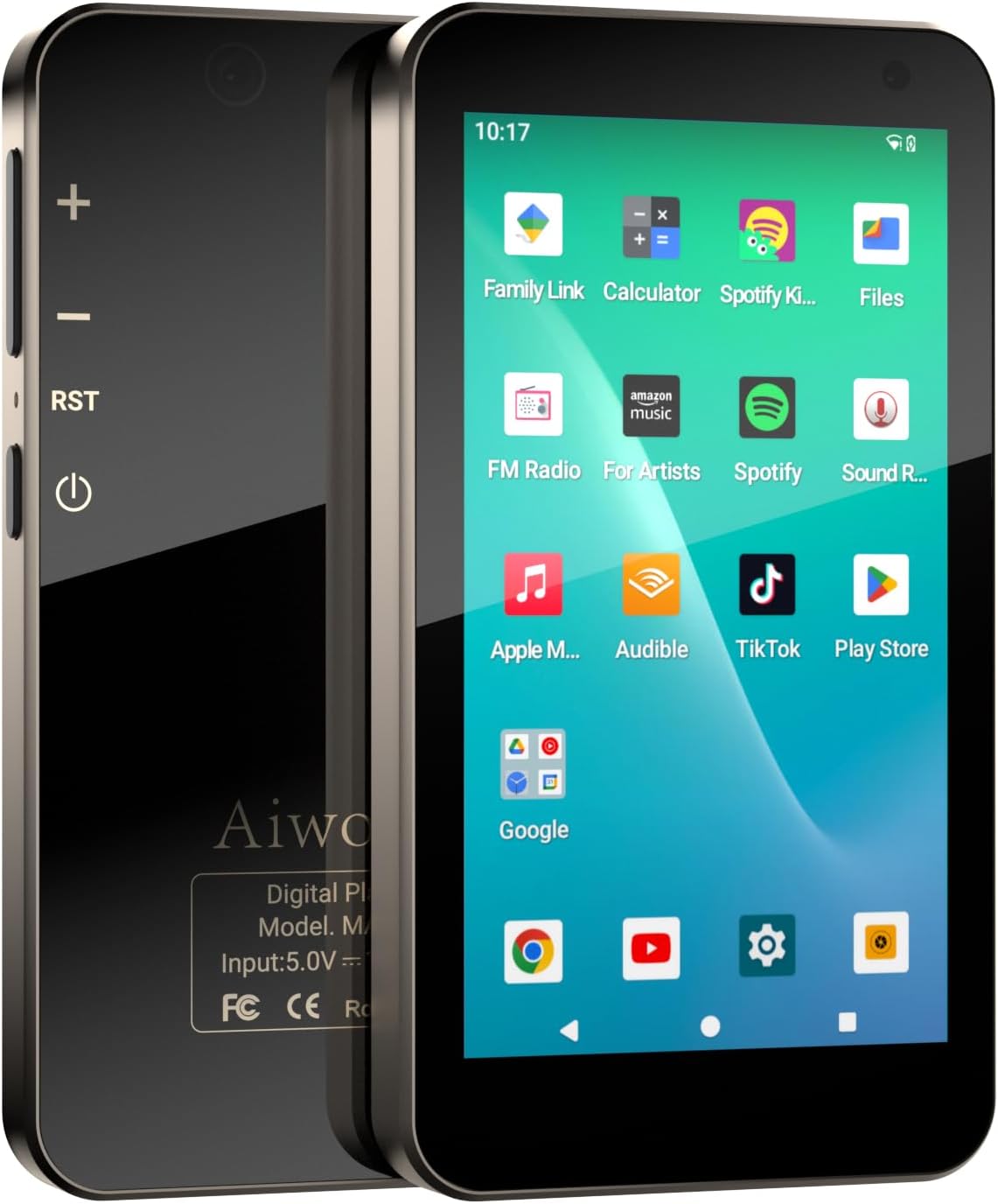
Billede 1.1: Forside og bagside view of the Aiworth MA567 MP3 Player, showing the screen with app icons and the device's physical buttons.
2. Produktet er slutview
Nøglefunktioner:
- Google Mobile Services (GMS) Certified Android 13.0 OS
- 3GB RAM, 32GB internal storage, expandable with 128GB TF card (included)
- MTK 8-core 2.0 GHz processor
- 4.02-inch 1280*720 HD IPS touch screen
- Bluetooth 5.0 and Wi-Fi (802.11) connectivity
- 5MP front camera and 13MP rear camera
- 2000mAh aluminum battery with USB-C fast charging
- Forældrekontrolfunktioner
- Supports various audio and video formats (MP4, MP3, RM, AVI, RMVB, FLV, DAT, MKV, MPG, MOV, OGG, FLAC, AAC, WAV, WMA, APETS, etc.)
- Built-in G-sensor for flash games
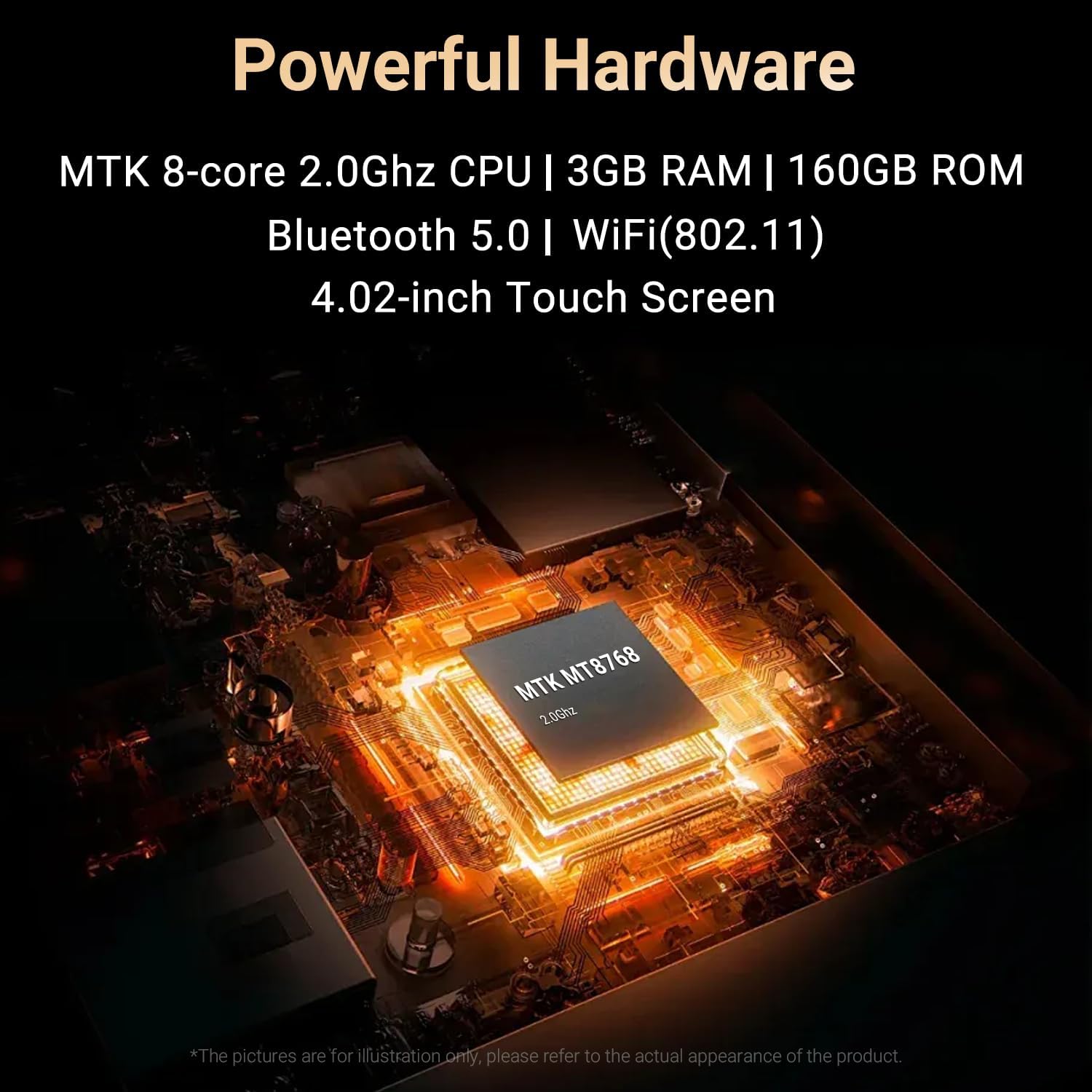
Image 2.1: Close-up of the MTK 8-core 2.0GHz processor chip inside the Aiworth MA567 MP3 Player.
3. Opsætning
3.1 Opladning af enheden
Before first use, fully charge the MP3 player. Connect the provided USB-C cable to the device's charging port and the other end to a compatible USB power adapter (not included) or a computer's USB port. The device features a 2000mAh battery and takes approximately 3.5 hours to charge from 0% to 100%.

Image 3.1: Illustration of the 2000mAh battery capacity and estimated usage times: 8 hours music playback, 5 hours video playback, and 2 hours for a full charge.
3.2 Tænd/sluk
- For at tænde: Tryk og hold tænd/sluk-knappen på siden af enheden nede, indtil skærmen lyser.
- For at slukke: Tryk og hold tænd/sluk-knappen nede, og vælg derefter 'Sluk' fra skærmindstillingerne.
3.3 Indledende konfiguration
Upon first power-on, follow the on-screen prompts to complete the initial setup, including language selection, Wi-Fi connection, and Google account login. As a GMS-certified device, logging into a Google account is necessary to access Google services and the Google Play Store.

Image 3.2: The device screen displaying the Google sign-in prompt, indicating GMS certification.
3.4 Opbevaring
The device comes with 32GB of built-in memory and includes a 128GB TF card, providing a total of 160GB storage. You can transfer files via USB connection to a computer or download directly via Wi-Fi.
4. Betjening af enheden
4.1 Navigation på berøringsskærm
The 4.02-inch IPS touch screen allows for intuitive navigation. Use gestures such as tap, swipe, pinch-to-zoom, and drag to interact with the interface and applications.
4.2 Musikafspilning
The player supports various audio formats including MP3, OGG, FLAC, AAC, WAV, WMA, and APETS. Music can be played through the built-in speaker, wired headphones, or Bluetooth earbuds/speakers.

Image 4.1: A user enjoying music with the Aiworth MA567 MP3 Player, showing the music player interface on the screen.
4.3 Videoafspilning
The device supports video formats such as MP4, RM, AVI, RMVB, FLV, DAT, MKV, MPG, and MOV. The 1280*720 HD IPS widescreen provides a clear viewoplevelse.
4.4 Appinstallation og brug
The Aiworth MA567 comes with pre-installed applications. Additional applications can be downloaded from the Google Play Store. Ensure a stable Wi-Fi connection for downloads.

Image 4.2: The device screen displaying various pre-installed applications like Spotify, Apple Music, YouTube, and the Google Play Store icon.
4.5 Bluetooth-forbindelse
Sådan opretter du forbindelse til Bluetooth-enheder (f.eks. hovedtelefoner, højttalere):
- Gå til Indstillinger > Forbundne enheder > Bluetooth.
- Slå Bluetooth til.
- Vælg 'Par ny enhed', og vælg din enhed på listen.
4.6 Wi-Fi-forbindelse
Sådan opretter du forbindelse til et Wi-Fi-netværk:
- Gå til Indstillinger > Netværk og internet > Wi-Fi.
- Slå Wi-Fi til.
- Vælg det ønskede netværk, og indtast adgangskoden, hvis du bliver bedt om det.
4.7 kamera funktionalitet
The device features a 5MP front camera and a 13MP rear camera. Open the Camera app to capture photos and videos.

Image 4.3: Two device screens illustrating the 13MP rear camera capturing a squirrel and the 5MP front camera for video calls or selfies.
4.8 Forældrekontrol
The device includes parental control features. To set up, log in with a Google parent account in the device settings and follow the instructions. This allows for managing app access and screen time.

Image 4.4: The device screen showing the 'Set up parental controls' interface, emphasizing safe usage for children.
4.9 Andre funktioner
- FM-radio: Access the FM Radio app to listen to local radio stations.
- Stemmeoptager: Use the built-in voice recorder for audio notes.
- G-sensor: The G-sensor technology enables playing certain flash games that respond to device movement.
5. Vedligeholdelse
5.1 Rengøring
Wipe the device with a soft, dry, lint-free cloth. Avoid using abrasive cleaners, solvents, or aerosol sprays, which may damage the screen or finish.
5.2 Softwareopdateringer
Periodically check for system updates in Settings > System > System update to ensure optimal performance and security. Ensure the device is sufficiently charged and connected to Wi-Fi before performing updates.
5.3 Lagerstyring
Regularly manage your device's storage by deleting unnecessary files, uninstalling unused apps, and transferring large media files to a computer or cloud storage to maintain performance.
6. Fejlfinding
- Enheden tænder ikke: Sørg for, at batteriet er opladet. Tilslut enheden til en oplader i mindst 15 minutter, og prøv derefter at tænde den igen.
- Apps der går ned eller fryser: Close and restart the app. If the issue persists, clear the app's cache (Settings > Apps > [App Name] > Storage & cache > Clear cache). Consider uninstalling and reinstalling the app.
- Kan ikke oprette forbindelse til Wi-Fi/Bluetooth: Ensure Wi-Fi/Bluetooth is enabled in settings. Restart the device and the router/Bluetooth accessory. Forget the network/device and try reconnecting.
- Dårlig batterilevetid: Reduce screen brightness, close background apps, disable Wi-Fi/Bluetooth when not in use. Check for apps consuming excessive power in battery settings.
- Langsom ydeevne: Free up storage space, close unused apps, and restart the device.
7. Specifikationer
| Feature | Specifikation |
|---|---|
| Modelnavn | MA567 |
| Operativsystem | Android 13.0 (GMS-certificeret) |
| Processor | MTK 8-core 2.0 GHz CPU |
| VÆDDER | 3 GB |
| Intern opbevaring | 32 GB |
| Udvidelig opbevaring | 128 GB TF-kort (inkluderet) |
| Samlet opbevaring | 160 GB |
| Skærmstørrelse | 4.02 tommer |
| Skærmopløsning | 1280*720 HD IPS |
| Forbindelse | Bluetooth 5.0, Wi-Fi (802.11), USB-C |
| Bagkamera | 13 MP |
| Forreste kamera | 5 MP |
| Batterikapacitet | 2000mAh |
| Opladningstid | Approx. 3.5 hours (0%-100%) |
| Varens vægt | 9.6 ounce |
| Pakkedimensioner | 5.94 x 3.86 x 1.46 tommer |
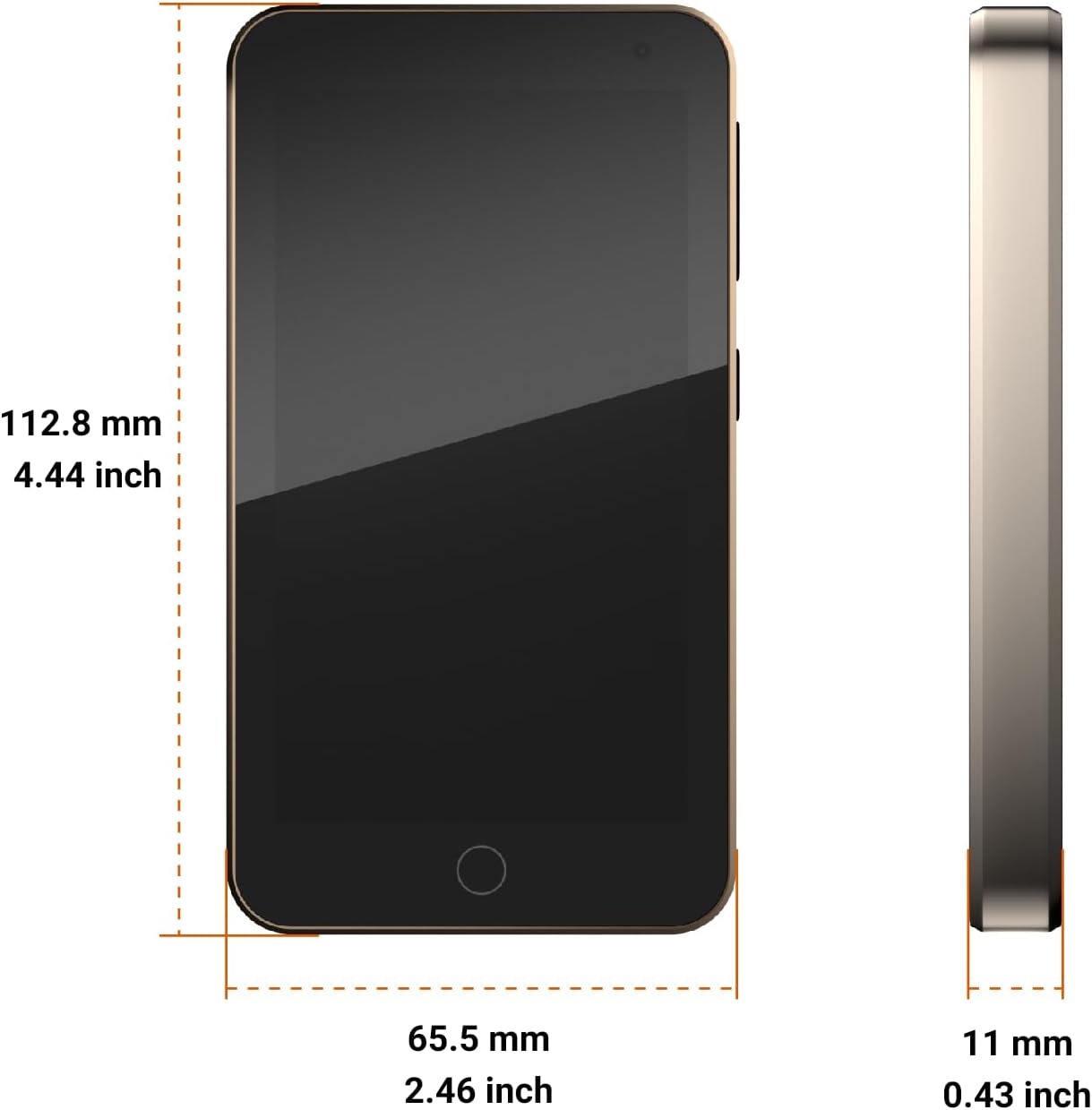
Image 7.1: Diagram showing the dimensions of the Aiworth MA567 MP3 Player: 112.8 mm (4.44 inch) height, 65.5 mm (2.46 inch) width, and 11 mm (0.43 inch) thickness.
8. Garanti og support
The Aiworth MA567 MP3 Player comes with a 365-day warranty from the date of purchase. This warranty covers manufacturing defects. For technical support, warranty claims, or any questions regarding your device, please contact Aiworth customer service through the retailer's support channels or the official Aiworth webwebsted.
Hvad er der i æsken:
- Aiworth MA567 MP3 Player
- Beskyttende etui
- USB-C kabel
- 128 GB TF-kort (forinstalleret eller separat)

Image 8.1: The package contents, including the Aiworth MA567 MP3 Player, its box, a protective case, and a USB cable.