JONR T5 Pro Gen 2 Robot Vacuum Cleaner and Mop User Manual
Model: T5 Pro Gen2
1. Introduktion
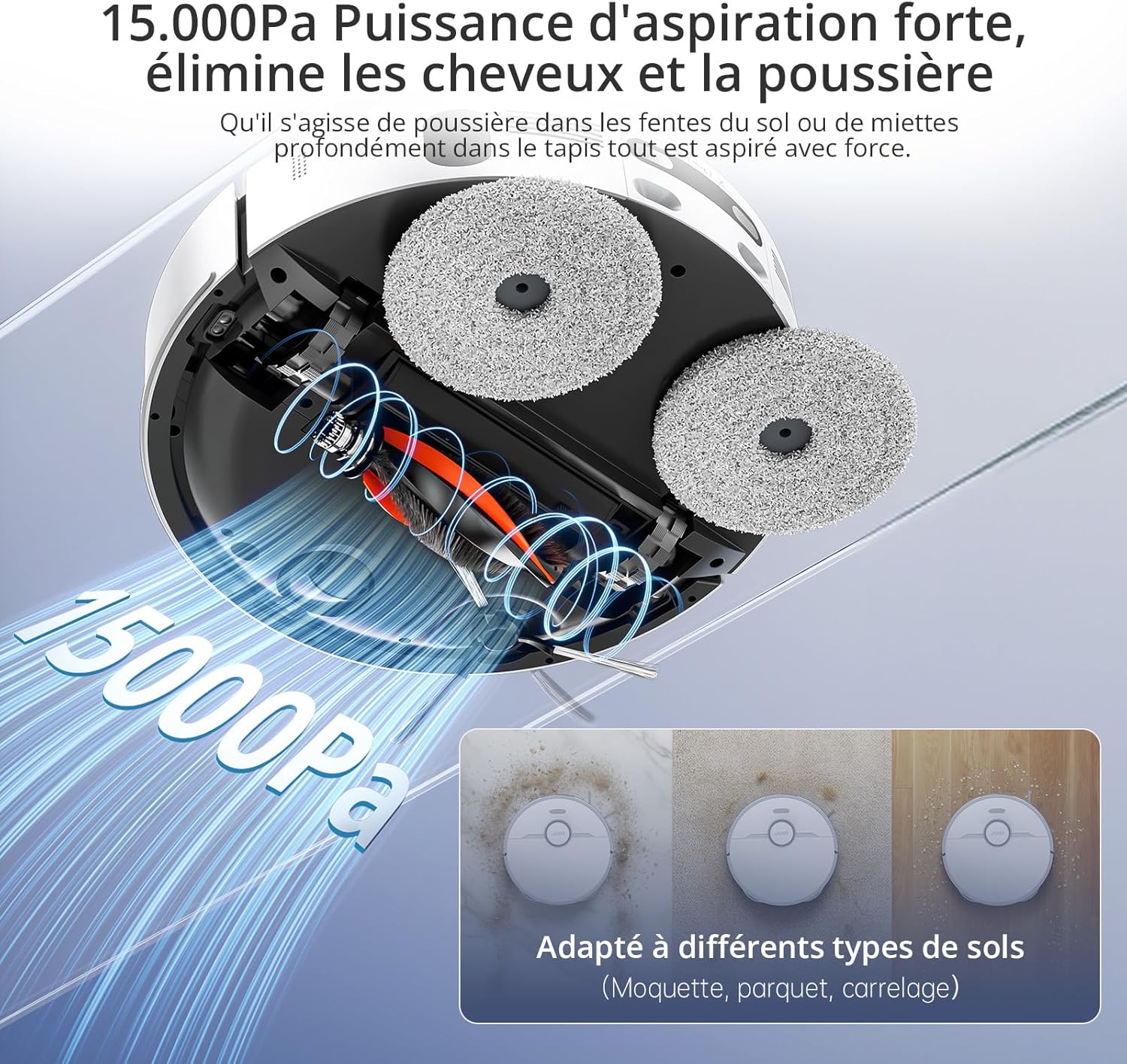
This manual provides essential instructions for the safe and efficient operation of your JONR T5 Pro Gen 2 Robot Vacuum Cleaner and Mop. Please read this manual thoroughly before using the product and retain it for future reference. The JONR T5 Pro Gen 2 is designed to provide comprehensive floor cleaning with powerful suction, mopping capabilities, automatic dust collection, and hot air mop drying.
2. Sikkerhedsoplysninger
Before using the JONR T5 Pro Gen 2, please observe the following safety precautions:
Sørg for, at robotten er fuldt opladet før første brug.
Brug ikke robotten på våde overflader eller i områder med stillestående vand.
Hold løse kabler, gardiner og andre genstande, der kan vikle robotten ind i dens bane.
Lad ikke børn eller kæledyr lege med robotten.
Brug ikke robotten til at opsamle store eller skarpe genstande, væsker eller brændende materialer.
Rengør børster og sensorer regelmæssigt for at opretholde optimal ydeevne.
Only use the original charging base and power adapter.
Hvis netledningen er beskadiget, skal den udskiftes af producenten eller en kvalificeret serviceagent for at undgå farer.
3. Pakkens indhold
Bekræft at alle komponenter er til stede i pakken:
JONR T5 Pro Gen 2 Robot Vacuum Cleaner and Mop
Alt-i-en basestation
2 moppepuder
Ramp Forlængerplade
Sidebørste
Strømadapter
Brugervejledning (dette dokument)
Image: JONR T5 Pro Gen 2 Robot Vacuum Cleaner and Mop with its All-in-One Base Station.
4. Produktet er slutview
4.1 Robotstøvsugerens komponenter
Lidar-sensor: Til præcis navigation og kortlægning.
Tænd/sluk-knap: To start/pause cleaning or power on/off.
Genopladningsknap: To send the robot back to the base station.
Skraldespand: Opsamler tørt snavs.
Hovedbørste: Til dybdegående rengøring af tæpper og hårde gulve.
Sidebørste: Fejer snavs væk fra kanter og hjørner.
Billede: Top view of the JONR T5 Pro Gen 2 robot vacuum, showing the Lidar sensor and control buttons.
4.2 Base Station Components
Rent vandtank: Holds fresh water for mopping and mop cleaning. (4.0 L capacity)
Beholder til snavset vand: Collects used water from mop cleaning. (3.5 L capacity)
Støvposerum: Houses the disposable dust bag for automatic dust collection. (2.5 L capacity)
Opladningskontakter: For robot charging.
Moppevaskebakke: Area where mopping pads are cleaned and dried.
Image: The JONR T5 Pro Gen 2 base station with its clean and dirty water tanks visible.
5. Opsætning
Følg disse trin for indledende opsætning:
Pak komponenterne ud: Fjern forsigtigt alle varer fra emballagen.
Position the Base Station: Place the base station against a wall with at least 0.26ft (8cm) clear space on both sides and 3.94ft (1.2m) in front. Ensure it is near a power outlet.
Vedhæft Ramp Extension Plate: Fastgør ramp extension plate to the front of the base station.
Installer vandtanke: Insert the clean and dirty water tanks into their respective slots in the base station.
Installer sidebørste: Snap the side brush onto the designated post on the underside of the robot.
Attach Mopping Pads: Securely attach the mopping pads to the bottom of the robot.
Fyld ren vandtank: Open the clean water tank and fill it with clean tap water.
Tilslut strøm: Sæt basestationen i en stikkontakt.
Tænd og oplad:
Tryk og hold tænd/sluk-knappen på robotten nede i 3 sekunder for at tænde den.
Place the robot onto the base station to begin charging. The robot will automatically power on and start charging when docked.
App-forbindelse:
Download the "Xiaomi Home" app by scanning the QR code on the robot's panel or searching in your app store.
Open the app and tap the "+" icon to add a device.
Select "Scan" to scan the QR code on the robot or search for "JONR T5 Pro Gen2".
To pair, press and hold both the power and recharge buttons on the robot for 3 seconds until you hear a voice prompt.
Vælg dit 2.4 GHz Wi-Fi-netværk, og indtast adgangskoden.
Følg instruktionerne i appen for at fuldføre forbindelsen.
Video: Step-by-step guide on unboxing, assembling, and connecting the JONR T5 Pro Gen 2 robot vacuum to the mobile application.
6. Betjeningsvejledning
6.1 Start af en rengøringscyklus
Via app: Open the Xiaomi Home app, select your JONR T5 Pro Gen 2, and tap "Clean" to start a cleaning cycle. You can choose between different cleaning modes (e.g., whole home, room, zone).
Via robotknap: Press the Power/Clean button on the robot once to start a full cleaning cycle.
Stemmestyring: The robot supports voice commands via Alexa and Google Home. For example, say "Alexa, start cleaning" (if integrated).
Image: The JONR T5 Pro Gen 2 robot vacuum being controlled via the mobile application, showing mapping and zone selection.
6.2 Smarte funktioner
LiDAR-navigation: The robot uses LiDAR to create a precise map of your home, ensuring efficient and thorough cleaning without repetition. It can map up to 4 floors.
Undgåelse af forhindringer: Advanced sensors allow the robot to recognize and bypass obstacles like furniture, cables, and pet bowls.
No-Go zoner: Use the app to define specific areas the robot should avoid, such as pet feeding areas or delicate zones.
Tæppegenkendelse: The robot automatically detects carpets and adjusts suction power. During mopping, it intelligently lifts the mop pads by 10mm to avoid wetting carpets.
Kantrensning: An extendable side mop ensures thorough cleaning along walls and into corners.
Image: Illustration of the JONR T5 Pro Gen 2 using LiDAR navigation to map a home environment.
Image: The JONR T5 Pro Gen 2 robot vacuum demonstrating its obstacle avoidance capabilities.
7. Vedligeholdelse
Regelmæssig vedligeholdelse sikrer optimal ydeevne og forlænger levetiden på din robotstøvsuger.
Rengør beskidt vandtank: Regularly empty and clean the dirty water tank to prevent odors and bacterial growth.
Clean Dustbin and Filter: Remove the robot's dustbin, empty it, and clean the HEPA filter under running water. Allow the filter to dry completely before reinserting.
Rengør sidebørste: Remove any tangled hair or debris from the side brush.
Rengør hovedbørsten: Remove the main brush and clear any tangled hair or debris. The anti-tangle design minimizes hair entanglement.
Rengør sensorer: Wipe all sensors (cliff sensors, obstacle avoidance sensors, charging contacts) with a clean, dry cloth.
Udskift støvpose: When the dust bag in the base station is full (indicated by the app or indicator light), replace it with a new one.
Rene moppepuder: The base station automatically cleans and hot-air dries the mop pads after each cleaning cycle. Periodically remove and hand-wash the mop pads for deeper cleaning.
Video: Demonstrates routine maintenance tasks including cleaning the dirty water tank, dustbin, filter, side brush, and replacing the dust bag.
8. Fejlfinding
Problem
Mulig årsag
Løsning
Robotten tænder ikke.
Lavt batteri; ikke korrekt docket.
Ensure the robot is fully charged on the base station. Press and hold the power button for 3 seconds.
Robotten kan ikke oprette forbindelse til Wi-Fi.
Forkert Wi-Fi-adgangskode; 5 GHz-netværk; robotten er for langt fra routeren.
Ensure correct 2.4GHz Wi-Fi password. Move robot closer to router. Reset Wi-Fi on robot (hold power and recharge buttons for 3s).
Dårlig rengøringsevne.
Full dustbin; dirty filters/brushes; clogged sensors.
Empty dustbin, clean/replace filters, clean main/side brushes, wipe all sensors.
Robotten sidder ofte fast.
Obstacles; loose cables; narrow spaces.
Clear obstacles. Use the app to set no-go zones for problematic areas.
Empty dirty water tank, refill clean water tank. Replace worn mop pads.
9. Specifikationer
Feature
Detalje
Mærke
JONR
Modelnummer
T5 Pro Gen2
Sugekraft
15000 Pa
Batterilevetid
Op til 2.5 timer
Renvandstankkapacitet
4.0 liter
Kapacitet til snavset vandtank
3.5 liter
Støvposekapacitet
2.5 Liters (up to 75 days maintenance-free)
Navigationstype
LiDAR
Moppe løftehøjde
10 mm (for carpets)
Forhindrings krydsningshøjde
Op til 20 mm
Støjniveau
<60 dB
Filtertype
HEPA
Forbindelse
Wi-Fi (2.4GHz), Mobile App (Xiaomi Home), Voice Control (Alexa, Google Home)
Dimensioner (Robot)
33L x 33B x 10H cm
Dimensions (Base Station)
40L x 34W x 56H cm (approximate, derived from product dimensions)
Vægt
12 Kilograms (total item weight)
10. Garanti og support
JONR provides 365-day support for the T5 Pro Gen 2 Robot Vacuum Cleaner and Mop. For any issues or inquiries, please contact JONR customer service. We aim to resolve all problems within 24 hours.
For spare parts availability, please refer to the product's official website or authorized retailers. Spare parts are generally available for 5 years.