
eufy E25 Omni Robot Vacuum and Mop Combo Instruction Manual
Model: E25
1. Vigtige sikkerhedsinstruktioner
Before using this product, read all instructions and cautionary markings in this manual and on the product. Failure to follow these instructions may result in electric shock, fire, or serious injury.
- Dette apparat kan bruges af børn i alderen 8 år og derover og personer med nedsatte fysiske, sensoriske eller mentale evner eller mangel på erfaring og viden, hvis de har fået opsyn eller instruktion i brugen af apparatet på en sikker måde og forstår de involverede farer. .
- Børn skal være under opsyn for at sikre, at de ikke leger med apparatet.
- Rengøring og brugervedligeholdelse må ikke udføres af børn uden opsyn.
- Brug kun den strømadapter, der er leveret af producenten.
- Do not use the product in environments with open flames or explosive materials.
- Do not use the product to pick up large or sharp objects, or liquids.
- Sørg for, at ladestationen er placeret på en plan overflade op ad en væg med tilstrækkelig plads omkring den.
- Always disconnect the product from the power supply before cleaning or maintenance.
2. Pakkens indhold
Bekræft at alle komponenter er til stede i pakken:
- eufy E25 Omni Robot Vacuum and Mop
- All-in-One Self-Cleaning Station
- Strømadapter
- Dust Bags (3 included)
- Rengøringspude
- Brugermanual
3. Produktet er slutview
3.1 All-in-One Station for Smart Maintenance
The All-in-One Station provides comprehensive maintenance for your robot vacuum, including self-emptying, self-refilling, wastewater collection, self-washing of mop pads, hot air drying, and automatic detergent dispensing.

Figure 3.1: All-in-One Station for Smart Maintenance. This image illustrates the various functions of the station, including automatic dust collection, water tank refilling, dirty water disposal, mop cleaning, drying, and detergent addition.
3.2 HydroJet Deep Cleaning System
The HydroJet system ensures thorough mopping by self-cleaning the mop pads multiple times per second during operation, preventing the spread of dirt.
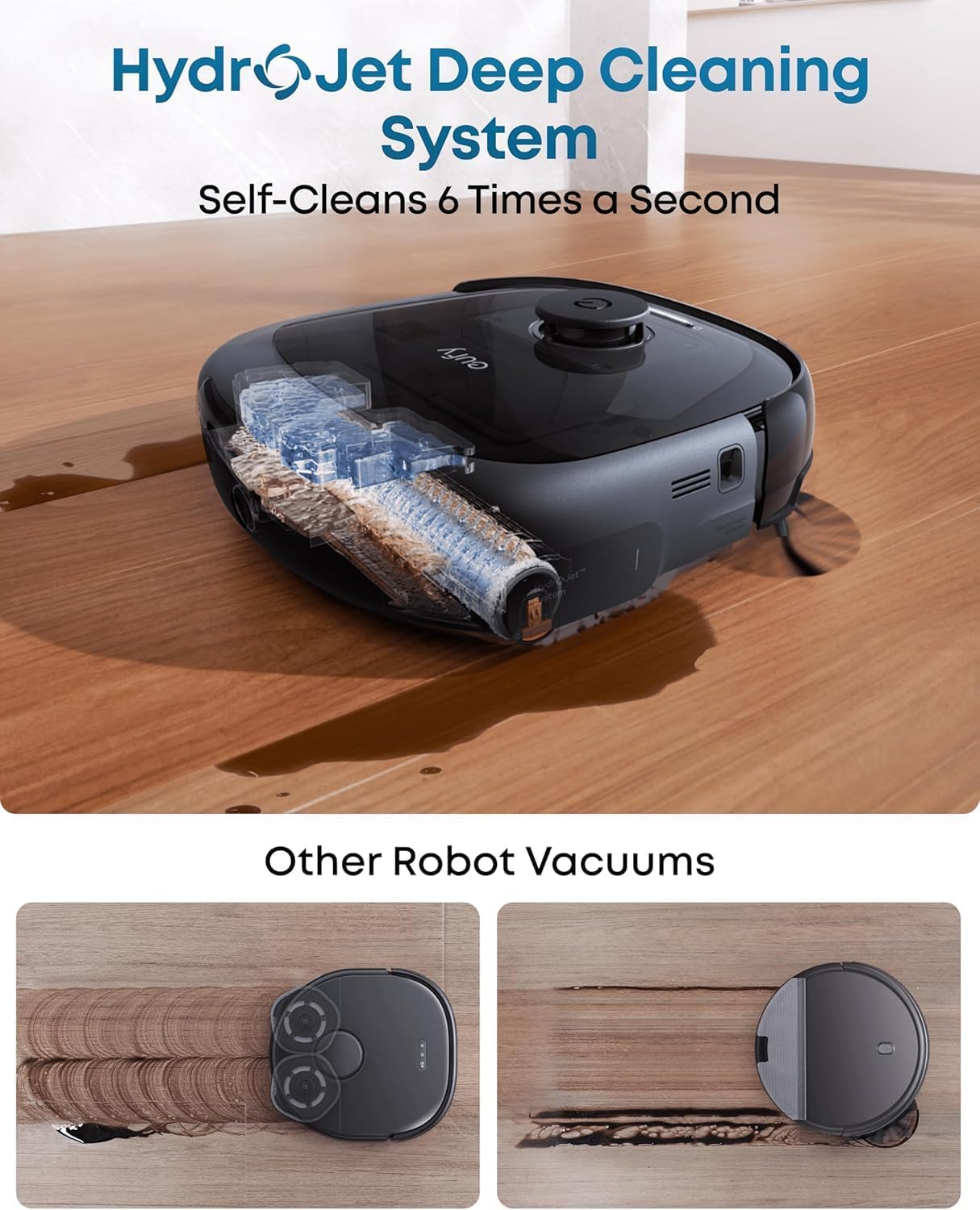
Figure 3.2: HydroJet Deep Cleaning System. The robot's internal mechanism for continuous mop pad cleaning is shown, highlighting its ability to self-clean frequently.
3.3 20,000Pa Turbo Suction
Equipped with 20,000Pa of turbo suction power, the robot effectively removes pet food, crumbs, fur, and other debris from various floor types.
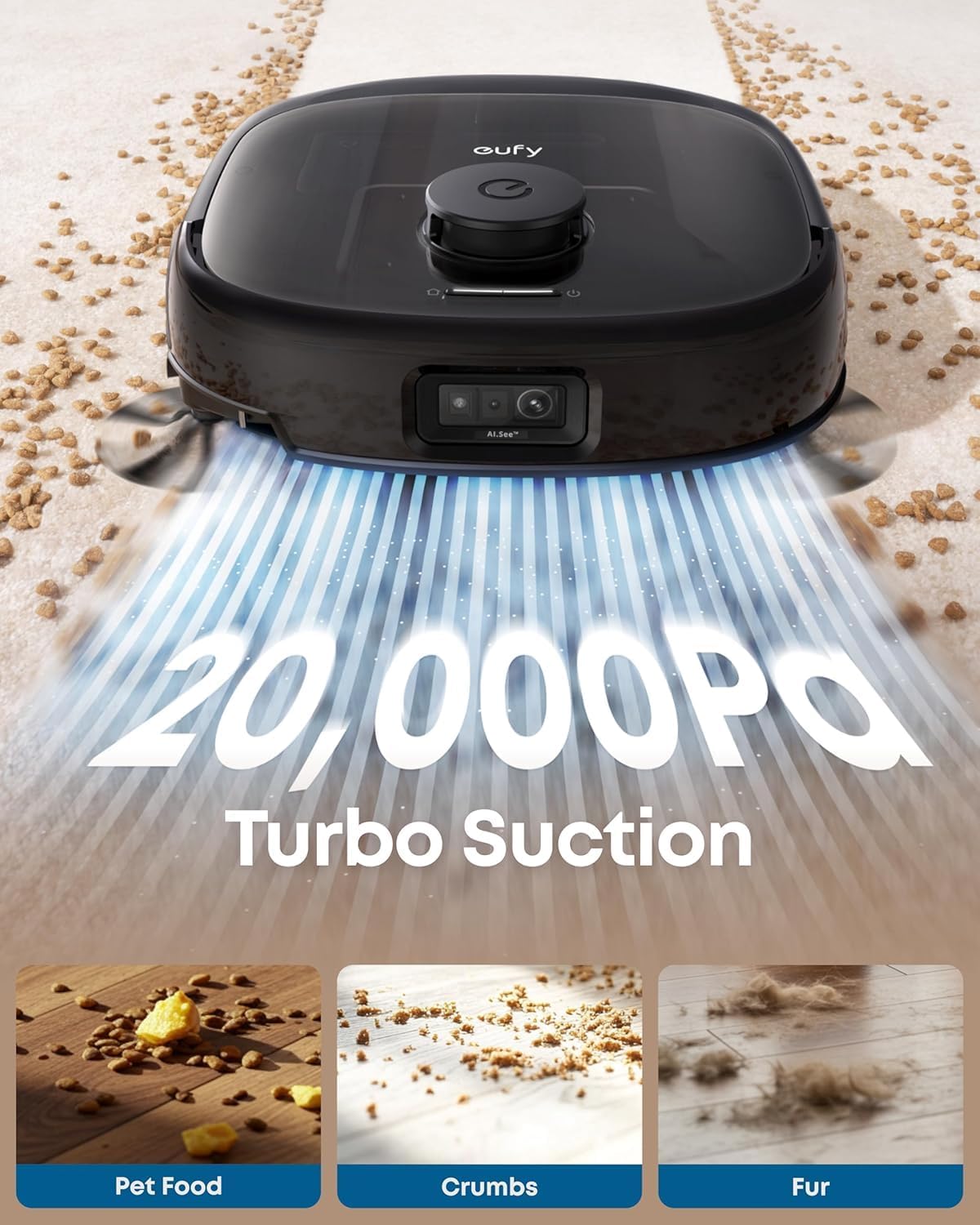
Figure 3.3: 20,000Pa Turbo Suction. This image demonstrates the robot's powerful suction capability, effectively cleaning various types of debris from carpets.
3.4 DuoSpiral Detangle Brushes
The DuoSpiral Detangle Brushes are designed to prevent hair tangling, ensuring consistent cleaning performance and reducing maintenance effort.

Figure 3.4: DuoSpiral Detangle Brushes. This illustration details the two-step process of the brushes: first gathering hair and fur, then retracting to pull them into the vacuum, minimizing tangles.
3.5 Advanced AI Recognition and Obstacle Avoidance
The robot utilizes advanced AI to recognize and avoid over 200 types of objects, ensuring smooth navigation and preventing collisions with household items.

Figure 3.5: Advanced AI Recognition and Obstacle Avoidance. The robot is depicted intelligently avoiding numerous objects on the floor, showcasindens navigationsfunktioner.
4. Opsætning
4.1 Station Placement
- Place the All-in-One Station on a hard, level surface against a wall.
- Ensure there is at least 1.5 meters (5 feet) of clear space in front of the station and 0.5 meters (1.6 feet) on either side.
- Connect the power adapter to the station and plug it into a wall outlet.
4.2 Montering af støvpose
The station uses a 3L dust bag for automatic emptying, supporting up to 75 days of maintenance-free cleaning.

Figure 4.1: Versatile Auto Emptying. This image highlights the 3L dust bag capacity, which allows for extended periods of use without manual emptying.
- Open the top cover of the All-in-One Station.
- Insert a new dust bag into the designated slot, ensuring it is fully seated.
- Luk topdækslet forsvarligt.

Figure 4.2: Dust Bag Installation Steps. This visual guide demonstrates the process of inserting a new dust bag into the station, emphasizing the leak-proof design and ease of installation.
4.3 Indledende opladning
Place the robot vacuum onto the charging station. The robot will automatically align and begin charging. Ensure the robot is fully charged before its first use.
4.4 App-forbindelse
- Download the eufy Clean app from the App Store (iOS) or Google Play (Android).
- Opret en konto eller log ind.
- Follow the in-app instructions to add your eufy E25 Omni robot vacuum.
- Sørg for, at dit Wi-Fi-netværk er 2.4 GHz for at opnå optimal forbindelse.
5. Betjening
5.1 Start og pause af rengøring
- Start rengøring: Press the power button on the robot or use the eufy Clean app to start a cleaning cycle.
- Pause rengøring: Press the power button again or use the app to pause cleaning.
- Tilbage til stationen: Press and hold the power button for 3 seconds, or use the app to send the robot back to its charging station.
5.2 Rengøringstilstande
The eufy E25 Omni offers various cleaning modes accessible via the eufy Clean app:
- Autorengøring: The robot intelligently cleans your entire home.
- Spot Clean: Cleans a specific area with concentrated power.
- Zone Rengøring: Allows you to define specific zones for cleaning.
- Kun moppe: Performs mopping without vacuuming.
- Kun støvsuger: Performs vacuuming without mopping.
5.3 Using the eufy Clean App
The app provides advanced control and customization options:
- Planlæg rengøringstider.
- Juster sugekraft og vandgennemstrømningsniveauer.
- Set no-go zones and no-mop zones.
- View cleaning history and maps.
- Receive maintenance reminders.
6. Vedligeholdelse
Regelmæssig vedligeholdelse sikrer optimal ydeevne og forlænger levetiden på din robotstøvsuger.
6.1 All-in-One Station Maintenance
- Udskiftning af støvpose: Replace the dust bag when the app indicates it is full, or approximately every 75 days depending on usage.
- Rent vandtank: Refill the clean water tank with fresh water and detergent as needed.
- Wastewater Tank: Empty the wastewater tank regularly to prevent odors and ensure proper mop cleaning.
- Vaskemiddel dispenser: Ensure the detergent dispenser is filled for automatic detergent dispensing during mopping.
- Opladningsstifter: Periodically wipe the charging pins on the station and robot with a dry cloth.
6.2 Vedligeholdelse af robotstøvsuger
- DuoSpiral Detangle-børster: Regularly check and clean the main brushes for tangled hair or debris. Use the cleaning tool provided.
- Sidebørster: Inspect side brushes for wear or damage. Replace if necessary.
- Moppepuder: The station automatically washes and dries the mop pads. However, periodically remove and hand-wash them for deeper cleaning.
- Sensorer: Wipe all sensors (cliff sensors, wall sensors, charging sensors) with a dry cloth to ensure proper navigation.
- Hjul: Fjern hår eller snavs fra robottens hjul.
7. Fejlfinding
If you encounter issues with your eufy E25 Omni, refer to the following common problems and solutions:
| Problem | Mulig årsag | Løsning |
|---|---|---|
| Robotten tænder ikke. | Lavt batteri; tænd/sluk-knap ikke trykket ned. | Charge the robot; press and hold the power button. |
| Robotten kan ikke vende tilbage til ladestationen. | Charging station blocked; robot too far. | Clear obstacles around the station; manually place robot near station. |
| Dårlig rengøringsevne. | Støvbeholder fuld; børster sammenfiltrede; filter tilstoppet. | Tøm støvbeholderen; rengør børster; rengør/udskift filter. |
| Problemer med app-forbindelse. | Incorrect Wi-Fi password; 5GHz Wi-Fi network. | Ensure 2.4GHz Wi-Fi; re-enter password; restart router. |
| Moppeklude rengør ikke effektivt. | Wastewater tank full; clean water tank empty; mop pads dirty. | Empty wastewater; refill clean water; clean mop pads. |
8. Specifikationer
| Feature | Detalje |
|---|---|
| Mærke | eufy |
| Modelnavn | E25 |
| Modelnummer | T2353 |
| Produktdimensioner | 46.2L x 37W x 43.6H centimeter |
| Sugekraft | 20,000 Pa (turbosugning) |
| Støvposekapacitet | 3 liter (op til 75 dage) |
| Batteritype | Lithium Ion |
| Batterilevetid | 24 months (estimated) |
| Kontrolmetode | App Control, Button Control, Voice Control |
| Særlige funktioner | Auto Mop Washing, Obstacle Avoidance, Self-Emptying, Self-Refilling, Hot Air Drying, Automatic Detergent Dispensing |
| Overfladeanbefaling | Hårdt gulv, tæppe, træ, fliser |
| Formfaktor | Rund |
| Farve | Sort |
9. Garanti og support
eufy provides a limited warranty for this product. For detailed warranty information, please refer to the warranty card included in your package or visit the official eufy webwebsted.
For teknisk support, hjælp til fejlfinding eller køb af reservedele, kontakt venligst eufys kundeservice:
- Webwebsted: www.eufylife.com
- E-mail: support@eufylife.com
- Telefon: Refer to your region's specific contact number on the eufy webwebsted.
Please have your model number (E25) and purchase information ready when contacting support.