
Vigtige sikkerhedsoplysninger
- Læs alle instruktioner grundigt, inden du bruger apparatet.
- Keep children and pets away from the device during any cleaning cycle to prevent injury.
- The device is equipped with 4 ultra-sensitive weight sensors that automatically pause cleaning if a cat enters the box, ensuring safety.
- Do not immerse the main unit in water. Clean the exterior with a damp kun klud.
- Brug kun den strømadapter, der følger med dette produkt.
- Ensure the litter box is placed on a stable, level surface to ensure proper operation of the cleaning mechanism.
- Do not use with long-strip litters, as they may interfere with the raking mechanism and cause malfunctions.
Pakkens indhold
Bekræft, at alle nedenstående varer er inkluderet i din pakke:
- 1x UBPET C31 Self-Cleaning Cat Litter Box
- 1x strømadapter
- 20x Custom-fit Waste Bags
- 3x Deodorizer Blocks
- 1x Brugermanual (dette dokument)
Opsætningsvejledning
1. Udpakning og placering
Carefully remove all components from the packaging. Place the litter box on a flat, stable surface in a suitable location.
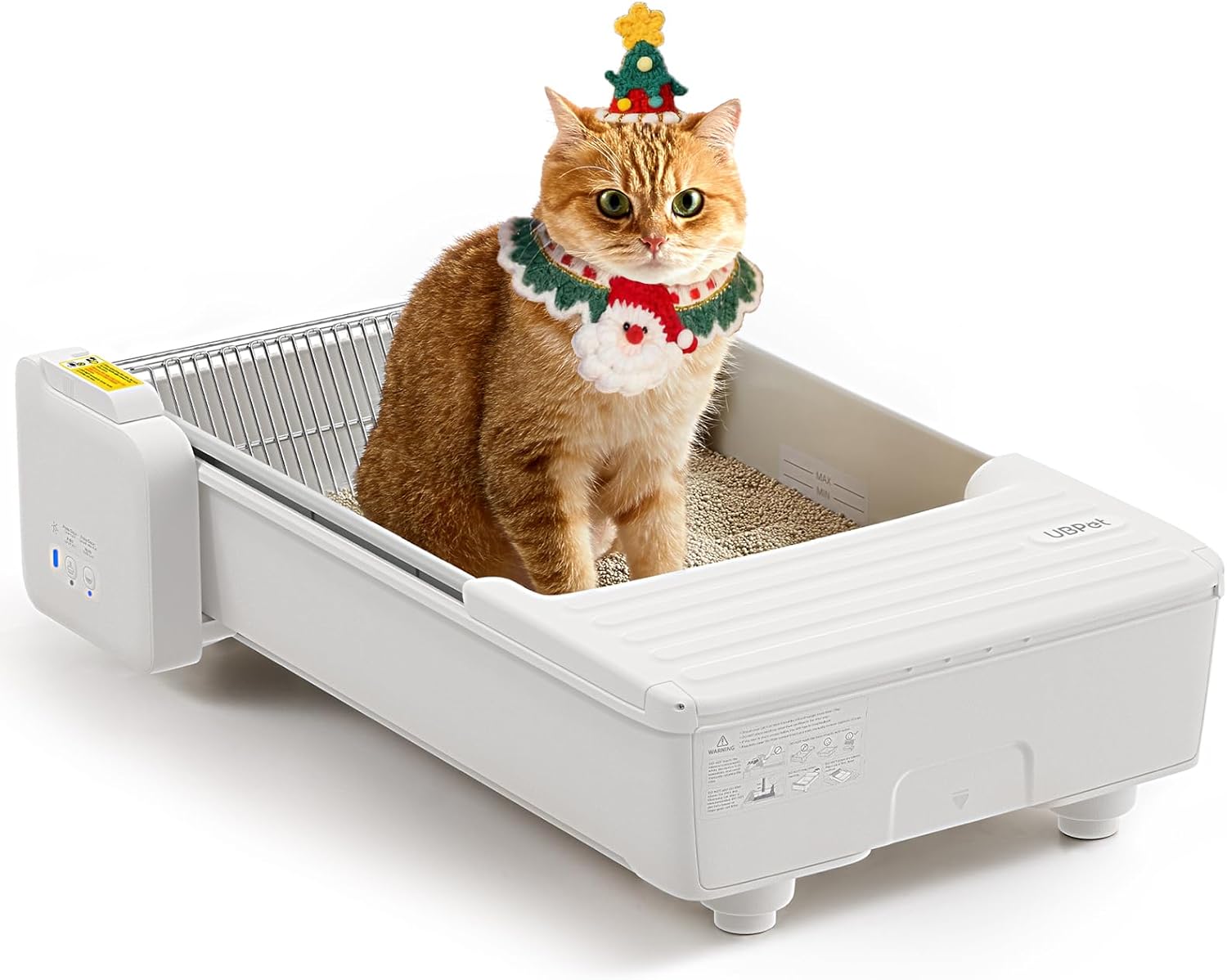
Image: The UBPET C31 Self-Cleaning Cat Litter Box, showing its open-top design and a cat comfortably inside.
2. Waste Bin and Deodorizer Installation
- Pull out the waste drawer located at the front of the unit.
- Line the waste drawer with one of the provided custom-fit waste bags.
- Install a deodorizer block into its designated slot within the waste drawer.
- Slide the waste drawer back into the unit until it clicks into place.

Image: A hand inserting a deodorizer block into the designated slot within the enclosed waste bin of the litter box.
3. Tilføjelse af strøelse
Fill the litter tray with clumping cat litter (Bentonite, Mineral, or Cassava litter recommended) up to the "MAX" fill line indicated inside the tray. Do not overfill.

Image: A close-up of the litter tray with the "MAX" fill line clearly visible, indicating the recommended litter level.
4. Strømtilslutning
Connect the power adapter to the unit and then plug it into a wall outlet. The device will perform a self-check upon powering on.
5. App Connection (Optional, but Recommended)
Download the UBPET app from your smartphone's app store.
Follow the in-app instructions to connect your device. This typically involves scanning a QR code on the unit and entering your Wi-Fi credentials.

Image: A smartphone displaying the UBPET app interface, showing features like toilet reports, multi-cat recognition, and smart reminders.
Video: An operational guide for the UBPET C31 Smart Cat Litter Box, demonstrating setup and basic functions.
Betjeningsvejledning
Automatisk rengøringscyklus
The UBPET C31 is designed to automatically clean the litter tray after your cat uses it. Integrated weight sensors detect when your cat enters and exits the box.
After a set delay (default 8 minutes, customizable via app), the triple high-torque motors activate the dual-rake system to scoop and separate waste into the enclosed bin.
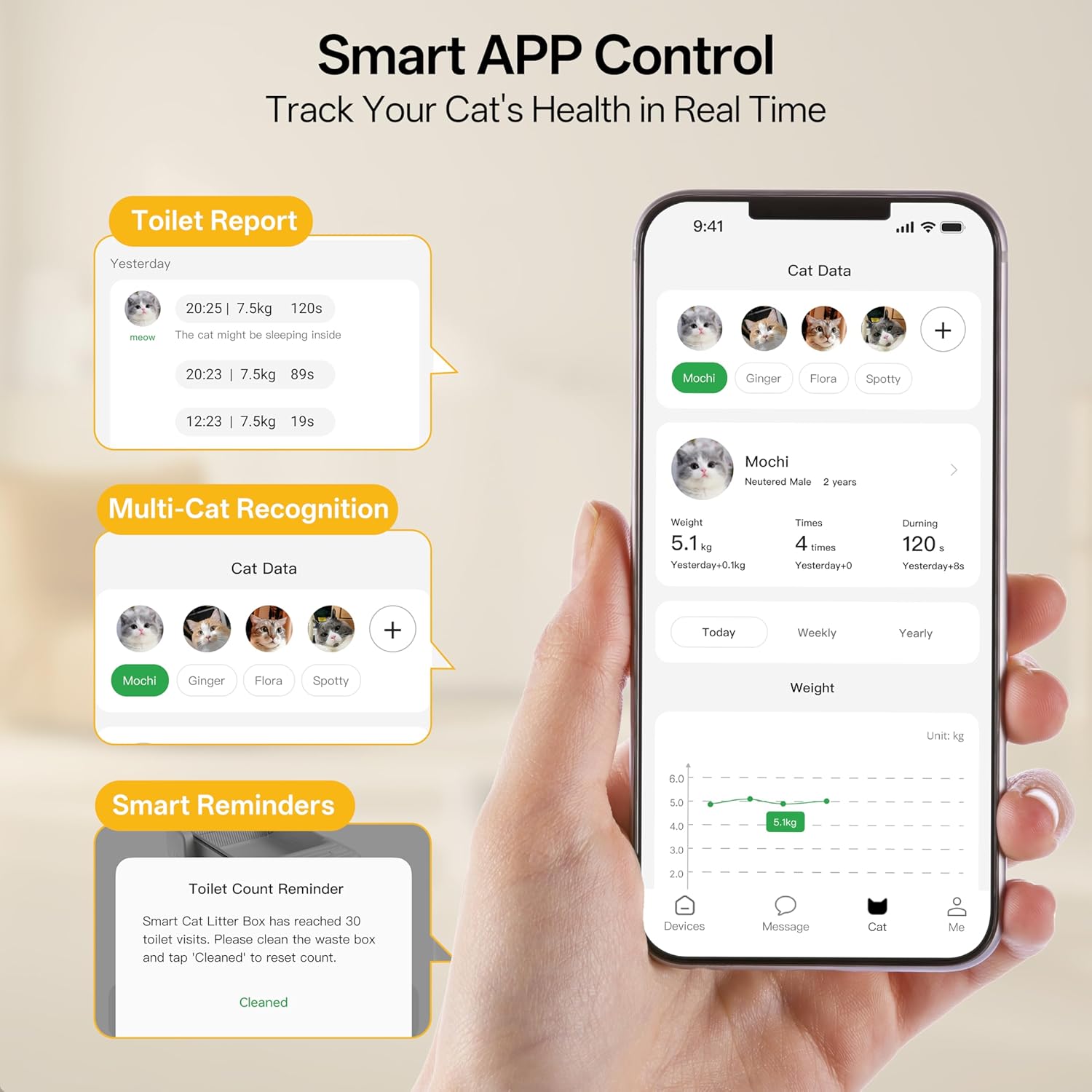
Image: A diagram illustrating the three high-torque motors (rotation, lifting, travel) and their roles in the cleaning process.
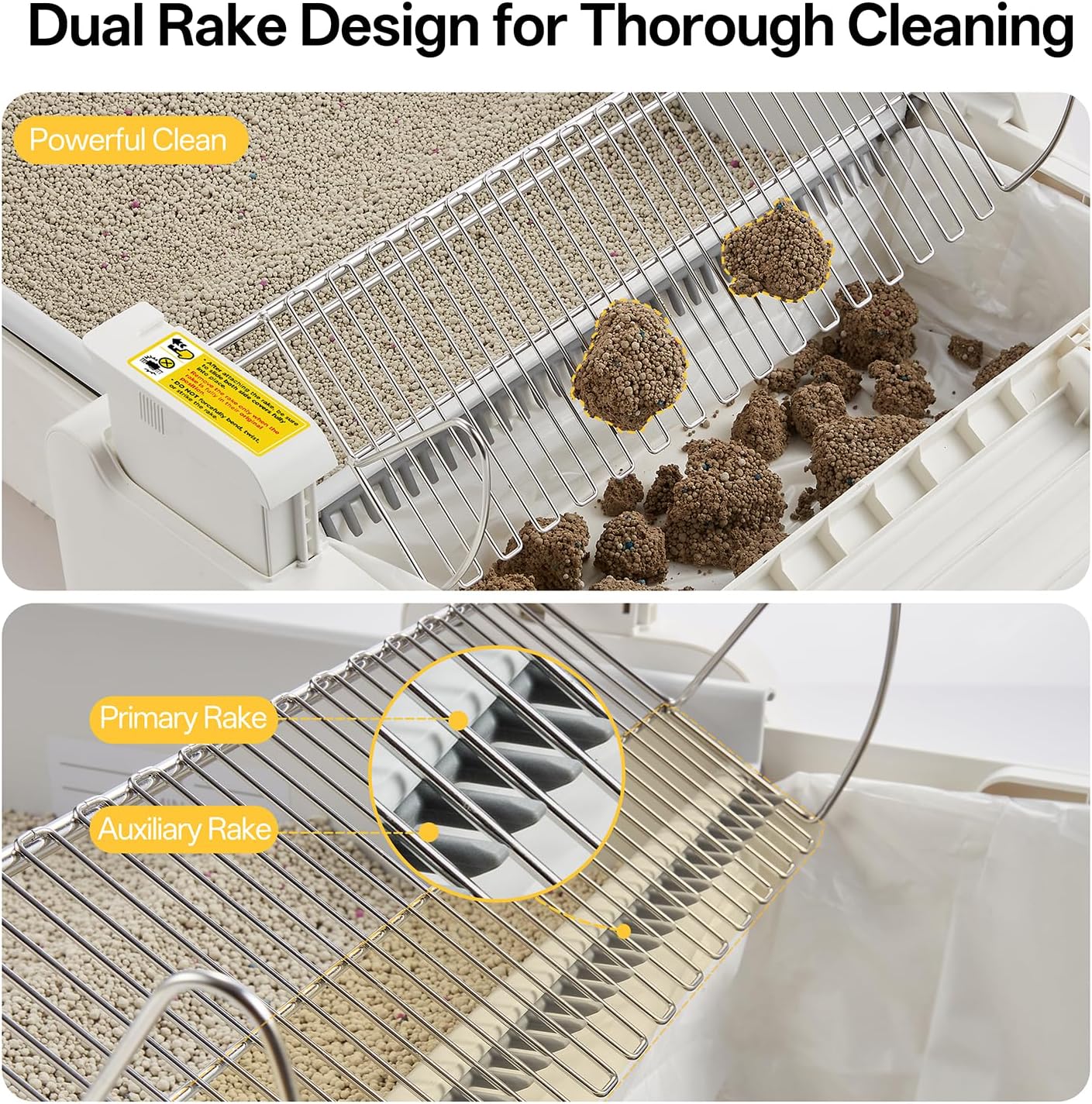
Billede: Et nærbillede view of the patented dual-rake design effectively scooping and cleaning clumps from the cat litter.
Smart APP kontrol
The UBPET app allows for remote control and monitoring of the litter box, providing enhanced convenience and insights into your cat's health.
- Cleaning Status: View current cleaning cycles and device status in real-time.
- Sundhedssporing: Monitor individual cat's bathroom frequency, duration, and weight changes. The app supports up to 5 cat profiles for personalized data tracking.
- Tilpasning: Adjust the auto-clean delay, set "Do Not Disturb" times, and manage status indicators.
- Advarsler: Receive notifications for a full waste bin and when deodorizer replacement is needed.
Video: A demonstration of the UBPET C31 Automatic Cat Litter Box, highlighting its features and smart app control.
Opretholdelse
1. Emptying the Waste Bin
When the app or the device's indicator light signals a full waste bin, pull out the waste drawer, tie off the bag, and dispose of it. Replace with a new custom-fit waste bag.
2. Replacing Deodorizer Block
Deodorizer blocks typically last approximately one month. Replace them as needed or when prompted by the app to maintain optimal odor control.
3. Deep Cleaning (Modular Design)
The UBPET C31 features a modular design for easy disassembly and thorough cleaning of components.
- Ensure the unit is powered off and unplugged from the wall outlet.
- Slide open the top cover.
- Åbn kassens låg.
- Remove the waste box.
- Slide open the left and right covers above the litter rake.
- Lift out the litter rake.
- Remove the litter tray.
- Clean the litter rake, litter tray, and waste chamber with water and mild soap. The Teflon-coated tray bottom is scratch-resistant and non-stick for easy cleaning.
- Wipe all removable components dry with a towel before reassembly.
- Vigtig: Do not wash the main body of the litter box with water. Wipe it clean with a damp cloth only to avoid damaging electronic components.

Image: A visual guide demonstrating the easy steps to disassemble the UBPET C31 for thorough cleaning.

Image: The removable litter tray being rinsed under running water, showcasing its non-stick and easy-to-clean surface.
Fejlfinding
Cleaning Cycle Stops Unexpectedly
Spørgsmål: The cleaning cycle pauses or stops mid-operation.
Løsning: The device's weight sensors may have detected a cat entering the box. Wait for the cat to exit, and the cycle should resume automatically. If the issue persists, check for any physical obstructions in the raking mechanism or consult the app for specific error messages.
Odor Persistence
Spørgsmål: Unpleasant odors persist despite regular cleaning.
Løsning: Ensure the deodorizer block is fresh and correctly installed. Check that the waste bin is properly sealed. Consider more frequent waste bag changes or a deeper clean of the litter box components as outlined in the maintenance section.
Problemer med app-forbindelse
Spørgsmål: Unable to connect the device to the UBPET app or maintain a stable connection.
Løsning: Ensure your Wi-Fi network is 2.4GHz (5GHz networks are not supported by the device). Check your Wi-Fi signal strength near the litter box. Restart both the litter box and your Wi-Fi router. If problems continue, re-attempt the app setup process from the beginning.
Specifikationer
| Feature | Detalje |
|---|---|
| Modelnavn | C31 |
| Produktmål (L x B x H) | 27.5 cm x 18.97 cm x 7.63 cm |
| Varens vægt | 15.4 lbs (7 kg) |
| Hovedmateriale | Plast (PP) |
| Strømindgang | 12V, 1A |
| Registreringsmetode | 4 Ultra-Sensitive Weight Sensors |
| Litter Compatibility | Bentonite, Mineral, Cassava clumping litters (0.31in rake gap) |
| Cat Weight Range | 2.2 - 24 kg |
| Kattebakketype | Automated Self-Cleaning, Open-Top |
| Inkluderede komponenter | Self Cleaning Litter Box, Power Adapter, Waste Bags, Deodorizer Blocks |

Image: A diagram detailing the product dimensions, weight, power input, main material, and sensing method of the UBPET C31.
Garanti og kundesupport
Your UBPET C31 Self-Cleaning Cat Litter Box comes with a 1 års garanti fra købsdatoen, dækker fabrikationsfejl og funktionsfejl ved normal brug.
For any questions, troubleshooting assistance, or warranty claims, please contact our dedicated customer support team. We are available 24/7 to ensure a hassle-free experience.
Kontaktoplysninger: Please refer to the contact details provided on the product packaging or the UBPET official webwebsted for de mest opdaterede supportkanaler.